
Tag Archives: payment gateway

Cardknox Review

Cardknox is a payment gateway that simplifies and unifies transactions across multiple sales channels. As an omnichannel platform it allows you to accept payments online and in person and integrates with various software ecosystems. Built for developers and software providers in mind, Cardknox is about customisation, compliance and reliability. You can manage everything from retail checkout to recurring billing in one single interface. Lets read more about Cardknox Review.

In the last few years Cardknox has become popular among merchants looking for a middle ground between ease of use and deep technical flexibility. It has tools for secure transaction processing, reporting and analytics and APIs for integration with third party platforms. Whether retail, e-commerce or service based industries Cardknox allows you to process payments without having to juggle multiple systems.

Cardknox’s strength is in its ability to build infrastructure that can cater to small businesses and enterprise level software vendors. Its architecture is scalable so you can grow without replacing your payment system. With security features, flexible integration options and strong customer support Cardknox is a complete developer friendly solution for businesses navigating modern digital payments.

Company Background and Market Position | Cardknox Review

Cardknox was founded in 2010 and is a subsidiary of Fidelity Payment Services, a well established player in the merchant processing space. Cardknox was created with a focus on developer centric innovation and flexible integration options for ISVs and developers building custom commerce systems. This allowed Cardknox to stand out in a market full of standard gateways by having a modular architecture and adaptable APIs.

As part of the Fidelity ecosystem, Cardknox has a strong financial and operational backbone but its own brand identity. The partnership model is designed to serve a wide range of industries including retail, healthcare, non-profits and hospitality. Cardknox sits between entry level solutions like Square and enterprise grade systems like Adyen or Stripe. This gives it a unique niche for businesses that need flexibility and personal support.

The company also has strong reseller and white label capabilities, allowing software providers to embed its functionality under their own brand. This has positioned Cardknox as a trusted backend solution powering various point of sale and e-commerce applications. Despite having a smaller global footprint than some of its peers, Cardknox is growing through partnerships and technology driven expansion and appeals to merchants who value customization and security over one size fits all convenience.

Core Payment Gateway Features

At the heart of Cardknox’s offering is a robust payment gateway that supports both card-present and card-not-present transactions. The gateway is built for flexibility, offering features such as API-based processing, SDKs for multiple programming languages, and hosted payment forms that reduce PCI compliance burdens. Merchants can use Cardknox to accept credit cards, debit cards, ACH, gift cards, and mobile wallet payments like Apple Pay and Google Pay.

Another notable feature is the ability to manage recurring billing and subscription models, which makes Cardknox suitable for SaaS and membership-based businesses. The system also supports advanced authorization options, refunds, and real-time reporting. Batch processing, tokenization, and partial authorizations are built into the gateway, providing merchants with enhanced control over how payments are handled.

Cardknox is designed to work across various industries and POS systems, with emphasis on compatibility rather than exclusivity. For developers, its API documentation offers extensive examples and sandbox environments for testing integrations. The combination of flexibility, compliance, and scalability allows Cardknox’s gateway to deliver both reliability and innovation. While it may not have as many plug-and-play extensions as some larger gateways, its customization depth makes it a strong contender for businesses that need precise control over their payment workflows.

Integration and Developer Experience

Integration is one of Cardknox’s biggest strengths. The platform has RESTful APIs, SDKs and pre-built plugins for popular software environments. Developers can connect Cardknox to shopping carts like Shopify and WooCommerce, and accounting tools like QuickBooks. The documentation is detailed with code snippets and support for multiple languages. This developer-first approach makes Cardknox especially good for ISVs building custom POS or ERP systems.

For developers who want a smooth onboarding process, Cardknox provides sandbox accounts to test integrations before going live. The gateway’s structure allows flexible routing of transactions and detailed reporting through API calls which adds transparency to payment flows. Businesses integrating Cardknox can also use its hosted payment pages which keep security while allowing brand consistency.

Compared to some of the competition, Cardknox is more geared towards technical users rather than small merchants without development resources. But for those who need deep integration and control, it delivers. The API supports tokenization, partial payments, refunds and multi-currency (although the latter is limited by geography). In short Cardknox combines custom integration with strong compliance and technical support.

POS and Hardware Support

Cardknox supports a broad range of hardware solutions, making it suitable for both retail and service-oriented businesses. The system integrates with EMV-compliant terminals, mobile readers, and countertop devices from leading manufacturers like PAX, Ingenico, and Clover. Merchants can choose from multiple form factors based on business size and volume. Contactless payment options are available across most devices, ensuring support for NFC-based wallets and tap-to-pay transactions.

The Cardknox POS infrastructure is designed for flexibility and reliability. Whether it’s an in-store checkout, pop-up retail event, or restaurant ordering system, Cardknox aims to provide consistent performance across all touchpoints. Its terminal management features allow merchants to monitor device status, manage updates, and receive technical support remotely.

In addition to traditional terminals, Cardknox also integrates with mobile POS solutions and virtual terminals, allowing payments through laptops or smartphones. This makes it a convenient choice for field-based services or delivery operations. The hardware integration is secure, PCI-validated, and built to work within existing retail networks. Overall, Cardknox’s POS ecosystem balances security with adaptability, ensuring that physical payments remain as streamlined as online ones.

E-Commerce and Online Payment Tools

Cardknox extends its capabilities into the online commerce space with features tailored for digital checkout and recurring payments. Merchants can integrate Cardknox into their websites through API connections or hosted payment pages. These options make it possible to maintain full brand control while outsourcing sensitive payment data handling to Cardknox’s secure servers.

The gateway supports a range of e-commerce tools, including recurring billing, invoicing, and card-on-file management. Tokenization ensures that returning customers can complete transactions quickly without re-entering payment information. For businesses with subscription models, the recurring billing system automates charges and notifications while maintaining compliance with card network rules.

Cardknox also offers advanced fraud detection measures and compatibility with 3D Secure authentication for added protection. The checkout experience can be customized to match brand aesthetics, with support for embedded payment forms and responsive design. While the user interface could feel more modern compared to newer SaaS-based gateways, its functional depth and security make it a dependable choice for established merchants. In short, Cardknox provides a balance between flexibility, security, and reliability for online sellers.

Security, Compliance, and Tokenization

Security is central to Cardknox’s platform. The gateway complies with PCI DSS Level 1, the highest standard of data security for payment processors. Transactions are protected using P2PE and tokenization, which ensures sensitive card data is never stored or transmitted in plain text. This significantly reduces merchants’ exposure to breaches and compliance risks.

The tokenization process replaces card data with secure digital identifiers, allowing merchants to manage recurring or future payments safely. Additionally, Cardknox integrates tools for fraud prevention such as AVS, CVV verification, and customizable transaction filters. For merchants in regulated industries like healthcare or government, this security foundation is particularly valuable.

Cardknox also supports EMV technology for in-person transactions, preventing card cloning and counterfeit fraud. The company’s focus on security extends beyond transactions to include merchant education and regular compliance updates. Although it doesn’t offer proprietary machine-learning fraud analytics like some global processors, Cardknox provides a dependable level of protection suitable for most business sizes. Security remains one of its strongest competitive differentiators.

Reporting and Analytics Dashboard

Cardknox offers a comprehensive merchant portal that provides detailed transaction data, summaries, and analytics tools. The dashboard allows users to track sales, refunds, chargebacks, and settlements in real time. Reports can be customized and exported, helping businesses maintain accurate records and financial visibility.

The analytics suite is designed to support both high-level insights and detailed reconciliation. Users can filter by payment type, location, or time period to identify patterns or discrepancies. The inclusion of batch processing summaries and settlement details simplifies accounting, particularly for businesses managing multiple locations.

Although the interface is practical and well-organized, it leans toward functionality over design. Some users might find the visuals dated compared to newer fintech dashboards. However, what Cardknox lacks in design polish, it compensates with reliability and clarity. The data refresh rate is consistent, and reports can be scheduled or automated for convenience. For merchants and developers managing multiple clients, this reporting ecosystem is valuable for maintaining compliance and performance oversight without requiring separate analytics tools.

Pricing, Fees, and Transparency

Cardknox operates primarily on an interchange-plus pricing model, which provides merchants with a fair and transparent view of processing costs. This means fees are based on actual interchange rates set by card networks, plus a fixed markup. However, pricing can vary depending on business type, transaction volume, and integration setup. Cardknox does not publish standard rates on its website, preferring custom quotes.

While this flexibility can be beneficial for larger merchants, it may make cost comparisons more difficult for smaller businesses. Additional fees may apply for features such as recurring billing, tokenization, or gateway access depending on the plan. Nonetheless, the interchange-plus structure ensures that merchants are not charged flat-rate markups that obscure true costs.

Cardknox’s transparency largely depends on reseller agreements. Some merchants onboarded through third-party ISVs report variable pricing experiences, which underscores the importance of negotiating terms clearly. Overall, while Cardknox offers competitive pricing potential, it may require more communication and customization than standardized platforms like Stripe or Square.

Cardknox Review

Customer Support and Merchant Experience

Customer support is a defining part of Cardknox’s value proposition. The company provides multiple support channels, including phone, email, and a ticket-based system. Technical support is often praised for responsiveness, especially by developers who need assistance during integration or troubleshooting. Cardknox also offers onboarding assistance for merchants transitioning from other systems.

The support documentation covers a wide range of topics from setup to PCI compliance. For independent software vendors, the company maintains dedicated account managers to assist with integration challenges. Merchants report generally positive experiences regarding issue resolution and personal communication, especially compared to larger, more automated competitors.

That said, some small merchants may find the onboarding process slightly more technical than expected, particularly if they are not using pre-built plugins. The platform’s orientation toward developers sometimes translates into a learning curve for users without technical backgrounds. Still, Cardknox’s overall customer care standards are strong, with particular strengths in responsiveness and follow-through.

Industry Use Cases and Flexibility

Cardknox is designed to serve a diverse range of industries, reflecting its flexibility and integration depth. Retailers benefit from its POS compatibility and EMV compliance, while e-commerce businesses appreciate its recurring billing and tokenization features. The platform is also widely used in healthcare, hospitality, nonprofit, and B2B service sectors that require secure and customizable payment solutions.

In healthcare, Cardknox’s compliance with data protection standards ensures safe handling of sensitive payment and patient information. In hospitality, it supports multi-terminal and mobile transactions, enabling faster checkouts. Nonprofits use its recurring billing for donation management, while B2B organizations leverage invoicing and ACH capabilities for larger transactions.

Because of its strong API design, it is often integrated into industry-specific management software rather than used as a standalone portal. This makes it an excellent backend solution for technology partners building tailored payment ecosystems. While it may not suit micro-businesses looking for an off-the-shelf app, its adaptability remains a defining advantage across sectors.

Advantages of Using Cardknox

Cardknox offers several notable benefits that make it an attractive choice for growing businesses and developers alike. Its omnichannel design supports both physical and digital transactions, allowing merchants to manage all payment activities within one ecosystem. The platform’s APIs provide exceptional flexibility, enabling deep customization and easy integration with third-party applications.

The security architecture is another major strength. With PCI Level 1 compliance, tokenization, and encryption, it provides peace of mind for both merchants and customers. The ability to handle complex billing models, from recurring payments to ACH transactions, adds to its operational versatility. Furthermore, its reporting tools and developer documentation make data management and implementation relatively straightforward.

Cardknox’s partnership model also benefits ISVs seeking to embed payments into their software. These partnerships often include white-label opportunities, which can help businesses create branded payment experiences. While it may not be the most user-friendly option for beginners, It stands out as a dependable and scalable platform for businesses prioritizing flexibility, control, and security in their payment systems.

Limitations and Areas for Improvement

Despite its strengths, Cardknox is not without limitations. One of the most noted challenges is its limited international presence. The platform mainly serves U.S.-based merchants, and its multi-currency support is more restricted compared to global gateways like Stripe or Adyen. This could be a drawback for businesses with significant overseas operations.

Another area for improvement is user experience. While the dashboard is functional, its design can feel outdated and less intuitive than newer competitors. For small merchants or non-technical users, the setup process may require additional support or developer involvement. Additionally, pricing transparency could be improved by publishing clearer standard rates or tier options online.

The lack of built-in marketing or loyalty tools may also make Cardknox less appealing to retail chains seeking all-in-one solutions. Nevertheless, these limitations are offset by the platform’s stability and customization capabilities. It remains a strong choice for organizations that value technical control and data security over aesthetics or plug-and-play simplicity.

Final Verdict: Is Cardknox Worth It?

Cardknox occupies a unique space in the payment processing landscape. It bridges the gap between mainstream merchant platforms and enterprise-level integrations, offering scalability, security, and customization at a competitive price point. For software developers, ISVs, and mid-sized businesses, it presents a powerful and reliable solution that integrates seamlessly into existing systems. However, Cardknox may not be ideal for businesses seeking instant setup or international coverage.

Its greatest appeal lies in flexibility and developer control, not simplicity. Companies willing to invest time in integration and setup will likely find Cardknox to be a long-term, adaptable payment infrastructure. In essence, it is best suited for growth-oriented businesses seeking a future-ready payment gateway that doesn’t lock them into rigid systems. While not flawless, it offers the right combination of performance, customization, and trustworthiness to remain a competitive player in 2025’s rapidly evolving payments ecosystem.

FAQs

1. What types of businesses benefit most from Cardknox?

It is best suited for developers, software vendors, and mid-sized merchants who need customizable payment integrations across online and in-person channels. It’s especially beneficial for retail, healthcare, and B2B service providers seeking secure and flexible transaction solutions.

2. Does Cardknox support international payments?

It primarily focuses on U.S. merchants but does provide limited international support depending on acquiring bank partnerships and currency compatibility. Businesses with extensive global operations may find more comprehensive options with global processors.

3. How secure are Cardknox transactions?

It follows PCI DSS Level 1 standards and uses encryption, EMV technology, and tokenization to ensure sensitive data remains protected. The company prioritizes security and compliance, offering merchants strong safeguards against fraud and data breaches.

Zotapay Review

Zotapay Review

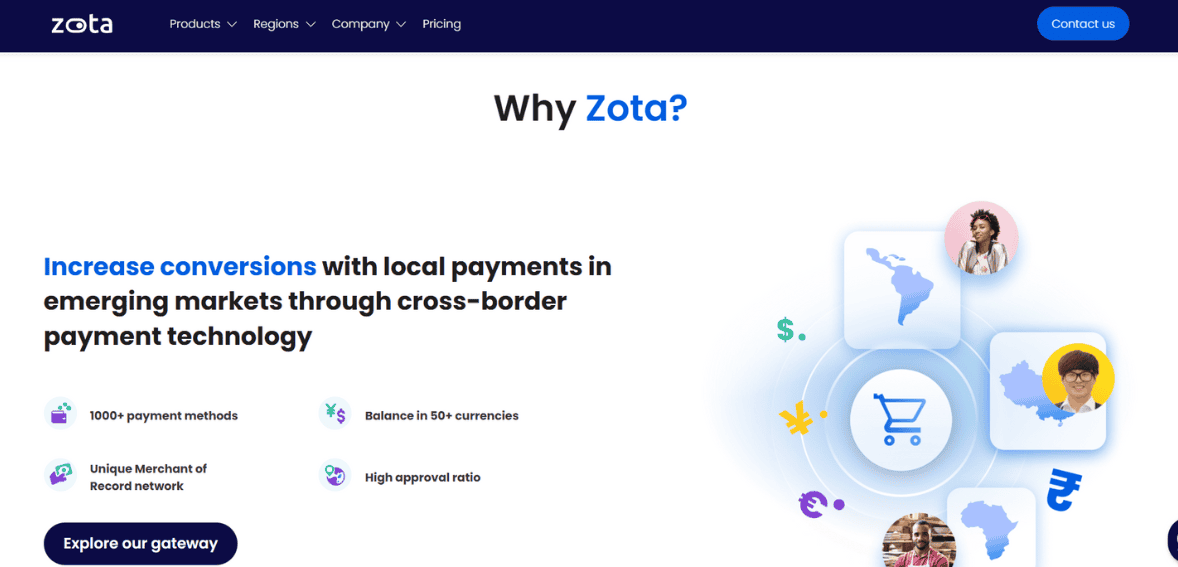
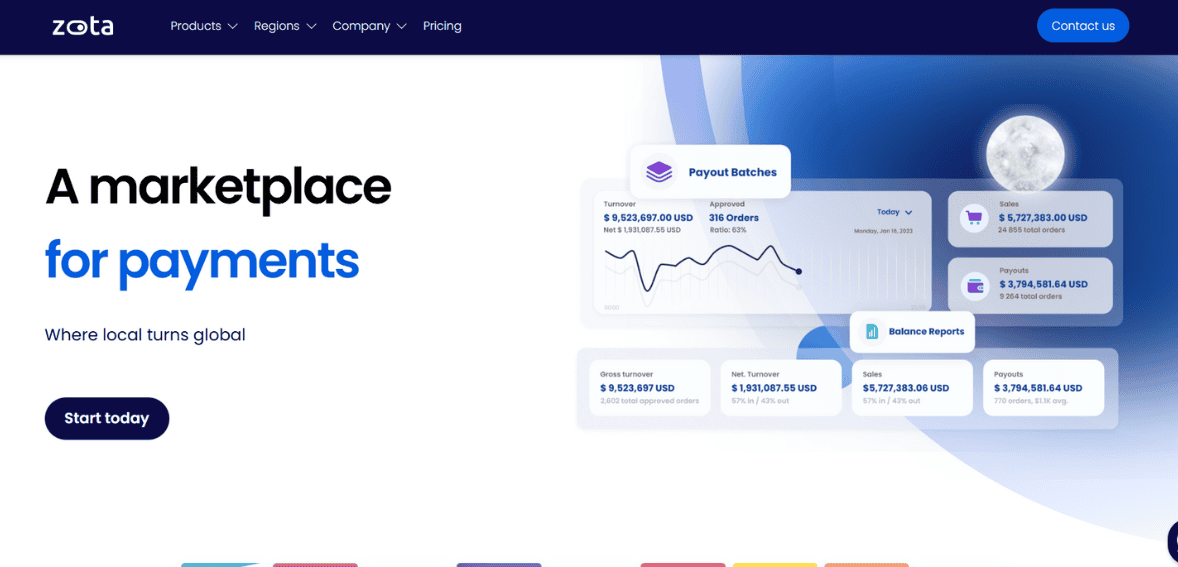
Zotapay is a payment gateway and global financial services provider that has built a reputation for enabling businesses to handle online transactions across multiple markets. As commerce continues to expand beyond borders, the demand for reliable and compliant payment solutions has grown significantly. Zotapay positions itself as a bridge between merchants and customers worldwide by supporting a wide range of currencies, payment methods, and industries. Lets read more about Zotapay Review.

The company has carved out its space by offering a combination of technology, compliance, and financial expertise. Its services are designed for businesses that require more than just basic card processing, particularly those operating in sectors with complex regulatory environments or cross-border trade. Zotapay emphasizes not only flexibility in transactions but also compliance with regional requirements, which is a growing necessity in the payment landscape.

Company Background and Market Position | Zotapay Review

Founded as part of the growing wave of fintech providers, Zotapay focuses on giving merchants access to emerging markets where traditional payment processors may not always operate. The company has established its presence by collaborating with local payment providers, banks, and regulators. This localized approach allows it to serve industries that might otherwise struggle to find reliable payment solutions.

Zotapay is headquartered in multiple regions to maintain a global footprint, which reflects its mission of being more than a regional gateway. Its service model is built around industries that require flexible yet compliant solutions, including e-commerce, digital services, travel, and in some cases, higher-risk sectors.

In terms of market positioning, Zotapay differentiates itself by prioritizing global reach and tailored solutions rather than focusing on small-scale merchants alone. Unlike more mainstream providers that primarily serve low-risk businesses, Zotapay appeals to merchants who operate in industries with higher levels of regulation or geographic complexity. This positioning makes it a strategic choice for businesses that need custom solutions rather than generic one-size-fits-all offerings.

Its growth has been supported by partnerships with acquiring banks and regional financial institutions. While it may not have the same brand recognition as larger processors, it has established credibility within its niche by being reliable in markets where many other providers are absent.

Core Payment Processing Features

At its core, Zotapay offers the functionality merchants need to accept payments securely and efficiently. It supports a wide range of currencies and provides global acquiring services, ensuring that businesses can transact in local markets while still consolidating their revenues. This multi-currency capability is particularly important for companies targeting international audiences.

The platform provides card processing, bank transfers, and alternative payment methods, which makes it versatile. Merchants can accept payments through major credit cards as well as localized solutions that are often critical in regions like Asia, Latin America, and Africa. Zotapay aims to give businesses the ability to scale globally without being restricted by the limitations of a single payment method.

Additional features include fraud protection tools, transaction monitoring, and reporting systems. These are designed to help merchants not only accept payments but also manage risk effectively. The payment infrastructure supports recurring billing and subscription models, which are essential for businesses in digital services and SaaS.

Overall, Zotapay’s payment processing suite covers the essentials expected from a modern payment provider while layering on the flexibility needed for international trade. The focus on providing a wide range of options gives merchants access to tools that can improve conversion rates and reduce friction in the checkout process.

Integration and API Capabilities

For any payment solution, ease of integration is crucial. Zotapay offers API-driven integration that allows developers to connect payment functionality to websites, applications, and platforms. The APIs are designed to be flexible, enabling merchants to tailor the payment flow to their specific needs rather than being forced into a rigid structure.

The company provides documentation to guide integration, covering everything from transaction requests to callbacks and reporting. For e-commerce businesses, Zotapay also supports plugins and extensions for popular platforms, which reduces the burden of manual setup. However, compared to more mainstream gateways, the availability of pre-built plugins may not be as extensive, potentially requiring additional developer input.

One strength of Zotapay’s integration is its adaptability for industries with complex needs. For instance, businesses that require multi-step verification, dynamic currency conversion, or localized payment flows can leverage the APIs for customization. This flexibility ensures that merchants can create a checkout experience that aligns with their customers’ expectations.

While integration is generally straightforward, businesses without in-house technical teams may find the process requires some outside assistance. This is not unusual in the payments industry, but it does highlight that Zotapay caters more to businesses seeking custom solutions than to small merchants looking for a simple plug-and-play service.

Zotapay Review

Security and Compliance Standards

Security is a cornerstone of payment processing, and Zotapay adheres to recognized global standards. The platform is PCI DSS compliant, ensuring that sensitive cardholder data is handled securely. Merchants can take confidence in knowing that the gateway meets industry requirements designed to reduce the risk of breaches and fraud.

Beyond PCI compliance, Zotapay implements advanced fraud detection tools and real-time monitoring to identify suspicious activity. The platform includes features such as transaction risk scoring, velocity checks, and geolocation filters. These are particularly important for businesses that operate in high-risk sectors or across regions with elevated fraud rates.

Another key aspect of Zotapay’s operations is its compliance with Anti-Money Laundering (AML) and Know Your Customer (KYC) requirements. By conducting due diligence on both merchants and customers, Zotapay helps ensure that transactions are legitimate and reduces the likelihood of regulatory issues.

For merchants, this strong compliance framework can be both an advantage and a challenge. While it provides added security and credibility, it also means that onboarding may be more rigorous compared to lightweight payment gateways. Businesses must be prepared to provide documentation and undergo verification before being fully onboarded.

User Experience and Merchant Dashboard

The merchant dashboard is designed to give businesses control and visibility over their transactions. Zotapay’s dashboard provides real-time reporting, transaction tracking, and settlement overviews. This is valuable for businesses managing high volumes of international payments, where transparency is essential.

The interface allows merchants to filter transactions by date, region, or payment type, which makes it easier to analyze customer behavior. Exportable reports provide actionable insights for accounting and reconciliation, saving businesses time in financial management.

Customization is another feature of the dashboard. Merchants can configure settings such as payout preferences, notifications, and fraud rules according to their requirements. This level of flexibility is useful for businesses operating in diverse regions with varying levels of customer expectations.

That said, the user experience may not be as streamlined as mainstream gateways targeting small merchants. Zotapay prioritizes functionality and detail, which can come at the expense of simplicity. For businesses with dedicated finance teams, this is a positive, but for small merchants, the learning curve may feel steeper.

Overall, the dashboard aligns with Zotapay’s focus on professional-grade tools rather than entry-level simplicity.

Supported Payment Methods

Zotapay supports an extensive range of payment methods, which is one of its strongest advantages. Merchants can process credit and debit card payments from major providers, but the company goes beyond that by enabling local payment options in emerging markets.

For example, in regions where card penetration is low, bank transfers, cash-based vouchers, or mobile wallets are often the preferred payment method. Zotapay’s partnerships with local providers allow merchants to tap into these options, improving conversion rates among customers who might otherwise abandon a transaction.

E-wallets and alternative payments are also supported, reflecting the global trend toward more flexible payment solutions. For businesses in digital services, this range of options can be the difference between a completed sale and a lost opportunity.

By enabling multiple methods, Zotapay ensures that businesses are not limited to one type of customer demographic. This inclusivity makes the platform appealing for international merchants, particularly those targeting regions with diverse financial habits.

The breadth of supported methods strengthens Zotapay’s positioning as a global payment provider rather than one limited to a few geographies or card networks.

Settlement and Payout Processes

Timely payouts are a critical factor in choosing a payment provider. Zotapay offers settlement services that allow businesses to receive funds in multiple currencies, depending on their operational needs. Settlement cycles vary based on region, bank partnerships, and risk profile, but they generally align with industry standards.

The platform supports global banking connections, which makes it easier for merchants to consolidate revenues across borders. Payouts can be directed to designated accounts, giving businesses flexibility in managing their cash flow.

For high-risk industries, settlement times may be longer due to increased compliance checks. This is standard practice in the payments industry but is important for merchants to be aware of when projecting revenue timelines.

Zotapay emphasizes transparency in settlements by providing detailed breakdowns within the merchant dashboard. This ensures that businesses can reconcile payments with invoices and customer transactions more easily.

While settlement speed is generally acceptable, smaller businesses accustomed to instant or next-day payouts from mainstream providers may find the timelines less competitive. However, for international businesses dealing with complex transactions, Zotapay’s payout processes are designed to prioritize reliability and regulatory compliance over speed.

Pricing and Fee Structure

Zotapay’s pricing model is not fully standardized, as it depends on the type of business, industry risk, and geographic focus. Fees generally include transaction charges, currency conversion costs, and in some cases, additional service fees depending on the level of customization required.

Unlike some mainstream providers that publicly publish flat-rate fees, Zotapay tends to negotiate pricing with merchants. This allows flexibility for larger businesses but can be less transparent for smaller ones seeking upfront clarity.

The advantage of this model is that high-volume merchants or businesses with specialized needs may secure tailored rates that align with their operations. However, businesses must carefully review their agreements to ensure they understand all costs, including potential hidden charges such as cross-border fees or chargeback handling costs.

Overall, Zotapay’s pricing is competitive within its niche but may appear less straightforward compared to mainstream payment processors. Businesses that value tailored solutions over simplicity may find the trade-off acceptable.

Zotapay Review

Customer Support and Service Quality

Customer support is a vital component of any payment service. Zotapay provides support through multiple channels, including email, phone, and dedicated account managers for higher-tier clients. The availability of account managers is a significant benefit for businesses with complex needs, as it allows for personalized assistance.

Response times are generally reported as satisfactory, particularly for urgent issues. Support teams are knowledgeable about both technical and compliance matters, which helps merchants navigate not only integration challenges but also regulatory concerns.

However, smaller businesses that are used to 24/7 chat-based support from mainstream providers may find the model less accessible. Zotapay’s approach leans more toward dedicated service for established businesses rather than round-the-clock coverage for entry-level merchants.

Overall, the quality of support reflects Zotapay’s focus on professional-grade service. While it may not cater to every type of business equally, those that require guidance in complex environments often find the level of support reassuring.

Pros of Using Zotapay

Zotapay’s strengths lie primarily in its flexibility and global coverage. Merchants gain access to multiple payment methods, currencies, and regions that are often underserved by other providers. This inclusivity helps businesses expand into new markets with confidence.

The platform’s compliance and security measures add another layer of value, ensuring that transactions are not only processed but also safeguarded against fraud and regulatory issues. Its tailored solutions and API flexibility allow businesses to create payment experiences that fit their unique requirements.

Additionally, the availability of dedicated support for larger clients makes it a reliable partner for businesses operating in high-risk or complex industries.

Cons and Limitations of Zotapay

Despite its strengths, Zotapay is not without limitations. Its pricing transparency is less clear than some mainstream processors, which may be a drawback for smaller merchants seeking straightforward fee structures.

Integration, while flexible, may require technical expertise that not all businesses have in-house. This can increase the reliance on external developers or technical teams.

Settlement speeds, particularly for high-risk industries, may also lag behind faster mainstream providers. Additionally, the company’s brand recognition is not as widespread as major competitors, which may influence the perception of smaller merchants looking for established household names.

These limitations do not necessarily outweigh its strengths but highlight that Zotapay is best suited for specific business types rather than a universal solution.

Ideal Business Types for Zotapay

Zotapay is particularly well-suited for businesses operating in international markets, especially those entering regions where local payment options are critical. E-commerce, digital services, online travel, and subscription-based industries can benefit from its global coverage.

High-risk businesses, such as those in industries often underserved by mainstream processors, may also find Zotapay to be a viable option due to its compliance-first approach. Its willingness to serve these industries makes it stand out compared to many competitors that avoid such markets.

Smaller merchants with straightforward payment needs may not find it as suitable, given its pricing model and technical requirements. For those businesses, mainstream processors with plug-and-play services may be more cost-effective.

Comparison with Competitors

When compared to mainstream gateways like Stripe or PayPal, Zotapay stands out in its support for high-risk and international merchants. These larger providers often avoid complex industries or limit coverage in certain regions, while Zotapay actively caters to them.

On the other hand, competitors may offer clearer pricing, faster payouts, and more extensive pre-built integrations. This means that businesses seeking simplicity and speed may lean toward mainstream providers.

Zotapay competes more directly with specialized processors that focus on cross-border or high-risk payments. In this niche, it offers a compelling balance of compliance, security, and flexibility. Its differentiation lies in its willingness to tailor solutions and adapt to unique merchant needs.

Conclusion and Final Thoughts

Zotapay is a payment gateway designed for businesses that need more than just standard card processing. Its strengths lie in its ability to serve international merchants, support multiple payment methods, and provide compliance-driven services. For businesses in complex or high-risk industries, Zotapay offers access to markets and solutions that are often hard to find.

At the same time, it is not a one-size-fits-all solution. Smaller merchants or those seeking transparency and simplicity may find mainstream alternatives more suitable. Zotapay’s model is best for businesses willing to invest in tailored services and navigate a more involved onboarding process.

Ultimately, Zotapay fills an important gap in the payment processing landscape, serving merchants who value global reach, flexibility, and security over simplicity and brand recognition.

FAQs

Q1. Is Zotapay safe for handling international payments?

Yes, Zotapay is PCI DSS compliant and employs fraud detection, AML, and KYC checks. It provides a secure environment for global transactions.

Q2. What types of businesses can benefit most from Zotapay?

It is ideal for e-commerce, digital services, travel, subscription-based businesses, and high-risk industries that need tailored solutions and international coverage.

Q3. How does Zotapay’s pricing compare to other providers?

Pricing is competitive within its niche but less transparent than mainstream providers. Fees are customized, which can benefit larger businesses but may feel unclear to smaller ones.

USAePay Review

USAePay Review

USAePay has been around for over 20 years and has been serving merchants for that long. A payment gateway solution with secure transaction processing, flexible integration and compliance focused. Acquired by NMI (Network Merchants, LLC) the platform continues to evolve under new ownership but still retains its brand. USAePay is designed to work with a wide range of businesses from small eCommerce stores to large enterprises with tools to accept payments across multiple channels. Its focus on security, customizability and uptime has kept it competitive in the payment processing space. Lets read more about USAePay Review.

The platform acts as a bridge between a merchant’s point of sale or website and their payment processor to accept credit card, debit card and alternative payments. Merchants can connect USAePay to their existing merchant accounts so they have flexibility in choosing their processing partners. Over the years USAePay has built a reputation as being developer friendly with a robust API for businesses that need custom payment workflows.

With the acquisition by NMI it brings questions about the future direction and pricing changes. This review takes a closer look at USAePay’s features, pros, cons and overall value to help business owners decide if it’s the right payment gateway for their business.

Company Background and Industry Position | USAePay Review

Founded in 1998 and based in Glendale, California, USAePay has established itself as one of the more experienced payment gateway providers in the industry. Its longevity speaks to its ability to adapt to changes in payment technology, regulatory requirements, and merchant needs. Unlike newer fintech startups, USAePay has weathered multiple shifts in the payment landscape, including the rise of mobile commerce, EMV chip cards, and stronger PCI DSS compliance mandates.

The company’s acquisition by NMI in 2021 was a strategic move aimed at combining resources, expanding integration options, and enhancing global reach. While NMI is known for its technology-driven approach to payments, USAePay continues to serve its existing customer base while integrating into NMI’s broader ecosystem. This transition has allowed merchants to access more advanced tools without losing the familiarity of USAePay’s interface and features.

In the competitive payment gateway market, USAePay positions itself as a versatile choice with a strong technical backbone. It appeals particularly to merchants who value control over their merchant account relationships while still needing a powerful, feature-rich gateway. Although not as widely marketed as PayPal or Stripe, USAePay has carved out a solid niche, especially among businesses seeking a reliable gateway that can handle complex setups and high-volume processing.

Core Features of USAePay

USAePay has all the features to give merchants flexibility and security in payment acceptance. The payment gateway supports credit cards, debit cards and ACH, so businesses have many options for customer payments. One of its best features is the ability to integrate with hundreds of shopping carts, POS systems and software solutions so merchants can keep their existing business infrastructure and add payment functionality.

The platform also supports recurring billing for subscription based services and membership organizations. Merchants can set up automated billing cycles, customize invoice templates and manage customer payment information securely. USAePay also has robust reporting tools to monitor transactions in real time, generate settlement summaries and track sales over time.

Security is built into the platform with PCI DSS compliance, tokenization and encryption. Fraud prevention tools like customizable filters and IP blocking help reduce chargebacks and unauthorized transactions. And with a developer friendly API, businesses can build custom payment solutions that integrate with their systems. USAePay has out of the box solutions for non-technical users and highly customizable tools for developers. This versatility, security and integration makes it a competitive player in the payment gateway space.

Payment Gateway Functionality

At its core, USAePay functions as a secure and efficient gateway between merchants and their payment processors. The platform processes transactions quickly, with authorization and settlement occurring in a matter of seconds. Merchants can accept a wide range of payment types, including Visa, Mastercard, American Express, Discover, and ACH/eCheck payments.

The gateway supports multiple processing methods, including keyed-in transactions, swiped payments through compatible card readers, and online payments via hosted checkout pages. For merchants selling online, USAePay integrates seamlessly with popular eCommerce platforms, allowing for smooth payment flows without redirecting customers to third-party sites.

Its advanced API capabilities allow developers to embed payment functions directly into mobile apps, websites, or custom software. This is particularly beneficial for larger businesses that require tailored payment workflows, such as split payments, multi-currency support, or specialized order management.

Security is a key strength, with features like tokenization and point-to-point encryption ensuring that sensitive payment data is never exposed during transmission. Fraud detection tools can be configured to flag suspicious transactions, adding another layer of protection for merchants. Overall, USAePay delivers solid core payment gateway functionality that is both reliable and adaptable to various business needs, whether for in-person transactions, mobile payments, or online sales.

USAePay Review

Security and Compliance Standards

Security is one of USAePay’s biggest selling points. They are PCI DSS compliant and use tokenization to replace sensitive card data with unique identifiers to reduce the risk of data breaches. Transactions are end-to-end encrypted using advanced cryptographic protocols so payment information is secure from the moment it’s entered to when it hits the processor.

They also have customizable fraud prevention filters. Merchants can block transactions from specific IP addresses, countries or card numbers and require additional verification for high risk transactions. These are key to reducing chargebacks and preventing fraudulent activity. USAePay’s compliance extends to features like AVS and CVV verification which add an extra layer of security during the checkout process. Merchants in regulated industries benefit from the ability to meet compliance requirements without sacrificing transaction speed.

By combining strong encryption, tokenization and proactive fraud prevention USAePay allows merchants to process payments with confidence. Their long history of secure payment processing speaks for itself. They are a trusted payment gateway provider.

Integration Capabilities and API Access

USAePay’s integration capabilities are one of its most attractive features, particularly for businesses that operate across multiple platforms or require specialized payment workflows. The gateway connects with hundreds of prebuilt integrations, including major eCommerce platforms, POS systems, and accounting software. Popular shopping cart integrations such as Magento, WooCommerce, and Shopify are supported, along with ERP and CRM tools for more complex business operations.

For businesses that need custom solutions, USAePay offers a robust API and SDKs for various programming languages. These developer tools enable merchants to embed payment processing directly into their websites, mobile apps, or internal systems. The API supports advanced functions such as split transactions, batch processing, and recurring billing management, allowing for high levels of automation and customization.

In addition to direct integrations, USAePay provides hosted payment forms that can be embedded into a site with minimal coding. This is a convenient option for businesses without in-house development resources, as it allows them to quickly deploy secure checkout functionality. Its versatility ensures that USAePay can fit into both simple and highly complex setups. Whether a merchant is running a small online shop or a large enterprise system, the integration flexibility ensures payments are processed efficiently without forcing a complete overhaul of existing workflows.

Mobile Payment Solutions

Mobile compatibility is a must-have for modern payment processing and USAePay has got you covered. The platform has a mobile app that works on both iOS and Android devices so you can process payments on the go. This is perfect for service-based businesses, event vendors and field sales teams. The mobile app has all the key payment functions including manual entry, card swiping via supported mobile readers and the ability to email or SMS receipts instantly. You can also view transaction history, process refunds and manage customer records from your mobile device.

USAePay’s mPOS solutions are EMV compliant with card readers so you can meet chip card security requirements. For businesses that attend trade shows, pop-up markets or provide at-home services, this mobile functionality allows you to accept payments in real-time without having to set up traditional hardware.

The app syncs seamlessly with your main USAePay account so all transaction data is consistent across all channels. This unified approach means you can have accurate reporting and customer records no matter where the transaction takes place. By offering a mobile payment experience USAePay allows you to extend your payment acceptance beyond a fixed location and keep up with customer expectations for speed and convenience.

Recurring Billing and Subscription Management

Recurring billing is a critical feature for subscription-based businesses, membership organizations, and service providers. USAePay’s recurring billing module allows merchants to automate payments on a schedule that suits their needs; whether weekly, monthly, or annually. This automation reduces administrative overhead while ensuring that payments are collected consistently.

Merchants can securely store customer payment details using tokenization, eliminating the need to re-enter sensitive information for each transaction. The platform supports customizable billing profiles, allowing for different rates, start dates, and billing cycles depending on the customer agreement. USAePay also offers automated payment reminders and dunning management features, which help reduce failed payments due to expired or declined cards. This ensures steady cash flow and improves customer retention by minimizing disruptions in service.

Invoicing tools are integrated within the platform, enabling merchants to generate and send professional invoices with embedded payment links. Customers can complete their payments online through secure hosted pages, improving the convenience factor. For businesses operating on a subscription model, the ability to manage billing and payments from one centralized system is a significant advantage. USAePay’s recurring billing features are flexible enough to support a variety of business types, from SaaS companies to gyms and nonprofits.

Reporting and Analytics Tools

Having access to accurate transaction data is essential for making informed business decisions. USAePay provides merchants with a range of reporting and analytics tools that give a clear view of payment activity. Through its web-based dashboard, merchants can generate transaction reports, settlement summaries, and batch processing logs in real time.

These reports can be filtered by date range, transaction status, payment method, or even individual customer accounts. This level of detail is valuable for tracking sales performance, identifying trends, and monitoring for unusual activity that may indicate fraud. The analytics tools also assist in financial reconciliation by allowing merchants to match processed transactions with bank deposits. For businesses managing multiple sales channels, the ability to view consolidated reports ensures a complete understanding of revenue streams.

Export options make it easy to integrate USAePay’s reporting data with accounting or ERP systems, streamlining bookkeeping processes. This is particularly useful for businesses that rely on third-party accounting software like QuickBooks or Xero. By combining real-time transaction monitoring with comprehensive historical data, USAePay empowers merchants to take a proactive approach to financial management. These insights can help in refining sales strategies, managing cash flow, and improving operational efficiency.

Customer Support and Service Quality

Customer support is a crucial aspect of any payment service, and USAePay provides multiple channels for assistance. Merchants can reach support via phone, email, and an online helpdesk during standard business hours. While the platform does not advertise 24/7 live support, its response times are generally regarded as efficient for urgent issues.

In addition to direct support, USAePay maintains a knowledge base with articles, guides, and FAQs that cover common setup and troubleshooting topics. This self-service resource can be particularly helpful for resolving minor issues without waiting for a representative. Developers also benefit from detailed API documentation, which helps reduce integration-related support queries. The platform’s commitment to maintaining up-to-date technical resources ensures that both technical and non-technical users can find the information they need.

While feedback on support quality is generally positive, some merchants note that more extended support hours would be beneficial, especially for businesses that operate across time zones or outside typical working hours. Still, the combination of responsive human assistance and comprehensive documentation makes USAePay a dependable option in terms of service quality.

USAePay Review

Pricing Structure and Fees

USAePay operates on a pricing model that typically involves a combination of setup fees, monthly gateway fees, and per-transaction charges. While exact pricing can vary depending on the reseller or merchant service provider through which the account is obtained, merchants can expect a monthly gateway fee in addition to transaction costs. Some resellers may bundle USAePay’s services with merchant accounts, while others offer it as a standalone gateway integration.

There may be additional charges for advanced features such as recurring billing, tokenization, or fraud detection tools. These costs are not excessive compared to industry standards, but they can add up for smaller businesses that do not process high transaction volumes. For larger merchants, the flexibility and security benefits may outweigh these fees.

One consideration is that USAePay’s pricing transparency is dependent on the reseller. Unlike providers such as Stripe, which publish flat-rate pricing, USAePay relies on a network of partners who set their own rates. This means businesses should request detailed quotes to fully understand their total cost of ownership. While not the cheapest gateway on the market, USAePay delivers strong value for businesses needing high levels of integration flexibility and security. The key to maximizing cost efficiency lies in negotiating competitive rates with the chosen reseller.

Pros of Using USAePay

✓ Strong security features including tokenization and encryption
✓ Robust integration options with hundreds of platforms
✓ Developer-friendly API for custom payment solutions
✓ Supports recurring billing and subscription models
✓ Reliable transaction processing with real-time reporting

Cons and Potential Limitations

✗ Pricing depends on resellers, creating variability
✗ Some advanced features may incur extra costs
✗ Limited direct brand recognition compared to major competitors
✗ No native 24/7 customer support
✗ May be complex for small businesses without technical resources

Ideal Business Types for USAePay

USAePay’s feature set makes it particularly well-suited for mid-sized to large businesses that require a high degree of flexibility in their payment infrastructure. It works effectively for eCommerce companies that need multiple shopping cart integrations, subscription-based services that rely on automated recurring billing, and service providers operating in both online and mobile environments.

Industries such as SaaS, retail, professional services, and membership organizations can benefit from the gateway’s extensive integration capabilities and secure transaction processing. For merchants with in-house development teams, the API allows for the creation of highly customized payment solutions that fit unique operational workflows.

While small businesses can certainly use USAePay, the platform’s potential may be underutilized if advanced integration features are not needed. Additionally, the costs associated with certain premium features may be more justifiable for businesses with higher transaction volumes. Overall, USAePay is best suited for merchants who value long-term reliability, security, and technical flexibility over ultra-low-cost payment options. Its adaptability across industries gives it a broad appeal for businesses ready to invest in a capable and future-proof payment gateway.

FAQs

Q1: Is USAePay suitable for small businesses?

Yes, USAePay can work for small businesses, but it is generally better suited for merchants who require advanced features such as recurring billing, multi-platform integrations, and API customization. For very small businesses with basic needs, simpler and more transparent pricing models from other providers may be more cost-effective.

Q2: Does USAePay work internationally?

USAePay primarily serves US-based merchants but can process international transactions depending on the merchant account provider and supported currencies. Merchants seeking global coverage should confirm currency support, regional restrictions, and cross-border processing fees with their reseller before signing up.

Q3: How does USAePay compare to other payment gateways like Authorize.Net or Stripe?

USAePay offers similar core functionality to Authorize.Net, with strong security, recurring billing, and integration options. Compared to Stripe, it provides more flexibility in choosing merchant accounts but lacks Stripe’s unified pricing model and branding strength. Businesses with technical resources may prefer USAePay’s customization capabilities, while those seeking simplicity may lean toward Stripe.

Skrill Review

Skrill Review

Skrill is a digital wallet that lets you send money, receive payments and transact in multiple currencies. Founded in 2001 as Moneybookers, the company rebranded as Skrill and became part of the Paysafe Group. Over the years Skrill has evolved from a niche payment tool for online gambling to a full blown global wallet service for individuals, businesses and even cryptocurrency users. Lets read more about Skrill Review.

Today Skrill is available in over 120 countries and supports 40+ currencies. It’s used by freelancers, digital marketers, traders and global shoppers who need a quick and easy way to move money online. The platform offers basic wallet services, prepaid cards and integration with e-commerce systems. It also allows crypto buying and selling within the app.

But while Skrill is convenient for many, it has also had its critics for certain aspects of the service. The fee structure, withdrawal limits and customer support can be hit and miss. Still it’s a popular option for those who need to bypass traditional banking or want to centralise their digital financial activity. Overall, Skrill sits in the middle of the road; offering strong functionality and flexibility for specific needs, but not always delivering the smoothest or cheapest experience compared to newer fintech competitors.

Account Setup and User Interface | Skrill Review

Setting up a Skrill account is relatively straightforward. Users can register using an email address and password, after which they’re prompted to input personal details such as name, address, date of birth, and preferred currency. Verification is typically required for higher transaction limits and includes submitting identification documents and proof of address.

The dashboard is clean, with a minimalist design that makes it easy to locate core functions like sending money, adding funds, or checking account balances. It offers both a web platform and mobile apps for iOS and Android. Each version maintains consistency in layout and functionality, though some users report minor bugs or slower load times on mobile compared to desktop.

Navigation is generally intuitive. Menu items are clearly labeled, and users can access transaction history, security settings, and support without too much digging. Skrill also offers multi-device syncing, so users can seamlessly shift between platforms without losing session progress.

For more complex tasks, such as managing crypto assets or linking a Skrill Prepaid Mastercard, the steps are spelled out but can occasionally feel clunky. It’s clear the interface was designed with broad accessibility in mind, but it may not offer the kind of customization or advanced controls that tech-savvy users might expect.

In summary, Skrill delivers a user-friendly experience that caters to most needs, but it’s not entirely free of friction. Improvements to speed and in-app instructions could make the experience more seamless, especially for new users.

Key Features and Functionalities

Skrill provides a well-rounded suite of tools that go beyond basic money transfers. At its core, the platform allows users to send and receive funds globally. Users can load money into their Skrill wallet using a bank transfer, card payment, or other local payment methods, depending on their region.

One of Skrill’s key selling points is the ability to make quick online payments without exposing banking details. This is especially popular for gaming, betting, or forex platforms that accept Skrill. Users also get access to a Skrill Prepaid Mastercard, which can be used for online and in-store purchases or ATM withdrawals.

The wallet supports 40+ fiat currencies and allows for easy currency conversion. Skrill also offers a crypto feature, letting users buy, sell, and hold a variety of cryptocurrencies, including Bitcoin, Ethereum, and Litecoin. However, crypto withdrawals to external wallets are not currently supported, which limits its use for serious crypto investors.

Skrill’s Knect loyalty program rewards users for transactions with points that can be redeemed for bonuses or other benefits. It’s a nice touch, but the rewards are relatively small and won’t significantly offset fees for heavy users. Other features include recurring payments, instant deposits to select platforms, and integration with e-commerce websites. While comprehensive, some features are restricted by region or account type, which may frustrate users who expect full access globally.

Skrill Review

Security and Compliance Standards

Skrill operates under strong regulatory oversight, primarily by the UK’s Financial Conduct Authority. This adds credibility and legal reassurance for users concerned about the safety of their funds and personal data. It also aligns with EU anti-money laundering laws and GDPR regulations, meaning user privacy and transaction security are taken seriously.

Security-wise, Skrill offers standard protections such as two-factor authentication via SMS or authenticator apps, email confirmations for sensitive actions, and high-grade encryption across its platforms. These measures work to ensure that unauthorized access is minimized, even if a user’s credentials are compromised.

On the compliance side, Skrill requires full identity verification for most transactions. While this can be a hassle during signup, it’s part of their strategy to reduce fraud and comply with international regulations. Users need to upload valid identification and, in some cases, submit video selfies or address proof for higher account limits.

While Skrill’s security protocols are strong in theory, customer reports sometimes highlight delayed access or account freezes during verification processes. This has led to frustration among users who experience sudden interruptions in service without immediate support. Despite these complaints, Skrill remains a reliable and compliant service for digital transactions. Its security infrastructure is on par with other leading fintech platforms, making it a relatively safe option for users dealing with significant online financial activity.

Fees and Charges

Skrill’s fee structure is one of the most controversial. While it’s easy to use and fast transfers, the fees can be high depending on how you use the service. For example, sending money to another Skrill user is free in some cases, but sending to a bank account or credit card usually has a percentage fee.

Currency conversion fees are another issue. Skrill applies a markup to the exchange rate, usually around 3.99% above the base rate. That can add up quickly for cross border transactions. If you deal with multiple currencies you should factor that in when choosing Skrill over other more cost effective platforms.

And there’s an inactivity fee. If you don’t log in or make a transaction for 12 months Skrill charges a monthly maintenance fee. That can drain low balance accounts over time without you even realizing it. Adding funds via credit card or withdrawing to a bank account also comes with service-specific fees. For example, using a card to add money might incur a 2.5 percent charge, while bank withdrawals vary depending on the country.

In short, while Skrill provides convenience and global access, users need to be aware of the layered costs. The platform is best for those who prioritize speed and reach over budget-friendliness.

Skrill for Online Businesses and Merchants

Skrill offers dedicated tools for online merchants and businesses, positioning itself as a viable payment gateway solution. Its checkout services support one-time payments, recurring billing, and even split payments for multi-vendor platforms. The platform can be integrated with popular e-commerce systems like Magento, WooCommerce, and Shopify using existing plugins or custom APIs.

For businesses operating in high-risk industries such as gaming, forex, or adult content, it presents a practical option where traditional processors may be restrictive. It offers a way to accept global payments, convert currencies automatically, and withdraw funds efficiently. Transaction speed is another plus. Payments typically reflect quickly, and Skrill’s global coverage allows businesses to reach customers in many countries with fewer currency compatibility issues.

However, Skrill’s business solution isn’t without drawbacks. The fees for merchants can be higher than average, especially for international cards or wallets. Chargeback handling is also relatively limited compared to major processors like Stripe or PayPal, which can be a deal-breaker for some vendors.

Overall, Skrill serves as a reliable option for online businesses that need international reach and flexibility, especially in niche sectors. But for mainstream e-commerce with high transaction volumes, there may be more cost-effective or feature-rich alternatives available.

Skrill in International Transfers

One of the best features of Skrill is the international money transfer. You can send money to bank accounts in over 180 countries, usually within 1-3 business days. Transfers between Skrill wallets are instant, so it’s perfect for personal remittances or business settlements. You can fund transfers with cards, local payment methods or wallet balances. It also has an alternative platform called Skrill Money Transfer where you can send money directly to bank accounts without the recipient needing to have a Skrill account.

Compared to banks, Skrill is faster and cheaper. But compared to fintech rivals like Wise or Revolut, Skrill’s exchange rate markups and fees make it less attractive for frequent or large value transfers. Another thing to consider is not all features are available globally. In some regions, recipients may need a local bank account or specific banking networks which can limit the accessibility.

While Skrill is convenient for small to mid-size transfers, it’s not necessarily the best choice for high-volume remittance activity. Still, for users seeking a quick, mobile-friendly solution with decent global coverage, It delivers on its promise; just not always at the lowest cost.

Skrill Review

Mobile App Experience

The Skrill mobile app is available on both iOS and Android and offers a fairly streamlined experience for users on the go. From loading funds to sending money or buying crypto, nearly all core features are accessible through the app. The interface mirrors the web version closely, with clean design, simple icons, and logical navigation.

Login options include biometric authentication, such as fingerprint or facial recognition, which adds convenience without compromising security. Users can also manage their security settings, transaction history, and saved recipients directly within the app.

Notifications for payments and transfers are sent in real time, helping users stay updated on activity. The app also provides access to customer support resources and verification tools, though uploading documents via mobile may sometimes fail due to image size or camera quality.

The app has received mixed reviews on app stores. While many users praise its ease of use and reliability, others report glitches or bugs during updates. App stability appears to vary depending on the device model and operating system version. Despite these limitations, Skrill’s mobile app is a solid companion for users who rely on the service frequently. It may not be the most refined fintech app available, but it gets the job done effectively in most scenarios.

Customer Support and Service Quality

Customer service is a weak point for Skrill, based on widespread user feedback. While the company does offer multiple channels; email, live chat for verified users, and a Help Center; response times and resolution quality vary considerably.

Many users report delays in getting responses or finding it difficult to escalate issues. This becomes particularly problematic when accounts are frozen or transactions are flagged for review. It requires identity verification for most services, and delays in document approval can lead to account access issues without much recourse.

The Help Center includes FAQs, troubleshooting guides, and setup instructions, but navigating it can be time-consuming, especially when dealing with specific account issues. Phone support is available for some countries but is not widely promoted or consistent. On a positive note, It offers dedicated support for VIP users, which includes faster responses and dedicated account managers. However, this tier is only accessible to users who transact significant volumes regularly.

In short, while it covers the basics of customer support, the experience often lacks consistency and personal attention. Users relying on fast resolutions for critical financial tasks may find the support structure insufficient compared to newer fintech platforms with more responsive service models.

Pros, Cons, and Ideal Use Cases

Skrill’s biggest strengths lie in its global reach, multi-currency support, and wide application across e-commerce, personal transfers, and cryptocurrency. The wallet is user-friendly, works on multiple devices, and offers a variety of funding and withdrawal methods. Features like the Skrill Prepaid Mastercard and loyalty rewards add value for active users.

However, the platform’s drawbacks are significant for some. The fee structure, especially for currency conversion and inactivity, can be expensive. Customer service is inconsistent, and crypto trading is limited by lack of external wallet transfers. Some users also find the verification process cumbersome and slow.

Skrill is ideal for individuals needing to send or receive international payments quickly, especially in regions underserved by traditional banks. It also works well for freelancers, gamers, and niche e-commerce merchants. But for users prioritizing low fees, robust customer support, or advanced financial tools, other options like Wise, Payoneer, or even Revolut may be better fits. In summary, It offers a convenient digital wallet with reasonable global utility, but users should evaluate how its fees and limitations align with their financial habits before committing.

FAQs

1. Is Skrill safe to use for international money transfers?

Yes, Skrill is regulated by the FCA and follows international security protocols. It uses encryption and identity verification to protect transactions, making it a secure choice for global transfers.

2. How does Skrill’s crypto feature work?

Skrill allows users to buy, sell, and hold crypto within the app. However, it does not support sending crypto to external wallets, which limits flexibility for crypto investors.

3. What are the main drawbacks of using Skrill?

High fees, especially for currency conversion and inactivity, along with slow customer support, are common complaints. Users should review the full fee schedule and regional limitations before choosing Skrill.

Shopify Payments Review

Shopify Payments Review

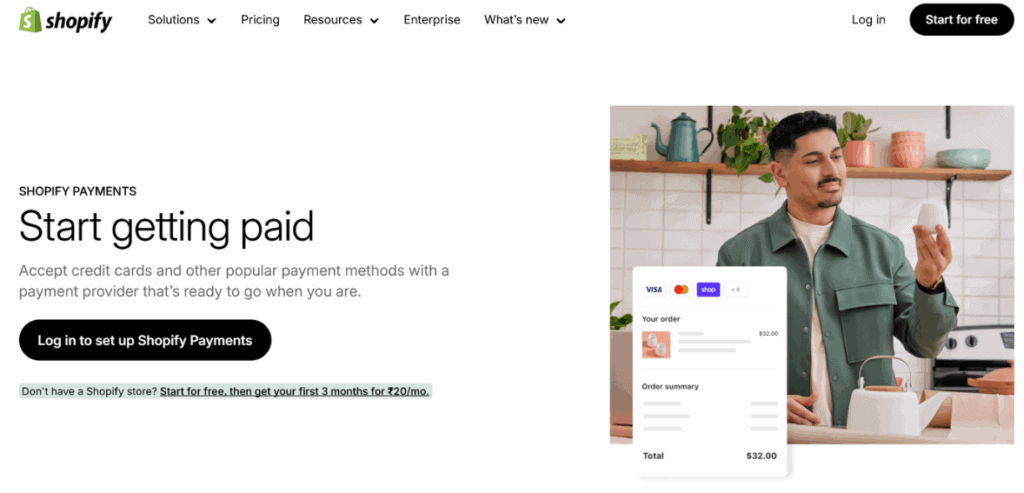
Shopify Payments is Shopify’s own payment gateway, designed to simplify the payment experience for merchants using the platform. Instead of using external processors like PayPal or Stripe, store owners can accept major credit and debit cards directly through Shopify itself. This native solution allows you to manage transactions, track payouts and view payment data all in the same dashboard where you manage products, orders and customers. Lets read more about Shopify Payments Review.

The goal of Shopify Payments is simple: reduce setup time, improve user experience and avoid extra transaction fees with third-party gateways. It also streamlines PCI compliance as Shopify ensures its payment infrastructure meets industry security standards. But while it’s easy to integrate, Shopify Payments has its own rules. It’s not available in all countries and excludes certain business types it deems high-risk. And if you switch from Shopify Payments to a third-party gateway, Shopify will charge an extra transaction fee on top of what your new provider charges.

Shopify Payments is for businesses that want minimal friction and a one-stop solution for ecommerce and payments. But you have to weigh the convenience against the limitations. For eligible businesses in supported regions selling permitted products, it’s an efficient and cost-effective solution. For others, it may be restrictive or not financially viable.

Key Features of Shopify Payments | Shopify Payments Review

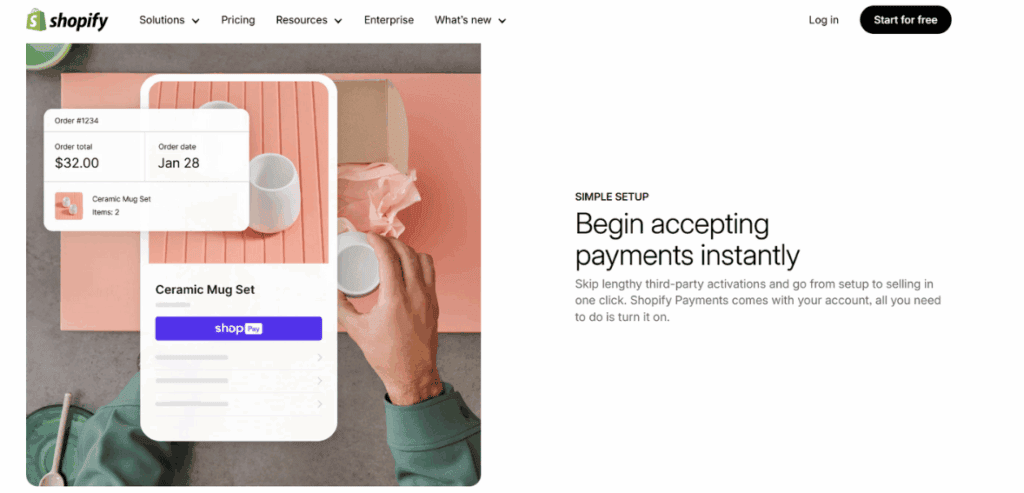
One of the standout benefits of Shopify Payments is how seamlessly it integrates with the Shopify platform. There’s no need for external signups or account verification from third-party processors; everything is managed directly from the Shopify dashboard. Merchants can start accepting payments as soon as their store is set up and verified.

Shopify Payments supports all major credit and debit cards, including Visa, MasterCard, American Express, and Discover. It also enables payments via digital wallets like Apple Pay and Google Pay, giving customers a flexible and modern checkout experience. Additionally, Shopify supports buy-now-pay-later options such as Shop Pay Installments in eligible regions, which can boost average order value.

Fraud analysis is another built-in feature, helping merchants flag suspicious transactions. While not as advanced as some enterprise-grade fraud tools, it provides an added layer of basic protection without requiring extra integrations.

The platform supports multi-currency functionality, enabling merchants to sell in a shopper’s local currency while receiving payouts on their own. This is particularly useful for international businesses. Moreover, the mobile-optimized checkout experience ensures smooth transactions across devices.

While these features enhance the payment workflow, their true value depends on business size and complexity. For smaller operations or first-time entrepreneurs, the simplicity is unmatched. Larger businesses, however, may find the features somewhat limited compared to specialized gateways. Still, for most Shopify users, these tools are more than sufficient to meet day-to-day ecommerce needs.

Setup and Integration Process

Getting started with Shopify Payments is designed to be hassle-free. For merchants in supported regions, the option to activate Shopify Payments appears right within the admin dashboard. All that’s required is to fill in business details, provide banking information, and complete identity verification. There are no external signups or extra dashboards to manage, which sets it apart from using processors like Authorize.Net or Stripe.

The entire onboarding process typically takes less than 10 minutes, though verification may take a few business days in some cases. Once activated, merchants can immediately begin accepting payments through their online store. There’s no need to handle separate payment gateway APIs or plug-ins, as Shopify Payments is fully embedded in the platform.

For comparison, setting up third-party payment gateways often involves additional integrations, external dashboards, and ongoing syncing between systems. These steps can introduce friction, especially for non-technical users.

One notable aspect is that switching away from Shopify Payments comes with a cost. If a merchant opts for another provider, Shopify charges an additional transaction fee; ranging from 0.5% to 2%; depending on the subscription plan. This financial penalty essentially incentivizes using Shopify Payments by making alternatives more expensive.

Overall, the ease of integration is a major selling point. It’s built for merchants who want to get up and running quickly without navigating the technical complexities of external gateways.

Shopify Payments Review

Payment Methods and Supported Currencies

Shopify Payments offers wide-ranging support for popular payment methods. Customers can pay using Visa, MasterCard, American Express, and Discover, along with region-specific options like Bancontact, iDEAL, and Sofort in certain countries. In the U.S., Canada, and other selected markets, support extends to Apple Pay, Google Pay, and Shop Pay, allowing for a fast, mobile-friendly checkout experience.

Beyond card payments, Shopify Payments also supports accelerated checkouts through Shop Pay, which lets customers save their payment and shipping details for future purchases. For merchants looking to reduce cart abandonment, these quick-pay features can be a strong advantage. Another noteworthy benefit is the multi-currency support. Merchants can display prices in local currencies for international customers, while still receiving payouts in their chosen currency. Shopify handles the currency conversion automatically, applying its own conversion rate plus a fee (typically 1.5–2%).

However, some limitations exist. Shopify Payments doesn’t yet support every local payment method globally. For instance, UPI and local wallets may not be available in all regions. Additionally, not all currencies are available for display or settlement, depending on your Shopify plan and location.

In summary, the variety of payment methods and currencies makes Shopify Payments suitable for international commerce. But businesses with highly localized payment needs may still need to supplement it with a third-party solution.

Fees and Pricing Structure

Shopify Payments pricing is transparent but varies based on your Shopify plan and location. Credit card rates are tiered: Basic plan users in the US are 2.9% + 30¢ per transaction, Advanced plan users 2.4% + 30¢. These are comparable to other big processors but can be reduced by upgrading your Shopify plan.

One big benefit of Shopify Payments is that it eliminates the extra transaction fees Shopify charges on stores using external gateways. Without it, Shopify charges 0.5% to 2% per transaction on top of your provider’s processing fees; making third-party gateways more expensive.

Other fees to consider are currency conversion fees which are applied when a customer pays in a different currency than your payout currency. Shopify adds a 1.5% fee on top of the market exchange rate. There may also be extra fees for international card usage depending on the customer’s bank and card type.

Chargebacks are $15 in most regions and while Shopify has some fraud protection tools, they don’t cover these losses unless through Shop Pay’s buyer protection program. Overall Shopify Payments are competitive especially if you’re using the platform exclusively. But international merchants and high volume sellers should calculate the full cost of currency conversions and compare them to other solutions for better financial optimization.

Payouts and Settlement Times

Shopify Payments offers predictable and consistent payout schedules, which is essential for cash flow management. In most countries, payouts are sent to the merchant’s bank account every business day, though it may take 2–4 business days to appear depending on your bank. For new accounts, initial payouts may be delayed slightly while Shopify completes verification checks.

The payout schedule can be customized in some countries, allowing merchants to choose daily, weekly, or monthly disbursements. This flexibility helps businesses better manage working capital and forecast income. All payouts are tracked within the Shopify admin, making it easy to monitor pending and completed transfers, transaction fees, and chargebacks in one place. This centralized system reduces the need for manual reconciliation between payment processors and accounting platforms.

Compared to third-party providers, Shopify’s payout speed is fairly standard. Services like Stripe offer a similar 2-day settlement window, while PayPal often holds funds longer, especially for new accounts or large transactions. However, Shopify Payments does not offer instant payout options at this time, unlike some other platforms that provide same-day deposits for an additional fee.

Bank account setup is straightforward, but it must be a checking account in the store’s legal operating country. International payout routing is not supported, meaning you must have a local bank account in a supported region. In conclusion, Shopify Payments’ payout structure is reliable for most use cases, but instant payout options would be a welcome future addition.

Security, Compliance, and Fraud Prevention

Security is a big deal in payment processing and Shopify has got you covered. It’s PCI DSS compliant so you don’t have to go through your own certification or pay for third party audits. All payment data is encrypted and processed on Shopify’s servers. Shopify also includes basic fraud tools with every transaction. These tools flag suspicious orders based on things like mismatched billing addresses or unusual purchase volumes. Not as advanced as AI driven fraud platforms but a good first layer of defense.

For chargebacks Shopify provides documentation and support but doesn’t reimburse lost revenue or fees unless you’re covered under Shop Pay’s buyer protection program. The $15 chargeback fee applies per incident and is non refundable even if you win the dispute. Tokenization and encryption of card data means customer information isn’t stored in your system so you don’t have to worry about breaches. Shopify Payments also meets 3D Secure requirements where mandated.

As a merchant you also get Shopify’s global infrastructure which is monitored 24/7 for unusual activity and potential threats. However if your business is in a high risk category Shopify may suspend your payouts or even disable your account pending review. Not a full fraud prevention suite but enough for small to mid sized businesses. If you have higher risk exposure you may still need third party fraud tools for deeper controls.

Shopify Payments Review

Performance with Subscriptions and Recurring Billing

Shopify Payments has made strides in supporting subscription-based businesses, especially with the introduction of native subscription APIs. Merchants can now offer recurring billing models using apps that integrate directly with Shopify’s backend, reducing reliance on external platforms.

This allows for use cases like monthly product boxes, memberships, or ongoing services; all charged automatically through Shopify Payments. Apps like Recharge, Bold Subscriptions, and others have matured significantly and now offer deep compatibility with Shopify’s checkout and payment infrastructure.

Transactions through Shopify Payments are processed just like standard purchases, with recurring billing tied to customer profiles and payment tokens. This ensures a seamless experience for both customers and merchants.

However, limitations still exist. Not all subscription apps support every Shopify plan, and some require additional monthly fees. Moreover, advanced subscription features like variable billing, mid-cycle changes, or usage-based pricing may require custom development or enterprise-level solutions.

Chargebacks and failed recurring charges are handled similarly to one-time transactions. Merchants need to monitor for failed payments and follow up with customers accordingly. Shopify doesn’t yet offer native dunning management, though third-party apps can fill this gap. In summary, Shopify Payments is more subscription-friendly than ever, but businesses with complex recurring needs may need to evaluate whether its current tools are sufficient.

Limitations and Restrictions

While Shopify Payments brings many advantages, it also comes with some important restrictions. The first is regional availability: Shopify Payments is only supported in select countries such as the U.S., Canada, UK, Australia, and a few others. Merchants outside these areas must rely on third-party gateways.

Another major limitation is the list of prohibited business types. Shopify Payments does not support high-risk industries such as firearms, gambling, adult content, CBD, and some types of financial services. Even within allowed industries, Shopify may freeze payouts or disable the account if it suspects policy violations.

Merchants also report occasional account holds during reviews, especially if sudden spikes in sales or chargebacks occur. During such reviews, payouts can be delayed, which may disrupt cash flow. Additionally, Shopify Payments is only usable within the Shopify ecosystem. If you choose to sell on other platforms or marketplaces, you’ll need to use a separate gateway. This lack of portability can be a downside for multi-channel businesses.

Finally, Shopify Payments has relatively basic reporting tools. While adequate for standard sales tracking, merchants looking for detailed reconciliation or advanced financial analytics may find them limited. These restrictions don’t affect all users, but it’s important to be aware of them before making a full commitment to Shopify Payments as your sole processor.

Who Should Use Shopify Payments?

Shopify Payments is perfect for small to medium sized businesses looking for simplicity, speed and tight integration with the Shopify ecosystem. If your business is in a supported country and not in a restricted industry, it’s often the easiest and most cost effective option. The user-friendly setup, built in fraud tools and seamless checkout experience makes it great for new entrepreneurs, subscription box services and digital product sellers. It also works well for businesses looking to go global with multi currency support.

But it’s not perfect for every use case. Larger businesses with complex payment needs, multi channel sales strategies or high risk product lines may find Shopify Payments too limited or restrictive. The lack of portability, advanced reporting and risk of account freezes are things to consider.

Businesses already using a specialized processor with lower fees or better fraud protection may find it more beneficial to absorb the Shopify transaction fee and stick with their preferred provider. In short, Shopify Payments is convenient and efficient for many but not all merchants. It’s great when used as part of the Shopify ecosystem but not a universal fit for all businesses, growth plans and regions.

FAQs

Q1: Can I use Shopify Payments alongside another payment gateway?

Yes, you can enable other gateways like PayPal or third-party credit card processors alongside Shopify Payments. However, if you disable Shopify Payments, you’ll incur an additional transaction fee per order.

Q2: Are there any hidden fees with Shopify Payments?

There are no hidden fees, but you should be aware of currency conversion charges, international card fees, and chargeback penalties. All applicable fees are listed in Shopify’s pricing terms.

Q3: Is Shopify Payments available in all countries?

No. Shopify Payments is only supported in select countries such as the U.S., UK, Canada, Australia, and a few European and Asian markets. Merchants outside these areas must use external payment gateways.

Shift4 Payments Review

Shift4 Payments Review

Shift4 Payments is a US based fintech company that provides a fully integrated commerce platform to thousands of merchants in hospitality, food and beverage, retail, lodging, stadiums and eCommerce. Founded in 1999 by Jared Isaacman (who started the company at 16) Shift4 has grown into a publicly traded company with a wide range of solutions. As of 2025 the company is led by CEO Taylor Lauber with Isaacman moving into the role of Executive Chairman. Lets read more about Shift4 Payments Review.

Based in Allentown, PA Shift4 owns its full tech stack including the POS systems, payment gateway, merchant acquiring services and value added software tools. This end to end control allows the company to offer a unified commerce experience that reduces reliance on 3rd party vendors and simplifies operations for merchants.

Shift4 has rapidly expanded its footprint through a series of strategic acquisitions. These include VenueNext (stadium and arena technology), 3dcart (rebranded as Shift4Shop for eCommerce), The Giving Block (cryptocurrency donations) and Finaro (international payment processing). These moves have helped Shift4 go from a US centric processor to a global, vertically integrated technology company.

While the company is positioned as an all in one solution provider some businesses have raised concerns about transparency in pricing and contract structures. Overall Shift4 is a powerful solution and a good option for enterprise level merchants looking for centralized, multi channel operations under one vendor.

Core Payment Processing Solutions | Shift4 Payments Review

At its core, It provides secure, full-stack payment processing across a wide range of channels. Whether it’s in-store card-present transactions, online eCommerce sales, or mobile payments, the platform processes billions of dollars annually through its proprietary payment gateway and merchant acquiring infrastructure.

Shift4 supports all major payment types, including EMV chip, magnetic stripe, NFC (Apple Pay, Google Pay), QR-based payments, ACH, and even cryptocurrency via The Giving Block. Businesses that require recurring billing or installment payments will also find built-in support for subscription models and tokenized card storage.

Because Shift4 owns its own gateway and does not rely on third-party processors, it can deliver faster settlements, more robust reporting, and enhanced customization. This vertical integration helps reduce processing latency, prevent data silos, and minimize vendor-related delays.

The system is also built for omnichannel retail. Merchants can unify in-store and online transactions into a single backend environment, streamlining reconciliations and enabling consistent customer experiences. The Shift4Shop platform (formerly 3dcart) provides merchants with a complete web-based storefront solution, including checkout integrations, fraud tools, and custom APIs.

While the platform is powerful, it’s important to note that Shift4 does not publish standard pricing. Rates are customized per client, which means businesses must carefully review all terms before signing up. Nonetheless, for organizations looking for an all-in-one, scalable, and secure payment solution, Shift4’s processing infrastructure is among the most feature-rich on the market.

POS and Hardware Offerings

Shift4 offers a full suite of point-of-sale hardware under the SkyTab brand, designed to serve the unique demands of the hospitality, retail, and entertainment industries. The POS ecosystem includes SkyTab Workstation (fixed terminals), SkyTab Mobile (handheld), SkyTab Glass (Android-based software-only solution), and kitchen display systems. These devices are connected via dual connectivity options; Wi-Fi and 4G LTE; for reliable performance, even in high-traffic environments like stadiums or outdoor events.

SkyTab POS is more than just hardware; it’s a complete business management system. For restaurants, it includes tableside ordering, real-time menu management, modifiers, tipping, and delivery integrations. For retail, it offers barcode scanning, stock alerts, and support for promotional pricing or loyalty rewards.

The interface is modern, responsive, and built on an Android OS. Shift4 pushes over-the-air software updates, allowing businesses to access new features without downtime. The devices support EMV, contactless, and mobile wallets, as well as integrations with gift card and loyalty programs.

A strength of Shift4’s hardware is its seamless integration with the rest of its ecosystem, including payment processing and reporting tools. However, the trade-off is potential vendor lock-in. Since the hardware is tied to Shift4’s software and gateway, switching to another processor in the future may require replacing devices or incurring additional costs.

Still, for businesses looking to unify their tech stack under one provider, the SkyTab POS hardware is a strong, scalable solution backed by enterprise-grade support and flexibility.

Shift4 Payments Review

Software Ecosystem and Integrations

Shift4’s software ecosystem is extensive and continues to grow through both in-house development and acquisitions. Its most notable offering is Shift4Shop, a rebranded version of 3dcart, which allows merchants to build customized online stores with integrated payment capabilities. The eCommerce platform supports product catalogs, SEO optimization, marketing tools, and CRM features; making it a viable alternative to Shopify or BigCommerce.

In addition to eCommerce, Shift4’s POS software includes robust tools for inventory management, employee scheduling, customer analytics, and reporting. The software is tailored by vertical, with restaurant-specific workflows like kitchen routing and modifier tracking, and retail-specific features like barcoding and multi-location syncing.

One of the company’s biggest differentiators is its API and integration layer. Shift4 supports integrations with major third-party platforms like Oracle MICROS, NCR Aloha, Agilysys, and property management systems used in hotels and resorts. These integrations make Shift4 highly adaptable to complex business environments.

Businesses operating in large venues benefit from Shift4’s VenueNext platform, which provides mobile ordering, fan engagement tools, and real-time event analytics. For nonprofits and schools, The Giving Block (part of Shift4) facilitates donation processing in both fiat and crypto currencies, expanding the company’s presence in mission-driven sectors.

Despite the feature depth, some users find the configuration process overwhelming. Businesses with limited IT support may require assistance during setup. Still, the ecosystem is rich and flexible enough to scale with growing operations and changing digital strategies.

Security and Compliance

Shift4 invests big in payment security and compliance, offering enterprise-grade tools to protect sensitive data and shield merchants from liability. We have PCI DSS Level 1 compliant infrastructure and use Point-to-Point Encryption to encrypt card data at the point of entry. Our secure tokenization replaces sensitive card data with random strings, so businesses can store tokens for recurring billing or loyalty purposes without handling real card numbers. Tokenization combined with encryption provides a layered defense against data breaches.

All Shift4 systems are end-to-end encrypted. Whether a transaction occurs through SkyTab, Shift4Shop or an integrated POS partner, cardholder data is encrypted immediately and securely sent to the processor. For extra protection, Shift4 offers Secure Payment Gateway settings that include AVS, CVV validation and fraud scoring. Businesses also get chargeback management tools to detect unusual patterns and submit evidence quickly when disputes arise.

The platform is built to comply with evolving regulations in the US and internationally. With the 2023 acquisition of Finaro, It has expanded its compliance into Europe and Israel and provides GDPR compliant data protection and cross border processing. While Shift4’s security is robust, it still requires implementation and ongoing monitoring. Merchants must still do internal compliance checks and educate staff on secure payment handling. But overall the system is built to meet the highest standards for modern payment environments.

Pricing Structure and Contract Terms

One of the most debated aspects of Shift4 Payments is its pricing model and contract structure. Unlike flat-rate providers like Square or Stripe, It doesn’t publish standard fees on its website. Instead, it offers custom quotes based on business size, transaction volume, and industry.

Shift4 is known for offering “free” hardware and zero-upfront-cost deals for its SkyTab POS systems, but these offers are usually tied to long-term processing contracts (typically 3–5 years). Businesses accepting this hardware are expected to process all transactions through Shift4, or else pay equipment buyout fees or early termination penalties.

Standard fees may include transaction percentages, per-item costs, PCI compliance fees, monthly minimums, and batch processing charges. However, these can vary widely. Some users have reported surprise billing items or difficulty getting clear estimates during the sales process. While custom pricing can benefit larger businesses with negotiating power, smaller merchants may find it difficult to understand the total cost of ownership. This is especially true if they’re upgrading or expanding later; adding more POS terminals or new locations can change the pricing structure.

It’s essential for businesses to ask for a full breakdown of all recurring and non-recurring charges and get the terms in writing. If the company offers “free” hardware, merchants should read the fine print regarding contract duration, processing volume commitments, and service cancellation terms.

Customer Support and Onboarding

Shift4 offers 24/7 customer support, with U.S.-based phone and email assistance available across all plans. Businesses also have access to onboarding guides, video tutorials, and knowledge base articles through Shift4’s online support center.

The onboarding experience generally begins with POS hardware delivery and remote or on-site configuration. For restaurants and retail stores, technicians help set up menu items, inventory, staff accounts, and integrations. Many merchants report smooth onboarding, especially when working with Shift4-approved resellers or local service providers.

However, reviews of customer service are mixed. Larger clients typically receive faster resolution and even dedicated account managers. In contrast, smaller businesses sometimes experience delayed responses, especially for billing inquiries or contract disputes. Some users report being transferred between departments when trying to resolve complex issues.

On the positive side, the SkyTab POS system is intuitive enough that many staff members adapt quickly. The mobile ordering features and cloud-based reporting allow managers to stay productive even during onboarding transitions.

For merchants operating multiple locations or needing custom integrations, onboarding timelines can vary. Clear communication with the implementation team is crucial to avoid service gaps or delays.

In summary, Shift4 provides the necessary infrastructure for successful onboarding and long-term support, but service quality can depend on the support tier and merchant size.

Shift4 Payments Review

Shift4’s Value-Added Features

Beyond payments and POS, It offers a range of value-added services that help businesses improve operations, marketing, and customer engagement. These include loyalty program management, integrated gift card systems, business intelligence tools, and digital marketing features.

The Shift4 Loyalty platform enables businesses to reward repeat customers with point-based systems, discounts, or birthday incentives. Gift cards; both digital and physical; can be created, tracked, and redeemed directly through the POS. For analytics, Shift4’s business dashboard provides insights on sales trends, labor costs, and inventory turnover. Managers can access these dashboards via desktop or mobile devices, enabling quick decision-making from anywhere.

Restaurants can benefit from the online ordering platform built into SkyTab, which supports QR menus, contactless ordering, and delivery coordination. With the growing demand for self-service, these tools help reduce friction and improve table turnover.

Shift4Shop adds even more functionality for online stores, with tools for email campaigns, abandoned cart recovery, and customer segmentation. eCommerce businesses can set up multichannel sales across social media, marketplaces, and direct-to-consumer channels. In a newer vertical, Shift4 also enables cryptocurrency donations and payments through The Giving Block. This tool is targeted at nonprofits, universities, and fundraising platforms seeking to modernize their donor options.

While most of these features are integrated into the core system, some may require activation or subscription upgrades. Businesses should carefully review which features are included in their base plan to avoid surprises.

Pros and Cons of Using Shift4

Pros

Full-stack ownership: Hardware, software, gateway, and acquiring are all handled internally, reducing vendor friction.

Vertical specialization: Tailored tools for hospitality, retail, entertainment, and nonprofits.

Omnichannel ready: Seamless experience for in-store, online, and mobile environments.

Global reach: With Finaro, Shift4 supports multi-currency processing in Europe and beyond.

Advanced features: Loyalty, crypto donations, marketing tools, and deep analytics built in.

Cons

Pricing opacity: No public rates, and “free hardware” often locks businesses into long contracts.

Support inconsistency: Smaller businesses may face longer resolution times.

Hardware dependency: POS systems are tightly integrated, limiting switching flexibility.

Complex setup: The full ecosystem may be overwhelming for startups or low-tech environments.

Shift4 excels when used as a complete solution, but businesses should be clear about their commitment before onboarding.

Ideal Business Types for Shift4

Shift4 is best suited for mid-to-large enterprises operating in complex, high-volume environments. This includes restaurants, hotels, multi-location retailers, sports stadiums, and entertainment venues. With its scalable POS systems, mobile ordering, and analytics, It handles operational demands well.

Event-based merchants benefit from the VenueNext acquisition, which provides tools for ticketing, concessions, and fan engagement. Meanwhile, nonprofits and universities may find value through The Giving Block integration for crypto donations.

Retailers seeking unified eCommerce and in-store tools will appreciate the Shift4Shop and SkyTab combo. And businesses with global ambitions can explore Finaro’s cross-border capabilities. Smaller merchants or solo entrepreneurs may find the setup too complex or contract terms too restrictive. For them, simpler plug-and-play systems with flat-rate pricing might offer a better fit.

FAQs

Q1: Is Shift4 good for small businesses?

Shift4 is more suitable for mid-to-large businesses due to its contract structure, setup complexity, and feature-rich platform. Small businesses may find it overwhelming.

Q2: Can I use Shift4 without buying its POS hardware?

Yes, but only to a limited extent. While integrations exist with Oracle, NCR, and others, Shift4’s platform is most effective when paired with its SkyTab hardware.

Q3: Does Shift4 offer international payments?

Yes. With its 2023 acquisition of Finaro, Shift4 expanded into global eCommerce and supports multi-currency processing across Europe and other markets.

PayTrace Review

PayTrace Review

PayTrace is a payment gateway for B2B merchants, especially those processing large ticket transactions. Unlike many other payment platforms that try to be everything to everyone, PayTrace takes a focused approach and serves industries like healthcare, manufacturing, legal services and wholesale distribution. Its strength is in advanced payment features that help merchants reduce fees, improve security and simplify backend operations. Lets read more about PayTrace Review.

The company was founded in 2004 and has grown into a recognized provider of Level II and Level III credit card processing. These features allow businesses to qualify for lower interchange fees when processing commercial or purchasing cards. That alone can be a big cost savings for B2B sellers processing high volume.

PayTrace is a web based solution so you can access your account from anywhere with an internet connection. This is great for businesses with multiple locations or those with remote staff. But it’s not for every business. High volume retailers, food service providers and businesses that need a modern POS interface may find the platform too narrow in scope.

In short, PayTrace isn’t trying to be a one size fits all solution. Its value is in doing a specific job extremely well. For the right type of merchant, especially those focused on secure, recurring and invoice based payments, it’s a great alternative to larger, less specialized processors.

Platform Usability and Interface Experience | PayTrace Review

PayTrace keeps its user interface clean and functional. When logging in, users are presented with a straightforward dashboard offering clear navigation to key features like virtual terminal access, reporting, invoicing, and customer management. The layout is more utilitarian than visually modern, but it effectively prioritizes functionality over flash.

For non-technical users, the platform’s simplicity is a strong point. Business owners who don’t have an in-house IT team can still use PayTrace effectively with minimal training. Most tasks such as processing a payment, issuing a refund, or creating a recurring billing plan can be completed with just a few clicks.

That said, users accustomed to highly intuitive, mobile-optimized interfaces may find the experience dated. There’s little in the way of visual customization or design personalization. PayTrace is best described as purpose-driven; it doesn’t aim to wow you with aesthetics, but it won’t slow you down either.

Mobile usability is limited compared to some modern payment apps. While you can access the platform on a mobile browser, it doesn’t offer a dedicated mobile app for merchants on the go. This reinforces PayTrace’s positioning as a system built for office use, especially in sectors where transactions are entered manually via desktop.

Overall, the usability experience reflects the platform’s target audience: merchants who prioritize accuracy, security, and efficiency over sleek design. If that matches your business model, you’ll likely appreciate the no-nonsense interface.

PayTrace Review

Core Payment Features and Capabilities

PayTrace delivers a comprehensive suite of features aimed at streamlining payment processing for service-oriented and B2B companies. Its virtual terminal is one of the most commonly used tools, allowing users to input card details manually for phone or email orders. ACH payments are also supported, giving merchants flexibility in accepting funds directly from bank accounts.

One of PayTrace’s standout capabilities is its support for Level II and Level III data, which allows merchants to pass along detailed transaction information to card networks. This added data such as invoice numbers, product descriptions, and tax breakdowns; qualifies the merchant for lower interchange rates on commercial and purchasing cards. It’s a core reason why high-ticket sellers turn to PayTrace.

Recurring billing is another essential feature. Merchants can set up automated payments for subscription-based or installment-driven services. Payment links and email invoicing make it easy to request payments from clients securely without requiring in-person interaction. PayTrace also supports tokenization for card data storage, enabling businesses to securely save customer card details for future use without maintaining sensitive information on their own servers.

While PayTrace doesn’t have a native point-of-sale system or retail card reader, it’s not meant to be used in traditional retail settings. Its tools are best suited for transactions initiated remotely, manually, or through back-office processes.

Security and Compliance Standards

Security is a fundamental aspect of any payment processing system, and PayTrace takes this responsibility seriously. The platform is fully PCI DSS compliant, meeting the required standards for handling cardholder data securely. Businesses using PayTrace can rest assured that their transactions are protected by encryption and secure data storage protocols.

PayTrace also implements tokenization, a method that replaces sensitive card data with unique identifiers or “tokens.” This means even if data is intercepted, it cannot be used for fraudulent purposes. Cardholder details are never stored directly on the merchant’s systems, reducing the risk of exposure and easing the burden of compliance on the business.

Fraud detection and prevention features are also built into the platform. PayTrace allows merchants to set rules and filters to identify potentially suspicious transactions. AVS and CVV verification are standard tools included to minimize risk.

In addition, the system logs detailed audit trails for each user action, allowing administrators to monitor internal access and usage. This level of transparency is particularly useful for businesses with multiple staff accessing the system.

Although it may lack the flashy AI-driven fraud detection tools some larger platforms offer, PayTrace delivers robust, industry-standard protections that meet the needs of most service-based businesses. Its focus is on practical, proven security rather than bleeding-edge innovation, which is often exactly what B2B merchants are looking for.

B2B and High-Ticket Processing Advantages

One of PayTrace’s core strengths is its optimization for high-ticket, B2B transactions. Unlike many generalist payment platforms, PayTrace is engineered specifically to help merchants save on fees when processing large payments through business or government purchasing cards.

This is accomplished through the use of Level II and Level III data. By submitting additional transaction details such as customer codes, tax amounts, item descriptions, and invoice data, merchants qualify for reduced interchange rates, a feature especially valuable for businesses that process tens of thousands of dollars per transaction.

For industries such as wholesale distribution, legal services, or industrial equipment suppliers, this can translate into thousands of dollars saved annually. Many competing gateways either don’t support this level of detail or require complex integrations to make it work. With PayTrace, it’s built into the core offering.

Another advantage is the platform’s ability to handle remote transactions reliably. Since many B2B deals happen through email, phone, or invoicing, not face-to-face, PayTrace’s virtual terminal and secure payment links are well suited to the workflow. Businesses with recurring client relationships also benefit from stored payment profiles and subscription billing features. Combined with enterprise-level reporting, it becomes easier to manage customer accounts, track outstanding invoices, and reconcile payments without resorting to third-party tools.

In summary, PayTrace gives B2B merchants the infrastructure they need to accept large payments efficiently while minimizing processing costs, something that not every gateway is built to do.

Virtual Terminal and Invoicing Tools

PayTrace’s virtual terminal is one of its most used features, particularly for businesses that operate outside of a traditional point-of-sale environment. Through the web-based dashboard, users can manually enter credit card details to process payments securely, a valuable tool for phone orders, service invoices, or repeat clients.

The process is straightforward. The merchant logs in, selects the virtual terminal option, fills in the transaction details, and submits. Optional fields allow for adding customer information, notes, and Level II/III data to qualify for better interchange rates.

In addition to direct entry, PayTrace offers email invoicing tools. These allow merchants to send branded, secure links to customers for easy online payment. Each invoice can be customized with descriptions, due dates, and reminders, making the platform suitable for professional services firms or tradespeople who prefer to get paid after delivering services.

Recurring billing setups are also managed through this interface. Users can create billing schedules for weekly, monthly, or custom intervals, with notifications sent to customers automatically. There is no native PDF invoice generator, but the simplicity and security of PayTrace’s invoicing and payment system often outweigh this minor limitation. The virtual terminal and invoicing features support the needs of modern B2B workflows, prioritizing security, ease of use, and flexibility.

PayTrace Review

Shopping Cart and E-Commerce Integrations

While PayTrace isn’t primarily designed as an e-commerce platform, it does offer integrations that allow merchants to connect their shopping carts or online stores. Using either built-in APIs or certified third-party plugins, PayTrace can be integrated into platforms like Magento, WooCommerce, and Shopify with developer support.

The gateway supports real-time transaction processing for online orders and allows for the capture of Level II/III data where applicable, which is uncommon for most basic e-commerce platforms. For B2B sellers operating private wholesale portals or customer-specific ordering systems, this is a distinct advantage.

Merchants looking to build custom integrations can leverage PayTrace’s developer-friendly REST API. The documentation is thorough and includes sample code, authentication guides, and sandbox environments for testing. That said, the process may require in-house technical resources or external development help, especially for more complex setups.

The lack of a native storefront builder or full-fledged shopping cart solution means that merchants seeking an out-of-the-box e-commerce package may need to pair PayTrace with other software solutions. This isn’t a drawback for its core market but is something online-only retailers should note.

CRM and ERP Integration Support

PayTrace knows how important it is to sync payment processing with the rest of your business, especially in B2B where customer relationships and accounting workflows are tied to revenue. To help with that, PayTrace has several integration options with popular CRM and ERP systems.

Out of the box PayTrace has compatibility with accounting systems like QuickBooks, either directly or through third party connectors like Connex or Zapier. This allows merchants to auto match payments to invoices, streamline reconciliation and reduce manual entry errors. For high volume businesses this can save a ton of admin time.

ERP systems like NetSuite, Microsoft Dynamics and Acumatica can be connected through middleware or custom API development. While these integrations may require some setup and potentially developer assistance, the flexibility is appreciated by mid-sized and enterprise level businesses.

CRM integration is limited compared to payment tools built around customer engagement. But if customer management is mostly around recurring billing and stored payment methods, PayTrace is a good foundation. Businesses that use Salesforce or HubSpot may need to create custom connectors to get real time data flow between systems.

Not plug and play in every case, but PayTrace’s modular integration means you can extend its utility into your overall software stack if you have IT resources or consultants.

Reporting and Analytics Functionality

PayTrace includes a suite of reporting tools designed to help merchants keep track of their transactions, understand payment trends, and reconcile accounts with ease. While it doesn’t provide advanced analytics dashboards like some all-in-one platforms, it offers all the core reports needed for effective financial oversight.

Merchants can generate daily, weekly, or monthly transaction summaries, view batch settlements, track refunds, and monitor chargebacks. These reports can be filtered by date range, payment type, customer, or specific users, making it easier to pinpoint issues or confirm payments. For accounting departments, this level of control is essential.

Custom reports can also be configured and exported in formats like CSV or Excel. This is particularly helpful for businesses that need to import data into their ERP or bookkeeping software. Recurring billing activity, ACH transactions, and card declines are all logged and can be reviewed in detail. The audit trail feature adds another layer of transparency. Every user action, whether a payment, refund, or update, is timestamped and logged. For businesses with multiple employees managing payments, this accountability helps improve internal controls.

While not flashy, the reporting tools within PayTrace are reliable, functional, and geared toward accuracy. They serve the practical needs of accountants, business managers, and operational teams, rather than offering surface-level visualizations.

Customer Support and Training Resources

Customer service is a critical factor in any payment solution, especially when money is on the line. PayTrace provides U.S.-based support via phone, email, and live chat, with hours typically aligned to standard business operations. The quality of assistance is generally praised for being prompt, knowledgeable, and professional.

For new users, onboarding is supported through an online knowledge base that includes guides, FAQs, and video tutorials. Topics range from setting up recurring billing to submitting Level III transaction data. The content is clearly written and designed for users with limited technical expertise. PayTrace also offers webinars and partner training for ISO agents and resellers, showing their commitment to educating not just end-users, but the broader ecosystem around their platform.

However, 24/7 support is not currently available. This might be a drawback for businesses that operate in non-traditional hours or internationally. Additionally, while the documentation is solid, businesses with highly customized workflows might still require help from external consultants or developers. Still, for most businesses that fit PayTrace’s ideal profile, the available support channels are sufficient. The platform is relatively easy to manage, and most common issues are well-documented.

Pricing Structure and Cost Transparency

PayTrace has a transparent pricing model for merchants who want flat, monthly costs. They don’t advertise all their rates publicly as pricing is often negotiated through reseller partnerships or ISOs but the structure is the same across the board. Typically PayTrace charges a monthly gateway fee – usually between $20 to $50 depending on the feature set and account tier. There’s also a per-transaction fee – $0.10 to $0.25 and the standard interchange and processor markup.

One of the biggest cost savers is their Level II and Level III interchange optimization which helps businesses qualify for lower transaction fees on eligible cards. This alone can justify the monthly gateway fee for high volume or high ticket businesses. There may also be setup or integration fees depending on how you plan to use PayTrace – especially if you’re using APIs or connecting to other systems like CRMs or ERPs.

There are no long term contracts for merchants who go through PayTrace’s preferred resellers but this may vary depending on your provider. Pricing transparency is mostly dependent on your sales agent or ISO so ask questions upfront. PayTrace’s pricing is modular and value driven. It’s not the cheapest but for merchants who can use all the features it pays off.

PayTrace Review

Ideal Business Types for PayTrace

PayTrace isn’t built for everyone, and that’s intentional. Its greatest strength lies in serving B2B businesses, particularly those who issue invoices, take orders over the phone, or work with commercial customers who pay using corporate cards.

Industries that benefit most include wholesalers, medical and dental practices, accounting firms, law offices, manufacturing businesses, and service providers like consultants or IT agencies. These companies often deal with high-ticket invoices, repeat clients, and need to capture Level III data, a perfect match for PayTrace’s feature set.

The platform is particularly appealing for businesses that value cost control, because Level II and Level III optimization can significantly reduce interchange fees when used properly. However, retailers, restaurants, and businesses that rely on in-person transactions with POS hardware may not find what they need here. PayTrace doesn’t offer modern card readers, mobile POS tools, or tap-to-pay functionality, making it less suitable for consumer-facing businesses.

Also, companies without internal IT support may face a learning curve when setting up advanced integrations. Although PayTrace is easy to use for everyday operations, building custom workflows or connecting it to CRMs or ERPs may require additional help. In short, PayTrace works best for businesses that prioritize efficiency, security, and cost-saving in back-office payment processing, rather than front-end retail flexibility.

Pros and Cons Summary

Pros:

Level II/III processing for lower interchange rates

Strong virtual terminal and invoicing tools

Secure, PCI-compliant platform with tokenization

Integration support for CRMs, ERPs, and QuickBooks

Transparent and predictable pricing model

Cons:

No native POS hardware or in-person retail support

Limited mobile app or on-the-go usability

Custom integrations may require developer help

Interface lacks modern design for visual users

Support is not 24/7

PayTrace positions itself as a platform with purpose. It doesn’t try to please everyone, it serves B2B businesses exceptionally well and provides tools that reward merchants who process high-value, data-rich transactions. The trade-off is that it doesn’t scale down well to high-volume, low-ticket retail settings or mobile-first commerce models.

Final Verdict: Is PayTrace Worth It?

PayTrace is ideal for B2B businesses handling large, invoice-based transactions and commercial cards. It offers strong Level II/III data support, ACH payments, and reliable reporting. While not suited for mobile or retail POS needs, it delivers real savings and control for merchants who require specialized, secure, and efficient payment solutions.

FAQs

Q1. Is PayTrace suitable for small retail businesses or startups?

PayTrace is built with B2B service providers in mind, not high-volume retail or product-based startups. Retailers may find its features too specialized and lacking in POS support.

Q2. Can PayTrace help reduce processing fees with Level III data?

Yes, PayTrace supports Level II and Level III data processing, which can lead to lower interchange rates when processing B2B or corporate cards. It’s one of its biggest cost-saving advantages.

Q3. Does PayTrace integrate with QuickBooks or other accounting software?

Yes, PayTrace can be connected to QuickBooks and other systems either directly or through third-party integration tools. This streamlines accounting and reconciliation tasks for many businesses.