
Tag Archives: mobile payment service

Apple Pay Review

Apple Pay Review

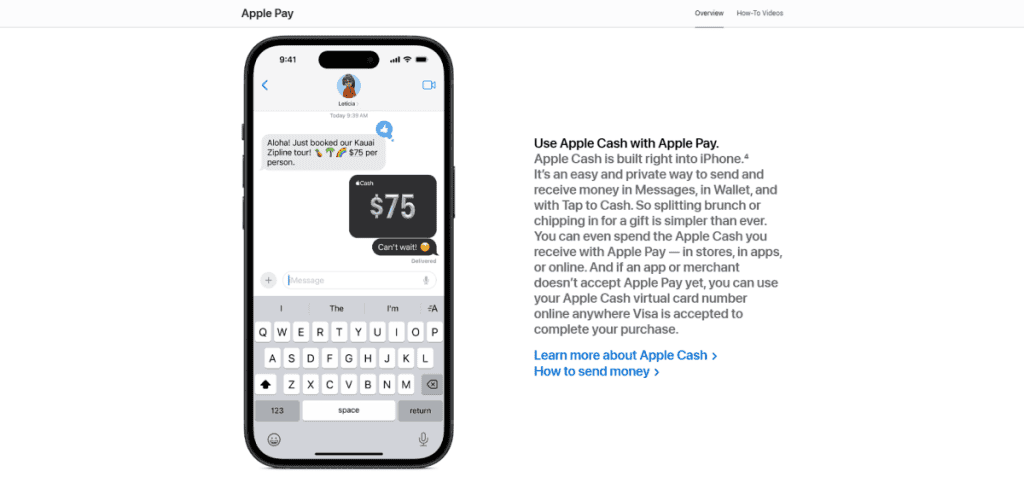
Since its launch in 2014, Apple Pay has transformed the manner in which individuals perform transactions. Developed by Apple Inc., this mobile payment and digital wallet service offers a convenient, secure, and seamless way to make payments. In contrast to conventional payment methods, Apple Pay utilizes cutting-edge technologies to provide a contactless payment experience that meets contemporary needs for speed and safety. Through its ongoing development, Apple Pay has emerged as a fundamental element of digital payments, establishing standards for rivals such as Google Pay and Samsung Pay. Let’s delve deeper into the Apple Pay Review.

Apple Pay’s appeal lies in its ability to simplify the payment process while maintaining robust security features. It caters to both consumers and merchants, ensuring a frictionless transaction experience. 

Features of Apple Pay | Apple Pay Review

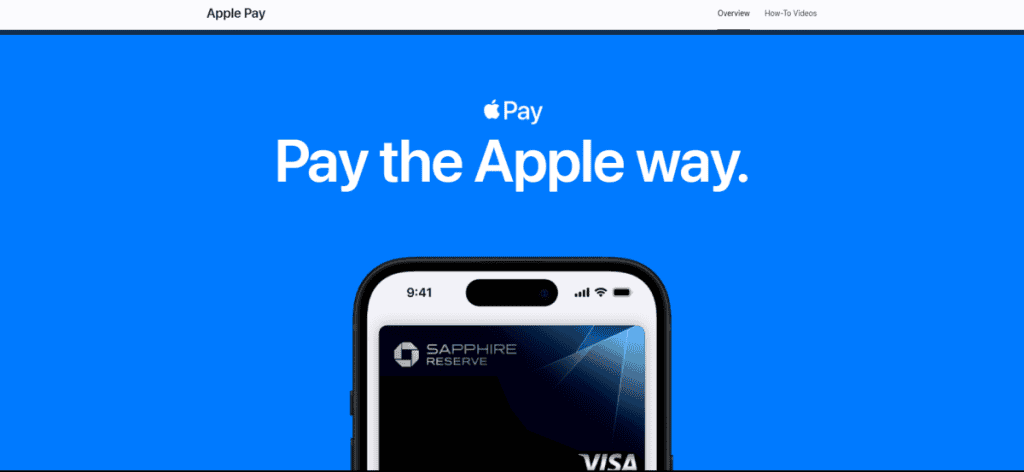
Apple Pay is a versatile platform that supports various transaction types, ensuring adaptability in different scenarios. Users can pay in-store, online, and even within mobile apps. One of the service’s most prominent features is its integration with the Apple Wallet, where users can store and manage their payment cards, boarding passes, and loyalty cards.

Apple Pay’s core features include:

Contactless Payments: Apple Pay uses NFC technology, allowing users to complete payments by just tapping their device on a compatible terminal. 

Cross-Device Compatibility: The service is compatible across the Apple ecosystem, including iPhones, iPads, Apple Watches, and Macs. This integration ensures a unified user experience.

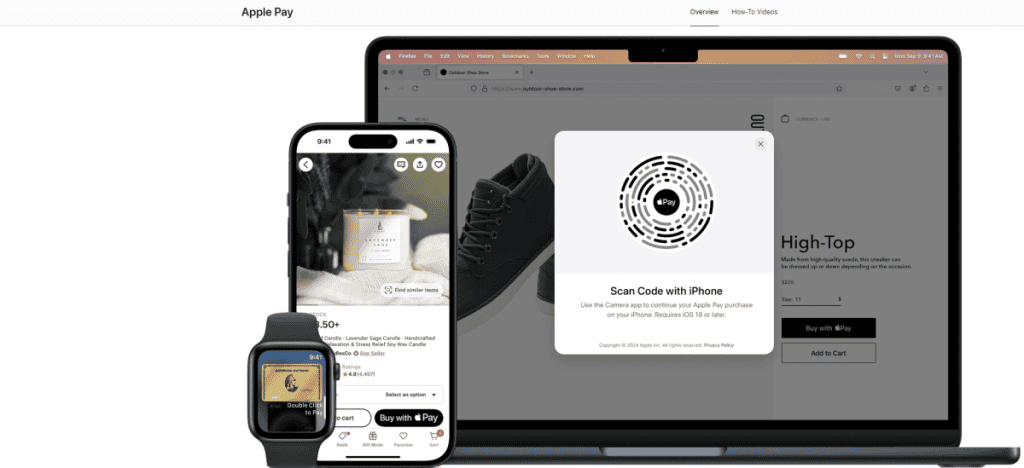
App and Online Purchases: It supports payments within apps and websites using Safari. This feature eliminates the need to enter card details manually, enhancing speed and reducing errors.

Transit Support: In various global cities, it is compatible with public transport systems, enabling users to effortlessly cover transit costs. 

Integration with Loyalty Programs: It allows users to store and use loyalty and reward cards, making it a one-stop solution for payments and customer rewards.

Express Transit Mode: In areas where it’s supported, It offers a quicker, tap-and-go transit experience without the need for Face ID, Touch ID, or a passcode. 

The convenience offered by these features is one of the key reasons for Apple Pay’s widespread adoption, with over a billion Apple devices supporting the service globally.
Apple Pay Review

Setting Up Apple Pay

Setting up Apple Pay is straightforward, ensuring accessibility for all users. Here is a breakdown of the process:

Adding Cards: Users start by launching the Wallet app on their Apple device. They have the option to either scan their credit or debit card or input the information manually. The arrangement is user-friendly and crafted to reduce effort. 

Verification: After entering the card information, the issuing bank or card provider verifies the details. This step may involve receiving a verification code via SMS, email, or phone call. For certain banks, additional security questions may be required.

Customization: After the card is confirmed, users can designate a default card for transactions and modify settings specific to their region. They can additionally activate notifications for transaction alerts to monitor spending instantly. 

Adding Passes and Tickets: Beyond payment cards, users can also add event tickets, boarding passes, and other forms of digital passes to the Wallet app.

The setup process reflects Apple’s commitment to user-centric design. Once configured, Apple Pay is ready to be used across supported platforms and merchants, ensuring a smooth start for new users.

Security and Privacy Measures

Apple Pay has built its reputation on robust security measures, prioritizing user safety without compromising convenience. The service employs several advanced technologies to ensure secure transactions:

Tokenization: Instead of transmitting actual card details, Apple Pay uses a unique Device Account Number (DAN) for each card. This number is encrypted and securely stored on the device’s Secure Element chip, making it inaccessible to malware or unauthorized applications.

Biometric Authentication: Transactions are approved through Face ID, Touch ID, or a passcode. This removes the threat of unauthorized access even if the device is misplaced or taken. 

No Data Storage: It does not store transaction data on its servers or share card information with merchants. This approach ensures that users’ financial details remain private and inaccessible to third parties.

Dynamic Security Code: Each transaction generates a unique, dynamic security code. This ensures that even if intercepted, the data cannot be reused.

Lost or Stolen Devices: If a device is misplaced or taken, users can remotely turn off Apple Pay via the Find My feature, stopping any unauthorized use. They can also delete cards from their account immediately. 

Privacy by Design: Apple does not track or log user transactions, ensuring a high level of privacy.

These measures collectively make Apple Pay one of the most secure payment methods available, addressing concerns about fraud and data breaches.

User Experience

Apple Pay’s user experience is a testament to Apple’s design philosophy, focusing on simplicity, speed, and reliability. Users consistently praise the service for its ease of use in everyday scenarios:

Speed: Transactions with Apple Pay are almost instantaneous, making it ideal for busy environments like retail stores, public transport systems, and drive-thru restaurants.

Intuitive Interface: The Wallet app is neatly structured, enabling users to easily reach their cards, tickets, and passes. The interface is aesthetically pleasing and crafted for simple navigation. 

Reliability: It is known for its consistent performance, with minimal reports of technical glitches. It operates efficiently even during high-demand periods like holiday shopping seasons.

Accessibility: Attributes like VoiceOver compatibility guarantee that users with disabilities can access Apple Pay. 

Users also appreciate the convenience of not carrying physical wallets, as it consolidates payment methods and essential documents in a single app. This digital-first approach aligns with modern consumer habits and preferences.
Apple Pay Review

Compatibility and Integration

Apple Pay’s compatibility extends across a wide range of devices and financial institutions. This broad integration is one of the service’s strongest selling points:

Supported Devices: It works on iPhones (iPhone 6 and later), iPads, Apple Watches, and Macs. This ensures that users can access the service regardless of their preferred device.

Bank and Card Support: Nearly all significant banks and card issuers globally back Apple Pay, such as Visa, Mastercard, American Express, along with local banks. This guarantees broad availability for consumers. 

Merchant Acceptance: Many retail stores, restaurants, and e-commerce platforms accept Apple Pay, making it a versatile payment method. From small businesses to multinational chains, merchant acceptance has grown significantly since Apple Pay’s launch.

Loyalty and Transit Cards: It additionally accommodates the integration of loyalty cards and transit passes, improving its capabilities. For instance, users can directly include Starbucks or Dunkin’ rewards cards in the Wallet app for convenient access. 

Smartwatch Integration: The ability to pay with an Apple Watch adds convenience for users who may not have their phone readily available.

Cross-Border Usability: It facilitates global transactions, enabling users to pay in various currencies while on their travels. 

Despite some regional limitations, Apple Pay’s widespread compatibility ensures that users can rely on the service in various scenarios, both locally and internationally.

Advantages of Using Apple Pay

It offers numerous benefits, making it a preferred choice for many users:

Enhanced Security: Through tokenization, biometric verification, and changing security codes, Apple Pay greatly lowers the chance of fraud. 

Convenience: The ability to pay with a tap or click simplifies transactions, especially for frequent shoppers or travelers. Users no longer need to search for physical cards or cash.

Eco-Friendly: It promotes eco-friendly practices by minimizing the reliance on physical cards, cash, and receipts. Numerous retailers provide e-receipts that are linked to the Wallet app. 

Global Usability: Apple Pay’s international support makes it a reliable option for travelers, reducing the need for currency exchanges or additional cards.

Seamless Integration: Apple Pay’s ability to integrate with loyalty programs, transit systems, and app payments enhances its utility.

Contactless Advantage: As hygiene awareness has grown, Apple Pay’s contactless technology has become more essential in reducing physical contact points. 

These advantages highlight Apple Pay’s value proposition, appealing to a diverse audience from tech-savvy millennials to business professionals seeking convenience and security.

Challenges and Limitations

Despite its strengths, it has certain limitations that users should consider:

Regional Availability: Although it is broadly accepted, certain countries and areas face restricted support because of regulatory or technical obstacles. Local banking collaborations also affect accessibility. 

Device Dependency: Only Apple devices support the service, excluding users of other ecosystems. This creates a barrier for Android or non-Apple users.

Battery and Connectivity Issues: It necessitates a powered device and, in certain instances, an internet connection, which might not always be accessible. For example, individuals might encounter difficulties in emergencies or while traveling in isolated regions. 

Merchant Fees: Some merchants face transaction fees when accepting Apple Pay, which can deter adoption. Additionally, smaller businesses may lack the infrastructure to support NFC payments.

Limited Offline Functionality: While it can keep some data locally, some features might not work without an internet connection. 

Addressing these challenges could further enhance Apple Pay’s reach and usability, making it more inclusive and versatile for a global audience.

Impact on the Payment Industry

It has had a profound impact on the payment industry, driving the adoption of contactless payments and influencing consumer behavior:

Popularizing Contactless Payments: The introduction of Apple Pay motivated other tech firms to create analogous solutions, fostering a competitive environment. It also had a major influence on making contactless payments more common, particularly during the COVID-19 outbreak. 

Merchant Adaptation: Retailers have increasingly invested in NFC-compatible terminals to cater to Apple Pay users, accelerating the adoption of digital payment infrastructure worldwide.

Consumer Trust: Apple Pay’s robust security measures have set new standards, pushing competitors to enhance their offerings and adopt similar security protocols.

Shaping Cashless Economies: It has motivated governments and financial organizations to advocate for digital payment methods, aiding the expansion of cashless economies worldwide. 

By fostering innovation and competition, It has played a pivotal role in shaping the future of digital payments, encouraging a move toward cashless economies.
Apple Pay Review

Future of Apple Pay

As technology evolves, It is poised to introduce new features and expand its capabilities:

Cryptocurrency Integration: As digital currencies become increasingly popular, it might add support for cryptocurrency transactions, providing users with a wider range of payment choices. 

Enhanced AI and ML Features: Future updates may include predictive spending analytics and smarter payment suggestions, personalizing the user experience.

Expanded Regional Support: Apple Pay’s continued expansion into untapped markets will solidify its global presence and accessibility.

Deeper Ecosystem Integration: With the increasing interconnection of Apple devices and services, Apple Pay may take on a pivotal role within the company’s ecosystem, facilitating developments in augmented reality shopping and voice-activated payments. 

Advanced Loyalty Integrations: Future updates may focus on offering tailored promotions and incentives through integrated loyalty programs.

These developments underscore Apple Pay’s potential to remain a leader in the digital payment space, continuously evolving to meet consumer and merchant needs.

Frequently Asked Questions

How secure is Apple Pay compared to traditional credit/debit cards?

Apple Pay uses advanced security features like tokenization and biometric authentication, making it significantly more secure than traditional cards, which rely on static card details.

Can I use Apple Pay internationally? Are there any limitations?

Yes, Apple Pay can be used internationally wherever NFC-compatible terminals and supported banks are available. However, some countries may have limited merchant acceptance.

What should I do if my Apple device with Apple Pay is lost or stolen?

If your device is lost or stolen, you can use the Find My app to remotely disable Apple Pay. Additionally, your card information remains secure as it is not stored on the device or shared with merchants.
Venmo Review

Venmo Review

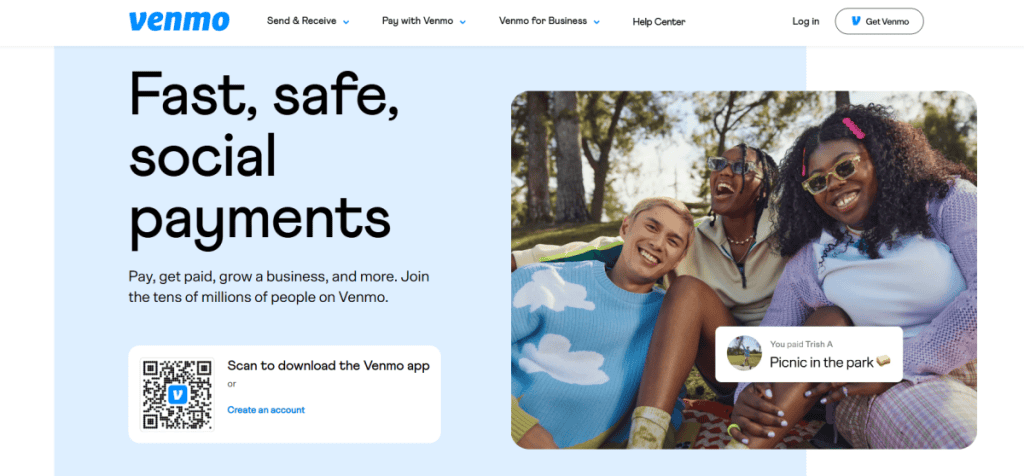
Venmo is a mobile payment service that enables users to transfer funds seamlessly through a smartphone application. Designed primarily for peer-to-peer transactions, Venmo allows individuals to split bills, share expenses, and make payments to friends and family with ease. Its user-friendly interface and social media-like features, such as transaction feeds and the ability to add notes or emojis to payments, have contributed to its widespread popularity. Lets read more about Venmo Review.

Established in 2009 by Andrew Kortina and Iqram Magdon-Ismail, Venmo was founded with the goal of making it easier for friends to split expenses. The payment processing firm, Braintree, purchased the company for $26.2 million in 2012. In 2013, PayPal acquired Braintree for $800 million, which resulted in Venmo becoming owned by PayPal. Since that time, it has functioned as a branch of PayPal, taking advantage of its wide infrastructure and resources. 

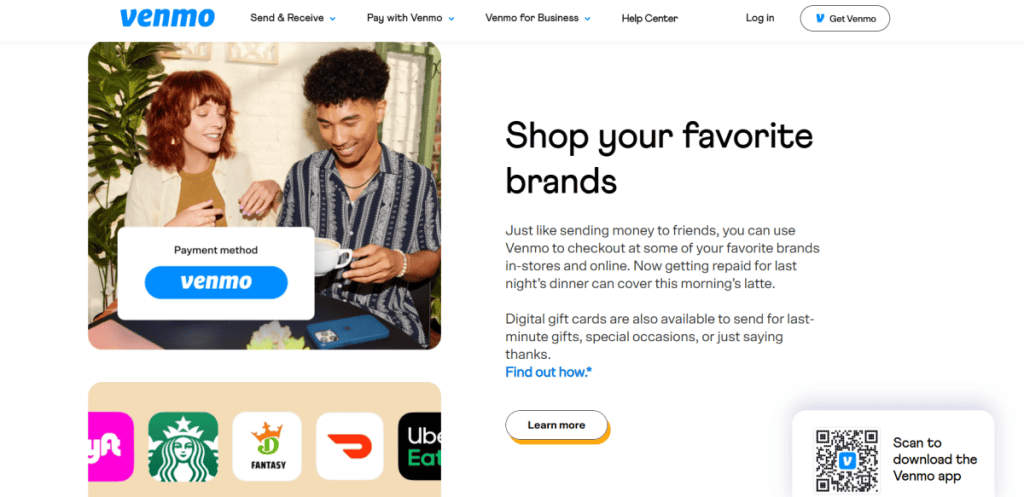
Venmo has broadened its offerings under PayPal’s ownership to go beyond just person-to-person transactions. The platform currently provides functions such as the Venmo Debit Card, enabling users to use their Venmo balance at Mastercard-accepting merchants, and the option to make purchases through approved partner apps and websites. These advancements have strengthened Venmo’s standing as a flexible and convenient payment option in the digital era. 

Getting Started with Venmo | Venmo Review

Venmo is a widely used mobile payment service that simplifies peer-to-peer transactions, making it easy to send and receive money among friends and family. Getting started with Venmo involves a straightforward process encompassing account creation, linking financial accounts, and implementing security measures.

Account Creation Process

To start using Venmo, get the app from either the App Store or Google Play Store. Access the application and choose how to sign up, either by providing your email or through Facebook. You must make a strong password that is between 8 and 20 characters long, and it must contain at least one number or symbol. Once you have created your password, confirm your phone number and email address in order to finish the initial setup.

Linking Bank Accounts and Cards

Once your account is set up, linking a bank account or card is essential for transactions. Navigate to the “Me” tab in the app, then to the “Wallet” section, and tap “Add a bank or card.” You can choose to add a bank account or a debit/credit card. For bank accounts, it offers two verification methods: instant and manual. Instant verification requires you to log in to your bank through the app, while manual verification involves Venmo sending microtransfers to your account, which you confirm by entering the exact amounts in the app. This process ensures that you have access to the linked bank account.

User Verification and Security Measures

Venmo places importance on user security by putting in place multiple measures. The application utilizes encryption to safeguard your financial details and provides two-factor authentication to protect your account. It is recommended for users to create a PIN code or activate biometric features such as Face ID or fingerprint recognition to enhance security. Moreover, it gives you the ability to personalize privacy preferences for transactions, allowing you to choose who has access to your payment history.

Venmo Review

Core Features of Venmo

Venmo offers a range of features that make peer-to-peer financial transactions simple and engaging. Its core functionalities include sending and receiving payments, a social feed for transaction sharing, bill splitting and group payments, and managing balances with bank transfers.

Sending and Receiving Payments

It allows users to easily send and receive money without any hassle. Users can send money to others through their username, phone number, or email by connecting their bank account, debit card, or credit card. Transactions are usually immediate, enabling fast monetary transfers between loved ones.

Social Feed and Transaction Sharing

A distinctive aspect of Venmo is its social feed, where users can share their transactions with friends. Each payment can include a note or emoji, adding a personal touch to financial exchanges. Users have control over their privacy settings, choosing to make transactions public, visible to friends, or private.

Splitting Bills and Group Payments

It simplifies splitting expenses among multiple people. Users can request payments from several contacts simultaneously, making it easy to divide costs for shared activities like dining out or group trips. This feature ensures transparency and convenience in managing group expenses.

Venmo Balance and Bank Transfers

Money received via Venmo is kept in the user’s Venmo account. Customers have the option to use this remaining amount for upcoming purchases or move it to a connected bank account. Regular bank transfers do not cost anything and usually require one to three business days to be completed. It provides quick transfers to qualifying bank accounts or debit cards for a small fee to enable instant access.

Additional Services Offered by Venmo

Beyond its core functionalities, it offers additional services that enhance user experience and expand its utility. These services include the Venmo Debit Card, Venmo Credit Card, cryptocurrency transactions, and integration with businesses and online merchants.

Venmo Debit Card: Features and Benefits

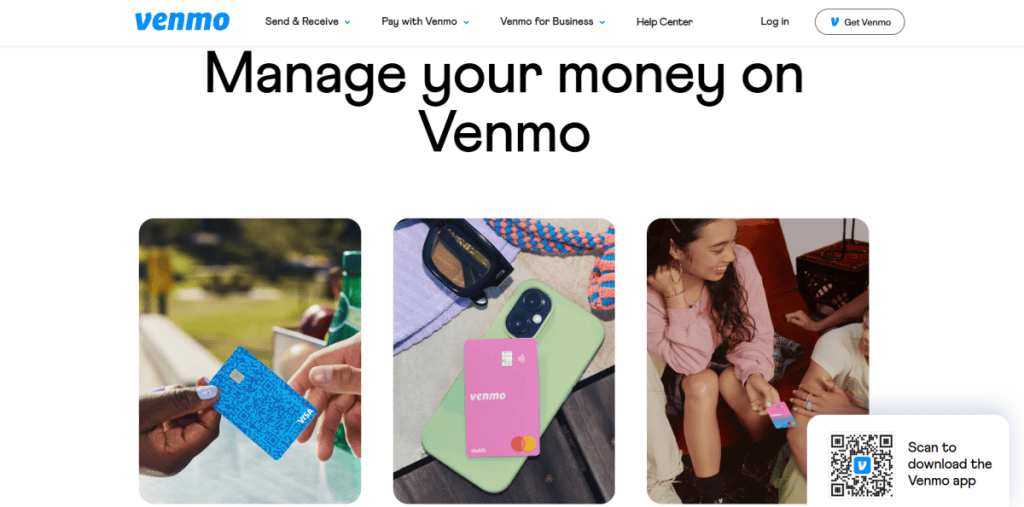
The Venmo Debit Card, linked directly to a user’s Venmo balance, allows for in-store and online purchases wherever Mastercard is accepted. Users can personalize their cards by choosing from various color options. The card supports contactless payments, enabling quick and secure transactions. Additionally, it offers fee-free withdrawals at over 40,000 MoneyPass ATMs across the U.S. However, withdrawals from non-MoneyPass ATMs may incur fees. The card also provides cashback rewards at select merchants, with offers that can be activated through the Venmo app.

Venmo Credit Card: Rewards and Usage

The Venmo Credit Card, provided by Synchrony Bank, provides a specialized cashback scheme. Customers receive a 3% cashback reward for their most frequented spending type, 2% for the next highest category, and 1% for all other transactions. Types range from groceries to dining, travel, and beyond. Cashback rewards are added to the user’s Venmo account balance automatically at the conclusion of each statement period. The card has a distinctive QR code on the front, making it simple to make payments and send friend requests on Venmo. The Venmo Credit Card does not have an annual fee.

Cryptocurrency Transactions within Venmo

It enables users to buy, sell, and hold cryptocurrencies directly within the app. Supported cryptocurrencies include Bitcoin, Ethereum, Litecoin, and Bitcoin Cash. Users can start with as little as $1 and monitor their crypto portfolio through the app.

Fees and Costs of Venmo

It is a popular mobile payment service that offers various features to its users. Understanding the associated fees is essential for effective financial management.

Standard Transaction Fees

Sending money with a Venmo personal account is free when using a linked bank account, debit card, or Venmo balance. Nevertheless, a 3% charge applies when transferring funds with a connected credit card. Getting money into your Venmo account is free, no matter what payment method the sender chooses to use.

Instant Transfer Fees

It offers two types of bank transfers: standard and instant. Standard transfers are free and typically take 1-3 business days to complete. For immediate access to funds, it provides instant transfers to eligible bank accounts or debit cards, which usually occur within 30 minutes. This service incurs a 1.75% fee per transaction, with a minimum fee of $0.25 and a maximum fee of $25.

Fees Associated with Debit and Credit Card Usage

Utilizing a debit card for transferring money via Venmo does not incur any fees. Nevertheless, there is a 3% fee for each transaction when transferring money with a credit card. Furthermore, certain credit card companies might categorize Venmo transactions as cash advances, resulting in possible extra charges and increased interest rates. It’s recommended to contact your credit card provider to clarify any additional fees that could be incurred.

Comparison with Competitors’ Fee Structures

When compared to other peer-to-peer payment services, Venmo’s fee structure is competitive. For instance, Cash App charges a 3% fee for sending money using a credit card and offers instant transfers with fees ranging from 0.5% to 1.75%. PayPal charges a 2.9% fee plus $0.30 per transaction for credit card payments and has similar instant transfer fees. Zelle, on the other hand, charges no fees but lacks the social features Venmo provides.

Venmo Review

Security and Privacy on Venmo

Venmo, a widely used mobile payment platform, emphasizes security and privacy to protect its users’ financial information. Understanding its data encryption methods, privacy settings, historical security challenges, and best practices for user safety is essential for informed usage.

Data Encryption and Security Protocols

It utilizes strong security measures to protect user data. The system uses encryption to safeguard transactions and personal details, guaranteeing that sensitive data is securely stored and transmitted. Furthermore, it provides multifactor authentication as an extra security measure, making users confirm their identity through various methods before gaining account access.

Privacy Settings and User Control

It provides users with control over their transaction visibility. By default, transactions are public, allowing others to view payment details. However, users can adjust privacy settings to make transactions visible only to friends or entirely private. It’s advisable to review and modify these settings to align with personal privacy preferences.

Past Security Incidents and Company Responses

In previous times, It has been criticized for its automatic public transaction settings, causing worries about privacy. In reaction, the company improved user awareness about privacy controls and modified settings for increased transparency and user control. Moreover, it has tackled concerns about unauthorized transactions by introducing more stringent security measures and offering users tools to oversee and protect their accounts.

Recommendations for Enhancing User Security

To maximize security while using Venmo, consider the following practices:

Enable Multifactor Authentication: Activate MFA in your account settings to add an extra verification step during login.

Adjust Privacy Settings: Set your transactions to “Friends” or “Private” to limit visibility.

Monitor Account Activity: Regularly review your transaction history for any unauthorized activity.

Use Strong, Unique Passwords: Create complex passwords and avoid reusing them across multiple platforms.

Be Cautious with Public Wi-Fi: Avoid conducting transactions over unsecured networks to reduce the risk of data interception.

By implementing these measures, users can enhance their security and privacy while utilizing Venmo’s services.

User Experience on Venmo

It has become a popular choice for peer-to-peer transactions, largely due to its user-friendly design and social features. Evaluating its mobile app interface, customer support, user feedback, and accessibility considerations provides a comprehensive view of the user experience.

Mobile App Interface and Usability

The mobile app of Venmo has been created with simplicity and user-friendliness as top priorities. The layout of the interface is simple and easy to navigate, making it simple for users to seamlessly send and receive payments. The main page shows a social stream of activities, promoting a feeling of belonging among members. Still, a few users have observed that the social feed’s visibility could cause distractions, prompting requests for a streamlined method to prioritize financial transactions over social interactions.

Customer Support and Service Quality

It provides customer assistance through multiple avenues, such as an in-app help center, email support, and a detailed FAQ section on their website. Although these resources address various subjects, some users have experienced delays in getting answers to their questions. The lack of live chat or phone support may hinder users looking for immediate help. Improving customer support’s responsiveness and availability can boost overall user satisfaction.

User Feedback and Satisfaction Ratings

User feedback on Venmo is generally positive, with many appreciating the convenience and speed of transactions. The app’s integration with social features adds a unique dimension to financial interactions. However, concerns have been raised regarding privacy settings, as transactions are public by default. Users are advised to adjust their privacy settings to control the visibility of their transactions and maintain privacy.

Accessibility and Inclusivity Considerations

Venmo’s interface is largely intuitive, but improvements in accessibility features, such as better support for screen readers, could make the app more inclusive for users with disabilities. Addressing these considerations would further enhance Venmo’s user experience.

Limitations and Drawbacks of Venmo

While it offers a convenient platform for peer-to-peer transactions, it has certain limitations that users should be aware of.

Geographic Restrictions (U.S. Only)

It is only accessible for individuals located in the United States. This restriction prevents people outside the U.S from creating or using Venmo accounts, and international transactions are not permitted. Alternative platforms such as PayPal or TransferWise might be a better option for users needing international money transfers.

Transaction Limits and Caps

Venmo imposes transaction limits to mitigate potential fraud and ensure security. For unverified accounts, the weekly spending limit is $299.99. Upon identity verification, this limit increases to $4,999.99 per week for person-to-person payments and $6,999.99 per week for authorized merchant payments. These caps may be restrictive for users needing to transfer larger sums, necessitating the use of other financial services for substantial transactions.

Potential for Scams and Fraud

Even with security measures in place, it is still vulnerable to scams and fraudulent activities. Phishing attempts and overpayment scams are popular fraud schemes, with scammers pretending to be Venmo to obtain personal details and tricking users into refunding money for fake transactions. To reduce these risks, users should be careful, double-check recipient information, and refrain from interacting with unknown individuals.

Dependency on Internet Connectivity

It operates entirely online, requiring a stable internet connection for all transactions. In areas with limited or unreliable internet access, users may face challenges in sending or receiving payments. This dependency can be inconvenient during travel or in regions with poor connectivity, potentially hindering timely financial exchanges.

Comparison with Competitors

It operates in a competitive landscape alongside major players like PayPal, Cash App, and Zelle. Understanding how it compares to these alternatives can help users choose the platform that best suits their needs.

Overview of Major Competitors

PayPal: A global online payment system facilitating transactions between individuals and businesses.

Cash App: A mobile payment service by Block, Inc., allowing users to send money, invest in stocks, and buy cryptocurrency.

Zelle: A peer-to-peer payment network integrated with many U.S. banks, enabling instant transfers between bank accounts.

Feature-by-Feature Comparison

Transaction Speed:

Venmo: Standard transfers take 1-3 business days; instant transfers are available for a fee.

PayPal: Similar to Venmo, with standard and instant transfer options.

Cash App: Offers instant transfers for a fee; standard transfers are free.

Zelle: Provides instant transfers at no cost.

Fees:

Venmo: Charges 3% for credit card transactions; instant transfers incur a 1.75% fee.

PayPal: Charges 2.9% plus $0.30 for credit card transactions; instant transfers have a 1.75% fee.

Cash App: Charges 3% for credit card transactions; instant transfers have a fee ranging from 0.5% to 1.75%.

Zelle: No fees for sending or receiving money.

Additional Features:

Venmo: Social feed for transactions, Venmo Debit and Credit Cards, cryptocurrency transactions.

PayPal: Supports international transactions, extensive merchant services, PayPal Credit.

Cash App: Offers stock and Bitcoin investments, Cash Card for spending.

Pros and Cons Relative to Alternatives

Venmo: Social features and ease of use stand out but lack international reach.

PayPal: Comprehensive for global transactions but has higher fees.

Cash App: Unique investment options but fewer banking integrations.

Zelle: Free and instant but lacks additional features like debit cards or social interactions.

Market Position and User Base Analysis

It remains a favorite for social, peer-to-peer transactions among younger demographics, whereas competitors like PayPal cater to a broader, global audience. Cash App is ideal for users interested in financial growth tools, while Zelle dominates bank-linked transfers.

Venmo Review

Conclusion

Venmo provides a convenient platform for individuals to easily send money to each other, along with special social functions, low fees, and additional offerings such as debit and credit cards. Even though it has constraints related to geography and privacy, its usefulness and incorporation make it beneficial for users in the United States. Ideal for individuals looking for smooth, interactive, and reliable payment options.

Frequently Asked Questions

Is Venmo safe to use for financial transactions?

Yes, Venmo is secure, using encryption to protect user data and offering multifactor authentication for added security. Best practices include enabling privacy settings, using strong passwords, and avoiding public Wi-Fi for transactions.

Are there any fees for sending money through Venmo?

Sending money from a linked bank account or debit card is free, while credit card transactions incur a 3% fee. Instant transfers to bank accounts or debit cards cost 1.75%, while standard transfers are free.

Can I use Venmo for international transactions?

No, Venmo is available only in the U.S. For international transfers, consider alternatives like PayPal or Wise.