
Tag Archives: payment service provider

Beanstream Service Review

Beanstream Service Review

Beanstream, originally founded in Canada, has evolved into a well-known payment service provider, offering a range of solutions for small to mid-sized businesses and online merchants. Over the years, the company rebranded as Bambora after being acquired, and is now part of Worldline, one of the largest global payment providers. Despite the rebranding and acquisitions, many users; particularly in North America; still refer to it as Beanstream, due to its strong legacy and early market presence. Lets read more about Beanstream Service Review.

The platform is made to cater to a wide range of users, such as developers looking for a customizable payment API, nonprofit organizations, subscription-based services, and e-commerce companies. Through a variety of channels, such as virtual terminals, smartphone apps, and online stores, it allows retailers to safely process payments. Beanstream has positioned itself as a versatile solution that can be used by companies looking for plug-and-play options as well as tech-savvy developers.

What sets Beanstream apart is its early focus on Canadian compliance standards and integration with Interac Online, a payment method unique to Canada. It also supports US dollar and Canadian dollar transactions, making it appealing to cross-border businesses operating in both countries.

Company Background and History | Beanstream Service Review

Founded in 2000 in British Columbia, Beanstream was one of the early entrants in the online payment gateway space in Canada. Initially focused on online businesses, the company gained traction by offering secure and flexible payment options when ecommerce was still in its infancy. In 2015, Beanstream was acquired by Bambora, a Swedish payments company that sought to expand globally. Bambora itself was later acquired by Ingenico, and eventually, Ingenico was absorbed by Worldline, a global payment giant based in France. While the platform now operates under the Worldline umbrella, its original technology stack and customer base still reflect its Beanstream roots.

To stay competitive, the business has consistently improved its features and user interface over time. It has continued to concentrate on helping developers and small to mid-sized retailers who need dependable, adaptable payment solutions, even with ownership changes. Although there is some confusion regarding branding, stability and innovation are provided by this legacy of consistent evolution and corporate support. Depending on the documentation or interface being used, customers may see services labeled as Worldline, Bambora, or Beanstream.

Core Features and Services

Beanstream offers a well-rounded suite of payment processing tools. Its core services include a payment gateway, merchant accounts, recurring billing, and virtual terminals. These allow businesses to process payments through websites, apps, over the phone, or in person using compatible hardware.

Recurring billing is a key strength. This makes it particularly suitable for subscription-based services, SaaS businesses, and nonprofits collecting monthly donations. The gateway supports both one-time and scheduled payments with flexible interval options. The virtual terminal allows merchants to manually enter credit card information to process transactions, making it ideal for phone or mail orders. Meanwhile, mobile payment support enables point-of-sale capabilities for events or mobile businesses.

The availability of developer tools is yet another amazing feature. For companies looking to further customize their user experience by integrating payments directly into their systems, Beanstream provides APIs and SDKs. Although it lacks some of the more recent competitors’ feature sets, Beanstream offers a simple and dependable feature set that meets the requirements of the majority of small and mid-sized retailers without being overly complicated.

Beanstream Service Review

Payment Methods and Channels Supported

Beanstream provides comprehensive support for a wide range of payment methods and channels, making it versatile for businesses of various types. It accepts major credit and debit cards, including Visa, Mastercard, American Express, and Discover. It also processes Interac Online, which is particularly useful for Canadian customers.

One of Beanstream’s early appeals was its robust electronic funds transfer system, enabling businesses to directly debit customer bank accounts; perfect for utility providers, landlords, or nonprofits. ACH processing is also supported, which expands its appeal to U.S.-based merchants.

Through APIs or plugins, the platform easily connects with e-commerce websites for online retailers. Mobile apps, hosted checkout pages, and online shopping carts are among the supported channels. Merchants can also email invoices with links to safe payment methods. Although Beanstream isn’t well-known for its proprietary hardware products, in-person payments are supported through card readers and POS integrations. It is often necessary for merchants to pair it with third-party terminals that are compatible, which may call for extra setup.

While Beanstream covers the basics well, it lacks support for newer digital wallets like Apple Pay or Google Pay by default, unless custom integrations are developed. This may limit its appeal for highly mobile or tech-savvy consumers, but for traditional and recurring payments, it remains effective.

Integration and API Capabilities

One of Beanstream’s standout features is its developer-centric API offering. The platform provides RESTful APIs that are well-documented and straightforward to implement, making it a good choice for developers and tech teams seeking custom integrations.

Beanstream supports server-to-server and client-side integrations, providing flexibility for both simple checkout processes and complex, multi-channel systems. Businesses can use the API to manage transactions, issue refunds, create recurring billing profiles, or pull real-time reporting data.

It also offers shopping cart plugins for platforms like Magento, WooCommerce, Shopify, and BigCommerce, reducing the setup time for online stores. However, plugin maintenance can occasionally lag behind platform updates, which may require manual patching or support requests. Another plus is the availability of sandbox testing, allowing developers to simulate transactions and test their payment flow before going live. This minimizes disruption and ensures smoother integration.

The APIs aren’t as up to date or user-friendly as more recent fintech solutions like Stripe, though. Despite being comprehensive, some users have complained that the documentation can seem outdated or excessively technical to non-developers. The integration features of Beanstream, however, provide a great deal of flexibility and value for teams with some technical expertise.

Merchant Account and Setup Process

Beanstream provides an all-in-one solution, meaning you can get a merchant account and gateway services under one roof. This streamlines the setup process for new businesses and reduces the need to coordinate with multiple providers. Signing up typically involves submitting your business details, banking information, and some supporting documents like government-issued ID and a void cheque. For online businesses, a working website with a refund policy and contact information is usually required. Approval can take anywhere from 24 hours to a few business days, depending on your risk category.

Once approved, merchants receive access to the portal, where they can start processing payments or begin integrations. The setup flow is relatively straightforward for those using out-of-the-box plugins, but more technical implementations (like using APIs) may require assistance. Unlike some providers that focus on speed over scrutiny, Beanstream has a reputation for doing its due diligence. While this ensures regulatory compliance and reduces fraud risks, it can feel slow or tedious for startups expecting instant access. Overall, the onboarding experience is professional and functional, though not the fastest or most intuitive on the market. Support is available throughout the process, which helps smooth over any hiccups.

Pricing and Fee Structure

Beanstream does not advertise flat-rate pricing, which can make cost comparisons more difficult. Its pricing model generally follows interchange-plus or tiered rates, depending on your business type, processing volume, and risk profile.

Typical fees include:

Transaction fees (starting at ~2.65% + $0.25 for credit cards)

Monthly gateway fee (around $25–$35)

Setup fee (varies by plan)

Chargeback fees (usually $25–$35 per dispute)

Lower percentage fees (about 1%) combined with a fixed per-transaction fee are common for processing ACH or EFT. This makes it appealing for expensive or frequent transactions. Cancellation fees are not disclosed to the public, but depending on your contract, early termination fees might be charged. Before registering, make sure you have read the agreement completely. Beanstream may be more affordable for companies with large sales volumes than flat-rate services like Square, but it may be less transparent for startups. For larger businesses, custom pricing is available, which could lead to better negotiated rates.

Ultimately, pricing is competitive but not exceptional. The lack of upfront transparency can be a downside, especially for small business owners who want clarity without needing to negotiate.

User Interface and Dashboard Experience

Beanstream’s merchant dashboard is clean and functional, though not particularly flashy. The layout is straightforward, offering key features like transaction reports, settlement summaries, customer billing profiles, and manual transaction entries. The interface is web-based and accessible from desktop and mobile browsers. While not app-based, the responsive design allows mobile viewing and basic functionality on the go. Navigation is relatively intuitive, with sidebar menus and clear labeling for most tasks.

The reporting tools are one of the highlights. Merchants can generate daily, weekly, or custom reports that include transaction history, refunds, and batch settlements. These reports are downloadable in CSV or Excel format, which is helpful for accounting purposes. One drawback is that the UI hasn’t seen major visual upgrades in recent years. Compared to more modern dashboards offered by Stripe or Square, Beanstream can feel slightly outdated. It gets the job done but may not impress design-savvy users. Nonetheless, for the average small business, the dashboard offers all necessary functions without a steep learning curve. Support materials and tutorials are available to assist with less obvious features.

Beanstream Service Review

Security and Compliance

A fundamental component of Beanstream’s services has always been security. The platform satisfies the highest certification requirement for payment processors, PCI DSS Level 1. By doing this, cardholder data is safeguarded throughout each transaction. Because Beanstream uses tokenization, a merchant’s system never stores sensitive card information. It is swapped out for a special token that can be applied to subsequent transactions, which is especially helpful for recurring billing.

The platform also supports 3D Secure (Verified by Visa/Mastercard SecureCode), helping to reduce fraud and chargebacks for online merchants. Additional fraud management tools allow merchants to set filters based on IP, velocity, and transaction size. For ACH/EFT transactions, Beanstream includes verification steps to reduce the risk of bounced payments and fraud. While these systems aren’t cutting-edge AI-driven solutions, they provide a solid security foundation for most use cases. Merchants should still follow best practices; regular password changes, limited admin access, and keeping software updated. Beanstream provides guides and checklists for maintaining a secure environment.

Overall, security is a strength. While not innovative, it’s dependable and meets the standards expected from an enterprise-backed provider.

Customer Support and Service Quality

Beanstream’s customer service is inconsistent. On the one hand, the business provides a self-serve knowledge base and a number of channels, including phone, email, and support tickets. Support is usually available during regular business hours (Monday through Friday, 9 AM to 5 PM PST), and although they advertise prompt service, real-world experiences differ. Helpful onboarding and integration support is reported by many users, especially when it comes to technical issues. Due to the company’s Canadian origins, North American retailers often gain from having local, English-speaking agents, which can enhance the customer service experience in contrast to call centers located abroad.

However, some customers have reported delays in issue resolution, especially for more nuanced billing or settlement questions. Additionally, documentation may not always be updated promptly following platform changes or rebranding efforts. There’s no live chat available, which is a noticeable gap in today’s expectation for instant, in-browser help. While Beanstream is generally responsive via email, the lack of 24/7 support or weekend availability can frustrate merchants facing urgent problems outside of business hours.

Ultimately, the support quality depends heavily on your specific needs and how complex your setup is. For straightforward merchant accounts, the experience tends to be smooth. For more customized integrations or large-volume merchants, patience may be required to navigate occasional bottlenecks in service.

Reliability and Performance

When it comes to uptime and transaction reliability, Beanstream generally performs well. The platform boasts a stable infrastructure, and major outages are rare. Businesses relying on consistent transaction flow; especially for recurring payments; can feel confident in the system’s ability to deliver. The transaction speed is competitive, with real-time authorizations and timely settlement of funds. Most credit card transactions are processed within 1–2 business days, while EFT and ACH payments may take a bit longer due to bank verification cycles.

Businesses handling large volumes or needing to quickly reconcile accounts can benefit from Beanstream’s batch processing and auto-settlement features, which can streamline operations. These automated procedures minimize human error and eliminate the need for manual labor. In contrast to some of the more scalable international players like Stripe or Adyen, the platform’s performance under heavy traffic loads is less well-documented, despite these advantages. This shouldn’t be a problem for the typical small to mid-sized business, but big businesses with seasonal fluctuations might want to keep an eye on peak performance.

Overall, Beanstream offers reliable processing with little downtime and sufficient processing speed. While it may lack some of the cutting-edge performance analytics or load testing visibility of newer platforms, it remains a dependable choice for consistent payment handling.

Pros of Using Beanstream

Beanstream offers a number of solid benefits that make it a practical choice for many small to mid-sized businesses; especially those based in Canada.

Strong Canadian focus: It supports Interac Online and EFT, both of which are commonly used in Canada but not always supported by international processors.

Comprehensive feature set: With recurring billing, virtual terminals, and shopping cart integrations, it covers most essential payment needs without requiring multiple vendors.

Customizable API: For developers, Beanstream’s API offers flexibility and a sandbox environment for thorough testing.

Secure infrastructure: PCI compliance, tokenization, and fraud protection tools offer peace of mind for merchants handling sensitive customer data.

Established brand: Backed by Worldline, one of Europe’s largest payment providers, Beanstream combines a stable legacy with corporate support.

These features position Beanstream as a reliable, if somewhat traditional, payment processor that gets the basics right without a steep learning curve. Businesses looking for no-fuss payment handling with localized support will find Beanstream especially useful.

Cons of Using Beanstream

While Beanstream has plenty going for it, it’s not without its downsides; especially for modern, fast-moving businesses.

Outdated UI and UX: The dashboard and some tools feel dated compared to sleek, intuitive competitors like Stripe, Square, or Shopify Payments.

Lack of pricing transparency: Without publicly available fees, new users must contact sales and negotiate; something many small businesses may find frustrating or opaque.

Limited innovation: While stable, the platform hasn’t introduced groundbreaking features or AI-driven tools, which are becoming standard in the payments industry.

No live chat or 24/7 support: This can be a major drawback for businesses operating outside standard office hours.

Digital wallet limitations: Apple Pay and Google Pay are not natively supported without additional workarounds.

These limitations don’t make Beanstream a bad choice; but they do suggest it’s more suited to traditional setups than cutting-edge fintech applications or high-growth startups.

Who Should Consider Beanstream?

Beanstream is a solid option for Canadian businesses, especially those that value reliability and simplicity over innovation. Companies that rely on recurring payments; such as fitness studios, nonprofits, or subscription-based services; can particularly benefit from its billing features. It’s also suitable for businesses that want both a merchant account and gateway from the same provider without dealing with multiple vendors. Developers with experience in API integration may find its developer tools sufficient, though not best-in-class.

Conversely, newer players like Stripe or Square might offer e-commerce brands more flexibility if they’re searching for contemporary features like embedded checkout, mobile wallet support, or instant payouts. Similarly, Beanstream’s geographic focus might be restrictive for companies that operate in high-growth international markets or in multiple currencies. To put it briefly, Beanstream is appropriate for companies that value security, stability, and compatibility with Canada over cutting-edge innovation. It can be a dependable, low-friction partner for the right merchant.

Beanstream Service Review

FAQs

Q1: Is Beanstream the same as Bambora?

Yes. Beanstream was rebranded as Bambora after being acquired. Later, Bambora was integrated into Worldline. While the official name has changed, many still refer to the platform as Beanstream in Canada due to its legacy.

Q2: Does Beanstream require a long-term contract?

Beanstream typically does not require long-term contracts, but this can vary by plan. It’s important to review your agreement for any early termination fees or service lock-ins before signing up.

Q3: Can Beanstream handle recurring donations for nonprofits?

Yes. Beanstream supports recurring billing and donor profiles, making it suitable for nonprofits collecting regular contributions. However, it may require some development work if you want to integrate with donor management software.

WePay Review

WePay Review

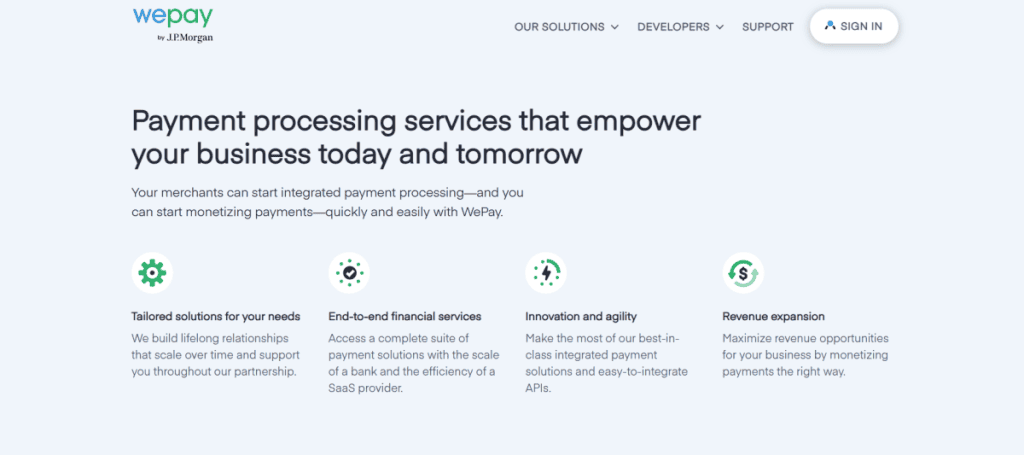
WePay, founded in 2008 by Rich Aberman and Bill Clerico, is a U.S.-based online payment service provider. It offers integrated and customizable payment solutions through its APIs, catering primarily to platform businesses such as crowdfunding sites, marketplaces, and small business software companies. In 2017, WePay was acquired by JPMorgan Chase, enhancing its capabilities and reach within the financial services sector. Lets read more about WePay Review.

In the current digital economy, payment processors such as WePay are essential for enabling smooth electronic transactions between companies and their clients. They allow merchants to receive different types of electronic payments, such as credit and debit cards, along with digital wallets, guaranteeing that money is transferred securely and efficiently from the customer’s account to the merchant’s account.

The significance of payment processors in contemporary business functions cannot be emphasized enough. They offer the framework that enables fast and secure transactions, crucial for upholding customer trust and satisfaction. Payment processors allow businesses to concentrate on their main activities by managing the intricacies of payment authorization, authentication, and settlement, relieving them of the responsibility of handling payment logistics. 

Additionally, payment processors provide improved security features, including encryption and fraud prevention, to safeguard sensitive financial information. This is essential for stopping unauthorized transactions and ensuring adherence to industry standards. Moreover, by enabling various currencies and payment options, payment processors promote international trade, enabling companies to broaden their scope and serve a varied clientele. 

Company Background: Evolution and Growth of WePay | WePay Review

WePay, established in 2008 by Rich Aberman and Bill Clerico, is a U.S.-based online payment service provider. The idea for WePay originated when Aberman faced challenges collecting funds from friends for his brother’s bachelor party, highlighting the need for a more efficient group payment solution. This experience led Aberman and Clerico to develop a platform that simplifies the process of collecting money from multiple individuals.

Initially, WePay focused on facilitating group payments and event ticketing. Over time, the company shifted its strategy to provide integrated payment solutions for platform-based businesses, including crowdfunding sites, marketplaces, and small business software companies. This pivot allowed WePay to cater to a broader range of clients by offering customizable payment services through its APIs.

In October 2017, JPMorgan Chase announced its plan to acquire WePay to enhance its payment processing capabilities for small businesses. The acquisition aimed to enable software providers to offer integrated payments to their small business clients, streamlining the payment process and reducing friction. The deal was reported to be valued at over $220 million, reflecting WePay’s significant growth and potential in the fintech industry.

After the acquisition, WePay remained a separate entity under JPMorgan Chase, functioning as the firm’s payments innovation incubator in Silicon Valley. This setup enabled WePay to preserve its innovative culture while utilizing the vast resources and client network of JPMorgan Chase. The collaboration allowed WePay to provide its partners and their merchants access to Chase’s network of four million small business customers, delivering improved payment solutions and assistance. 

WePay primarily targets platform-based enterprises, offering them tailored and integrated payment solutions. By providing APIs that facilitate the smooth integration of payment processing into diverse platforms, WePay empowers businesses to handle transactions effectively and safely. This strategy has drawn clients like GoFundMe, Meetup, and FreshBooks, who gain from WePay’s customized payment solutions that meet their unique operational requirements.

WePay Review

Key Features: Enhancing Payment Solutions with WePay

It offers a suite of features designed to streamline payment processing for platform-based businesses. These features enhance user experience, ensure security, and provide flexibility for both merchants and customers.

Integrated Payment Processing: WePay enables platforms to embed payment processing directly into their services, allowing users to complete transactions without being redirected to external sites. This seamless integration simplifies the payment process and enhances the overall user experience.

Customizable User Experience: It offers APIs that enable companies to customize the payment experience to match their brand image. This involves personalizing the appearance and tone of checkout pages, emails, and other user engagements, guaranteeing a uniform and branded experience for clients.

Fraud Detection and Risk Management: Security is a top priority for WePay. The platform employs advanced fraud detection systems, including machine learning algorithms, to monitor transactions and identify suspicious activities. By analyzing various data sources, WePay effectively mitigates potential risks, providing a secure environment for transactions.

Instant Merchant Onboarding: WePay streamlines the onboarding process for merchants by handling necessary verifications and compliance checks. This efficient process enables merchants to start accepting payments quickly, reducing delays and enhancing operational efficiency.

Flexible Payout Options: Understanding the importance of timely access to funds, It offers flexible payout schedules, including same-day deposits. This feature supports better cash flow management for businesses.

Mobile and Digital Wallet Integration: It facilitates transactions via mobile devices and digital wallets, such as Apple Pay and Android Pay. This feature allows businesses to meet the needs of technology-oriented customers, thereby improving convenience and accessibility. 

Through these strong capabilities, It delivers a complete solution that caters to the various requirements of platform-oriented businesses, providing a safe, adaptable, and accessible payment processing experience. 

Pricing Structure: Understanding WePay’s Cost Framework

WePay offers a tiered pricing structure designed to accommodate various business needs through its three primary products: Link, Clear, and Core.

Overview of Pricing Tiers: Link, Clear, and Core

WePay Link: This entry-level service allows platforms to refer merchants to Chase Integrated Payments. Merchants can begin accepting payments swiftly, with standard pricing set at 2.9% plus $0.25 per transaction. The integration process is straightforward, requiring minimal technical effort.

WePay Clear: Expanding on Link’s features, Clear allows platforms to incorporate payments straight into their services, providing a smoother user experience. This level offers extra customization capabilities and personalized risk management. Pricing is determined by quotes, enabling platforms to set the merchant prices they will impose on users in addition to WePay’s fees.

WePay Core: Designed for large payment facilitators, Core offers extensive customization, granting platforms total control over the user experience and transaction lifecycle. Pricing is aggressive and relationship-based, tailored to the specific needs of the platform.

Transaction Fees: Transaction fees with WePay vary depending on the chosen product tier and the specific agreement between the platform and WePay. For WePay Link, the standard fee is 2.9% plus $0.25 per transaction. For WePay Clear and Core, fees are typically determined through direct consultation, allowing for tailored pricing structures that align with the platform’s business model.

Customizable Pricing for Platform Partners: WePay offers platform partners the ability to determine their own pricing for merchants. This indicates that platforms have the ability to apply a markup to WePay’s standard rates, generating an extra revenue source. This adaptable pricing method allows platforms to match payment processing costs with their specific value propositions and market strategies.

Transparency Concerns: While WePay offers customizable pricing, some users have expressed concerns regarding transparency. The lack of publicly available detailed pricing information, especially for the Clear and Core tiers, necessitates direct consultation with WePay’s sales team. This approach can make it challenging for potential clients to compare WePay’s fees with those of other payment processors.

Integration and Compatibility: Seamless Payment Solutions with WePay

It provides a comprehensive suite of integration options and compatibility features, enabling businesses to seamlessly incorporate payment processing into their platforms. These capabilities are designed to enhance the user experience and support a variety of business models.

Developer-Friendly APIs: WePay provides powerful APIs that enable the incorporation of payment processing into multiple applications. These APIs are tailored for developers, offering comprehensible documentation and assistance for various programming languages such as PHP, Ruby, Python, Node.js, and Java. This adaptability enables developers to effectively create payment solutions customized to their unique platform needs.

Supported Platforms and Use Cases: WePay’s versatile APIs support a wide range of platforms and use cases, making it suitable for businesses of all sizes, from small enterprises to large corporations. The platform is compatible with both mobile and desktop applications, enabling businesses to offer seamless payment experiences across different devices. This adaptability ensures that WePay can meet the diverse needs of various industries and business models.

Mobile Point-of-Sale Solutions: To cater to businesses that require in-person payment capabilities, WePay provides mPOS solutions. These solutions enable merchants to accept payments using mobile devices, facilitating transactions in physical locations or on the go. By integrating mPOS functionality, businesses can expand their payment acceptance methods and enhance customer convenience.

Digital Wallet Compatibility: WePay enables integration with widely-used digital wallets, such as Apple Pay and Google Pay. This compatibility enables companies to provide their clients with multiple payment choices, addressing the increasing demand for digital wallet payments. By endorsing these payment methods, It assists businesses in keeping up with consumer trends and enhancing the overall payment experience.

WePay Review

Security and Compliance: Safeguarding Transactions with WePay

WePay prioritizes the security and compliance of its payment processing services, implementing advanced technologies and adhering to industry standards to protect sensitive data and mitigate risks.

Fraud Prevention Technologies: To protect transactions, It utilizes advanced fraud detection systems that observe and assess payment activities as they occur. These systems employ different data sources to detect and block unauthorized transactions, providing a safe atmosphere for merchants and customers alike.

Machine Learning for Risk Management: It utilizes machine learning algorithms to improve its risk management approaches. By examining transaction trends and behaviors, these models can identify anomalies that suggest fraudulent activity. This proactive strategy allows WePay to respond to new threats and constantly enhance its fraud prevention measures.

Compliance with Regulations like PCI DSS: WePay is a certified Level 1 PCI DSS (Payment Card Industry Data Security Standard) Compliant Service Provider, the highest level of certification available. This status requires annual independent security audits of processes and systems to ensure adherence to stringent data protection standards. Compliance with PCI DSS underscores WePay’s commitment to maintaining a secure payment environment.

Data Encryption and Secure Transactions: To protect sensitive information during transmission and storage, It employs state-of-the-art cryptographic algorithms. Data transmitted over networks is secured using HTTPS with RSA 2048-bit keys and SHA-256 certificates, while stored data is encrypted with AES 256-bit encryption, utilizing unique per-row keys. These measures ensure that transaction data remains confidential and secure from unauthorized access.

Customer Support and User Experience: Navigating WePay’s Assistance and Design

WePay offers various support channels and aims to provide a user-friendly experience for both businesses and their customers.

Support Channels: It provides support primarily through email and online documentation. Users can access a comprehensive Help Center on the WePay website, which includes articles and guides on various topics related to account management, payments, and troubleshooting. For technical inquiries, users are encouraged to submit questions via email. The support team, known as the “Customer Delight” team, is available from 6 am to 6 pm PST, Monday through Friday.

Common Feedback on Support Accessibility: Feedback from customers about WePay’s support availability is varied. Certain users value the informative articles found on the internet, as they can help with common problems. Nevertheless, the dependence on email for technical assistance has raised worries regarding response times. The lack of phone assistance can result in delays for users needing immediate help, causing frustration for certain customers. 

Moreover, there have been issues regarding customer support and difficulties in handling payments. Users have pointed out problems like slow resolutions and few communication options as aspects that require enhancement. 

Ease of Use for Businesses and End-Users: WePay is designed to offer a straightforward and intuitive experience for both businesses and their customers. The platform provides developer-friendly APIs, enabling businesses to integrate payment processing seamlessly into their applications. This integration allows end-users to complete transactions without being redirected to external sites, enhancing the overall user experience.

The onboarding process for merchants is streamlined, allowing businesses to start accepting payments quickly. For end-users, the checkout process is designed to be simple and efficient, minimizing the steps required to complete a transaction. This focus on simplicity benefits both merchants and customers by reducing friction during transactions.

Pros and Cons: Evaluating WePay’s Strengths and Weaknesses

WePay offers a range of features tailored to platform-based businesses, presenting both advantages and potential drawbacks.

Pros

Seamless Integration: It provides developer-friendly APIs that facilitate easy embedding of payment processing into platforms, allowing users to complete transactions without being redirected to external sites. This integration enhances the user experience by maintaining consistency and reducing friction during the payment process.

Customizable Solutions: The platform provides a wide range of customization possibilities, allowing companies to personalize the payment experience to match their brand identity. This involves adjusting checkout pages, emails, and various user interactions to provide a unified and branded experience for clients.

No Setup or Monthly Fees: WePay does not charge setup or monthly fees, making it a cost-effective option for businesses, particularly startups and small enterprises. This pricing structure allows businesses to utilize WePay’s services without incurring additional fixed costs.

Cons

Limited Direct Access for Small Businesses: It primarily partners with software platforms and independent software vendors, which means small businesses can only access WePay’s services through these partners. This indirect access may not be ideal for small businesses seeking a direct relationship with their payment processor.

Pricing Transparency Issues: The pricing information for WePay’s Clear and Core products is not available to the public and necessitates direct inquiry. This absence of clarity can hinder businesses from easily comparing WePay’s fees with other payment processors and from grasping the total cost of services in advance.

Customer Support Limitations: WePay’s customer support is primarily conducted via email, with no phone support available for technical inquiries. This reliance on email can lead to slower response times, which may be frustrating for businesses requiring immediate assistance.

Alternatives to WePay: Comparing Key Competitors

When evaluating WePay as a payment processor, it’s essential to consider how it compares to major competitors such as Stripe, PayPal Payments Pro, and Braintree. Each platform offers distinct features, pricing structures, and integration capabilities that cater to various business needs.

Stripe: Stripe is renowned for its developer-centric approach, providing comprehensive APIs that facilitate seamless integration of payment processing into applications. It supports a wide array of payment methods, including credit and debit cards, digital wallets like Apple Pay and Google Pay, and even international options such as Alipay. Stripe’s pricing is straightforward, typically charging 2.9% plus $0.30 per transaction, with no setup or monthly fees. This transparency appeals to businesses seeking clarity in processing costs. Additionally, Stripe offers advanced features like subscription billing, invoicing, and robust fraud prevention tools, making it suitable for businesses ranging from startups to large enterprises.

PayPal Payments Pro: PayPal Payments Pro enhances standard PayPal accounts by providing customizable checkout options and enabling direct payment acceptance on a website without redirecting users. It accommodates major credit and debit cards, PayPal transactions, and digital wallets. The service imposes a monthly fee (usually about $30) along with transaction fees of 2.9% and an additional $0.30. PayPal’s broad international presence and brand awareness can boost customer confidence and possibly raise conversion rates. Nonetheless, the extra monthly charge might be a factor for smaller companies or those with reduced transaction volumes.

Braintree: Acquired by PayPal, Braintree operates as a separate service offering a comprehensive payment platform with support for various payment methods, including credit and debit cards, PayPal, Venmo, Apple Pay, Google Pay, and even Bitcoin. It provides a seamless checkout experience with customizable options and robust security features. Braintree’s pricing aligns with industry standards, charging 2.9% plus $0.30 per transaction without monthly fees. Its integration capabilities and support for multiple payment methods make it a versatile choice for businesses aiming to offer diverse payment options to their customers.

WePay Review

Key Differences and Similarities

Integration and Customization: Stripe and Braintree provide APIs that are friendly for developers, allowing for significant customization of payment processes, which helps businesses craft personalized checkout experiences. PayPal Payments Pro provides customization options but might demand additional effort to reach an equivalent level of seamless integration.

Pricing Structure: Stripe and Braintree have similar transaction fees and do not charge monthly fees, making them cost-effective for businesses with varying transaction volumes. In contrast, PayPal Payments Pro imposes a monthly fee in addition to transaction fees, which could be a consideration for cost-sensitive businesses.

Payment Method Support: Braintree stands out by supporting a wide range of payment methods, including PayPal and Venmo, providing flexibility for customers. Stripe offers extensive international payment options but does not support PayPal payments. PayPal Payments Pro primarily focuses on PayPal and major credit/debit cards.

Global Reach: All three platforms hold a substantial global presence, yet PayPal’s large user base and brand awareness may provide benefits for companies aiming at international clients.

Conclusion

WePay stands out in smooth integration, personalization, and security, making it perfect for platform-oriented companies. Yet, some users might be worried about the lack of transparency in pricing and customer support. Its customized strategy benefits marketplaces and crowdfunding platforms, providing considerable value to companies that emphasize efficiency and a seamless payment process.

FAQs: Addressing Common Questions About WePay

Can individual small businesses use WePay directly?

No, individual small businesses cannot use WePay directly. It primarily partners with software platforms and independent software vendors (ISVs) to provide integrated payment solutions. Small businesses typically access WePay’s services through these partner platforms rather than establishing a direct relationship with WePay.

What platforms integrate best with WePay?

It is designed to integrate seamlessly with various platforms, including crowdfunding sites, online marketplaces, and software platforms that require built-in payment gateways. Its APIs are tailored for ISVs and SaaS providers, enabling them to offer customized payment solutions within their applications.

Does WePay support international transactions?

WePay’s support for international transactions is limited. It primarily serves merchants located in the United States and Canada. While it accepts payments from most domestic and international cards bearing major logos like Visa, Mastercard, and American Express, the ability to support merchants outside the U.S. and Canada varies between partner platforms. Merchants should consult their specific platform to confirm support for their country.