
Author Archives: Linda Mae

Intuit QuickBooks Payments Review

Intuit QuickBooks Payments Review

Intuit QuickBooks Payments is a payment processing solution designed to integrate directly with the QuickBooks accounting software. Created by Intuit, a trusted name in financial software, this platform allows small business owners to accept payments via credit cards, debit cards, ACH bank transfers, and mobile methods. It’s particularly popular among users of QuickBooks Online and QuickBooks Desktop, who benefit from the built-in payment features. Lets read more about Intuit QuickBooks Payments Review.

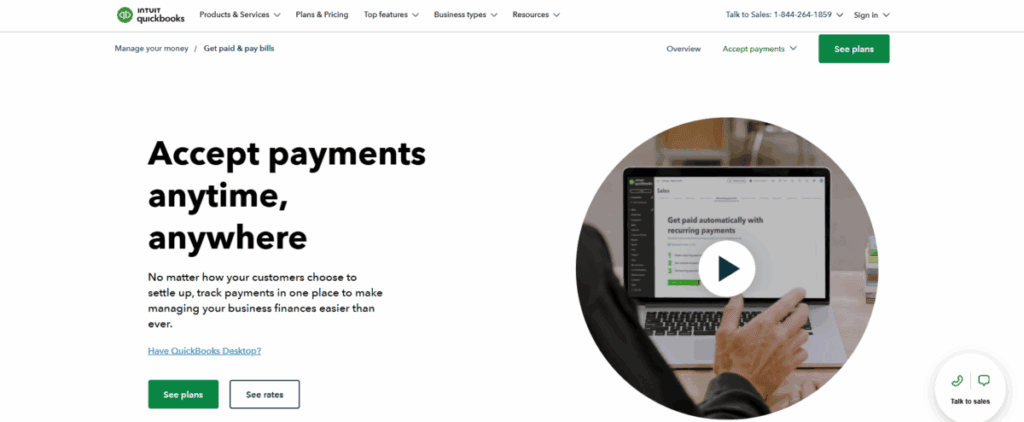
Simplicity is the goal of the system’s design. After it is integrated, QuickBooks Payments lets users send invoices with a secure payment link so that clients can make an instant online payment. Because of this smooth connection between billing and payments, companies can decrease the time it takes to get payments, minimise data entry errors, and automate some steps in the reconciliation process.

However, the platform is best suited for businesses that are already using QuickBooks. For others who rely on different accounting tools, the benefits may not outweigh the limitations. It’s not the most flexible system when it comes to custom integrations, and international transactions are somewhat limited. Still, for those looking for a tightly integrated accounting and payments system from a trusted provider, QuickBooks Payments is a strong contender.

Getting Started and Onboarding Experience | Intuit QuickBooks Payments Review

Signing up for QuickBooks Payments is relatively straightforward, especially if you’re already a QuickBooks user. The application process typically takes a few minutes, and basic details such as your business name, tax ID, banking information, and contact details are required. Once submitted, the account generally gets approved quickly, although in some cases Intuit may request additional documentation to verify the business.

The onboarding process is designed to be as frictionless as possible. When used in conjunction with QuickBooks Online, the payment setup is essentially built in. Users can activate the service directly from their dashboard and begin sending invoices with payment links. The UI is clean, familiar, and consistent with the QuickBooks interface, which is a plus for users who want to avoid switching between multiple platforms.

That said, the process can feel less intuitive for new users who don’t already use QuickBooks. For example, merchants looking for a standalone payments solution without any accounting software might find themselves navigating features they don’t need. Additionally, users in high-risk industries may face slower approval times or more stringent underwriting.

The user experience of QuickBooks Payments is praised despite these nuances, particularly by small and midsize companies with simple billing requirements. One of the platform’s advantages is the onboarding process, which is made possible by its intuitive setup, quick approvals, and native integration with accounting tools.
Intuit QuickBooks Payments Review

Payment Methods and Supported Transactions

QuickBooks Payments supports a variety of payment methods, making it easy for customers to pay in the way that suits them best. The platform accepts all major credit and debit cards, including Visa, Mastercard, Discover, and American Express. It also supports ACH bank transfers, which are a low-cost alternative to card payments, especially for recurring billing scenarios or larger transactions.

Users can send digital invoices with an embedded “Pay Now” button, allowing customers to settle payments directly from their email or browser. Additionally, recurring billing can be set up for ongoing clients, and payment links can be created for quick one-off payments. For businesses that need to collect deposits or partial payments, this flexibility is a useful feature.

Additionally, QuickBooks provides GoPayment, a mobile payment app that enables companies to take card payments in person with a mobile device and a card reader. This increases the platform’s usefulness for small retailers, event vendors, and service providers who wish to take payments while on the go. One drawback, though, is the absence of strong support for multi-currency or international payments. This can be restrictive for businesses that deal with clients from around the world. Additionally, ACH payments take longer to clear than card payments, despite being more economical.

In all, QuickBooks Payments covers the essential payment types for most small businesses, and the ability to manage these transactions from a single dashboard is a core selling point.

Integration with QuickBooks Ecosystem

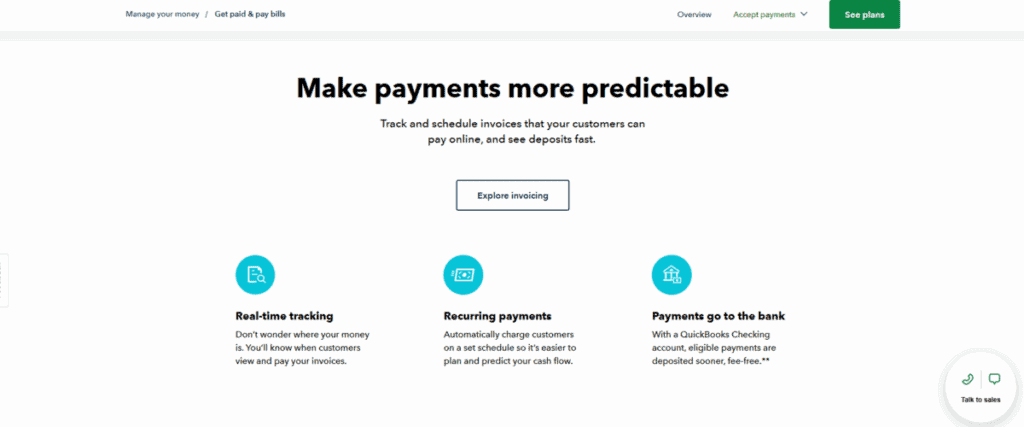
One of the standout features of QuickBooks Payments is its seamless integration with the broader QuickBooks ecosystem. This integration minimizes the time and effort required to manage books, track invoices, and reconcile payments. When a payment is received through QuickBooks Payments, the system automatically matches it to the correct invoice and updates the accounting records in real time.

This end-to-end automation helps reduce manual errors and saves time, particularly for business owners who handle their own bookkeeping. Users can also track which invoices are paid, overdue, or pending, all from the same interface. Cash flow statements are updated automatically, giving business owners a more accurate picture of their finances.

The integration is especially helpful during tax season. Because all transactions are logged and categorized, it becomes easier to pull reports and statements needed for compliance. Users can also set up rules for how payments should be recorded and categorized, offering some customization.

The drawback of this close integration is that it forces users to stay in the QuickBooks environment. The process of moving data from QuickBooks Payments could be difficult if a company decides to switch accounting platforms in the future. Furthermore, the integrated features won’t be as helpful to users of third-party accounting platforms.

Still, for those fully embedded in the QuickBooks ecosystem, the convenience and efficiency of having payments and accounting under one roof can’t be overstated.

Pricing and Transaction Fees

QuickBooks Payments follows a relatively straightforward pricing model, though users should be aware of the nuances. For credit card transactions, the fee is typically 2.9% + $0.25 per transaction when invoiced online. ACH bank transfers are more affordable, often at a flat fee of around 1% per transaction with a cap.

For in-person transactions using the GoPayment card reader, the rate is slightly lower; usually around 2.4% + $0.25 per transaction. There are no monthly fees for the basic plan, which is attractive for small businesses with irregular transaction volumes. However, users needing advanced features or more hardware may face additional charges.

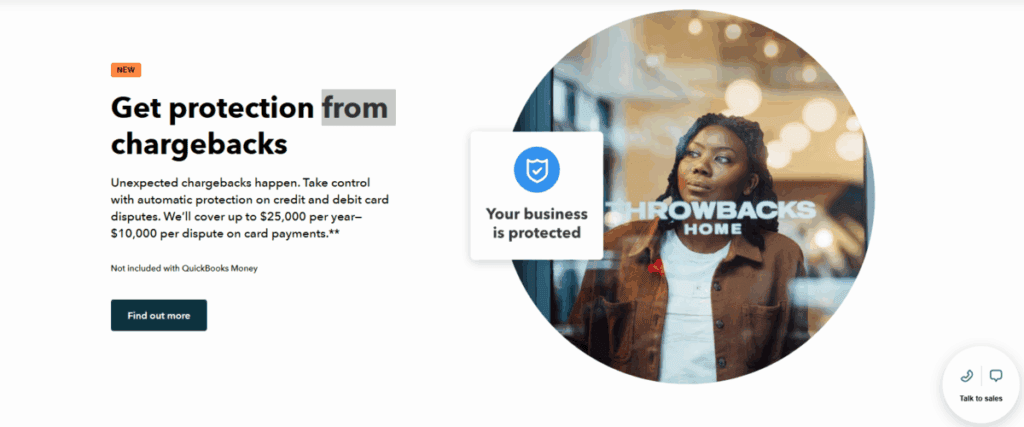
Although it’s not always the cheapest, the pricing is competitive, particularly when compared to other all-in-one solutions like Square or Stripe. Companies with large volumes might want to look into providers that offer lower interchange-plus pricing models or compare custom rates. It’s also important to keep in mind that if a customer disputes a transaction, there may be a chargeback fee. Processing fees on refunded transactions are not reimbursed by QuickBooks Payments, like the majority of providers.

While the fees are clearly outlined on Intuit’s website, some users have expressed that occasional updates or small policy changes can be hard to keep up with. As always, reading the fine print is advised before committing.

Invoicing, Estimates, and Customer Experience

QuickBooks Payments makes it easy for businesses to create professional-looking invoices that are both functional and customizable. Users can generate invoices directly within QuickBooks, add line items, taxes, and due dates, and send them by email with a built-in payment button. For customers, the experience is seamless. They receive a branded invoice in their inbox and can click a link to pay via credit card or ACH bank transfer without needing to log in or download an app. This smooth payment experience reduces friction and often results in faster payments.

The platform also supports recurring invoices and automated reminders for overdue payments, saving businesses time on follow-ups. Additionally, users can create and send estimates to clients, which can later be converted into invoices; useful for service-based businesses or freelancers who need to quote before billing. Customization options include logos, brand colors, and personal messages, which help build trust and maintain consistency across client communications. While not as robust as full-scale invoicing platforms, the features are sufficient for most small to midsize businesses.

The sole drawback is that, in contrast to stand-alone invoicing apps, invoice customisation is still restricted. The options might not be sufficient for companies that require multilingual support or extremely detailed templates. Nevertheless, QuickBooks Payments offers a reliable, effective invoicing system that is closely linked to accounting and payment processing.
Intuit QuickBooks Payments Review

Reporting, Analytics, and Financial Insights

The reporting tools available through QuickBooks Payments are simple but effective. Users can easily access transaction summaries, payment statuses, and deposit schedules from the QuickBooks dashboard. Each payment automatically logs against its corresponding invoice, and financial reports are generated in real time.

QuickBooks Payments allows users to track key metrics such as sales volume, customer payment patterns, and outstanding invoices. This helps business owners monitor their cash flow and identify trends, such as which customers pay late or which services generate the most income. Reports can be exported for further analysis, or used for tax preparation and end-of-year financial planning. Integration with QuickBooks’ broader reporting tools means users can generate balance sheets, profit and loss statements, and sales tax summaries with little manual input.

However, in contrast to platforms that focus on financial data visualisation, the analytics are simple. The features might not be sufficient for users seeking multi-segment analysis, forecasting tools, or granular insights. However, the built-in analytics are more than sufficient for its target market, which consists of small businesses with simple requirements. Without the need for an additional reporting tool, they provide a quick overview of financial health and assist business owners in making wise decisions.

Hardware and In-Person Payment Solutions

Although QuickBooks Payments is largely known for its online payment features, it also offers in-person payment capabilities through its mobile app, GoPayment. This app, when used with a compatible card reader, allows businesses to accept payments on the go using a smartphone or tablet.

The hardware includes mobile card readers that support EMV chip cards, contactless payments, and magnetic stripe cards. These devices connect via Bluetooth and are lightweight and portable. This setup is particularly useful for small retailers, service professionals, and pop-up vendors who need reliable payment acceptance on location.

The GoPayment app itself is easy to use and has a direct QuickBooks Online integration. The data automatically synchronises with the user’s accounting records after a payment is made, removing the need for double-checking or manual entry. The hardware is adequate for small businesses with modest in-store requirements, even though it lacks some of the features of full point-of-sale systems. The system might not be comprehensive enough for businesses that need to manage inventory, employee logins, or customer loyalty programs.

Overall, QuickBooks Payments provides a competent in-person payment solution, but it’s best suited for businesses with occasional face-to-face transactions rather than full-scale retail environments.

Security, Compliance, and Customer Support

Security is a critical consideration in any payment processing platform, and QuickBooks Payments checks many of the right boxes. The system is PCI-compliant and employs encryption protocols to protect sensitive customer information during transactions. Intuit also offers fraud prevention tools, such as transaction monitoring and account alerts. Users can set up multi-factor authentication and restrict access to sensitive financial information within their teams. These layers of protection help maintain trust with customers and reduce the risk of data breaches.

Numerous channels, such as live chat, phone support, and the QuickBooks online community, are available for customer service. With the help of the extensive help centre, which provides detailed instructions and video tutorials, many problems can be fixed. However, the quality of support can vary. Some users complain about delays in resolving issues, especially when handling chargebacks or during the peak tax season. Others believe that the documentation is too technical or a little overwhelming for non-expert users.

Despite these occasional hiccups, QuickBooks Payments offers a secure and relatively well-supported environment. Businesses handling sensitive payment data can trust the infrastructure, but may need patience when dealing with complex support cases.

Pros and Cons Summary

QuickBooks Payments has several strengths, particularly for businesses already using QuickBooks for accounting. The most significant advantage is the seamless integration with invoicing, reporting, and reconciliation tools, which simplifies financial management. Other benefits include ease of setup, flexible payment options, and the ability to accept payments online or in person. The platform offers a reliable, all-in-one solution for many small to mid-sized businesses, especially service providers, freelancers, and consultants.

There are some restrictions, though. Businesses that require advanced point-of-sale features or conduct business internationally should not use this platform. Even though the pricing is clear, high-volume retailers might not find it to be the best. Additionally, the ecosystem is less desirable for companies that use other accounting software because it functions best when used only within QuickBooks.

Overall, QuickBooks Payments is a strong choice for businesses that value convenience, automation, and integrated financial management. It’s not the most customizable platform, but for many, the trade-off in simplicity and speed is worth it.
Intuit QuickBooks Payments Review

FAQs

Q1. Can I use QuickBooks Payments without subscribing to QuickBooks Online?

QuickBooks Payments is primarily designed to work with QuickBooks Online and QuickBooks Desktop. While technically possible to use it in limited ways without the accounting software, the real value comes from integration. Most features depend on the broader QuickBooks ecosystem.

Q2. How long does it take to receive funds from customer payments?

Typically, card payments are deposited within 1–2 business days, while ACH bank transfers can take up to 5 business days. QuickBooks also offers next-day deposit options for eligible users, but this may come with conditions.

Q3. Does QuickBooks Payments support international transactions or multicurrency payments?

QuickBooks Payments currently supports payments in USD for U.S.-based businesses. It does not support cross-border payments or multicurrency invoicing, making it less suitable for international operations.

Ingenico Review

Ingenico Review

Ingenico is a long-standing name in the global payment technology industry, known primarily for its wide range of card-present solutions. Established in France in the 1980s, the company has evolved from being a hardware-focused terminal provider into a broader payment ecosystem player. Today, Ingenico is active in over 170 countries and supports millions of transactions daily across retail, hospitality, transportation, and banking sectors. Lets read more about Ingenico Review.

Ingenico’s reputation has been shaped by its deep integration into physical payment environments, particularly through its robust and secure terminals. It was part of Worldline until 2023, and while its business model has shifted over the years, Ingenico continues to play a significant role in enabling merchants to accept payments with reliability and speed.

The company is often associated with in-store payment innovation, but it has also expanded into supporting omnichannel commerce and digital transformation initiatives. Its devices are used by small businesses as well as enterprise-scale retailers, largely because of the modularity and compliance built into their platforms.

Ingenico excels at bridging the gap between digital and physical payments, in contrast to more recent fintech entrants that only concentrate on software or online commerce. Because of this, it is more than just a payment processor; it is a vital infrastructure provider. Although there are competitors, its name is trusted by companies that require scalable, reliable payment acceptance for a variety of use cases.

Ingenico’s Product Suite: Hardware and Beyond | Ingenico Review

Ingenico’s product portfolio is extensive and purpose-built to cater to a variety of transaction environments. Its hardware lineup spans several terminal families such as Lane, Move, Desk, and the newer Android-based Axium series; each tailored to specific merchant needs. From compact countertop devices to portable wireless options and unattended self-service kiosks, the variety is one of Ingenico’s biggest differentiators.

What stands out about Ingenico’s approach is its emphasis on both performance and security. Terminals come with features like EMV chip support, NFC for contactless payments, and robust encryption protocols. The Axium line, powered by Android OS, reflects a shift toward modern, app-driven commerce. These devices are built for more than just payments; they can also support loyalty programs, value-added services, and analytics.

Beyond hardware, Ingenico also offers software solutions such as estate management, terminal configuration tools, and APIs for integration with merchant platforms. These software layers are essential for large-scale retail environments where uptime, updates, and diagnostics must be remotely managed.

The goal of Ingenico’s holistic strategy is to lessen merchant ecosystem fragmentation. Instead of depending on several suppliers for integration, servicing, and terminals, merchants have access to all of the Ingenico ecosystem’s resources. However, companies that require highly customised setups or prefer open platforms may find their flexibility limited by this integrated approach.

Overall, Ingenico’s suite is engineered to deliver stability, security, and scale. However, its reliance on proprietary hardware and tightly coupled software may be a consideration for businesses exploring alternative, more agile systems.

Ingenico Review

Payment Security and Compliance Standards

Security has always been a core focus for Ingenico, and the company has consistently met industry standards for payment protection. All Ingenico terminals comply with PCI PTS standards, which cover physical device security, encryption, and cardholder data protection. This ensures that terminals are resistant to tampering and secure during transactions.

The company supports advanced encryption models, including E2EE, which helps protect data as it moves from the card reader to the payment processor. This is especially important in retail environments where a breach at any point in the data flow can have serious consequences. Ingenico also works with acquirers and processors to implement P2PE solutions, adding another layer of security that reduces PCI compliance scope for merchants.

Tokenization is another feature present in Ingenico’s architecture. By replacing sensitive card data with non-sensitive equivalents, tokenization minimizes the risk of data theft and fraud. This feature is critical in omnichannel environments where a customer’s payment details may be used across in-store, mobile, and online channels.

Ingenico’s emphasis on security is also evident in its Android-based terminals, which often receive security patches and additional software checks. Even though Ingenico’s technology is safe, it needs to be used in conjunction with appropriate merchant-side procedures, so companies need to continue being proactive in upholding compliance throughout the payment ecosystem.

In short, Ingenico provides a strong security foundation. Its long-standing compliance with global standards reinforces its role as a trusted partner for secure payment acceptance in high-risk or high-volume settings.

Omnichannel Capabilities and Digital Integration

As payment ecosystems grow increasingly interconnected, Ingenico has responded with tools designed to enable seamless omnichannel experiences. Its platforms are capable of bridging in-store, online, and mobile payments through unified APIs and cloud-based services, giving merchants more control over how and where they accept payments.

Ingenico’s cloud estate management system, for instance, allows businesses to monitor, configure, and update their terminals remotely. This is essential for large merchants operating across multiple locations. The ability to push software updates and receive diagnostic data without manual intervention supports operational continuity and reduces maintenance costs.

In terms of digital integration, Ingenico supports a suite of developer tools that allow third-party integration with loyalty platforms, CRMs, and eCommerce systems. This is particularly useful for businesses looking to merge their in-store and online channels into a cohesive experience. Support for SDKs and APIs makes it easier for developers to build custom workflows or connect payment data with analytics dashboards.

By allowing merchants to run commerce apps in addition to payment processing, the Android-powered Axium series expands on these capabilities. Real-time inventory checks and counter-upselling are both supported by this flexibility. Ingenico’s dedication to integration and unification is clear, despite the fact that it does not move as quickly as some pure software companies. However, some retailers might find that innovation is happening more slowly than on startup-led platforms, especially when it comes to data-driven personalisation or AI-driven analytics.

Overall, Ingenico’s omnichannel focus is a valuable asset for businesses prioritizing unified commerce across physical and digital touchpoints.

Industry-Specific Solutions and Vertical Focus

Ingenico’s strength lies not only in its technology but in its ability to tailor solutions for specific industries. The company has long served verticals such as retail, hospitality, transportation, financial services, and healthcare, each with unique payment requirements and challenges. In retail, Ingenico’s terminals support high-speed processing, integration with POS systems, and value-added services like gift cards or loyalty apps. For quick-service restaurants or convenience stores, mobile terminals from the Move series enable line-busting or curbside payment collection.

In hospitality, features like tipping, dynamic currency conversion, and seamless integration with property management systems make Ingenico a practical choice for hotels and resorts. For transportation and parking systems, Ingenico offers rugged, unattended terminals designed for 24/7 outdoor use. The company also supports banking and fintech services through secure, PIN-entry devices and interfaces for ATM or kiosk deployment. In healthcare, Ingenico solutions help facilitate copayments and billing in patient-facing environments, with emphasis on privacy and compliance.

The versatility of Ingenico’s software and hardware configurations is what makes it unique. Although there are some restrictions on how open or customisable the platforms are, merchants can usually select the features they require. Despite supporting a wide range of industries, Ingenico’s ecosystem still favours large businesses or high-volume operations over micro-merchants.

In summary, Ingenico’s industry-specific approach provides merchants with targeted functionality, but this comes with a degree of platform rigidity that might not suit every business model.

Global Reach and Regional Support

Ingenico operates on a truly global scale, with a presence in more than 170 countries and support for multiple currencies and languages. Its international reach has helped the company become a preferred terminal provider for multinational retailers, payment service providers, and acquiring banks.

One of Ingenico’s major advantages is its ability to offer region-specific hardware configurations and certifications. For example, it supports local card schemes in countries like India, Brazil, and China while also facilitating global acceptance through Visa, Mastercard, and Amex. This flexibility is especially useful for businesses with international branches or cross-border operations.

Ingenico’s partner network includes ISVs, systems integrators, and financial institutions, which helps extend its regional support capabilities. These partners handle installation, maintenance, and troubleshooting, reducing response times and ensuring local compliance. In addition, Ingenico provides localized support documents and updates, ensuring that software patches or compliance changes meet regulatory requirements in different markets. This is crucial for keeping operations secure and up to date.

However, partner involvement and geographic location can affect the quality of support. Some regions may encounter delays because of their reliance on outside distributors or resellers, while others have strong infrastructure and quick service. All things considered, Ingenico’s worldwide infrastructure is reliable and strong. It is a scalable solution for companies growing into new areas because it can serve both local merchants and global brands, but consistency in partner-driven support is still something to keep an eye on.

Innovation and Technology Ecosystem

Ingenico has steadily expanded its innovation footprint, especially in recent years with the adoption of Android OS in its Axium product line. This shift reflects a broader trend in payment terminals; moving from fixed-function devices to multipurpose smart devices capable of running apps and integrating with broader business systems.

The Axium series is a clear example of Ingenico’s effort to blend traditional payment functionality with modern retail experiences. These Android terminals allow merchants to install business applications directly onto the device, enabling features like order management, inventory control, customer surveys, and CRM updates at the point of sale.

The company is also investing in cloud-based services, terminal-as-a-service models, and open APIs to create a more agile ecosystem for developers and merchants. This is a step toward creating more adaptive, software-driven payment environments while still maintaining the robust hardware standards Ingenico is known for.

However, Ingenico’s rate of innovation is more measured than that of rapidly expanding fintech companies. It prioritises compliance and long-term dependability over promoting experimental features. Large corporations and regulated environments benefit greatly from this cautious approach, but tech-forward startups may find it restrictive.

In essence, Ingenico is innovating but with caution. It emphasizes stability and scalability over trend-driven features, which suits many enterprise-level businesses but may leave smaller merchants or agile developers looking elsewhere.

Ingenico Review

Usability, Interface, and Customer Experience

Ingenico terminals are generally well-regarded for their ergonomic design, durability, and user-friendly interfaces. Devices feature tactile keypads, clear touchscreens, and intuitive navigation menus, which help streamline the checkout process for both customers and staff.

Newer terminals, especially those in the Axium range, come with vibrant displays, Android-based interfaces, and responsive touch controls. These improvements help merchants provide a more modern payment experience while also allowing integration with custom apps, branding elements, and customer interaction tools.

From the merchant’s side, configuration and use are relatively straightforward. Many Ingenico devices are plug-and-play, with pre-loaded settings for common payment methods. Remote estate management tools further reduce the burden of setup and updates, allowing changes to be pushed centrally across fleets of terminals.

Priority is also given to the customer experience. Ingenico devices are effective and accessible to a broad range of users due to their contactless payment methods, multilingual support, and quick transaction times. These elements are important in settings like retail or hospitality, where customer satisfaction is directly impacted by transaction time and ease of use.

That said, some older models still in circulation may lack the responsiveness or visual appeal expected in today’s retail landscape. Also, the proprietary nature of some device settings can limit how much merchants can customize workflows or displays. Overall, It balances user experience with industrial-grade reliability, but there’s room to enhance flexibility and customization on a broader scale.

Pricing, Partnerships, and Integration Models

Ingenico’s pricing is typically not transparent to end-users, as it operates primarily through distributors, acquirers, and partners. Costs vary depending on region, device type, support package, and the software or value-added services bundled into the contract. This makes it difficult to offer a universal pricing range.

For businesses, It offers both purchase and leasing models, often structured through partners. The Terminal-as-a-Service model, which includes hardware, software, and servicing in a bundled fee, is becoming more popular, especially for enterprise clients who prefer predictable costs and lifecycle management.

Usually, APIs or SDKs are used to integrate with POS systems, payment gateways, and back-office platforms, though the level of complexity can vary. Smaller retailers seeking instant plug-and-play solutions might find Ingenico’s strategy unsuitable as it prioritises larger deployments with structured onboarding. A key component of Ingenico’s marketing strategy is partnerships. Wide adoption is made possible by its partnerships with banks, fintech firms, and ISVs; however, these partnerships also lead to differences in support quality, cost, and integration experience. Instead of dealing directly with Ingenico, merchants often deal with an intermediary.

The main trade-off here is between stability and flexibility. While Ingenico offers reliable, well-integrated payment solutions, it may not provide the pricing agility or customization that some smaller businesses or startups seek.

Strengths, Limitations, and Market Position

Ingenico’s reputation as a market leader is rooted in its dependable hardware, secure platforms, and broad international reach. For businesses seeking long-term reliability and compliance in payment acceptance, It remains a top-tier option. Its greatest strengths include a diverse terminal lineup, support for global and local payment schemes, strong security compliance, and partnerships that allow scalable deployment across industries. The Axium series adds modern functionality, helping bridge traditional POS and app-enabled commerce.

However, the platform does have limitations. Pricing opacity, reliance on partners for support, and a more rigid ecosystem can be hurdles for smaller merchants or rapidly evolving businesses. Its pace of innovation, while consistent, is cautious compared to startups driving trends in open commerce, digital wallets, and AI.

Ingenico continues to play an important role in the payment technology market. For businesses and financial institutions in need of high-volume, secure infrastructure, it is the preferred supplier. However, alternatives might provide greater flexibility for companies that value quick development cycles or specialised customisations. To put it simply, it is superior in terms of scale and robustness. It is still relevant, especially in situations where compliance and dependability are more important than the need for innovative experimentation.

Ingenico Review

FAQs

1. Is Ingenico compatible with third-party payment gateways?

Yes, Ingenico terminals can integrate with many third-party platforms through APIs and SDKs. However, specific compatibility depends on the terminal model and integration partner.

2. Does Ingenico support contactless and mobile wallet payments?

Yes. Most Ingenico terminals support contactless cards and digital wallets like Apple Pay, Google Pay, and Samsung Pay, using built-in NFC technology.

3. Can Ingenico terminals be used for unattended payment environments?

Yes. Ingenico offers specialized terminals for unattended use in kiosks, vending machines, and parking systems. These are ruggedized and certified for outdoor and high-traffic environments.

Heartland Payment Systems Review

Heartland Payment Systems Review

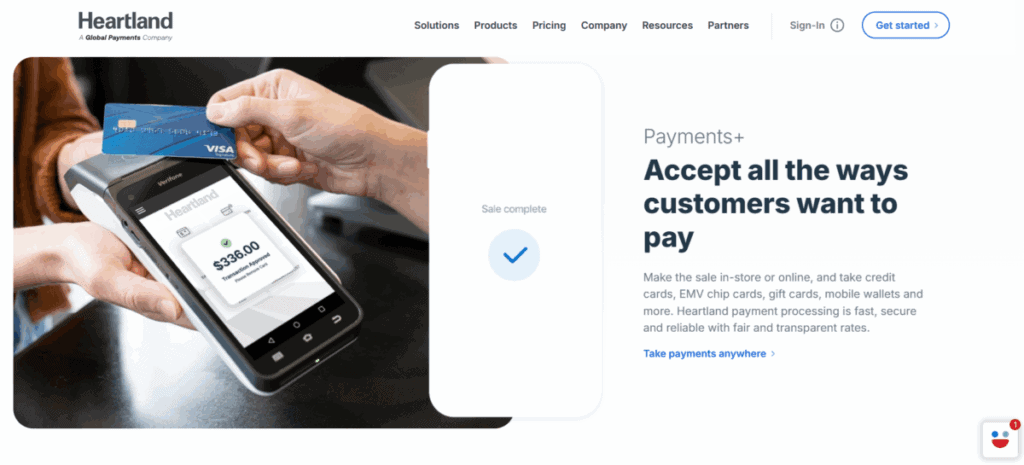
Heartland Payment Systems is a U.S.-based merchant services provider known for supporting small and mid-sized businesses across a wide variety of sectors. Established in 1997 and acquired by Global Payments in 2016, the company has continued to operate under its own brand, maintaining a steady focus on serving traditional business models like retail shops, restaurants, and local service providers. This long-standing presence in the payments industry gives Heartland both credibility and experience in handling evolving business needs. Lets read more about Heartland Payment Systems Review.

The business provides a wide range of services, including payroll solutions, POS systems, customer marketing tools, and credit card processing. Heartland hopes to streamline operations for entrepreneurs who would rather handle all of their financial resources in one location with this all-in-one strategy. Despite the gradual expansion of e-commerce options, their services are specifically designed for physical businesses.

Transparency has always been a core promise of Heartland. The business has emphasised its dedication to transparent pricing and moral business conduct. Independent user reviews, however, show that some merchants have had inconsistent experiences with fees and contracts, pointing to a disconnect between marketing and execution.

Despite these concerns, Heartland remains a popular choice among U.S. businesses seeking integrated payment and business management solutions. Its continued investment in industry-specific features and customer support reflects a desire to stay relevant in a crowded and rapidly evolving market. The company’s wide service offering makes it worth considering, particularly for those looking for an all-in-one provider.

Core Payment Processing Services | Heartland Payment Systems Review

Heartland’s core strength lies in its payment processing capabilities, which serve as the backbone for most of its clients. The company supports all major credit and debit cards, as well as modern payment methods like contactless cards, Apple Pay, Google Pay, and mobile wallets. This flexibility ensures that merchants can cater to a variety of customer preferences at the point of sale.

Transactions are processed quickly and securely, with Heartland leveraging EMV-compliant technology and offering end-to-end encryption and tokenization for added security. This helps businesses protect sensitive customer data and reduces the risk of fraud. Heartland also assists clients with PCI DSS compliance, a crucial requirement for any merchant accepting card payments.

Another notable feature is Heartland’s real-time transaction reporting. Business owners can monitor payments as they occur and access detailed reports via an online dashboard or mobile device. This level of visibility supports better financial oversight and decision-making.

Recurring billing, stored card functionality, and ACH processing are also available for businesses that handle subscriptions or service-based payments. For those operating on-the-go, Heartland provides mobile card readers compatible with smartphones and tablets, extending its utility beyond traditional storefronts.

However, it’s important to note that pricing for payment processing is not uniform across the board. Rates may vary depending on the business type, processing volume, and individual contract terms. Some users have reported unexpected fees or difficulty in understanding the fee breakdown, suggesting that prospective customers should closely review their agreements.

Heartland Payment Systems Review

POS Solutions

Heartland offers a range of POS systems designed for businesses in retail, hospitality, and service industries. These POS solutions are not one-size-fits-all. Instead, they’re industry-specific, with customized features aimed at solving particular operational challenges.

For example, restaurants can benefit from POS systems that support table management, tipping, kitchen order printing, and online ordering. Retail businesses, on the other hand, have access to inventory management, barcode scanning, employee permissions, and multi-location support. This targeted approach helps ensure that the tools offered are aligned with real-world workflows.

Card readers, touchscreen terminals, and add-ons like cash drawers and receipt printers are among the hardware that Heartland offers. These devices are usually sleek and contemporary, and the majority of them have cloud connectivity, which enables data syncing and remote access across locations. Heartland also highlights how easy it is to use its software. The learning curve for new hires is reduced by the POS interfaces’ intuitive design. Reporting tools in the backend provide business owners with information about inventory levels, employee performance, and sales trends.

However, some merchants report that POS setup can require technical assistance and that troubleshooting hardware issues may involve delays depending on support availability. Additionally, the cost of hardware and software subscriptions may not always be fully transparent at the time of onboarding. It’s advisable to get a full breakdown of costs before committing.

E-Commerce and Online Payment Capabilities

While Heartland has traditionally focused on in-person transactions, it has steadily built out its online payment capabilities. Today, the platform supports e-commerce businesses with several useful tools including virtual terminals, hosted payment pages, and recurring billing features.

For businesses that need to accept payments online without a full-fledged e-commerce site, the virtual terminal allows manual entry of card information, which is ideal for phone or invoice-based transactions. Hosted payment pages, on the other hand, enable businesses to create branded checkout experiences without advanced technical knowledge.

Heartland also offers APIs and integration capabilities for those looking to connect with platforms like WooCommerce, Shopify, and BigCommerce. This gives online merchants the ability to use Heartland’s gateway services without disrupting their existing website flow. Additionally, businesses can manage subscriptions and set up automated recurring billing. This is particularly useful for service-based industries or companies offering membership programs. Payment data can be tokenized and stored securely, allowing for faster future checkouts.

One limitation is that Heartland may not offer the same depth of e-commerce features as platforms built specifically for online retail. It lacks built-in shopping cart systems or advanced marketing automation found in more digital-native competitors. As such, it may be a better fit for brick-and-mortar businesses expanding online rather than those operating exclusively on the internet.

Payroll and HR Services

Heartland offers payroll and HR services, positioning itself as a full-service business partner rather than just a payment processor. These services are designed to reduce administrative burden and ensure compliance with federal and state labor laws.

Direct deposit, tax computation and filing, wage reporting, and year-end forms such as W-2s and 1099s are all included in payroll services. In addition to having access to cloud-based tools for managing employee records and pay history, businesses can process payroll on a flexible schedule. Self-service portals are also provided to employees, enabling them to view time-off balances, tax documents, and pay stubs.

Heartland’s HR services go above and beyond by providing regulatory compliance advice, onboarding assistance, and time tracking. There are tools for managing workplace policies, employee handbooks, and benefits. For small businesses without a dedicated human resources department, these features are extremely beneficial.

Integration between Heartland’s payroll platform and POS or time-tracking tools can streamline operations further. For example, hourly employee data from the POS system can feed directly into the payroll system, reducing manual entry and error.

One potential drawback is that these services may be priced separately from the core payment processing package. Additionally, some users note that the interface, while functional, can feel outdated compared to newer HR tech platforms. Still, the convenience of bundled services remains a strong point for businesses looking for an all-in-one provider.

Customer Engagement and Loyalty Programs

Heartland provides a set of customer engagement tools designed to help businesses build loyalty and drive repeat visits. These features include digital gift card programs, customizable loyalty rewards, and email marketing campaigns that integrate with customer purchase data. Gift card functionality allows businesses to sell branded cards both online and in-store, with balance tracking and reload capabilities. This can help improve cash flow while offering customers a convenient gifting option.

The loyalty program is flexible, allowing merchants to create point-based rewards, visit-based incentives, or spend thresholds that trigger discounts. These programs can be tailored to suit different industries, whether it’s a coffee shop offering a free drink after ten purchases or a salon rewarding regular customers with exclusive discounts.

Heartland also supports email marketing features, enabling businesses to create segmented campaigns based on customer behavior. This makes it easier to send targeted promotions or service reminders. Campaign performance can be tracked within the platform, helping merchants measure effectiveness. These engagement tools are particularly beneficial when used in conjunction with Heartland’s POS systems. Customer data collected at the point of sale can be used to drive personalized marketing efforts, enhancing the overall customer experience.

However, businesses looking for advanced CRM features or highly customizable campaign automation may find the tools somewhat limited. While Heartland covers the basics well, companies with complex marketing needs might require integration with more specialized platforms.

Heartland Payment Systems Review

Industry-Specific Solutions

Heartland positions itself as a versatile provider with tailored solutions for specific industries. This industry-focused approach allows the company to offer tools that directly address the pain points of businesses in foodservice, education, healthcare, retail, and personal services. In the restaurant industry, Heartland’s POS systems support features such as tableside ordering, kitchen display systems, and menu management. For quick-service restaurants, there are solutions optimized for speed and volume, including drive-thru and mobile order integration.

In the field of education, Heartland offers school payment portals and campus card systems that let parents make in-person or online payments for meals, fees and other school-related costs. These tools lessen staff manual labour by integrating with school administration systems. Payment options that support co-pays, recurring treatment billing, and HIPAA-compliant data security are advantageous to healthcare providers. Additionally, there are options for safely storing patient card information and managing payment schedules.

Salons, spas, and fitness centers can take advantage of scheduling tools, recurring membership billing, and customer profile management. These tools are designed to streamline appointment booking and customer retention.

While these industry-specific solutions offer targeted value, they may also lock businesses into proprietary ecosystems, making it harder to switch providers or integrate third-party tools. That said, for businesses that prefer all-in-one convenience, Heartland’s specialized offerings can be a strong selling point.

Pricing and Contract Clarity

Heartland emphasizes transparent pricing as part of its brand promise, yet user experiences on this front are mixed. While the company promotes “fair and honest pricing,” the actual fee structure often varies based on the size and type of business, processing volume, and the sales representative handling the account.

Heartland typically uses an interchange-plus pricing model, which is generally more transparent than flat-rate or tiered models. However, additional fees for monthly services, PCI compliance, early termination, and statement processing may apply. These can add up quickly if not clearly communicated during the onboarding process.

Some merchants have praised Heartland for offering competitive rates and straightforward billing, while others report receiving different fee quotes than initially promised. Complaints about automatic contract renewals and difficulty in canceling services also appear in some online reviews. To ensure clarity, it’s advisable for businesses to request a detailed, itemized quote before signing any contract. Understanding what is included, what is optional, and what may increase over time can help avoid surprises.

Heartland’s pricing may be most attractive to mid-sized businesses with steady volume that can negotiate favorable terms. For very small or seasonal businesses, other providers with more flexible month-to-month options may be a better fit.

Security, Compliance, and Data Protection

Heartland takes payment security seriously and has made considerable investments in protecting both merchants and customers. The company uses end-to-end encryption and tokenization to secure cardholder data from the point of entry through transmission and storage. One standout feature is Heartland Secure, a proprietary combination of encryption, tokenization, and EMV technology designed to protect data and reduce the risk of breaches. This system is paired with breach warranty coverage, which provides financial protection in the event of a data compromise.

The company assists retailers in adhering to PCI DSS standards. This encompasses resources for self-evaluation, security checks, and advice on optimal methods. Not staying compliant can lead to extra charges or penalties, making assistance in this area essential. Payment solutions that comply with HIPAA are accessible for healthcare providers, guaranteeing that patient information is managed in line with federal privacy regulations. 

While these measures are robust, it’s still important for businesses to actively manage their own security practices. No system is foolproof, and user error remains a leading cause of data breaches. That said, Heartland’s layered security tools offer meaningful protection in a digital-first business environment.

Customer Support and User Experience

Heartland promotes its U.S.-based customer service as a key differentiator. Support is available 24/7 by phone, and there are additional resources available via the company’s website, including training videos, documentation, and account management tools. Customer reviews about the support experience are mixed. Some businesses report quick, helpful service and a smooth onboarding experience. Others mention long wait times, inconsistent follow-up, or challenges getting issues resolved, particularly when multiple services are bundled together.

The user experience across Heartland’s platforms is generally positive. The interfaces for both POS and payroll systems are relatively easy to navigate, though they may lack the sleek design and advanced features of newer fintech competitors. Mobile accessibility is available, but reviews suggest that the apps could be more robust and responsive.

Another factor is that Heartland’s systems could need additional training compared to plug-and-play options such as Square or Stripe. This holds particularly true for companies that utilize various products such as payroll, POS, and customer interaction tools at the same time. In the end, the customer experience is greatly influenced by the unique configuration of the business and the particular representatives engaged. Companies desiring a personalized connection might discover that Heartland meets their needs, whereas those looking for solely self-service solutions might favor a more straightforward, contemporary platform. 

Heartland Payment Systems Review

FAQs

Q1: Is Heartland Payment Systems suitable for small businesses?

Yes, Heartland offers a variety of tools tailored for small and mid-sized businesses, including POS, payment processing, and payroll. However, very small or seasonal businesses should carefully review contract terms and pricing to ensure fit.

Q2: Does Heartland support integration with e-commerce platforms?

Heartland supports integration with major platforms like Shopify, WooCommerce, and BigCommerce through APIs and gateway solutions, making it viable for businesses selling online.

Q3: What kind of support can I expect from Heartland?

Heartland offers 24/7 U.S.-based phone support and online resources. While some users praise the service quality, others have reported inconsistent experiences, so the level of support may vary.

Harbortouch Review

Harbortouch Review

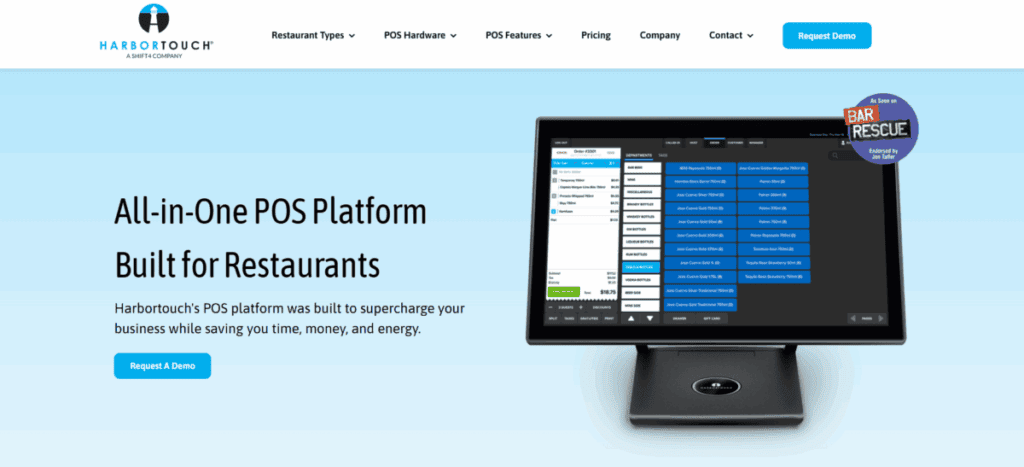
In the POS ecosystem, Harbortouch is a well-known brand that serves a variety of businesses, such as retail, dining establishments, salons, and more. Since its founding in 1999, the business has expanded dramatically by providing an alluring business plan centred on the notion of a “free” POS system. Small and mid-sized businesses that wish to have access to high-quality POS software and hardware without having to make a significant upfront investment will find this model particularly appealing. Lets read more about Harbortouch Review.

The brand’s reputation largely stems from its integrated solutions and end-to-end payment processing, backed by its parent company, Shift4 Payments. It positions itself as an all-in-one solution for business owners seeking affordability, flexibility, and convenience.

However, while Harbortouch’s offer seems compelling at first glance, it’s essential to understand what “free” actually includes. Businesses often find themselves in long-term contracts and are required to use Harbortouch’s payment processing services, which come with specific terms and associated costs.

Ultimately, Harbortouch may be a good fit for businesses that need a full suite of POS services and are comfortable with a contract-based model. But for those who prioritize full pricing transparency or want to use their own payment processor, it might not be ideal. The key is to examine the complete picture, product features, costs, contract terms, and support, before committing.

Point of Sale System Overview | Harbortouch Review

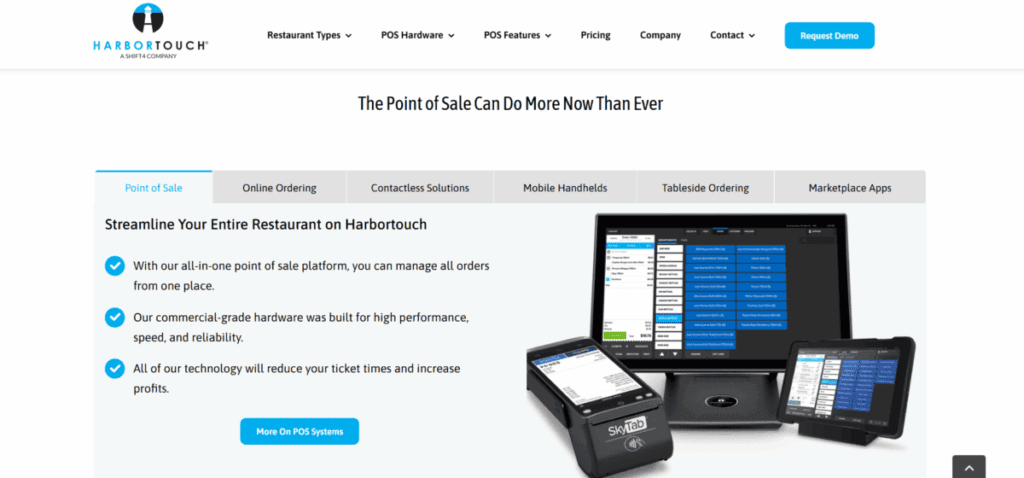
Harbortouch offers two primary POS systems tailored to different business types: Harbortouch Elite and Harbortouch Echo. The Elite system is designed for high-volume environments like full-service restaurants and large retailers, while Echo is a more compact, tablet-style system ideal for smaller establishments and quick-service locations. Both systems feature touchscreen interfaces, preloaded software, and are designed to operate seamlessly with Harbortouch’s payment processing. The software is customized according to business type, whether that’s restaurant table management, retail inventory, or salon appointment scheduling.

The systems’ plug-and-play capability is one notable feature. The setup process is streamlined because the hardware and software are delivered already configured. After installation, the systems can be updated remotely, which makes it simple to deploy security patches or new features without needing physical access. Harbortouch systems support local data storage in addition to being cloud-based in terms of connectivity. This hybrid strategy guarantees that your company can continue to operate even in the event that internet connectivity is momentarily lost, which is advantageous for companies with erratic or limited broadband.

What’s important to note is that while the POS equipment is technically “free,” businesses must commit to using Harbortouch’s services for a fixed term. This often includes software licensing, customer support, and processing fees bundled into monthly charges.

Harbortouch Review

Key Features and Tools

Harbortouch’s POS systems come loaded with a variety of built-in features designed to streamline day-to-day business operations. The capabilities vary slightly depending on the industry and the POS model chosen, but there’s a strong baseline of tools across all systems.

One of the essential features is inventory management. Companies can set automatic reorder thresholds, get low-stock alerts, and monitor stock levels in real time. Modifiers, combos, and kitchen printer routing are all possible with the highly detailed menu customisation for restaurants. There are also tools for managing employees. Supervisors have the ability to monitor staff hours, assign permissions, and create roles. There is built-in clock-in and clock-out functionality, and labour reports can be produced for scheduling and payroll needs.

For customer-facing features, Harbortouch supports loyalty programs and gift cards. Businesses can capture customer data at checkout and later use it for marketing promotions or rewards. CRM tools are somewhat basic compared to dedicated platforms, but they offer a starting point for customer engagement. Reporting tools cover sales, labor, inventory, and other metrics. Reports can be viewed on the terminal or remotely via the online dashboard. While not as advanced as some enterprise-level systems, the reporting suite is more than adequate for most small and medium-sized operations.

Payments and Processing Capabilities

Harbortouch systems are tightly integrated with Shift4 Payments, the in-house payment processor. This integration allows for fast and secure transaction handling across various payment methods, including EMV chip cards, magnetic stripe, contactless, and mobile wallets like Apple Pay and Google Pay. By bundling the payment processing with its POS hardware and software, Harbortouch offers a single-vendor experience. This means one point of contact for support, fewer compatibility issues, and easier reconciliation between POS reports and payment settlements.

But it also means that you can’t use Shift4 as your processor. The website does not display rates in a transparent manner, and merchants are encouraged to obtain a quote. This may make it challenging to compare prices or determine how competitive the prices are in reality. Harbortouch complies with industry standards for end-to-end encryption and PCI-DSS compliance. Sensitive data tokenisation adds an extra degree of protection.

Recurring billing, split payments, tip adjustments, and refunds are all supported. The system is also compatible with payment devices like customer-facing PIN pads and signature capture screens, which can enhance the checkout experience. Overall, payment processing with Harbortouch is robust and reliable, but businesses should review the terms carefully to understand all costs involved.

Software Usability and Interface

One of Harbortouch’s strong points is its user interface. The software is designed to be intuitive and minimalistic, making it easy for staff to learn and navigate, even if they’ve never used a POS system before. For restaurant environments, the layout features drag-and-drop table maps, customizable menus, and visual modifiers that simplify order entry. In retail setups, the product catalog and search functions are quick and responsive, enabling fast transactions even during peak hours.

The interface is responsive on all of the hardware that comes with it and supports touch gestures. Usually, a password-protected portal is used to access settings and administrative features, guaranteeing that only authorised personnel can change system configurations or access private information. It is possible to adjust user permissions so that managers, servers, and cashiers can only access the features they require. For frontline users, this keeps the interface clear, and for business owners, it keeps the interface safe.

However, while the interface is beginner-friendly, some users have reported that advanced features, like custom reporting or loyalty configurations, require assistance from support or deeper familiarity with the system. There’s also a slight delay in syncing some data across devices, particularly when network conditions are poor. For most businesses, though, the interface strikes a good balance between ease of use and depth of functionality.

Mobile and Remote Access

In today’s business landscape, mobility and remote control are increasingly valuable. Harbortouch addresses this need through its Harbortouch Online platform, which allows business owners and managers to monitor operations remotely. From any internet-connected device, users can log in to view real-time sales reports, track employee hours, check inventory levels, and run basic reports. This is especially useful for multi-location businesses or owners who are frequently on the move.

There are also options for mobile POS. These are frequently employed for line-busting during periods of high traffic or in quick-service settings. All of the main payment methods are supported by the mobile POS setup, which also connects to the backend system to enable synchronised reporting. Harbortouch’s web dashboard offers enough remote oversight for the majority of business needs, despite the fact that it does not have a fully functional mobile app to compete with some cloud-native competitors. Critical events like system outages, low inventory, or questionable transactions can also trigger notifications and alerts.

Limitations do exist, particularly in terms of editing settings or configuring the POS remotely. Most changes still need to be made directly on the terminal or with the assistance of support staff. Still, the remote access features are a meaningful inclusion and reflect Harbortouch’s effort to remain competitive in a mobile-first business environment.

Harbortouch Review

Hardware Packages and Build Quality

Harbortouch provides its hardware as part of its bundled offering, which includes touchscreen terminals, cash drawers, receipt printers, barcode scanners, and card readers. For restaurant-specific packages, kitchen display systems and kitchen printers are also included. The build quality of Harbortouch hardware is generally considered solid. The Elite terminal, for example, features a sleek, professional design with a high-resolution touchscreen and durable casing. It’s designed for environments with heavy daily usage, such as restaurants or retail stores.

The Echo model is more compact and cost-effective. It resembles a tablet and is ideal for countertop setups with limited space. While not as powerful as the Elite system, it still delivers reliable performance for low to moderate transaction volumes. Harbortouch also offers customer-facing displays for enhanced transparency during checkout and tip prompting. Integrated peripherals ensure that all components work seamlessly with the software.

If hardware malfunctions or needs replacement, support is available, though fees may apply depending on the warranty and contract terms. Businesses should also be aware that while hardware is marketed as “free,” returning or canceling service could involve charges for equipment recovery or refurbishment. Overall, the hardware provided is professional-grade and matches the quality standards of leading POS vendors in the same space.

Pricing Structure and Contracts

Harbortouch’s pricing model is one of its most talked-about features, largely due to the “free POS system” marketing. While it’s true that hardware and software are provided without upfront charges, businesses are typically required to enter a multi-year service contract that includes payment processing through Shift4 Payments.

The POS system and features utilised determine the monthly service fees. These can be anything from basic access fees to extra costs for premium features like remote access, advanced reporting, or modules tailored to a particular industry. Even though the basic hardware might be free, over time, maintenance costs, licensing fees, and required processing charges raise the overall cost.

One important consideration is the early termination fee. Businesses that cancel before the contract ends may face substantial penalties. This is a key area where potential customers should read the fine print and ask questions about return policies, hardware deactivation fees, and the total cost of ownership.

In addition, Harbortouch does not offer a fully transparent breakdown of payment processing rates on its website. Prospective customers must request a custom quote, making comparison with other providers more difficult. Businesses should factor in the effective processing rate and evaluate how competitive it is in their specific industry. For startups looking to avoid upfront costs, Harbortouch may be appealing. But for businesses that value flexibility and contract freedom, the long-term pricing model might not be the best fit.

Integration with Third-Party Software

Harbortouch systems come with several built-in capabilities, but their support for third-party integrations is relatively limited compared to more open POS platforms. The software is designed to be an all-in-one solution, meaning it works best within its own ecosystem.

For accounting, integrations with QuickBooks are available, though syncing may require configuration support. Similarly, some marketing tools and CRM platforms can be linked, but the integration is not always plug-and-play and often involves working with Harbortouch’s technical support team.

Businesses that wish to modify their POS system or establish connections with proprietary systems are limited by Harbortouch’s lack of a strong API for developers. For expanding companies that desire greater control or flexibility over their tech stack, this closed approach may be a barrier. Positively, the built-in features cover a wide range of necessary needs, including basic customer data collection, sales tracking, employee management, inventory, and loyalty programs. For businesses with straightforward workflows and no need for extensive integrations, the system may be sufficient as is.

That said, larger businesses or those with specific operational requirements might find Harbortouch’s limited third-party compatibility a drawback. Before committing, it’s important to clarify what can and cannot be integrated and whether workarounds are viable.

Customer Support and Service

Customer service is a crucial part of any POS solution, and Harbortouch offers 24/7 technical support to assist users with installation, troubleshooting, and general inquiries. Support is available via phone and email, with live chat offered through its online portal. Many customers report positive onboarding experiences, with professional technicians handling remote setup and configuration. Harbortouch also offers on-site installation for qualified plans, which can be a significant help for businesses that are not tech-savvy or have complex operational needs.

That said, some online reviews point to inconsistencies in support quality, especially during high-traffic hours or when dealing with billing disputes. Support response times and resolution efficiency may vary depending on the issue and the agent handling it. Harbortouch also provides documentation and training resources, including online tutorials and guides. These materials help new users understand the system basics and perform common tasks. However, training for more advanced functions often requires assistance from the support team.

Overall, Harbortouch’s support infrastructure is reasonably strong, but like many large service providers, experiences can differ. It’s a good idea to test support responsiveness during the trial or onboarding phase to get a feel for how they handle real-world problems.

Industry-Specific Solutions

Harbortouch tailors its POS software to meet the unique needs of several industries. The most notable customizations are for restaurants, retail businesses, salons, and service-based providers. Each variant includes industry-specific tools to improve operational efficiency.

For restaurants, Harbortouch offers table management, modifier customization, split billing, tip adjustments, and kitchen display system support. Quick-service restaurants benefit from fast checkout workflows and combo menu logic. The system is also compatible with delivery services and integrates with online ordering platforms, though functionality varies. In the retail sector, features like barcode scanning, product categorization, inventory alerts, and vendor tracking are built-in. Loyalty programs, gift card support, and customer tracking features help enhance engagement and retention.

Harbortouch offers salons and spas tools for commission calculation, stylist or technician tracking, and appointment scheduling. These industry-specific improvements help in centralising operations and lessen the need for third-party software. Even though these customised features are helpful, it’s crucial to confirm exactly what is covered by your plan because some sophisticated tools might have additional monthly fees. Additionally, different industries have different levels of customisation, and not all POS models offer every option.

Businesses in niche industries may find Harbortouch’s custom tools adequate, but should still assess whether their workflow requires additional integrations or flexibility.

Pros and Cons of Harbortouch

Harbortouch has carved out a strong position in the POS market with a compelling offer, but it comes with both advantages and limitations. Understanding both sides can help businesses make an informed decision.

Pros:

No upfront cost for hardware and software

Intuitive user interface with minimal training required

Industry-specific POS features for restaurants, retail, and salons

Integrated payment processing with full encryption

24/7 technical support and remote diagnostics

Cloud-based reporting with local fallback for reliability

Cons:

Multi-year contracts with strict early termination clauses

Lack of transparency in pricing and processing fees

Limited third-party integrations or developer APIs

Difficult to switch processors due to system lock-in

Advanced features may require support to configure

For businesses seeking a bundled, all-in-one POS with predictable hardware setup, Harbortouch presents a viable solution. But those prioritizing full cost clarity or a customizable ecosystem might find the model too restrictive.

User Feedback and General Reputation

User feedback for Harbortouch is mixed across review platforms. Many positive reviews highlight the ease of use, especially for new business owners unfamiliar with POS systems. Customers appreciate the professional-grade hardware, intuitive software, and the ability to manage sales and reports without a steep learning curve.

On the other hand, critical reviews tend to focus on contract-related concerns, particularly early termination fees and unclear billing practices. Some users report being surprised by charges they weren’t initially made aware of. These complaints highlight the importance of reading contracts carefully and asking detailed questions before signing.

Support experiences also vary. While some customers describe prompt and helpful service, others mention long wait times and inconsistent solutions for technical problems. These variances could reflect different experiences with individual support agents or regional service teams. Online forums and small business communities generally suggest that Harbortouch is a good entry-level system but recommend caution when it comes to contractual obligations. Businesses that enter with a full understanding of terms often have a smoother experience.

Overall, the reputation of Harbortouch is stable but not flawless. It delivers on its promises for many, but transparency and flexibility are areas where improvement would be welcomed.

Harbortouch Review

Final Verdict: Is Harbortouch Worth It?

Harbortouch offers a “free” POS system aimed at small to mid-sized businesses seeking affordability and essential features. It includes hardware, software, and payment processing in one package. While the upfront cost is low, long-term contracts and unclear pricing can be drawbacks. The system suits businesses in hospitality, retail, or salons that prefer simplicity over customization. However, it may not meet the needs of larger businesses requiring integration flexibility or transparent costs. Overall, it’s a solid choice for budget-conscious users, if they carefully review the terms.

FAQs

Q1: Does Harbortouch really offer a “free” POS system?

The hardware and software are provided without upfront costs, but the service is bundled into a contract with monthly fees and mandatory use of Harbortouch’s payment processor. “Free” doesn’t mean no cost, it just shifts the cost structure.

Q2: Can Harbortouch be used without a long-term contract?

Typically, Harbortouch requires a multi-year agreement. Early termination fees may apply if you cancel before the term ends. It’s not usually offered on a month-to-month basis.

Q3: Is Harbortouch suitable for small businesses or startups?

Yes, especially for those seeking a budget-friendly POS setup with minimal initial investment. However, the long-term costs and contract terms should be evaluated carefully to ensure they fit the business’s growth plan.

Green Dot Review

Green Dot Review

Green Dot Corporation is a financial technology and bank holding company that has grown into one of the leading providers of prepaid debit cards and banking services in the United States. Founded in 1999, the company initially focused on prepaid cards sold through retail outlets, targeting consumers who didn’t have access to traditional bank accounts. Over time, Green Dot expanded its offerings to include mobile banking, direct deposit features, and even personal banking services through its own FDIC-insured institution, Green Dot Bank. Lets read more about Green Dot Review.

The company’s goal is to make modern banking more affordable and accessible, especially for low-income and underbanked communities. Green Dot has a significant presence in both urban and rural areas thanks to its partnerships with major retailers like Walmart, Walgreens, CVS, and Rite Aid, which make its services widely accessible.

Despite its popularity, Green Dot has received mixed feedback over the years. Some users appreciate the convenience and accessibility, while others raise concerns about customer service, unexpected fees, and account limitations. These contrasting experiences make Green Dot a brand worth examining closely, especially for those seeking an alternative to traditional checking accounts or who need a simple, reloadable payment option.

Account Types and Accessibility | Green Dot Review

Green Dot offers several financial products tailored to different banking needs. The core offering is its prepaid debit card, which allows users to load funds and use it for purchases just like a traditional debit card. In addition, Green Dot provides full-featured mobile bank accounts with checking-like capabilities, savings options, and even high-yield savings accounts in select cases.

Accessibility is one of Green Dot’s greatest advantages. You can open an account online or buy a starter kit from more than 90,000 retail locations nationwide. Those who do not have easy access to physical banks will find this convenience appealing. Opening an account is made simpler for people with bad credit or little banking history because no credit checks are needed to get started.

Green Dot also caters to government benefits recipients and gig economy workers by offering services like direct deposit, early paycheck access, and tax refund deposits. For people who need a simple banking solution without the formality and barriers of traditional banks, Green Dot is easy to access and use.

However, accessibility sometimes comes with trade-offs. While the brand promotes financial inclusion, not all account features are as robust or reliable as those offered by larger banks or newer fintech rivals. Still, for many users, especially those looking for a low-barrier entry into digital banking, Green Dot offers a valid alternative.

Green Dot Review

Mobile App Experience and Online Features

The Green Dot mobile app is designed to give users full control of their account from their smartphone. Available on both Android and iOS, the app provides features such as checking balances, tracking transactions, paying bills, depositing checks remotely, and managing direct deposits. The app is relatively easy to navigate, making it approachable for new users, even those not deeply familiar with mobile banking.

One feature that stands out is mobile check deposit, which allows users to upload photos of checks and deposit funds without visiting a store. Additionally, users can instantly send money to other Green Dot customers, which adds convenience for friends and family who also use the service. Bill pay options within the app also allow for scheduling and tracking recurring payments.

Despite having the majority of the necessary banking features, the app’s dependability and performance have drawn mixed reviews. While some users have complained about problems like app crashes, sluggish customer support integration, and delayed transaction posting, others have reported seamless, easy experiences. These discrepancies can be frustrating, particularly when dealing with transactions or payments that have a deadline.

The online portal mirrors many of the app’s functions, but mobile access is the primary way users interact with their accounts. In a competitive fintech space, Green Dot’s app holds its own, though it may lag behind some of the more polished offerings from newer digital-first banks.

Fees, Charges, and Transparency

Understanding Green Dot’s fee structure is essential before signing up. While the company promotes convenience and ease of access, it comes with a range of fees that may catch users off guard. For example, many Green Dot prepaid cards have a monthly maintenance fee that applies unless certain conditions are met, such as maintaining a minimum balance or setting up qualifying direct deposits.

There are also charges for services like ATM withdrawals, balance inquiries, and reloading funds via cash at retail locations. Some accounts include overdraft protection features, but these often involve additional fees after a grace period or specific usage terms. Reloading at third-party retailers typically includes service charges that vary depending on the location and method.

Green Dot does provide a fee schedule on its website and with product packaging, but users have frequently complained that the information is not always clear or easy to find. Additionally, fee waivers are often dependent on account activity that may not be intuitive for all users.

The fees may be affordable for users who fulfil the usage requirements. Unexpected charges, however, can rapidly deplete account balances for people who are not familiar with the fine print. Green Dot’s fee structure might benefit from more understandable explanations and simpler terminology for the typical consumer. Transparency and upfront communication are crucial in the fintech industry.

Direct Deposit and Early Pay Access

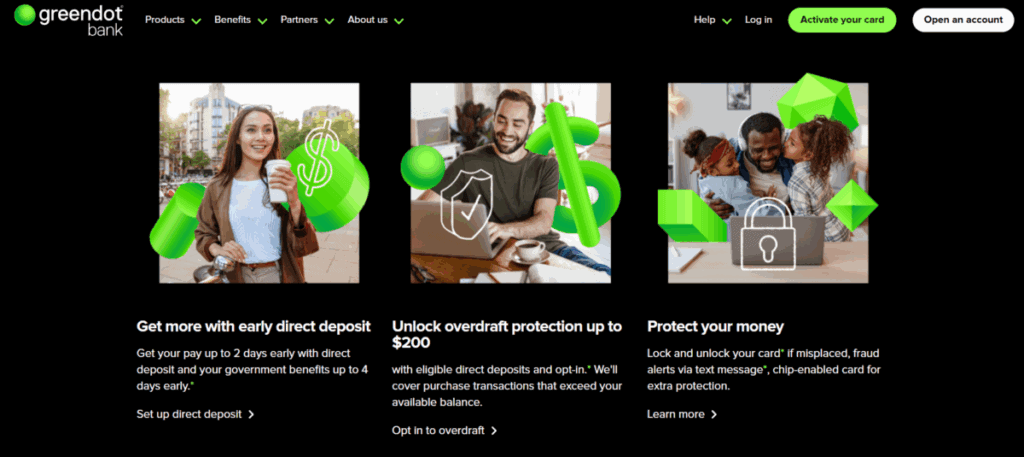
One of Green Dot’s most promoted features is the ability to receive paychecks or government benefits via direct deposit up to two days early. This can be a major advantage for individuals living paycheck to paycheck or those with tight budgeting needs. The early deposit feature is available for payroll, government benefits, and tax refunds.

Setting up direct deposit is relatively easy. Users receive a Green Dot routing and account number that they can provide to their employer or benefits provider. Once deposits are verified, funds may appear earlier than with traditional banks, depending on the sender’s payment processing schedule. The benefit of early pay access can provide a cushion and flexibility for financial planning, especially during emergencies. However, the actual timing may vary based on how quickly the payer processes the transfer. Green Dot does not guarantee early access on every deposit, and delays can occasionally occur.

While early direct deposit is a valuable service, some users have complained about inconsistencies in timely fund transfers. It’s possible that these experiences are caused by outside forces beyond Green Dot’s control, but uncertainty can be frustrating. Green Dot is appealing to users who require faster access to their money because of this feature, but it should be used with the understanding that timing is not always guaranteed.

Reload Options and Cash Deposit Convenience

Green Dot offers multiple ways to add funds to an account, which adds flexibility for users who rely on cash or other payment sources. The most popular method is using retail partners such as Walmart, CVS, or Walgreens to reload the card with cash. Users simply bring their card and payment to the cashier, and the amount is added to their Green Dot account.

Other methods include direct deposit, mobile check deposit, and bank transfers. These options make Green Dot suitable for users with diverse income sources, whether from employers, freelance gigs, or government benefits. Some Green Dot accounts also allow users to link external bank accounts for more seamless transfers.

While the variety of funding methods is a strength, the fees associated with them can be a drawback. For example, cash reloads at retailers often involve service fees set by the merchant, which may add several dollars per transaction. These fees can add up, especially for users who make frequent deposits.

Another thing to keep in mind is that, depending on the location and time of day, cash reloads may take some time to appear in the account. Although Green Dot offers guidance and assistance for reloading, the procedure might seem laborious in contrast to banks that accept mobile deposits or electronic payments without charging additional fees.

Despite these limitations, the multiple reload options still make Green Dot practical for users without regular access to online banking or traditional financial tools.

Green Dot Review

Security Features and Customer Support

Green Dot accounts are backed by Green Dot Bank, a member of the FDIC, which means eligible deposits are insured up to standard limits. This gives users confidence in the safety of their funds. The company also uses encryption and secure login features to protect sensitive account information on both the app and online platforms.

Security measures include real-time transaction alerts, the ability to lock and unlock the card, and fraud monitoring services that detect unusual activity. These features provide essential protections, particularly for users managing their accounts entirely through mobile devices.

However, security is only one side of the user experience. Customer support is another area where Green Dot has received mixed reviews. While there is a help center on the website and automated phone lines, users often report long wait times and difficulty reaching a live representative. Email support is available, but response times can vary widely.

Sometimes, disputes over blocked accounts, unauthorised charges, or payment delays cause a great deal of annoyance for users. Users who depend on the account for daily expenses may find this to be particularly stressful. To sum up, Green Dot provides respectable security infrastructure, but its customer support occasionally falls short of user expectations. The user experience would be greatly improved by more reliable and responsive support channels for a financial service targeted at high-volume consumer use.

Limitations and User Complaints

No financial service is perfect, and Green Dot is no exception. While the company serves a wide range of customers, it has also attracted criticism, particularly around customer service, transaction issues, and sudden account freezes. These complaints often appear in app store reviews, online forums, and consumer feedback platforms.

A recurring theme is account access problems. Users have reported being locked out of their accounts with limited explanation, often during critical moments such as receiving a paycheck or accessing emergency funds. Resolving such issues through customer support has sometimes proven difficult or time-consuming.

Another limitation involves the fee structure. While Green Dot promotes itself as an accessible and low-barrier option, users have been caught off guard by fees for inactivity, cash reloads, or monthly service charges. For those not carefully tracking usage conditions, costs can build up unexpectedly.

Additionally, a few users have reported irregular direct deposit timing and delayed mobile cheque deposits. Even though third-party processing might be the cause of these delays, the lack of transparency undermines confidence. These issues point to the need for improved communication and a more user-friendly interface, but they do not imply that Green Dot is inherently unreliable. If reliable service and prompt support are important to potential clients, they should take these restrictions into account and weigh their options.

Comparisons with Similar Providers

Green Dot operates in a highly competitive market that includes other prepaid and digital banking options. Notable alternatives include Netspend, Chime, and Bluebird by American Express. Each of these providers targets similar user segments but takes a slightly different approach.

Compared to Netspend, Green Dot offers a broader retail presence and slightly more traditional banking features. However, Netspend may have more customizable account options, especially for budgeting tools. Chime, on the other hand, is often praised for its sleek app experience, low fees, and modern customer engagement. Chime also tends to have more transparent terms and a stronger reputation for direct deposit reliability.

Bluebird, offered in partnership with Walmart, competes closely with Green Dot in the prepaid card space. It offers lower fees in many areas and provides additional budgeting tools, though it may not have the same brand recognition outside of Walmart customers.

Strong accessibility and a well-established retail network help Green Dot maintain its position. Its pricing and customer service, however, are inferior to those of its more recent fintech rivals. Green Dot is still a good option for consumers who require physical access to cash loading and a large network of retailers. Alternatives may offer better value for those seeking advanced budgeting tools, robust mobile experiences, or improved fee transparency.

Final Verdict: Who Should Use Green Dot?

Green Dot is a convenient option for users needing simple, accessible banking without a traditional bank. It’s ideal for the underbanked, offering easy setup, retail availability, and flexible deposits. However, users should watch out for fees and inconsistent service. Best used as a secondary or transitional financial tool.

Green Dot Review

FAQs

Q1: Is Green Dot a real bank or just a prepaid card?

Green Dot offers both prepaid cards and bank accounts. It operates as a legitimate financial institution through Green Dot Bank, which is a member of the FDIC.

Q2: How can I avoid Green Dot’s monthly fees?

Many Green Dot accounts waive the monthly fee if you meet conditions like setting up qualifying direct deposit or maintaining a minimum balance. It’s important to check the specific terms for your product.

Q3: Can I use Green Dot as my primary bank?

You can use Green Dot as a primary banking option, but you may face limitations with customer service, deposit timing, and advanced financial features compared to traditional banks or newer digital banks.

Gravity Payments Review

Gravity Payments Review

Gravity Payments is a U.S.-based payment processor that has garnered industry attention for both its services and its business philosophy. Founded in 2004 by Dan Price, the company is headquartered in Seattle and focuses primarily on small and mid-sized businesses. Gravity emerged with the mission to simplify payment processing while putting transparency and ethics at the forefront of its operations. Lets read more about Gravity Payments Review.

A key turning point in its public identity came in 2015, when CEO Dan Price made headlines for instituting a $70,000 minimum salary for all employees. While this initiative sparked widespread media interest, it should not overshadow Gravity’s core offering: payment solutions that aim to be reliable, affordable, and transparent.

The company offers in-store, mobile, and online payment processing services, along with hardware and software tools to support retail, service-based, and eCommerce operations. Gravity Payments has avoided the more aggressive practices common in the payment industry, such as hidden fees or long-term binding contracts. Instead, it emphasizes clear billing and a customer-centric approach.

Despite not being as big as some of the industry giants, Gravity has established a solid reputation among its clientele for trustworthy service and ethical business practices. Its main benefit is that it combines basic merchant services with a degree of personalisation and transparency that bigger companies might find difficult to provide. Because of its positioning, Gravity is an appealing option for entrepreneurs who value both functionality and fairness.

Payment Processing Capabilities | Gravity Payments Review

Gravity Payments offers a full suite of payment processing options for brick-and-mortar and digital businesses. Its primary strength lies in its ability to support a variety of transaction types, including card-present, card-not-present, mobile, and keyed-in payments. Whether you’re a café processing chip cards at the counter or an eCommerce store accepting online payments, Gravity has infrastructure to support those transactions securely and efficiently.

One of the company’s core promises is simplicity. Transactions are processed with a focus on speed and minimal friction. Business owners can accept Visa, Mastercard, American Express, and Discover, along with mobile wallet payments like Apple Pay and Google Pay. The company also supports recurring billing, which is crucial for subscription-based models.

Gravity Payments partners with multiple gateways and platforms to ensure wide compatibility, including Authorize.net and NMI. It does not require users to be locked into proprietary systems, which offers flexibility, especially for businesses that may already have POS setups or are looking for scalable options.

Even though Gravity is smaller than some large processors, it still maintains a high level of dependability. Users often highlight transaction processing speed and uptime as strong points. Chargeback management is available to assist businesses in minimising revenue losses from disputes, and batch settlements are generally processed on time.

All things considered, Gravity’s processing power is sufficient for the majority of small to medium-sized businesses. Gravity offers a reliable, comprehensive solution for common business needs, but large enterprises with very specific requirements might seek more customised setups.

Gravity Payments Review

POS and Hardware Solutions

Gravity Payments offers a selection of POS systems and card readers suited for businesses of various sizes and types. These range from basic countertop terminals to more advanced, tablet-based systems that integrate sales tracking, inventory management, and customer insights. The hardware solutions offered are not all proprietary, meaning merchants can often choose to use their own equipment or integrate with third-party systems.

For traditional retail environments, Gravity supports EMV-compliant terminals that handle chip cards, contactless payments, and magnetic stripe swipes. For restaurants and service businesses, the company offers more tailored solutions that support tips, split payments, and table-side service. For mobile businesses, wireless terminals and mobile card readers can connect via Bluetooth or cellular networks, allowing for on-the-go payment acceptance.

Additionally, Gravity provides comprehensive POS systems with software features like reporting, employee management, and customer relationship tool integration. Depending on particular requirements, businesses can expect compatibility with platforms such as Clover, Poynt, and others. One of the benefits of Gravity’s hardware configuration is that companies are not restricted to a small number of choices or compelled to sign long-term leasing contracts. In general, the hardware is reasonably priced, and in certain situations, pre-existing hardware can be reprogrammed to function with Gravity’s system.

Overall, the POS and hardware offerings from Gravity Payments are versatile enough for most small to medium-sized merchants, striking a good balance between functionality, flexibility, and affordability.

Integration with Business Tools

Gravity Payments offers a range of integrations with popular business software platforms, making it easier for merchants to streamline their operations. These integrations include accounting tools, CRM systems, and eCommerce platforms. One of the most prominent partnerships is with QuickBooks, allowing for seamless syncing of payment data into accounting workflows.

For online businesses, Gravity provides access to payment gateways like Authorize.net and NMI, which support integrations with popular shopping carts such as WooCommerce, Magento, and Shopify. This makes it convenient for online merchants to connect their storefronts without complex development work.

In order to facilitate custom integrations for companies that need more specialised payment infrastructure, Gravity also offers developer-friendly APIs. For the majority of use cases, the current toolkit is adequate and supported by useful documentation, even though it might not provide as comprehensive a development ecosystem as some larger tech-focused processors.

It is significant to note that tech-savvy companies are not the only ones utilising these integrations. Gravity aims to make sure that automated reporting, invoice generation, and customer data tracking are still accessible to small business owners with low technical proficiency. The organisation offers assistance to help with implementation and troubleshooting for those with special needs.

Overall, the integration capabilities of Gravity Payments enhance operational efficiency without requiring a steep learning curve. This positions the company as a good fit for small to mid-sized businesses that want to consolidate their payment and business tools in one ecosystem.

Security and Compliance Standards

Security is a critical concern in the payments industry, and Gravity Payments addresses this with a solid foundation of compliance and data protection practices. The company is fully PCI-DSS compliant, meaning it adheres to the industry’s best practices for handling and storing payment card information.

Gravity’s end-to-end encryption and support for EMV chip cards provide an additional degree of security against card-present fraud. Secure gateways and tokenisation help lessen the risk of sensitive data breaches for mobile and online transactions. Gravity also provides resources, such as self-assessment forms and safe practice guidelines, to assist companies in maintaining their own PCI compliance.

Additionally, the company offers fraud prevention tools such as transaction monitoring, CVV verification, and AVS. Even though these are industry standards, Gravity’s implementation is dependable and consistent, providing the kind of protection that small and medium-sized enterprises often lack the resources to create on their own.

Customer data privacy is also a key focus. Gravity Payments does not sell or misuse customer information, and its systems are built to meet modern data protection expectations. The company provides resources to help merchants understand their responsibilities under privacy laws, including GDPR and CCPA when applicable.

In sum, Gravity Payments delivers security infrastructure that meets the expectations of today’s business environment, even if it doesn’t offer some of the advanced AI-driven fraud tools that larger enterprise solutions might include.

Customization and Developer Options

Gravity Payments offers moderate customization capabilities that allow businesses to tailor the payment experience to their specific workflows. While it doesn’t market itself as a tech-first payment platform like Stripe or Square, it does provide developer resources that are sufficient for many growing businesses.

Through open APIs and documentation, developers can create custom payment forms, automate transaction reporting, and integrate with in-house systems. The platform supports multiple use cases, from recurring billing to mobile checkout, and even niche setups such as donation portals for nonprofits. While the documentation is not as extensive as larger platforms, the support team is known to be responsive in helping developers navigate the available tools.

Flexibility in hardware integration is another benefit of gravity. For instance, companies can often rewire their current POS terminals to integrate with Gravity’s system, which can lower expenses and streamline setup. In certain situations, pricing plans can also be customized. Custom pricing or setup structures may be negotiated by merchants with high transaction volumes or special operational requirements. The majority of companies, however, will operate with pre-made packages that provide transparency but limited flexibility.

Gravity provides managed onboarding and integration support for companies without internal developers. This guarantees that you can still implement a payment solution that works for your workflow even if you lack technical expertise. All things considered, Gravity Payments provides enough personalisation to meet the needs of the majority of SMBs without becoming overly complicated.

Gravity Payments Review

Pricing Structure and Transparency

One of Gravity Payments’ core promises is its commitment to transparent pricing. The company often positions itself as a response to the confusing and opaque pricing models that plague the payment processing industry. It offers two main structures: interchange-plus pricing and flat-rate pricing, depending on the business type and volume.

Interchange-plus involves a fixed markup set by Gravity in addition to the actual interchange fees assessed by card networks (Visa, Mastercard, etc.). Because it keeps the processor’s profit and the card networks’ fees apart, this model is regarded as one of the most transparent in the business. It is especially advantageous for companies with larger average ticket sizes or transaction volumes.

Gravity also provides flat-rate pricing for smaller or lower-volume businesses, which streamlines billing but may increase costs slightly based on the type of transaction. The way Gravity presents these expenses is what sets it apart; the statements are clear and comprehensive, and assistance is offered to clarify line items if necessary.

There are generally no hidden fees, early termination penalties, or aggressive leasing contracts. Monthly fees, if applicable, are clearly outlined from the start. Gravity also emphasizes custom quotes based on business needs rather than a one-size-fits-all approach. Overall, Gravity Payments’ pricing model aligns with its mission of ethical business practices. While it may not always be the cheapest option in every scenario, it tends to be among the most honest and predictable.

Customer Support and Service Reliability

Customer service is one of the areas where Gravity Payments consistently earns positive feedback. Unlike many processors that outsource support or limit access to specific channels, Gravity offers U.S.-based customer support that is accessible via phone and email. Some packages also include a dedicated account representative, especially for businesses with higher transaction volumes.

The support staff is accessible during regular business hours and provides emergency support after hours. The representatives are renowned for being informed and solution-focused rather than sales-driven, and response times are usually quick. Gravity offers both in-person and online support, including instructions on how to use hardware, understand billing, and handle compliance. Although the knowledge base isn’t as extensive as those found on large platforms, it is still well-structured and adequate for the majority of needs.

Service reliability is also a strong point. The company maintains high uptime percentages, and its transaction processing speed is comparable to industry standards. System outages or downtimes are rare and typically communicated in advance if planned. Gravity also offers proactive communication when issues arise, something that sets it apart from more passive competitors. Many small business owners find the combination of quick, human-centered support and dependable performance a key reason to stay with Gravity.

Pros and Cons of Using Gravity Payments

Pros:

Transparent Pricing: One of Gravity’s most consistent advantages is its straightforward billing model, which avoids hidden fees and confusing charges.

Strong Customer Support: With responsive, U.S.-based support, businesses often find issues resolved quickly and efficiently.

Ethical Business Practices: Gravity’s reputation for fair wages and ethical leadership has added to its appeal among values-driven businesses.

Hardware Flexibility: Merchants are not locked into proprietary POS systems and can often use or reprogram existing hardware.

Simple Setup: Especially beneficial for non-technical users, the onboarding and setup process is relatively easy.

Cons:

Limited International Capabilities: Gravity is heavily U.S.-focused, making it less suitable for global operations.
Fewer Advanced Tools: Compared to tech-heavy platforms like Stripe or Adyen, Gravity lacks some high-end customization features.

Smaller Integration Ecosystem: While major tools are supported, the integration options are not as extensive as with some larger platforms.

Overall, the balance of pros and cons positions Gravity as a solid choice for small to medium-sized businesses looking for a fair, functional, and reliable payment partner.

Ideal Use Cases and Final Verdict

Small to medium-sized businesses that prioritise trustworthy service, transparent pricing, and ethical business practices over flashy technological features are the ideal fit for Gravity Payments. Shops, local service providers, eateries, and professionals who wish to take payments without being constrained by intricate agreements or unstated costs will find it especially suitable.

Gravity’s offerings may be a little restrictive for companies that operate internationally or require a lot of integrations. But for the average small business in the United States, Gravity offers almost everything needed to take online and offline payments while focussing on transparency and trust.

The final verdict? Gravity Payments may not be the flashiest processor, but it remains one of the most grounded and honest choices in the industry. It excels in areas that matter to business owners; support, pricing clarity, and flexibility; making it a worthy contender in the crowded payments landscape.

Gravity Payments Review

FAQs

Q1. Does Gravity Payments work with eCommerce platforms like Shopify or WooCommerce?

Yes, Gravity Payments can integrate with popular eCommerce platforms through gateways like Authorize.net or NMI. While it doesn’t offer a proprietary plugin, compatibility with third-party gateways allows for effective online payment processing with tools like WooCommerce, Magento, and Shopify.

Q2. What types of businesses benefit most from Gravity Payments?

Gravity is best suited for small to mid-sized businesses such as local retailers, restaurants, healthcare practices, and service-based companies. Businesses that value fair pricing and strong customer support will likely see the most benefit.

Q3. Is there a contract or cancellation fee associated with Gravity Payments?

Gravity Payments typically does not enforce long-term contracts or charge early termination fees. Their emphasis is on flexibility and transparency, allowing merchants to cancel without major penalties, although it’s advisable to confirm terms during onboarding.

GoCardless Review

GoCardless Review

GoCardless is a London-based fintech company that specializes in bank-to-bank payments, primarily through Direct Debit systems. Founded in 2011, it has carved out a space for itself as a cost-effective alternative to traditional card payment processors. Rather than relying on card networks like Visa or Mastercard, GoCardless enables businesses to collect payments directly from their customers’ bank accounts. This approach is especially attractive to companies dealing with recurring payments such as subscriptions, memberships, or invoice-based billing. Lets read more about GoCardless Review.

With operations in more than 30 nations and multi-currency payment support, GoCardless caters to a wide range of international customers. Its infrastructure is made to make payment collection easier for both big and small businesses. It has gained popularity over time among a variety of industries, including nonprofits, accounting services, gyms, and SaaS platforms.

The platform’s emphasis on decreasing manual follow-ups and payment failures; common problems in subscription and invoice-driven models; is one of its main advantages. GoCardless wants to give businesses better predictability and higher conversion rates by utilising automated payment flows and bank authentication systems.

Although not as widely known among consumers as some card-based systems, GoCardless operates behind the scenes, making the payment process more seamless. It’s important to note that this system works best when both payer and payee are comfortable with bank debits, which might not always suit all customer segments.

Core Payment Features and Capabilities | GoCardless Review

GoCardless centers its payment processing around bank debit, which can be more reliable and cost-effective than credit or debit card processing for specific business models. The primary service is Direct Debit, allowing businesses to pull funds from a customer’s bank account with authorization. This is particularly well-suited for recurring transactions such as monthly memberships, subscriptions, or installment plans.

In addition to recurring payments, GoCardless supports one-off transactions, though it is not as frequently used for this purpose compared to card processors. One of its notable innovations is Instant Bank Pay, which leverages open banking to enable real-time, one-time payments. This addresses a key limitation of traditional Direct Debit, which typically involves a delay of a few days for processing.

Another strength is GoCardless’s ability to automatically retry failed payments, reducing the burden on finance teams. It also allows for customizable payment pages, automatic notifications, and full control over customer mandates. Users can set up billing schedules, view payment statuses, and manage customers all in one place.

GoCardless supports multiple currencies, including GBP, EUR, USD, AUD, and NZD, and continues to expand its international capabilities. While it’s an excellent tool for subscription-first businesses, it is less suitable for industries that rely heavily on real-time authorization or point-of-sale needs. In summary, GoCardless offers a robust set of features tailored for recurring and account-based billing, though it remains more niche in areas dominated by card payments or cash-on-delivery models.

GoCardless Review

Integration and API Flexibility

One of GoCardless’s strongest selling points is its API, designed for developers looking to build custom payment solutions. It offers a clean, RESTful interface and supports webhooks to keep systems synchronized in real time. This is particularly valuable for SaaS platforms and digital-first businesses that need to tightly integrate payment flows within their own products.

GoCardless is developer-friendly since it offers a test environment, SDKs in multiple programming languages, and extensive documentation. With little manual involvement, companies with internal technical teams can automate the creation of mandates, payment submissions, failure handling, and customer communications.

GoCardless provides pre-built integrations with numerous platforms for users who do not want to start from scratch. These include CRMs like Salesforce, e-commerce platforms like Zuora and Magento, accounting software like Xero and QuickBooks, and billing systems like Chargebee and Recurly. The time and complexity required to start accepting payments are decreased by these integrations.

Moreover, Zapier support makes it easy to connect GoCardless with hundreds of third-party applications without coding. This accessibility opens the platform to businesses that may not have developer resources but still want automation. While the API is powerful, it’s also an area where businesses must invest some time during the setup phase. Smaller businesses without a tech team may find more plug-and-play options in other services, but the flexibility GoCardless offers is notable for scaling and customizing workflows.

User Interface and Dashboard Experience

GoCardless offers a web-based dashboard that is clean, modern, and functional. The interface is designed to serve users across departments, from finance teams to customer support. It gives users access to all critical data in a logical and intuitive layout, with minimal clutter.

From the main dashboard, users can view recent payments, track mandates, and monitor failed transactions. There’s a clear visual breakdown of which payments are pending, paid, or failed, helping businesses stay on top of cash flow. Additionally, customer records can be searched and edited easily, with all payment history stored in one place.

Setting up new customers is straightforward, typically requiring just an email address and name to initiate the mandate process. Once authorized, the system takes care of collecting payments on schedule, and users are notified of any issues.

Another appreciated feature is the exportable reports. Users can generate reports on payment performance, mandate statuses, and bank responses, which can be useful for reconciling accounts or identifying patterns in failed payments. For more advanced needs, data can be accessed through the API for custom reporting.

The interface is responsive and works well across devices, but mobile-specific functionality is somewhat limited compared to full desktop use. Still, for day-to-day tasks like monitoring or approving payments, it’s more than sufficient. Overall, the dashboard strikes a balance between simplicity and depth, making it approachable for non-technical users while still offering advanced functionality when needed.

GoCardless Review

Pricing and Fee Transparency

GoCardless uses a transparent pricing model that is based on transaction volume. For most domestic transactions in supported countries, the standard fee is 1% of the transaction amount, capped at a certain limit (for example, £2 in the UK). International transactions and those involving currency conversion typically incur additional fees.

The absence of setup fees, monthly fees, or other hidden expenses is one benefit of GoCardless’ pricing. Because of this, it appeals to startups and small enterprises seeking predictable costs. The pricing scales reasonably with volume and is easy to understand.

There are some trade-offs to take into account, though. Generally speaking, settlement times are longer than those of card processors. For instance, it may take three to five business days in the United Kingdom for a payment to be fully credited to the merchant’s account. Businesses that depend on faster cash flow may find this delay to be a drawback, even though it is normal for Direct Debit systems.

There are also additional costs for features like Instant Bank Pay, which are calculated differently and may not follow the standard capped fee model. For businesses with complex needs or higher volumes, GoCardless offers custom pricing plans that include volume discounts and premium support. In general, the pricing model is competitive, especially for recurring billing scenarios where card fees can add up quickly. But businesses should evaluate their cash flow needs and payment timings before committing to a Direct Debit-centric model.

Security, Compliance, and Reliability

Security is a critical component of any payment system, and GoCardless takes this responsibility seriously. The company is authorized by the Financial Conduct Authority in the UK and complies with relevant financial regulations in each of the countries where it operates. It is also ISO 27001 certified, which reflects its adherence to international information security standards.

GoCardless uses bank-grade encryption protocols to protect data during transmission and storage. Customer information is never shared unnecessarily and is securely stored in compliance with GDPR and other regional data protection regulations. Additionally, GoCardless operates on a secure, redundant infrastructure with high uptime to ensure business continuity.

When it comes to payment reliability, the platform performs well. Direct Debit as a method is inherently more resistant to chargebacks than card payments, and payment errors are relatively low due to built-in validation checks. In the case of disputes, the customer protection mechanisms tied to Direct Debit schemes ensure that users can reclaim funds in genuine cases of unauthorized debits.

However, merchants need to be aware that Direct Debit does come with some risks, such as delayed settlement or the possibility of funds being clawed back in the case of customer disputes. GoCardless provides tools and notifications to help businesses manage this risk effectively. In terms of overall reliability, GoCardless ranks high for platform stability, regulatory compliance, and data protection, making it a trustworthy option for businesses handling recurring payments.

Global Reach and Multi-Currency Support

GoCardless has steadily expanded its international footprint over the past few years. Currently, it supports payment collection in over 30 countries, including the UK, US, Eurozone, Australia, New Zealand, Sweden, Denmark, and Canada. This wide coverage makes it attractive to businesses with customers spread across multiple geographies.

GoCardless offers multi-currency support through its FX capabilities. Although there may be foreign exchange fees, businesses are able to receive funds and collect payments in the local currency of their customers. Customers benefit from a more localised payment experience and less hassle with international billing. The platform’s unified dashboard and API, which let users handle all international transactions in one location, is another plus. GoCardless manages the backend through its international banking network, so businesses don’t need to open bank accounts in every nation to function.

The system still depends on the local Direct Debit version in each nation, so service availability may differ slightly between areas. For instance, ACH in the US and SEPA in Europe have different requirements and processing schedules.

Despite some variability, the platform’s global capabilities are a key differentiator for businesses that want to expand internationally without building separate systems. That said, it is more focused on developed markets and may not support all regions where card-based systems are already deeply entrenched.

Customer Support and Onboarding Experience

GoCardless offers a structured onboarding process that includes access to setup guides, videos, and help articles. New users can sign up online and start accepting payments fairly quickly, often within a few days. The platform guides merchants through mandate creation, customer setup, and integration, which helps reduce the technical learning curve.

Customer support is available via email, help desk, and live chat, although phone support is typically reserved for users on advanced plans. The help center is well-organized, covering a wide range of topics from API errors to currency support. For businesses integrating through third-party platforms like Xero or Salesforce, there are dedicated help articles to simplify the process.

Feedback on support responsiveness is generally positive, especially for users on higher-tier plans. However, some small businesses on standard plans have noted slower turnaround times during high-demand periods. It’s also worth noting that GoCardless does not provide 24/7 support, which may be a limitation for global businesses operating in different time zones.

For enterprise users, GoCardless offers account managers and tailored onboarding assistance. This can be helpful for larger-scale integrations or businesses transitioning from legacy billing systems. Overall, the onboarding experience is smooth, and support is reliable, although smaller users may occasionally experience delays in response times.

Best Use Cases and Business Fit

GoCardless is best suited for businesses that depend on recurring payments or invoice-based billing. This includes industries like SaaS, fitness memberships, insurance, accounting, and education. Its strength lies in automating collections and reducing administrative overhead associated with manual invoicing and follow-ups.

Businesses that wish to reduce transaction costs and are at ease with slightly delayed settlements will find the platform particularly useful. Additionally, it’s a good option for B2B companies with customers who would rather pay with bank transfers than credit cards. GoCardless is less suitable, though, for use cases like e-commerce or point-of-sale transactions that call for real-time payment authorisation. Additionally, it lacks native support for card payments, which may be a deal-breaker for companies that wish to provide both bank-based and card-based payment options.

Additionally, the platform is not a good fit for high-risk industries or those with frequent chargebacks, as Direct Debit mechanisms have different protection rules compared to card schemes. Businesses with one-time, high-ticket transactions might also prefer faster-settling options. In short, GoCardless is not trying to be a universal payment processor but rather a focused solution for predictable, repeatable payments. When used in the right context, it can provide cost savings, operational efficiency, and a smoother experience for both businesses and customers.

GoCardless Review

Pros and Cons Summary

GoCardless offers a clear value proposition to businesses focused on recurring payments. Its biggest strengths lie in simplicity, affordability, and automation. The absence of card networks reduces fees and payment failure rates, and the API offers deep customization for businesses that need it. Multi-currency support and integrations with popular business tools enhance its usability for global teams.

Yet, there are restrictions. Cash flow may be impacted by settlements taking longer than card processors. Since Direct Debit is used so often, it isn’t the best option for all customers; some might be reluctant to share their bank information or would rather pay with a credit or debit card. Additionally, despite recent initiatives through Instant Bank Pay, there is limited support for one-time payments.

Although the platform excels in particular use cases, it is not intended to take the place of full-suite processors such as PayPal or Stripe. GoCardless is a very useful tool for companies that use recurring billing or who want to simplify their Direct Debit collection process. It is ultimately a specialised platform that fulfils its primary promise, but it needs careful consideration to make sure it aligns with a company’s payment strategy.

FAQs

Q1: Can GoCardless be used for one-time payments or only recurring billing?

While GoCardless is primarily built for recurring payments, it does support one-off transactions through features like Instant Bank Pay. However, its main value still lies in ongoing billing relationships.

Q2: How does GoCardless compare to Stripe or PayPal for small businesses?

GoCardless is more cost-effective for recurring bank payments but lacks card support. Stripe and PayPal offer broader versatility but often come with higher fees for recurring billing.

Q3: Does GoCardless support instant payouts or same-day settlements?

No, GoCardless relies on traditional bank processing times. Settlements usually take 3–5 business days, though this may vary by country and payment scheme.

Global Payments Review

Global Payments Review

Global Payments Inc. is one of the most recognized names in the fintech and merchant services industry. Headquartered in Atlanta, Georgia, it serves businesses in over 100 countries and processes billions of transactions annually. The company has evolved through decades of expansion and key acquisitions, positioning itself as a major player in both traditional and modern payment processing. Lets read more about Global Payments Review.

The company offers a broad spectrum of payment solutions including, POS systems, digital commerce tools, and security services. Its technology is used by businesses of all sizes; from single-location merchants to multinational corporations. Over the years, Global Payments has merged with and acquired several firms, such as TSYS, which has helped expand its capabilities and strengthen its infrastructure.

Global Payments does have some drawbacks, though. Although it positions itself as a one-stop shop for processing payments, it has drawn criticism from some retailers, particularly small companies, for its complicated pricing and unclear contracts. Large corporations, however, often appreciate its dependability and worldwide scalability.

The company is investing in omnichannel commerce, integrated software solutions, and mobile payment systems as part of its ongoing innovation in a rapidly changing payment landscape. Even though it might not be the ideal choice for all kinds of merchants, Global Payments’ dedication to staying ahead of the curve makes it a significant provider in the fintech ecosystem.

Core Payment Processing Capabilities | Global Payments Review

At its core, Global Payments offers a full suite of payment processing services. It supports credit and debit card transactions, digital wallets, contactless payments, and ACH bank transfers. These services are available across both physical and digital environments, making it possible for businesses to handle in-store, online, and mobile transactions seamlessly.

The platform emphasizes speed and reliability, ensuring that payments are processed efficiently and settled in a timely manner. Transaction speeds are typically fast, and the infrastructure is robust enough to handle high volumes of activity. For many businesses, especially in retail and hospitality, this consistency is crucial for maintaining customer satisfaction.

One of the major advantages of using Global Payments is its ability to support a wide range of payment types. From EMV chip cards to mobile wallets like Apple Pay and Google Pay, the system is built to handle modern consumer preferences. Businesses operating internationally also benefit from multi-currency support and the ability to accept payments from foreign-issued cards.

That said, the company’s pricing structure can be a challenge. Interchange rates, processing fees, and equipment costs can vary, and smaller merchants may find it difficult to determine the total cost upfront. Some reviews have pointed to hidden fees or inconsistent billing, which can be a drawback for new or budget-conscious businesses.

Despite this, Global Payments’ core processing engine is dependable and flexible, suitable for businesses that value performance and a wide range of acceptance options over entry-level simplicity.

Global Payments Review

Merchant Services and Tools

Beyond basic payment processing, Global Payments offers a range of merchant services that help businesses manage and grow their operations. These include customer management systems, analytics dashboards, invoicing solutions, and even marketing tools. The goal is to provide merchants with more than just a way to accept payments; to also give them the data and insights needed to make informed decisions.

One standout feature is its real-time reporting capabilities. Merchants can track transaction histories, monitor refunds, and analyze sales trends through an easy-to-navigate portal. These insights can be particularly useful for businesses looking to optimize staffing, inventory, and promotional campaigns.

The virtual terminal, which lets businesses take payments without a physical POS device, is another helpful tool. For service providers who accept payments by phone or email, this is extremely helpful. It provides small businesses with an easy way to handle remote transactions when combined with invoicing features.

Additionally, Global Payments provides integration with a number of accounting and CRM programs, which helps businesses that use platforms like Salesforce or QuickBooks run more efficiently. However, the merchant’s package or the area in which they operate may have an impact on the degree of integration.

While many of these features are robust, they may come at an additional cost. Not all tools are included in the base package, and merchants should be cautious about add-on fees. Still, the breadth of services available makes Global Payments a solid choice for businesses seeking comprehensive operational support.

POS and Hardware Integration

Global Payments supports a wide array of POS solutions that can be tailored to different industries. Whether it’s a compact terminal for a small café or a robust multi-terminal setup for a chain retailer, the company offers hardware that is both scalable and modern.

Its proprietary POS systems come equipped with touchscreen interfaces, inventory management tools, and customer engagement features. The hardware is designed to be user-friendly, even for staff without technical expertise. For businesses already using third-party systems, Global Payments is compatible with many popular POS providers, making integration relatively straightforward.

Another strength lies in its support for mobile POS systems. For businesses that need on-the-go functionality; such as food trucks, event vendors, or field service providers; the mobile options are reliable and easy to set up. Bluetooth card readers and app-based terminals provide flexibility without compromising security.

Installation and setup are generally smooth, especially when purchased directly through Global Payments. However, businesses that onboard through independent sales organizations may experience varying levels of support. This inconsistency can be frustrating and may require merchants to be more proactive in their setup process.

Overall, Global Payments offers strong POS options for merchants who want a blend of hardware reliability and business-specific functionality. Just be aware that premium features and hardware upgrades may come at a higher price point, so it’s essential to weigh the benefits against the costs.

E-commerce and Online Payment Features

For businesses operating online, Global Payments delivers a full suite of e-commerce tools designed to facilitate secure and flexible transactions. Its hosted checkout solutions, payment gateways, and developer-friendly APIs allow for both quick deployment and deep customization.

The company’s online payment platform supports various payment methods including credit cards, digital wallets, and bank transfers. Its APIs are well-documented, making it easier for developers to integrate the system into websites, mobile apps, and custom-built platforms. This makes it appealing for both small retailers and large enterprises seeking a seamless user experience.

Additionally, subscription management and recurring billing are supported by Global Payments. SaaS and service-based businesses will find this especially helpful. Payment methods can be safely stored by customers, allowing automatic billing and lowering the possibility of late payments. Its support for global e-commerce is an additional advantage. The platform can accommodate companies wishing to enter international markets thanks to its multi-currency acceptance and global acquiring capabilities. However, cross-border transactions might incur extra fees.

One downside is that the platform may require some technical expertise to unlock its full potential. While there are plug-and-play options available, merchants with limited IT resources may find initial setup or troubleshooting a bit challenging. Still, once configured, the system is stable and versatile. In summary, Global Payments’ e-commerce features are robust and scalable, well-suited for businesses that prioritize flexibility and global reach in their online operations.

Security, Fraud Prevention, and Compliance

Security is a top priority for any payment processor, and Global Payments has invested heavily in maintaining high standards of protection. The company is PCI DSS compliant and offers a variety of tools aimed at minimizing fraud and safeguarding customer data.

One of the core technologies used is P2PE, which ensures sensitive card data is encrypted from the moment of entry. This significantly reduces the risk of data breaches during transactions. Additionally, tokenization is used to replace card details with unique identifiers, adding another layer of security.

Fraud detection features include real-time transaction monitoring, velocity checks, and geolocation analysis. These tools help flag suspicious activity, allowing merchants to take immediate action when something looks unusual. Some plans also offer chargeback management tools to help merchants dispute and resolve cases efficiently.

Global Payments also provides compliance assistance, particularly around PCI requirements. Merchants can access compliance tools and documentation that help simplify the process of annual validation. While this is a helpful feature, some users have noted that additional guidance or support would be appreciated, especially for small business owners unfamiliar with industry jargon.

While the overall security framework is solid, access to advanced fraud tools may depend on the pricing plan. Nevertheless, for most businesses, the standard offerings are more than sufficient to protect both customer and merchant information.

Global Payments Review

International Payment Support and Currency Handling

Global Payments excels in serving international businesses through its strong multi-currency and cross-border payment support. This is a key advantage for merchants that operate in more than one country or plan to expand globally. The platform supports over 140 currencies, and businesses can accept payments in a customer’s local currency while receiving settlements in their own preferred currency. This makes transactions more seamless and can improve conversion rates by eliminating friction during checkout.

Additionally, Global Payments provides dynamic currency conversion, allowing users to view prices and make payments in their native currency. Although buyers may find this convenient, it’s crucial to remember that, depending on the exchange rate, DCC may result in higher costs for the customer. The global acquiring network, which eliminates the need for numerous merchant accounts in various locations, is an additional advantage. For companies that have locations across multiple nations or ship goods internationally, this streamlines financial operations.
However, some merchants have pointed out that international processing fees can be higher than expected. Cross-border fees, currency conversion charges, and additional compliance requirements may increase the total cost of using these services. Even so, for businesses that require robust international capabilities, Global Payments offers a scalable solution that can meet the demands of global commerce.

Integrations with Other Platforms

One of Global Payments’ strengths lies in its ability to integrate with a wide variety of third-party platforms. This includes accounting software, CRM systems, ERP platforms, and industry-specific business tools. Popular integrations include compatibility with QuickBooks, Salesforce, Shopify, WooCommerce, and Magento. These connections allow businesses to automate key functions such as syncing transaction data, managing customer information, and generating financial reports.

Global Payments also offers APIs and developer tools for businesses that need custom integrations. These tools are comprehensive and come with solid documentation, making them suitable for teams that have in-house development resources. For restaurants and hospitality businesses, integrations with POS systems like MICROS and Aloha enhance operational efficiency. Similarly, healthcare providers benefit from integrations that link payment processing with practice management software.

While integration capabilities are generally reliable, the experience can vary depending on how the service is set up; especially when resellers are involved. Some integrations may require technical assistance or third-party developers to configure properly. In such cases, costs and complexity can increase.

Still, for businesses that rely on multiple systems to manage operations, the integration capabilities of Global Payments add meaningful value by improving workflow and reducing manual input.

Pricing Structure and Contract Transparency

Pricing is among the more intricate aspects of Global Payments. The company does not adhere to a universal pricing strategy. Conversely, expenses can differ significantly based on the size of the business, the industry, the volume of sales, and whether the merchant enrolls directly or via a third-party reseller. 

Generally, retailers might face monthly fees, transaction-based costs, expenses for equipment, and occasionally lengthy contractual commitments. Interchange-plus pricing can be provided occasionally, but tiered or flat-rate pricing might also be utilized. Extra fees for PCI compliance, gateway access, and statement charges are common. 

A recurring concern among merchants is the lack of transparency in contracts. Some users have reported surprise fees or unclear terms related to cancellation policies or rate increases. This makes it essential for merchants to read all agreements carefully and request a full breakdown of fees in advance.

That said, businesses with higher volumes or complex payment needs often negotiate competitive rates. Enterprise clients, in particular, tend to benefit from custom pricing and dedicated account management.

While the pricing model is flexible, it also introduces complexity. For new or small businesses, this could be a barrier. Prospective users are advised to compare quotes from different providers and seek clarity on every line item before committing.

Customer Support and User Experience

Customer support is an essential part of any payment processor’s service, and Global Payments offers a number of channels, including live chat, email, and phone. For self-service troubleshooting, it also keeps up a resource centre and knowledge base.

The manner in which the merchant is onboarded can affect the quality of customer service. Compared to companies that use resellers or independent agents, businesses that sign up directly with Global Payments usually report better experiences. Some users have found this inconsistency frustrating, particularly when it comes to technical setup or contract-related concerns.

On the user experience front, the company’s online portal is generally well-regarded. It offers clear navigation, detailed transaction records, and customizable reports. Mobile access is also available, which is useful for businesses that need to monitor activity on the go. Training resources, such as webinars and how-to guides, are provided, but may not be as extensive or beginner-friendly as those offered by more tech-focused competitors. As a result, new users might face a steeper learning curve.

Despite these challenges, Global Payments maintains a solid reputation for reliability and uptime. When issues do arise, they are usually addressed promptly, provided the merchant has access to a responsive support representative.

Global Payments Review

FAQs

Q1. Is Global Payments suitable for small businesses or only large enterprises?

Global Payments serves both, but small businesses should review contracts closely due to potential fees and pricing complexity.

Q2. Can Global Payments handle international transactions efficiently?

Yes, it supports over 140 currencies and offers multi-currency and cross-border payment solutions, though extra fees may apply.

Q3. Does Global Payments offer flexible contracts or require long-term commitments?

Contract terms vary. Some merchants have reported long-term agreements and early termination fees, so it is important to verify terms beforehand.

Fulton Merchant Card Services Review

Fulton Merchant Card Services Review

Fulton Merchant Card Services operates under Fulton Bank, a well-established regional bank with a long history of supporting businesses and individuals. As digital commerce has become more central to business operations, Fulton extended its banking services to include merchant card processing. This move aims to help businesses manage payment acceptance, whether at physical locations, online, or through mobile channels. Lets read more about Fulton Merchant Card Services Review.

Fulton’s offering is distinct because it is a part of a conventional banking organisation. It might be practical for companies that already work with Fulton Bank to combine their payment and banking services. This makes centralised financial oversight, simpler reconciliation, and more efficient account management possible.

However, tech-first companies looking for the newest in cloud-based, AI-driven, or customisable payment platforms are not necessarily the target market for Fulton’s merchant services. Because the products are reliable but traditional, small and medium-sized enterprises that prioritise consistency and ease of use over quick innovation are better suited for them. The primary service offerings, technology, security, support, and pricing models are all assessed in this review, providing potential users with an open window into what to expect.

Core Services and Payment Solutions Offered | Fulton Merchant Card Services Review

Fulton Merchant Card Services covers a broad range of payment acceptance needs. Businesses can process all major credit and debit cards using countertop terminals, mobile card readers, or integrated point-of-sale systems. Whether you’re running a brick-and-mortar store, a restaurant, or a service-based business, Fulton provides flexible tools for in-person transactions.

For businesses selling online, Fulton supports eCommerce integration through payment gateways and virtual terminals. These tools allow businesses to accept payments remotely, either through a website or manually entering transactions via a secure web portal. Invoicing capabilities and recurring billing features further extend usability for service providers and subscription models.

One of the service’s strengths is its ability to tailor solutions based on industry. From retail to hospitality, Fulton adapts its tools to meet the operational realities of different sectors. While it may not offer deep customization at the software level, it delivers enough flexibility for standard business models.

The company also offers mobile payment solutions, which are ideal for on-the-go businesses like contractors or food trucks. Through secure, wireless card readers, merchants can accept payments at customer locations or in transit. These core services provide a comprehensive foundation for handling modern payment scenarios.

Fulton Merchant Card Services Review

Payment Terminal Options and Hardware Integration

Fulton Merchant Card Services provides a selection of payment terminals designed to accommodate businesses of varying sizes and types. The lineup includes traditional countertop models, wireless terminals for mobile use, and integrated systems for full-scale point-of-sale operations. These devices are compatible with EMV chip cards, magnetic stripe cards, and contactless payment methods like Apple Pay and Google Pay.
Countertop terminals are the most popular option for retailers who prefer physical checkout locations. They provide a reliable and safe way to handle payments in a service or retail setting. Additional mobility is provided by wireless terminals, which are especially helpful for mobile service providers or table-side payments in restaurants.

Fulton collaborates with reputable hardware producers to guarantee usability and compatibility. The selection meets the basic requirements of the majority of business types, even though it is not as extensive as what you might find with a specialised hardware supplier. Support is available for setup and troubleshooting, and the integration process is usually simple.

Merchants should also consider whether to lease or purchase their terminals. Fulton offers both options, and each has its pros and cons. Leasing may reduce upfront costs but can be more expensive over time, while purchasing provides long-term value. Overall, the hardware offerings are dependable, although not especially cutting-edge.

Online Payment Gateway and Virtual Terminal Features

Fulton’s online payment capabilities are anchored by its secure payment gateway and virtual terminal solutions. These tools are especially valuable for businesses that operate online stores or need to handle payments without a physical card present. The virtual terminal lets merchants manually key in card details through a secure online interface, making it ideal for phone orders or remote billing.

The payment gateway is designed to integrate with common eCommerce platforms, enabling real-time transaction processing directly on a business website. It supports both one-time payments and recurring billing, which is beneficial for businesses offering subscriptions or ongoing services. SSL encryption, tokenization, and other standard security measures help protect sensitive customer data during transmission.

One notable strength of Fulton’s virtual terminal is its simplicity. It’s easy to navigate and doesn’t require extensive technical know-how, which is a plus for businesses with limited IT resources. However, this simplicity also means fewer advanced features compared to newer platforms with advanced dashboards, automated workflows, or AI-based analytics.

Fulton’s online solutions are ideal for businesses that want basic functionality with a secure framework. While the customization options may be limited, the gateway and virtual terminal provide essential tools to collect payments digitally with minimal risk and a low learning curve.

Pricing Transparency and Fee Structure

Fulton Merchant Card Services operates with a pricing model that includes a mix of monthly fees, per-transaction costs, and potential incidental charges. The exact rates can vary depending on the business type, processing volume, and specific services selected. Common fees include a monthly account fee, a gateway fee for online transactions, and transaction processing fees.

One of the challenges with Fulton’s pricing is that it is not entirely transparent on the website. Prospective clients typically need to engage with a sales representative to receive a quote tailored to their business. This approach may work for businesses that value personalized service, but it can be a drawback for those who prefer upfront pricing details.

The terms of the contract are another factor. Fulton might demand a multi-year contract and impose early termination costs. Before signing, businesses should carefully read the terms, particularly if they have any doubts about how they will be used in the future. More flexible month-to-month plans with no cancellation fees are provided by certain rivals.

Fulton’s structure might appear less predictable in comparison to more recent processors that support interchange-plus or flat-rate pricing models. However, the pricing might be reasonable given the larger value proposition for companies that value relationship-based service or already work with Fulton Bank. Before making a commitment, it is crucial to know the full cost of ownership and ask the right questions.

Fulton Merchant Card Services Review

Security, Compliance, and Fraud Prevention

Security is a cornerstone of Fulton Merchant Card Services. The company adheres to industry standards for data protection, including full PCI-DSS compliance. This ensures that both merchants and their customers are protected against the risks associated with credit card fraud and data breaches.

Encryption protocols safeguard transaction data during transmission, while tokenization reduces the risk of stored card information being compromised. These tools work together to ensure secure transaction processing whether the payment occurs in-person, online, or through a mobile device.

In addition to technical safeguards, Fulton provides merchants with tools to monitor suspicious activity and mitigate fraud risks. AVS, CVV checks, and customizable transaction limits are part of the fraud prevention suite. While these are standard across the industry, Fulton implements them in a way that is accessible even to non-technical users.

Regular compliance checks and guidance are also available to help merchants stay updated on evolving requirements. For example, Fulton may offer support for completing self-assessment questionnaires required under PCI compliance. Businesses looking for peace of mind regarding data protection will find Fulton’s security practices reassuring, even if they lack some of the more advanced real-time fraud analytics seen in newer fintech platforms.

Customer Support and Account Management

Fulton Merchant Card Services places a high value on customer service, which is often a crucial differentiator when selecting a payment processor. Numerous channels are available for support, including phone, email, and in-person consultation at Fulton Bank branches. For companies that value human interaction over self-service portals, this multichannel access may be beneficial.

Many of Fulton’s merchant clients are assigned dedicated account representatives. These agents help with onboarding, troubleshooting, and continuing account management in addition to serving as the main point of contact. This customised support approach might be especially helpful for smaller companies or people who are not familiar with the technical aspects of processing payments.

However, the support availability may not be 24/7, which could be a drawback for businesses that operate outside traditional business hours. Also, since Fulton is a regional bank, availability and responsiveness may vary slightly based on location.

That said, most users report positive experiences with support staff and appreciate the hands-on approach that Fulton provides. The tradeoff is that it may not match the speed or automation of tech-centric providers, but the quality of human interaction is a notable strength. For businesses that value guidance and relationship-based service, Fulton delivers consistent and competent support.

Reporting Tools and Analytics

Fulton offers basic reporting tools that allow merchants to track daily sales, view transaction summaries, and access monthly statements. These reports are available through an online merchant portal and can be downloaded in standard formats such as PDF or CSV for further analysis.

The analytics focus on core financial data, including transaction volume, batch settlements, and chargeback activity. This helps merchants monitor business performance and reconcile payment activity with other financial records. While the reporting suite is functional, it is not highly advanced or visually dynamic.

Unlike newer platforms that offer interactive dashboards with predictive analytics or inventory tracking, Fulton’s system is designed to serve fundamental reporting needs. It is best suited for businesses that want straightforward insights without the need for advanced customization.

Integration with external accounting systems may be possible depending on the configuration, but it may require manual exporting of data. This could add a layer of effort for businesses looking for real-time syncing with platforms like QuickBooks or Xero.

Overall, the reporting capabilities are reliable but basic. They get the job done for daily financial oversight, but they may not provide the level of business intelligence needed for highly data-driven operations.

Industry Suitability and Use Case Flexibility

Fulton Merchant Card Services caters to a wide range of industries, including retail, hospitality, healthcare, education, and professional services. Its solutions are adaptable enough to accommodate both traditional storefronts and service-based businesses. However, the focus is more on general business needs than highly specialized industry tools.

The service is particularly well-suited to small and mid-sized businesses that value stability, human support, and integration with traditional banking. For example, a local retail shop or dental practice might benefit from the simplicity and convenience of working with one provider for both banking and payment services.

Fulton can satisfy the requirements of the majority of domestic operations, even though it does not promote any particular tools for high-risk industries or global trade. The platform might not be as appropriate for companies seeking specialised features like API integrations, multicurrency support, or subscription management.

Fulton’s product line is reliable and strong for businesses with simple billing procedures and a local clientele. If you need international scalability or a lot of customisation, you might need to look at alternatives with more adaptable frameworks.

Pros, Cons, and Overall Value Proposition

Fulton Merchant Card Services offers a stable and service-oriented option for businesses that prioritize reliability and traditional financial relationships. Its key strengths include integrated banking and payment processing, personalized support, and a comprehensive set of basic payment tools.

On the downside, the platform lacks the innovation and flexibility seen in some newer, technology-driven payment providers. Pricing transparency could be improved, and advanced features like dynamic reporting, open APIs, or international support are limited.

The overall value proposition is strongest for existing Fulton Bank customers or those in regions where Fulton operates actively. For them, the convenience of managing financial services under one roof and receiving responsive support outweighs the limitations.
Businesses with complex digital needs or expansion plans outside Fulton’s regional footprint might find more value in modern fintech alternatives. Still, for reliable, secure, and well-supported merchant services within a banking framework, Fulton delivers on its core promises.

Fulton Merchant Card Services Review

FAQs

1. Is Fulton Merchant Card Services suitable for high-risk businesses?

Fulton typically focuses on low to moderate-risk industries. It may not be the best fit for high-risk businesses such as CBD, gambling, or adult services. Businesses in these sectors should explore providers that specialize in high-risk processing.

2. Can I use my existing POS hardware with Fulton’s services?

In some cases, yes. Compatibility depends on the hardware model and whether it supports Fulton’s processing protocols. It’s best to confirm with a Fulton representative before making a switch.

3. How long does it take to receive payouts from Fulton?

Payouts are generally deposited within one to two business days. Same-day funding may be available in some cases but may require an additional fee or account setup.

Forte Payment Systems Review

Forte Payment Systems Review

Forte Payment Systems is a U.S.-based payment processor that primarily serves government agencies, utilities, healthcare providers, and service-based businesses. Founded in 1998 and acquired by CSG in 2018, Forte has evolved into a flexible and secure platform offering both ACH and card-based payments. Unlike processors that focus on retail and e-commerce, Forte emphasizes compliance-heavy and recurring billing environments. Its solutions span online portals, mobile devices, call centers, and in-person payment systems. Lets read more about Forte Payment Systems Review.

Cloud-based architecture is supported by the company’s infrastructure, which makes it flexible and scalable for mid-sized to enterprise-level businesses. Tokenization, digital invoicing, recurring billing tools, custom payment workflows, and support for multiple payment types are all provided by Forte. These consist of contactless payments, eChecks, debit cards, and credit cards. Via strong APIs, it also enables customers to incorporate payment processing into proprietary platforms.

Forte might not be the ideal choice for every merchant, even with its advanced features. The setup may be more complicated than necessary for plug-and-play systems or smaller businesses. However, Forte offers a reliable and highly configurable solution for businesses that value compliance, data security, and flexibility across multiple payment channels.

Core Payment Features and Capabilities | Forte Payment Systems Review

Forte offers a comprehensive suite of payment processing capabilities designed to accommodate a wide range of industries. Its platform enables acceptance of ACH payments, credit and debit card transactions, and eChecks. One of its core strengths is its ability to process both one-time and recurring payments through a single platform, supporting web-based, in-person, and mobile channels.

ACH processing is a central offering and is particularly useful for industries such as government, education, and healthcare. It allows for direct bank transfers at a lower cost than card-based transactions. This makes Forte a cost-effective choice for businesses handling large volumes of recurring payments. In addition to ACH, Forte’s platform supports real-time credit and debit card payments and provides tools for managing refunds and chargebacks.
Digital wallet support includes Apple Pay and Google Pay, which helps cater to modern consumer expectations. Businesses can use Forte to manage invoicing and automatically send reminders to customers for due payments. It also enables tokenization of sensitive payment data, ensuring security while facilitating repeat transactions without re-entering card details.
The platform offers optional modules for account verification and fraud prevention, giving businesses better control over transaction integrity. Combined, these features make Forte well-suited for organizations that need flexibility and scalability in how they accept and manage payments.

Forte Payment Systems Review

Virtual Terminal and Mobile Solutions

Forte provides a virtual terminal that enables businesses to process payments without needing a physical point-of-sale system. This feature is particularly useful for service industries, call centers, and remote billing environments. Users can manually enter payment details, issue refunds, store customer information securely, and set up recurring transactions all within a centralized dashboard.

There is no need for extra hardware or downloads because the virtual terminal is browser-based. Although there may be a small learning curve for new users during the initial setup, its interface is generally simple. The terminal easily integrates with Forte’s back-end tools, such as automated billing and customer vault, and it accepts both ACH and card payments.

Forte provides mobile applications that enable payment processing on tablets and smartphones. These apps are good choices for tradespeople, nonprofits holding donation events, and on-site service providers because they support card readers for swiped transactions. Reporting access, customer lookup, and receipt generation are additional mobile features.

While Forte’s mobile capabilities are not as flashy or retail-oriented as Square or Clover, they provide enough utility for field-based businesses or those with moderate in-person payment needs. What stands out is the consistency across its virtual, mobile, and web-based platforms, allowing businesses to manage all transactions in a unified ecosystem.

Developer Tools and API Integration

Forte’s developer resources are one of its standout features, especially for businesses that need custom integration capabilities. The platform offers RESTful APIs that allow seamless embedding of payment processing into web apps, mobile apps, or proprietary business systems. This is particularly useful for software vendors, SaaS providers, and large enterprises looking to build fully branded payment experiences.

The API documentation is publicly available and fairly well organized. It covers everything from basic transaction processing to advanced functions such as account validation, recurring billing setup, and webhook notifications. Developers also get access to a sandbox environment for testing, which helps reduce errors during live deployment.

Forte supports client-side encryption and tokenization, allowing secure transmission of sensitive data. This makes it easier for developers to meet compliance requirements while building flexible payment workflows. SDKs are also available for popular languages and platforms, including JavaScript, PHP, and .NET.

Another strength is the modular design of Forte’s APIs. Businesses can use only the components they need without having to overhaul their existing systems. However, companies without technical resources may find the API-centric model overwhelming. For them, Forte’s virtual terminal or hosted payment pages might be a better starting point.

Overall, the developer tools reinforce Forte’s positioning as a flexible and scalable solution for businesses with unique payment processing requirements.

Compliance and Security Standards

Security and compliance are central to Forte’s platform. The company adheres to PCI-DSS Level 1 standards, which is the highest level of certification in the payment industry. This ensures that merchants using Forte benefit from industry-standard encryption, secure data storage, and secure transmission protocols.

It employs tokenization to replace sensitive cardholder data with randomly generated tokens. This helps minimize the risk of data breaches while allowing for secure recurring billing and customer data storage. Transactions are also monitored through fraud detection tools, which can flag suspicious behavior and trigger alerts or blocks.

Forte provides built-in tools to manage requirements like OFAC screening and account validation, and it supports NACHA rules for ACH payments in terms of regulatory compliance. For businesses in regulated industries like government, healthcare, and financial services, these characteristics are particularly important. In order to help reduce fraud, the platform offers optional modules for AVS, CVV checks, and velocity controls. Forte also helps businesses keep thorough records for regulatory reporting by logging all activity for audit and compliance tracking.

For businesses that must prioritize data integrity and compliance above all else, Forte provides a reliable framework. However, these features may be more than what is necessary for casual sellers or low-risk industries.

Forte Payment Systems Review

Pricing Structure and Transparency

Forte does not follow a one-size-fits-all pricing model. Instead, its pricing tends to be customized based on the client’s industry, processing volume, risk level, and specific features required. This makes it somewhat difficult to find published rates, which can be a drawback for small businesses seeking transparent and straightforward pricing.

Generally, Forte charges fees for credit and debit card processing, ACH transactions, and add-on services like fraud prevention or account verification. There may also be monthly gateway or statement fees, depending on the chosen setup. ACH transactions tend to be more cost-effective, often priced at a flat rate per transaction.

While customized pricing can benefit large organizations by tailoring costs to usage, it can create uncertainty for smaller businesses during the decision-making phase. Some users have reported occasional additional fees for features such as chargeback management or next-day funding, though these can often be negotiated during onboarding.

Forte’s sales representatives usually provide detailed quotes after assessing a client’s needs. While this allows for flexibility, businesses looking for plug-and-play transparency may prefer providers that list pricing openly on their website. Overall, Forte’s pricing structure supports scalability and customization but may not suit every business’s appetite for predictability or ease of entry.

Industry Applications and Use Cases

Forte is best known for serving sectors that require strict compliance and recurring billing workflows. These include government agencies, healthcare providers, educational institutions, property managers, and utilities. Its emphasis on ACH processing, secure billing, and robust reporting tools makes it a strong choice for industries handling high transaction volumes or sensitive customer data.

Government entities often use Forte for tax collection, permitting fees, and utility billing. Its tools for account validation and fraud prevention align with regulatory requirements. Healthcare providers benefit from recurring billing and HIPAA-compliant data handling through integrated third-party solutions. Educational institutions use the platform for tuition payments and donations.

Forte’s features for managing donations and recurring billing are also beneficial to nonprofits and membership-based organisations. It is flexible enough to accommodate different business models because it accepts both one-time and subscription-style payments.

However, Forte might not be as suitable for the restaurant and retail industries. The platform is devoid of the POS hardware and user-friendly interfaces that are popular with businesses that deal with customers on a regular basis. Nevertheless, because of its adaptability, Forte might still be useful for companies that offer B2B services or hybrid models. To put it briefly, Forte excels in industries where multi-channel support, customisation, and compliance are essential rather than optional.

Reporting, Dashboards, and Analytics

Forte offers robust reporting and analytics tools that give businesses comprehensive visibility into their transactions and financial health. The user dashboard provides access to real-time data, customizable reports, and historical transaction logs. This is particularly beneficial for organizations managing complex billing cycles or regulatory reporting.

Reports can be filtered by payment type, transaction status, customer ID, and more. This flexibility allows users to dig into specific data points, whether for daily reconciliation or long-term planning. Export options are available in various formats, including CSV and PDF, which helps when integrating with accounting or ERP systems.

The system also offers automated settlement reporting and batch summaries. Users can set up scheduled reports to be delivered to specific team members or departments, reducing manual workload. For businesses that deal with a high volume of transactions, this feature helps in catching discrepancies or trends early.

Forte’s analytics are geared more toward operational efficiency than marketing insights. You won’t find advanced consumer behavior tracking here, but you will get clear, reliable financial data. This makes the platform well-suited for accounting teams and financial administrators. Although the interface may appear slightly dated compared to newer platforms, the functionality is solid. Businesses that need detailed financial reporting rather than surface-level dashboards will appreciate the depth offered here.

Customer Support and Onboarding

Forte offers multiple channels for customer support, including phone, email, and an online support portal. Response times are generally reasonable, and most users report positive experiences with the technical support team, particularly during the integration and onboarding stages.

Usually, a setup procedure that includes account configuration, API access, and optional training is walked through with new users. Additionally, Forte offers a knowledge base and documentation centre that addresses platform usage, compliance procedures, and technical integration. For daily tasks, this lessens the need for assistance.

Forte assigns account managers to companies with complicated payment requirements, serving as a single point of contact for setup and follow-up enquiries. This can be a great advantage for businesses that need customised processes or plan for expansion. It might be more difficult for users without dedicated account representatives to obtain prompt solutions for specialised problems, though. Furthermore, there is little support for weekends and after-hours, which might be a problem for companies that operate outside of regular business hours.

Overall, Forte’s support infrastructure is reliable and informative, though not as instantly accessible or chat-focused as some newer competitors. It performs best in environments where a more structured, process-oriented support approach is acceptable.

Forte Payment Systems Review

Pros, Cons, and Final Verdict

Forte Payment Systems offers a robust, scalable payment platform that shines in compliance-driven environments. Its strengths lie in its ACH capabilities, API flexibility, and industry-specific tools for recurring billing and secure data management. Businesses in sectors like government, healthcare, education, and utilities are likely to find Forte a strong match for their needs.

The platform is appropriate for businesses with internal IT resources due to its extensive developer support and customisable nature. Businesses handling sensitive financial or personal data can feel more secure thanks to its PCI-compliant and secure infrastructure.

For smaller merchants or those seeking a simple and quick setup, the platform might be too complex. Businesses that require cost predictability may also be put off by unclear pricing. Furthermore, despite being functional, its interface might seem outdated in comparison to rivals who prioritise user experience.

To sum up, Forte is not a universally applicable solution. For businesses that place a high priority on integration, customisation, and compliance, it is an excellent payment processor. Forte provides a strong, enterprise-grade solution for those requirements.

FAQs

Q1: Is Forte Payment Systems suitable for small businesses?

Forte can work for small businesses but is better suited for mid-sized and large organizations due to its customization options and complexity. Small businesses may find it more than they need unless they have recurring billing or ACH requirements.

Q2: Does Forte offer recurring billing and invoice management?

Yes, Forte has strong support for recurring billing, invoicing, and subscription payments. These tools are especially useful for service providers, nonprofits, and educational institutions.

Q3: How secure is Forte for processing payments?

Forte is PCI-DSS Level 1 compliant and uses tokenization, encryption, and fraud prevention tools to safeguard transaction data. It is a secure option for handling both card and ACH payments.