Tag Archives: payment processing

Ironwood Payments Review

Ironwood Payments Review

Ironwood Payments is a payment processing firm located in the U.S. that offers customized solutions for companies in different sectors. Founded in 2015, the company aims to transform the payment processing industry by emphasizing transparency, customer support, and innovation. Serving companies of all sizes, Ironwood Payments focuses on streamlining payment processing while assisting clients in optimizing their revenue opportunities. Lets read more about Ironwood Payments Review.

Initially established by acquiring the merchant portfolio of ElitePay Global, Ironwood Payments has experienced considerable restructuring to tackle previous reputational issues. Its primary emphasis is on providing dependable and trustworthy payment solutions that enable merchants to optimize their operations and improve customer satisfaction. Throughout the years, Ironwood has established a reputation by concentrating on small- to medium-sized businesses, providing services that blend contemporary technology with personalized assistance. 

Services and Solutions | Ironwood Payments Review

Ironwood Payments offers a comprehensive suite of payment processing services designed to cater to diverse business needs. By addressing the unique demands of various industries, the company has developed a robust portfolio that includes:

Payment Processing Services

Ironwood provides credit and debit card processing services compatible with all major card networks, including Visa, MasterCard, Discover, and American Express. This ensures that businesses can offer flexible payment options to their customers, thereby enhancing customer satisfaction and driving revenue growth. Their mobile payment solutions enable businesses to accept payments on the go, ensuring flexibility and convenience. Mobile compatibility is particularly beneficial for industries such as food trucks, delivery services, and field-based businesses.

Furthermore, it provides tailored solutions for high-volume retailers, allowing them to process payments effectively while reducing transaction expenses. These flexible solutions guarantee that companies can expand without the concern of exceeding their payment processing abilities. 

Point of Sale Systems

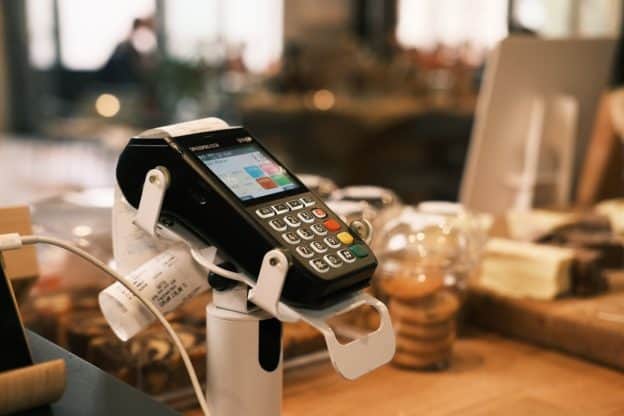
The company supplies an array of POS solutions, including countertop terminals, smart terminals, and full-featured POS systems. Brands like Verifone, Ingenico, and SwipeSimple ensure reliable hardware with advanced features such as EMV chip acceptance, contactless payment capabilities, and robust data security. Countertop terminals are particularly well-suited for traditional retail environments, providing seamless integration with inventory management systems.

Smart terminals, like the Poynt device, feature dual screens that enable merchants and customers to engage with the system at the same time. This improves the checkout process and guarantees clarity throughout transactions. Comprehensive POS systems extend beyond simple payment handling by providing inventory management, staff oversight, and sales analysis, making them perfect for restaurants and larger retail businesses. 

Ironwood Payments Review

E-Commerce and Virtual Terminals

For online businesses, Ironwood offers e-commerce gateways powered by Authorize.Net. These gateways support recurring payments, QuickBooks integration, and robust anti-fraud tools. As e-commerce continues to grow, these solutions enable businesses to provide a secure and seamless online shopping experience.

Virtual terminals enable businesses to process payments securely over the phone, eliminating the need for additional hardware. This is particularly beneficial for service-based industries such as consulting and healthcare, where in-person payments may not always be feasible. By combining flexibility with security, Ironwood’s virtual terminals address the needs of a wide range of business models.

Security and Compliance

Ironwood stresses safe payment handling via encryption and tokenization, guaranteeing adherence to PCI DSS regulations. These security protocols safeguard confidential customer information, reducing the likelihood of fraud and breaches. By keeping up with regulatory standards, it assists companies in steering clear of expensive fines and preserving customer confidence. 

The company also offers tools to help businesses monitor their transactions for suspicious activity. Real-time alerts and detailed reporting empower merchants to identify and address potential security issues promptly. This proactive approach demonstrates Ironwood’s commitment to safeguarding both merchants and their customers.

Business Funding Solutions

To support cash flow requirements, it provides merchant cash advances. This service allows businesses to access upfront funding in exchange for a percentage of future card sales, making it a viable option for those seeking flexible financing. Unlike traditional loans, merchant cash advances do not require collateral or extensive credit checks, making them accessible to a broader range of businesses.

Through customized repayment plans, Ironwood guarantees that companies can efficiently handle their cash flow. This service is especially advantageous for seasonal enterprises that face variable income during the year. 

Pricing and Contract Terms

Ironwood Payments employs an interchange-plus pricing model, which is widely regarded as a transparent and fair pricing structure in the payment processing industry. With this model, merchants are charged the actual interchange rate set by card networks plus a fixed markup. This approach eliminates ambiguity and allows businesses to understand their cost structure clearly.

Flexible Hardware Options

For hardware, Ironwood offers both purchase and rental options. This flexibility ensures that businesses can choose the solution that best fits their financial and operational needs. Unlike some competitors, it has discontinued long-term equipment leasing, a practice often criticized for locking merchants into expensive and inflexible agreements.

Transparent Contract Policies

Contract terms generally involve multi-year agreements, yet Ironwood sets itself apart by avoiding early termination fees. This policy grants merchants the ability to change providers without incurring financial penalties, emphasizing the company’s dedication to transparency. Moreover, a monthly fee of $10 for PCI compliance is applicable to assist businesses in fulfilling crucial security standards. 

Ironwood’s straightforward approach to contracts and pricing sets it apart from competitors that often rely on hidden fees and complex agreements. By prioritizing transparency, the company has earned the trust of many merchants.
Ironwood Payments Review

Technology and Innovation

Ironwood Payments has invested significantly in technology to deliver cutting-edge payment solutions. Their POS systems are equipped with advanced features like inventory management, real-time reporting, and integration with third-party platforms. These capabilities enable businesses to enhance operational efficiency and gain valuable insights into their performance.

Support for Emerging Payment Methods

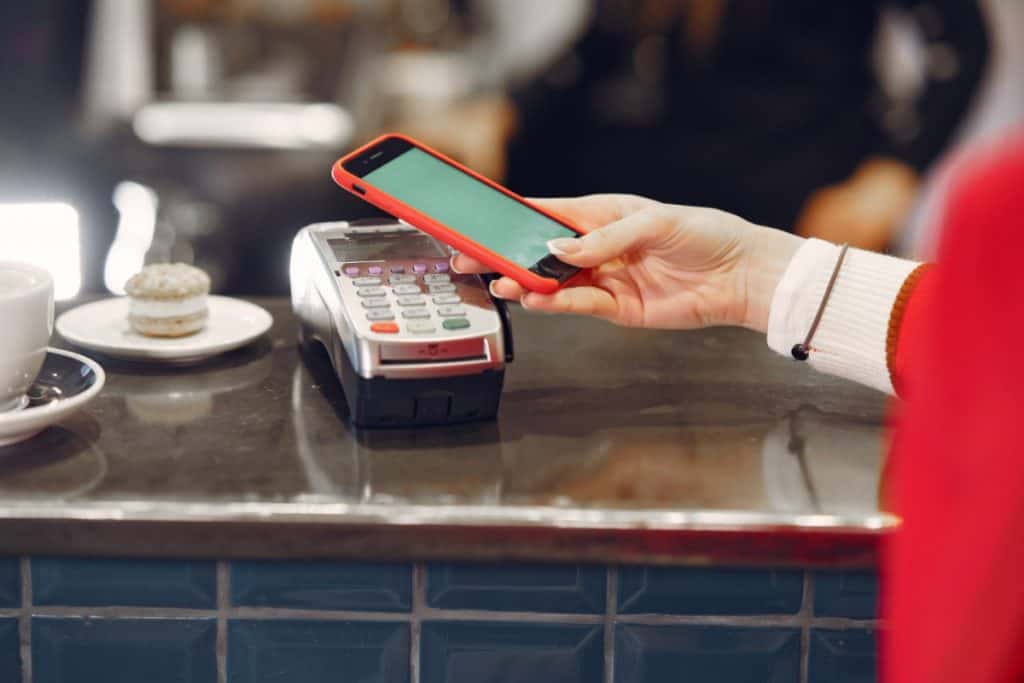
The company’s support for emerging payment methods, including contactless payments like Apple Pay and Google Pay, demonstrates its forward-thinking approach. By staying ahead of industry trends, Ironwood ensures that merchants can meet the evolving expectations of their customers.

E-Commerce Innovations

Moreover, the company’s e-commerce platform and virtual terminal services emphasize its dedication to supporting businesses in the digital space. These solutions aim to offer smooth and secure online transactions, addressing the increasing need for digital payment processing. Attributes such as automated billing and fraud prevention features make these services especially attractive to subscription-driven companies and e-commerce vendors. 

Customer Support and Satisfaction

Ironwood Payments prioritizes customer service as a core aspect of its operations. The company provides U.S.-based customer support, ensuring that clients can access assistance promptly and efficiently. Their support team is available via phone, email, and live chat, addressing technical issues, billing inquiries, and account management needs.

Client Testimonials

Feedback from clients highlights the company’s efforts to resolve problems swiftly and professionally. Ironwood’s proactive approach to customer service has contributed to a reduction in complaints and an overall improvement in client satisfaction.

BBB Accreditation

The company’s BBB rating of “A+” reflects its commitment to ethical business practices and customer care. While no company is entirely free of criticism, Ironwood’s ability to address concerns transparently and effectively has garnered positive reviews from many merchants.

Reputation and Transparency

Ironwood Payments has made notable strides in rebuilding its reputation following its acquisition of ElitePay Global’s portfolio. The company’s emphasis on transparency and ethical practices sets it apart in an industry often criticized for hidden fees and opaque contracts.

Commitment to Integrity

Through a simple pricing structure and the removal of long-term lease contracts, Ironwood has established itself as a dependable partner for companies in need of trustworthy payment processing options. Their commitment to transparent communication and client education strengthens their reputation as a customer-oriented organization. 

Employee Perspectives

Employees play a crucial role in shaping a company’s culture and reputation, and Ironwood Payments is no exception. Staff members often praise the organization for fostering a supportive and collaborative work environment. The company’s focus on integrity and teamwork has contributed to positive employee experiences.

Compensation and Growth

Compensation and benefits at Ironwood are generally regarded as competitive, with many employees expressing satisfaction with their pay and perks. Opportunities for professional growth and development are also frequently highlighted, indicating that the company invests in its workforce’s long-term success.

Competitive Analysis

In the competitive field of payment processing, Ironwood Payments sets itself apart with its clear pricing, adaptable contract terms, and dedication to customer support. Although some competitors might provide lower prices or enhanced functionalities, Ironwood’s commitment to ethical standards and customer satisfaction makes it a trustworthy option for companies. 

Industry Positioning

Compared to industry giants, Ironwood’s personalized approach and emphasis on smaller businesses make it a strong contender for merchants seeking attentive service. However, the company may face challenges in competing with providers that offer more extensive global capabilities or additional features like AI-driven analytics.

Industry-Specific Solutions

Ironwood Payments recognizes that each industry has unique requirements when it comes to payment processing. For retail businesses, the company offers POS systems with integrated inventory management to simplify stock tracking. Restaurants benefit from features like table-side payment options and tip management, enhancing customer service. Additionally, service-based businesses can take advantage of Ironwood virtual terminals for remote payment processing. By tailoring its offerings to specific industries, Ironwood ensures that its solutions meet the operational needs of diverse clients.

Training and Educational Resources

To assist companies in optimizing their payment processing systems, Ironwood offers training and educational materials. From onboarding instructions to troubleshooting guides, merchants can find a wealth of resources to improve their knowledge of the available tools. The organization additionally conducts webinars and provides individual training sessions for personalized assistance. Through prioritizing education, Ironwood enables businesses to utilize technology efficiently and enhance their operational effectiveness. 

Scalability for Growing Businesses

Ironwood Payments solutions are designed to grow with businesses. Whether a merchant starts as a small operation or expands into multiple locations, Ironwood Payments scalable systems can accommodate increased transaction volumes and additional hardware needs. Features like cloud-based reporting and multi-location management enable businesses to maintain operational consistency as they scale. This adaptability makes Ironwood an ideal partner for businesses with growth ambitions.

Customer Success Stories

While not including specific case studies, Ironwood frequently shares general examples of how its services have positively impacted merchants. By highlighting common challenges and the ways its solutions addressed these issues, the company showcases its ability to deliver measurable results. This narrative approach helps potential clients understand the real-world applications of Ironwood offerings without relying on testimonials.

Future Plans and Innovations

Ironwood Payments is dedicated to keeping up with industry trends. The company is investigating developments in artificial intelligence for fraud detection and predictive analytics to assist merchants in anticipating market changes. Moreover, Ironwood intends to enhance its international capabilities, guaranteeing that companies with global ambitions receive the same quality of service and assistance. Through investing in innovation, the firm seeks to stay competitive and offer advanced solutions to its customers. 

Pros and Cons

Pros:

Transparent pricing with interchange-plus model

Flexible hardware purchase and rental options

No early termination fees

U.S.-based customer support with positive feedback

Robust security and compliance measures

Cons:

Limited international capabilities

Monthly PCI compliance fee

Fewer advanced features compared to some larger competitors
Ironwood Payments Review

Conclusion

Ironwood Payments has accomplished great progress in positioning itself as a trustworthy and clear payment processing provider. Emphasizing ethical standards, customer happiness, and technological advancements, the company has established itself as a dependable ally for businesses in search of simple and trustworthy solutions. Though there are opportunities for enhancement, like broadening global capabilities, Ironwood’s comprehensive offerings position it as a solid option for small to medium-sized enterprises. 

FAQs

What industries does Ironwood Payments primarily serve? 

Ironwood Payments serves a wide range of industries, including retail, hospitality, e-commerce, and professional services. Their flexible solutions cater to businesses of all sizes.

Are there any hidden fees or long-term contracts? 

No, Ironwood Payments is committed to transparency. They use an interchange-plus pricing model and do not impose early termination fees, ensuring no hidden costs for merchants.

How secure are Ironwood’s payment processing systems? 

Ironwood prioritizes security with encryption, tokenization, and PCI DSS compliance, ensuring that customer data is protected against fraud and breaches

Shift Credit Card Processing Review

Shift Credit Card Processing Review

In the current business generation, choosing the appropriate payment processor can determine a company’s success or failure. Shift Credit Card Processing is among the numerous providers competing for a spot in the competitive payment processing sector. Providing a wide array of solutions designed to assist businesses in optimizing transactions, Shift has garnered interest for its creative take on merchant services. However, is it the correct decision for your business?, Lets read more about Shift Credit Card Processing Review.

A reliable payment processor ensures that customers can complete transactions quickly and securely, which is vital for maintaining customer trust and satisfaction. Furthermore, the costs associated with processing payments directly affect a business’s bottom line, making it essential to choose a provider that balances service quality with affordability. This review takes a detailed look at Shift Credit Card Processing, covering everything from the company’s background to its pricing, customer support, and overall reputation. By the end of this review, you will have a clear understanding of whether Shift is the right fit for your business needs.

Company Background | Shift Credit Card Processing Review

Shift Credit Card Processing was established with a mission to simplify and enhance payment processing for businesses of all sizes. Since its inception, the company has aimed to differentiate itself through innovative solutions and a commitment to customer-centric service. Headquartered in a major business hub, Shift has expanded its operations across multiple regions, serving a diverse clientele ranging from small businesses to larger enterprises.

The core principles of the company focus on transparency, adaptability, and technological progress. Shift aims to empower merchants by providing clear pricing models, easy-to-use solutions, and committed customer support. Its operational scope goes beyond local markets, serving businesses in diverse sectors such as retail, hospitality, healthcare, and e-commerce. The capacity to assist high-risk merchants distinguishes Shift from numerous competitors, positioning it as a favorable choice for businesses that frequently encounter challenges in obtaining payment processing services. 

With a growing presence in the payment industry, Shift continues to evolve its service offerings to meet the changing needs of merchants. Its focus on innovation and customer satisfaction positions the company as a promising contender in the payment processing landscape.

Shift Credit Card Processing Review

Services Offered

Shift Credit Card Processing offers a comprehensive range of services designed to cater to the diverse needs of modern businesses. These services include traditional payment processing, specialized solutions for high-risk merchants, and advanced POS systems.

Payment Processing Solutions: Shift supports credit and debit card transactions, enabling businesses to accept payments from all major card networks, including Visa, Mastercard, American Express, and Discover. In addition, merchants can process ACH payments, which provide a cost-effective alternative for handling larger transactions. Mobile wallet payments, such as Apple Pay, Samsung Pay, and Google Wallet, are also supported, allowing businesses to cater to the growing number of customers who prefer contactless payment methods.

Zero Fee Processing: A notable feature of Shift is its Zero Fee Processing program. This model enables merchants to transfer the processing fees to customers via a cash discount or surcharge, thereby removing transaction fees for the business. Although this can greatly enhance profit margins, companies should thoughtfully assess the possible effects on customer satisfaction before implementing this model. 

High-Risk Merchant Accounts: Shift specializes in serving high-risk industries, such as adult entertainment, CBD, travel, and online gaming. The company offers a streamlined approval process, aiming for a high success rate in onboarding high-risk merchants. This capability makes Shift an appealing option for businesses that may otherwise struggle to find reliable payment processing solutions.

Point of Sale Systems: Shift offers merchants complimentary POS equipment, which can deliver substantial cost-saving advantages. These systems include capabilities like inventory management, sales monitoring, and customer relationship management tools. Shift’s POS systems are created to effortlessly connect with other business applications, improving overall operational efficiency. 

E-commerce Solutions: For online businesses, Shift offers secure payment gateways that support a wide range of transactions. Additional features include online invoicing and recurring billing options, which are particularly beneficial for subscription-based businesses. The emphasis on security ensures that both merchants and customers are protected from potential fraud.

Pricing and Fees

Shift Credit Card Processing offers various pricing models, catering to businesses with different transaction volumes and needs. The most notable pricing model is the Zero Fee Processing program, which eliminates processing costs for merchants by passing them on to customers. While this approach can be advantageous for businesses with tight margins, it may deter some customers who prefer to avoid additional charges.

Regarding standard pricing, Shift’s rates are on par with industry norms. The firm provides interchange-plus pricing, often considered the most clear-cut model. Merchants incur a set markup in addition to the interchange rate, guaranteeing they know precisely how much they are paying for each transaction. Such a degree of transparency is essential for companies aiming to reduce their processing expenses. 

Shift’s fee structure includes standard charges such as monthly account fees and PCI compliance fees. However, the company distinguishes itself by not charging setup fees or monthly minimums, which can be a significant advantage for smaller businesses. When compared to industry peers, Shift’s pricing is well-positioned, offering a balance between cost and value.

Contract Terms

Shift Credit Card Processing offers flexible contract options to accommodate businesses of all sizes. Unlike some providers that lock merchants into long-term agreements, Shift provides month-to-month contracts, giving businesses the freedom to switch providers without incurring hefty penalties.

For merchants that choose extended contracts, Shift provides benefits like complimentary POS equipment and reduced rates. Nonetheless, it’s crucial for companies to carefully examine the terms prior to signing, since early termination fees could be applicable in some situations. Shift’s early termination policy is quite clear-cut, with charges determined by the remaining duration of the contract instead of a fixed fee. 

Overall, Shift’s contract terms are designed to be merchant-friendly, with an emphasis on flexibility and transparency. The availability of month-to-month agreements is particularly appealing for businesses that prefer not to commit to long-term contracts.

Customer Support and Service

Shift Credit Card Processing places a strong emphasis on customer support, offering multiple channels for assistance, including phone, email, and live chat. The company provides dedicated account representatives for its clients, ensuring that merchants receive personalized support tailored to their specific needs.

Availability is a key factor in evaluating customer support, and Shift scores well in this area. Support is available 24/7, which is critical for businesses that operate outside of standard business hours. Whether it’s a technical issue or a billing question, merchants can expect prompt and knowledgeable assistance.

Shift’s support team is recognized for its quick responses and eagerness to go above and beyond to address problems. This quality of service fosters trust and loyalty with clients, differentiating Shift from rivals that might provide less extensive assistance. Furthermore, the company offers an internet knowledge repository filled with articles and FAQs, allowing merchants to swiftly locate solutions to frequently asked questions. 

Customer Reviews and Reputation

Online reviews of Shift Credit Card Processing are generally positive, with many merchants praising the company’s transparent pricing and responsive customer support. Common praises include the ease of setup, the flexibility of contract terms, and the effectiveness of the Zero Fee Processing program.

However, no provider is without its criticisms, and Shift is no exception. Some merchants have expressed dissatisfaction with the surcharges applied to customers under the Zero Fee Processing model, citing potential customer resistance. Others have noted occasional delays in support response times during peak hours.

Despite these criticisms, Shift’s overall reputation remains strong. The company’s proactive approach to addressing negative feedback demonstrates a commitment to continuous improvement. Merchants considering Shift can take comfort in the fact that the company actively seeks to resolve issues and enhance its services.

Pros and Cons

Advantages

No processing fees for merchants: The Zero Fee Processing program can significantly reduce costs for businesses.

Free equipment: Shift offers free POS systems, which can save merchants hundreds of dollars in upfront costs.

High approval rates for high-risk merchants: Shift’s willingness to work with high-risk industries makes it a valuable option for businesses that struggle to find processing solutions.

Disadvantages

Potential customer resistance to surcharges: While Zero Fee Processing can benefit merchants, it may deter price-sensitive customers.

Limited public information on certain fees: Some merchants have noted a lack of clarity regarding ancillary fees, such as chargeback fees and PCI compliance costs.

Comparison with Competitors

Shift Credit Card Processing stands out in numerous key areas when evaluated against its competitors. The Zero Fee Processing initiative is a unique aspect that not all providers have, giving Shift a competitive edge. Additionally, its high approval rates for high-risk merchants make it a preferred choice for businesses in industries that typically face challenges with payment processing. 

In terms of pricing transparency, Shift’s interchange-plus model is on par with industry leaders. While some competitors offer lower rates, Shift’s emphasis on service quality and flexibility often justifies the slightly higher costs. The availability of free equipment and month-to-month contracts further enhances Shift’s value proposition.

Security and Compliance

In the payment processing industry, security is paramount, and Shift Credit Card Processing prioritizes this aspect by adhering to industry-standard security protocols. The company ensures PCI-DSS compliance, which is mandatory for any business handling credit card information. By maintaining this compliance, Shift helps its clients avoid potential fines and security breaches.

Shift utilizes end-to-end encryption and tokenization methods to safeguard sensitive payment information during transactions. These actions not only protect customer data but also reduce the chances of data breaches, which could significantly damage a company’s reputation. 

Additionally, Shift provides merchants with regular security updates and compliance support, ensuring that businesses stay up-to-date with the latest industry regulations. This proactive approach to security makes Shift a reliable partner for merchants concerned about data protection.

Shift Credit Card Processing Review

Scalability and Customization

Shift Credit Card Processing caters to businesses of all sizes, from small startups to large enterprises. The company’s solutions are designed to scale with a business’s growth, making it a long-term partner for merchants.

For small businesses, Shift provides easy-to-use solutions that need little setup and technical knowledge. These options are perfect for vendors looking to start quickly. Conversely, larger companies can take advantage of Shift’s customizable features, which offer personalized pricing structures, sophisticated POS integrations, and specialized account management. 

The ability to customize services based on individual business needs ensures that Shift remains relevant to a wide range of clients. Whether a business requires basic payment processing or advanced features like inventory management and customer analytics, Shift can provide a solution that fits.

Innovation and Future Outlook

Shift Credit Card Processing has shown a commitment to innovation, regularly introducing new features and services to meet evolving market demands. The company’s investment in technology, such as its support for mobile wallets and online payment gateways, positions it well for the future of commerce.

In the future, Shift aims to broaden its scope and improve its services by integrating new technologies such as AI and machine learning. These technologies can enhance fraud detection, optimize operations, and provide useful insights into customer behavior. 

By staying ahead of industry trends and continuously improving its services, Shift aims to maintain its competitive edge and attract more merchants in the coming years.

Shift Credit Card Processing Review

Conclusion

Shift Credit Card Processing provides an attractive range of services for companies looking for dependable, affordable payment options. Through its groundbreaking Zero Fee Processing initiative, elevated approval rates for high-risk businesses, and dedication to customer service, Shift has established itself as a formidable player in the payment processing industry. 

However, businesses should carefully consider the potential downsides, such as customer resistance to surcharges and limited information on certain fees. By weighing the pros and cons, merchants can make an informed decision about whether Shift is the right fit for their needs.

Frequently Asked Questions

What is Zero Fee Processing, and how does it benefit my business? 

Zero Fee Processing is a model where the processing fees are passed on to the customer, allowing merchants to save on transaction costs. This can significantly improve profit margins, especially for businesses with thin margins.

Is Shift Processing suitable for high-risk industries? 

Yes, Shift Processing specializes in providing payment processing services to high-risk industries, offering tailored solutions to meet their unique needs.

What types of payment methods can I accept with Shift Processing? 

With Shift Processing, you can accept various payment methods, including all major credit and debit cards, ACH payments, and mobile wallet payments like Apple Pay, Samsung Pay, and Google Wallet.

Square Terminal Review

Square Terminal Review

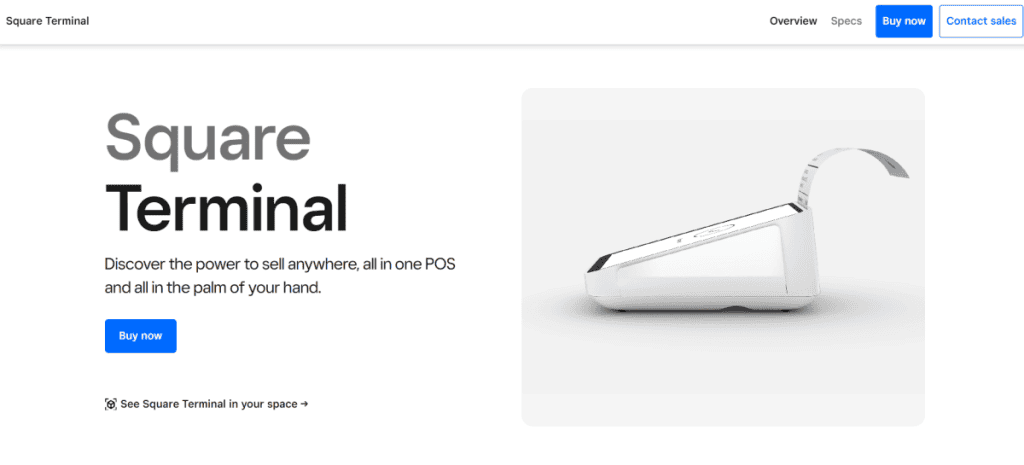
In this present generation, effective and dependable payment processing is essential for achievement. The Square Terminal is a comprehensive payment solution created to fulfill the requirements of contemporary businesses by simplifying transactions and improving customer interactions. Lets read more about Square Terminal Review.

Developed by Square, a leader in financial services and mobile payment solutions, the Square Terminal combines multiple features into a compact, effective device. It allows businesses to handle various payment methods, such as magnetic-stripe cards, EMV chip cards, and contactless solutions like Apple Pay and Google Pay. This flexibility ensures that businesses can satisfy a wide range of customer preferences. 

The device features a 5.5-inch touchscreen display that is both intuitive and user-friendly, facilitating smooth navigation through transactions. Its compact dimensions—approximately 5.6 inches in length, 3.4 inches in width, and 2.5 inches in height—and lightweight design, weighing around 417 grams, make it highly portable and suitable for various business settings, from retail stores to restaurants.

A distinctive feature of the Square Terminal is its built-in thermal printer, enabling businesses to print receipts on the spot, enhancing the efficiency of customer service. The device operates on a rechargeable battery designed to last all day, enabling payment processing either at the checkout or while on the go. Connectivity options include Wi-Fi and Ethernet (with an optional Hub), ensuring reliable access to payment processing services. 

Security is a top priority with the Square Terminal. It employs end-to-end encryption and adheres to industry standards to protect sensitive payment information, giving both businesses and customers peace of mind during transactions.

Design and Build Quality | Square Terminal Review

The Square Terminal is a compact and lightweight device designed to facilitate seamless payment processing across various business environments.

Physical Dimensions and Weight

Measuring approximately 5.6 inches in length, 3.4 inches in width, and 2.5 inches in height, and weighing around 417 grams, the Square Terminal is both portable and convenient. Its sleek design allows businesses to easily carry it around the store or use it at a fixed location, catering to diverse operational needs.

Display and Interface

Featuring a 5.5-inch touchscreen, the Square Terminal provides a user-friendly and reactive interface. The high-resolution display guarantees clear visibility, and the touch features enable effortless navigation through menus and transaction procedures. This intuitive interface reduces the learning curve for novice users and improves the overall effectiveness of payment processing. 

Durability and Aesthetics

Made with premium materials, the Square Terminal is designed to endure the challenges of everyday business activities. Its durable construction guarantees durability, and the sleek, professional look suits various business environments. The device features sleek lines and a minimalist design that not only boost its visual attractiveness but also showcase the inventive spirit of Square’s product range. 

Square Terminal Review

Payment Processing Capabilities

The Square Terminal is a versatile payment processing device designed to accommodate a wide array of payment methods, ensuring businesses can meet diverse customer preferences.

Accepted Payment Methods

Square Terminal supports multiple payment options, including:

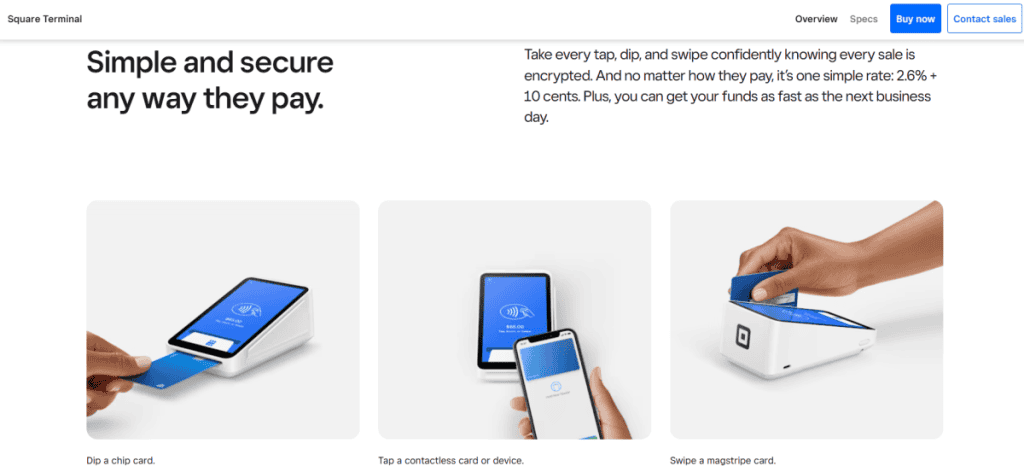
Chip Cards: Accepts EMV chip-enabled credit and debit cards, providing enhanced security during transactions.

Magnetic Stripe Cards: Processes traditional swipe cards through the magstripe reader located on the device.

Contactless Payments: Facilitates tap-and-go transactions via NFC technology, supporting mobile wallets like Apple Pay and Google Pay, as well as contactless-enabled cards.

This comprehensive acceptance range ensures that businesses can cater to various customer payment preferences seamlessly.

Transaction Speed and Reliability

Square Terminal is built for quick and dependable transaction processing. The efficient combination of its hardware and software minimizes wait times, enhancing customer satisfaction. The device connects to the internet via Wi-Fi or Ethernet (with a possible Hub), ensuring dependable performance. Additionally, it offers offline capabilities, allowing businesses to handle payments during short internet outages; these transactions are automatically finalized once the connection is restored. 

Security Features

Security is paramount in payment processing, and Square Terminal incorporates robust measures to protect sensitive information:

End-to-End Encryption: Encrypts card data from the moment of capture, ensuring information remains secure throughout the transaction process.

PCI Compliance: Adheres to Payment Card Industry Data Security Standards, maintaining a secure environment for handling cardholder data.

Fraud Prevention Tools: Includes features designed to detect and prevent fraudulent activities, safeguarding both the business and its customers.

These security protocols provide peace of mind, ensuring that transactions are conducted safely and in compliance with industry standards.

Software and Integration

The Square Terminal is a versatile device that seamlessly integrates with Square’s ecosystem, enhancing business operations through efficient software and integration capabilities.

Square POS Integration

Square Terminal comes preloaded with Square’s free POS software, providing businesses with a comprehensive suite of tools to manage sales, track customer interactions, and process payments. This integration ensures that all transactions are synchronized in real-time, allowing for accurate sales reporting and inventory management. The intuitive interface simplifies the checkout process, enabling staff to handle transactions swiftly and effectively.

Inventory and Sales Management

Square Terminal, equipped with integrated inventory management capabilities, enables businesses to track stock levels straight from the device. Users can input or modify items, establish categories, and monitor inventory levels in real-time. This feature helps avoid stock shortages and excess inventory, ensuring that ideal inventory levels are preserved. Moreover, the device delivers comprehensive sales reports, presenting information on sales trends, best-selling products, and overall business effectiveness. 

Third-Party App Compatibility

Square Terminal allows integration with multiple third-party applications, enhancing its features to address particular business requirements. Via Square’s App Marketplace, companies can link to accounting software including Xero, e-commerce services like WooCommerce, and promotional tools such as Mailchimp. These integrations enable efficient operations by automating the data exchange between systems, lowering manual input, and decreasing mistakes. For example, aligning sales information with accounting applications guarantees precise financial documentation, while connecting with e-commerce sites allows coherent inventory control between online and brick-and-mortar shops. 

Pricing and Fees

The Square Terminal is a comprehensive payment processing device designed for businesses seeking an all-in-one solution. Understanding its pricing structure and associated fees is essential for evaluating its suitability for your business operations.

Hardware Cost

Starting in January 2025, the price of the Square Terminal is set at $299, not including taxes and fees. For companies looking to distribute the cost, Square provides financing alternatives, enabling monthly payments of $27 for a year. Moreover, to improve connectivity and the integration of accessories, an optional Hub can be purchased for $39, enabling Ethernet links and the connection of peripherals such as cash drawers and barcode scanners. 

Transaction Fees

Square employs a transparent fee structure for processing payments:

In-Person Transactions: For payments processed through the Square Terminal, a fee of 2.6% plus $0.10 per transaction applies.

Manually Entered Transactions: When card details are entered manually, the fee is 3.5% plus $0.15 per transaction.

Afterpay Transactions: For businesses offering Afterpay as a payment option, a fee of 6% plus $0.30 per transaction is charged.

These rates are straightforward, with no hidden charges, enabling businesses to predict costs accurately.

Additional Costs

While the Square Terminal includes essential features without monthly fees, certain accessories and advanced functionalities may incur extra expenses:

Accessories: Beyond the optional Hub ($39), businesses might consider additional peripherals such as countertop mounts or belt clips to enhance the device’s utility. Prices for these accessories vary based on the specific requirements.

Advanced POS Features: Square offers its standard POS software at no cost; nonetheless, customized POS systems designed for retail, dining, or appointment-driven businesses could incur subscription charges. For example, Square for Retail and Square for Restaurants provide enhanced features across various pricing levels, which need to be examined to find the ideal match for your business requirements. 

To sum up, the Square Terminal offers an affordable option with transparent pricing and charges. The upfront hardware investment, together with consistent transaction fees and optional upgrades or software enhancements, enables companies to tailor the system to their operational needs and financial limitations.

Square Terminal Review

User Experience

The Square Terminal is designed to offer businesses a seamless and efficient user experience, from initial setup to daily operations, complemented by robust customer support.

Setup and Installation

Setting up the Square Terminal is straightforward, requiring minimal technical expertise. Upon unboxing, users can power on the device by holding the power button for three seconds. The device typically comes pre-charged, allowing for immediate setup. Users are guided through connecting to a Wi-Fi network or, with the optional Hub, an Ethernet connection. The intuitive on-screen prompts facilitate account sign-in or creation, enabling businesses to commence transactions promptly.

Daily Operation

In everyday use, the Square Terminal’s intuitive interface improves operational efficiency. The interactive touchscreen and user-friendly navigation simplify the checkout process, decreasing transaction durations and enhancing customer satisfaction. The device’s mobility enables staff to process payments anywhere on the business premises, enhancing operational flexibility. Moreover, the integrated receipt printer and the ability to process multiple payment options, such as contactless payments, enhance a smooth customer experience. 

Customer Support

Square offers extensive customer support for Terminal users, featuring round-the-clock help available through phone, email, and chat. This 24/7 support guarantees that any operational problems can be resolved quickly, reducing possible disruptions. Moreover, Square provides a comprehensive online Support Center that includes articles, tutorials, and FAQs to help users troubleshoot and enhance their experience with the Terminal. 

Pros and Cons

The Square Terminal is a versatile payment processing device that offers a range of benefits and some considerations for businesses.

Advantages

Portability: Weighing approximately 417 grams and featuring a compact design, the Square Terminal is easily portable, allowing businesses to accept payments anywhere within their premises or on the go.

Ease of Use: The device boasts an intuitive touchscreen interface, making it user-friendly for both staff and customers. Its straightforward setup process enables businesses to start accepting payments quickly.

Comprehensive Payment Acceptance: Square Terminal supports various payment methods, including EMV chip cards, magnetic stripe cards, and contactless payments like Apple Pay and Google Pay, meeting diverse customer preferences.  

All-in-One Functionality: Equipped with a built-in receipt printer and preloaded with Square’s POS software, the Terminal consolidates multiple functions into a single device, reducing the need for additional hardware.

Transparent Pricing: Square offers clear and predictable transaction fees, with no hidden costs or long-term contracts, allowing businesses to manage expenses effectively.

Disadvantages

Connectivity Dependence: While the Terminal operates over Wi-Fi and offers an offline mode, consistent internet connectivity is essential for real-time transaction processing and accessing certain features. Businesses in areas with unreliable internet may experience challenges.

Transaction Fees for High-Volume Sales: Although Square’s transaction fees are straightforward, businesses with high sales volumes may find that these costs accumulate considerably over time, potentially impacting their profit margins.  

Limited Customization: The device is designed to work seamlessly within Square’s ecosystem, which may limit integration with certain third-party applications or existing systems that some businesses use.

Hardware Investment: The initial cost of the device, priced at $299, may be a consideration for small businesses or startups with limited budgets, despite available financing options.

Comparison with Competitors

The Square Terminal is a versatile payment processing device that stands out in the market. To understand its position, it’s helpful to compare it with similar products like the Square Reader and the Clover Flex.

Square Terminal vs. Square Reader

Features: The Square Terminal is an all-in-one device with a built-in receipt printer and touchscreen interface, capable of processing payments independently. In contrast, the Square Reader is a compact card reader that connects to a smartphone or tablet to process payments, lacking its own display or printer.

Use Cases: The Terminal is ideal for businesses requiring an independent solution that relies on no additional hardware, suitable for both countertop and mobile uses. The Reader is more appropriate for mobile businesses or those that already possess devices to link it to, offering enhanced mobility at a lower cost. 

Pricing: The Square Terminal is priced at $299, reflecting its comprehensive features. The Square Reader is more budget-friendly, with prices starting at $49, making it accessible for small businesses or those just starting out.

Square Terminal vs. Clover Flex

Features: Both devices are portable and support various payment methods, including chip, swipe, and contactless payments. The Square Terminal includes a built-in receipt printer and operates with Square’s POS software. The Clover Flex also offers a receipt printer and runs on Clover’s POS system, which provides access to a wide range of apps for additional functionalities.

Pricing: The Square Terminal is available for $299, while the Clover Flex usually has a higher price, generally about $499 or more, depending on the provider and any additional features or services included. 

Usability: Both devices are designed for ease of use with intuitive touchscreens. The Square Terminal’s integration with Square’s ecosystem offers seamless access to various business tools. The Clover Flex provides flexibility through its app market, allowing businesses to customize the device with features tailored to their specific needs.

Ideal Business Types

The Square Terminal is a versatile payment processing device that caters to various business types, offering tailored features to enhance operational efficiency and customer service.

Small to Medium-Sized Retailers

For small to medium-sized retail businesses, the Square Terminal provides a compact and user-friendly solution for managing sales transactions. Its all-in-one design integrates payment processing and receipt printing, streamlining the checkout process and reducing the need for multiple devices. The device’s portability allows retailers to assist customers anywhere in the store, enhancing the shopping experience. Additionally, the integrated POS software offers inventory management and sales tracking features, enabling retailers to monitor stock levels and analyze sales data effectively.

Restaurants and Cafes

In the food service sector, the Square Terminal provides considerable benefits by enabling ordering and payment transactions at the table. Employees can take orders straight at the table, minimizing mistakes and enhancing service efficiency. The device’s capacity to accommodate different payment methods, such as contactless options, meets a variety of customer preferences. Its portability guarantees that payments are handled quickly at the customer’s site, improving convenience and satisfaction. Additionally, the Terminal’s connection with Square for Restaurants offers tailored functionalities like menu handling and table arrangement, enhancing restaurant efficiency. 

Service-Based Businesses

Service-oriented companies, including salons, repair shops, or consulting agencies, can take advantage of the Square Terminal’s effective payment processing features. The device enables professionals to process payments on-site, whether at a client’s location or in their own facilities. Its polished and professional appearance boosts the business’s reputation, while its user-friendly nature facilitates swift transaction handling, enabling service providers to concentrate on providing top-notch services. Moreover, the Terminal’s combination with scheduling appointments and invoicing functionalities simplifies administrative work, enhancing overall business effectiveness. 

Conclusion

The Square Terminal provides a mobile, easy-to-use, and all-inclusive payment solution perfect for different types of businesses. Boasting seamless POS integration, strong security features, and compatibility with various payment options, it is a notable asset. In general, it’s a valuable investment for companies looking for effective, contemporary payment processing solutions.

Square Terminal Review

Frequently Asked Questions 

Can Square Terminal operate without an internet connection?

Yes, Square Terminal can process offline transactions, which are queued and processed once the device reconnects to the internet. However, it’s important to note that offline payments are not immediately authorized, and there is a risk they may fail if the payment method is declined when the device goes back online.

Is the Square Terminal compatible with other POS systems?

Square Terminal is primarily designed to work seamlessly with Square’s ecosystem. While it may not directly integrate with other POS systems, it offers robust features that can serve as a standalone solution for many businesses.

What accessories are available for Square Terminal?

Accessories include the Square Terminal Hub for connecting additional hardware like cash drawers or barcode scanners, receipt paper rolls, and countertop mounts to enhance functionality and convenience.

Payments by Wave Review

Payments by Wave Review

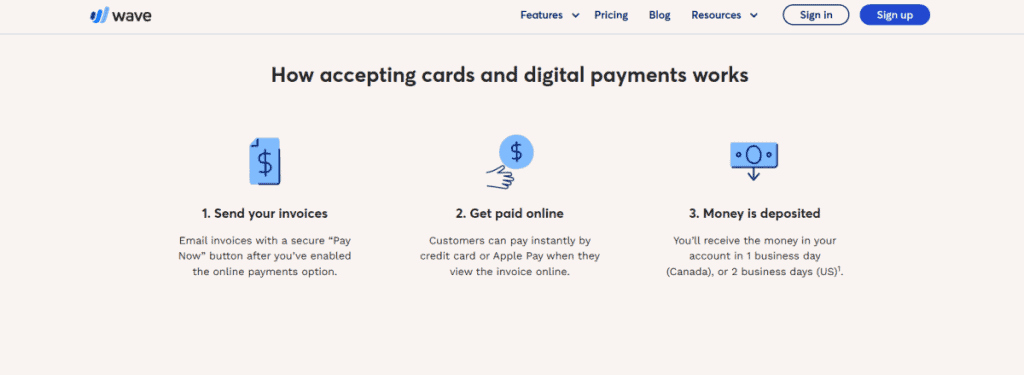
Payments by Wave is an essential feature of Wave, a financial software platform aimed at supporting small businesses, freelancers, and entrepreneurs. Introduced to streamline payment handling, it provides a cohesive solution for overseeing invoices and collecting payments. The service is especially attractive to small businesses because of its user-friendly interface and affordable pricing. Lets read more about Payments by Wave Review.

At its core, Payments by Wave enables users to accept credit card payments, ACH transfers, and digital wallet transactions. With a built-in invoicing system, businesses can generate professional invoices and track payments seamlessly. Wave’s focus on small businesses means it caters to those with limited budgets who require reliable and efficient payment solutions.

The platform’s cost-effectiveness and user-friendliness have contributed to its popularity among business owners. Nonetheless, its straightforwardness might not be ideal for every business, particularly for those with intricate payment processing requirements. This review seeks to deliver an impartial evaluation of Payments by Wave, examining its characteristics, advantages, and possible disadvantages. Whether you’re a freelancer or a small business owner, knowing how this platform operates can assist you in determining if it suits your requirements. 

Ease of Use and Interface | Payments by Wave Review

One of the standout features of Payments by Wave is its user-friendly interface. Designed with simplicity in mind, it ensures even non-technical users can navigate the platform with ease. Setting up payments involves a straightforward process: users link their bank accounts or payment methods, configure their invoicing preferences, and start accepting payments almost immediately.

The dashboard is user-friendly, showing all essential information at a quick glance. Users can access pending invoices, track payments, and oversee their cash flow without having to toggle between various tools. The platform’s simple design and straightforward guidance make it a great option for small business owners who might not have technical skills. 

Both desktop and mobile versions of the software are optimized for smooth performance. This flexibility allows business owners to manage their accounts on the go, ensuring they never miss an important transaction. However, while the interface excels in simplicity, it may lack advanced customization options sought by larger enterprises.

In addition, Payments by Wave’s onboarding process is straightforward. New users are guided through each step, from linking bank accounts to customizing invoices. Tutorials and tooltips are available to help users make the most of the platform. Despite these strengths, users with specific workflow requirements might find the lack of advanced features limiting.

Payments by Wave Review

Payment Features and Functionality

Payments by Wave offers robust functionality tailored to the needs of small businesses. Users can accept a variety of payment methods, including credit cards and bank transfers. The platform supports Visa, Mastercard, American Express, and ACH payments, ensuring versatility for diverse customer preferences.

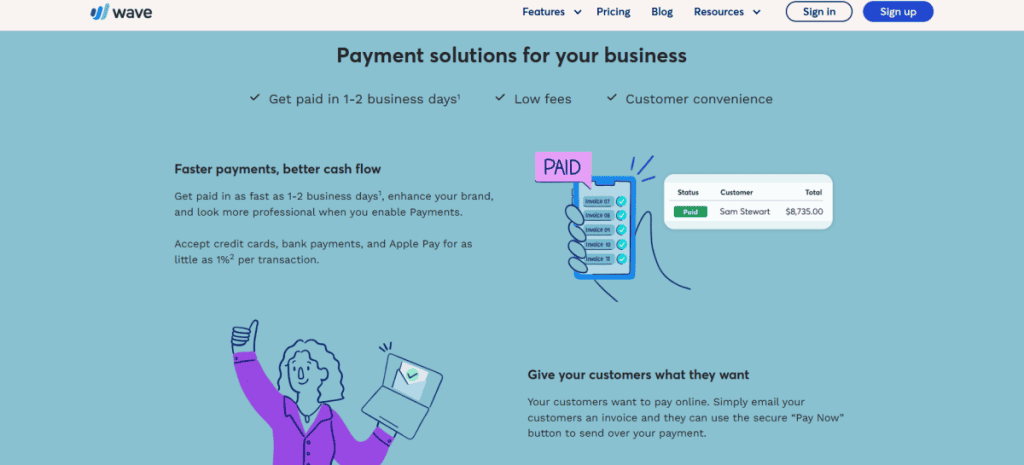
A highly appealing aspect is its smooth integration with Wave’s invoicing features. Users can generate professional invoices right on the platform, dispatch them to clients, and collect payments all in one location. Automated reminders for payments and real-time tracking of payments make the process even easier. 

The invoicing system also supports partial payments and tips, adding flexibility for businesses in the service industry. For instance, a restaurant using Payments by Wave can accept gratuities directly through the platform, streamlining operations.

Mobile compatibility ensures that users can send invoices and accept payments on the go. This is particularly useful for freelancers and entrepreneurs who operate outside traditional office settings. However, while Payments by Wave covers most basic payment needs, it may not support international transactions or multi-currency options, which could limit its appeal for global businesses.

Transaction Fees and Pricing

Transaction fees are a crucial consideration when choosing a payment processor. Payments by Wave follows a transparent pricing model: 2.9% + $0.30 per transaction for credit cards and 1% for ACH bank transfers. While these rates are competitive compared to some industry standards, they may not be the lowest available.

Unlike many competitors, Wave does not charge setup fees, monthly fees, or hidden costs. This makes it a viable option for small businesses with tight budgets. However, larger businesses processing high volumes might find the per-transaction fees add up over time, making it less cost-effective.

When compared to platforms like PayPal or Stripe, Wave’s pricing structure holds its own. The lack of monthly fees is a significant advantage, though businesses with specific needs (such as recurring billing or advanced analytics) might find Wave less comprehensive than alternatives.

It’s important to mention that payment processing can take between 2 to 7 business days, depending on the method used. For companies requiring quick payouts, this schedule could be a disadvantage. Moreover, Wave’s restricted support for international transactions indicates that companies with worldwide customers might face extra expenses when utilizing third-party payment processors. 

Security and Compliance

Security is a top priority for any payment processor, and Payments by Wave does not disappoint. The platform employs advanced encryption technologies to protect sensitive data, ensuring transactions are secure and customer information remains private.

Wave complies with PCI DSS requirements, a critical factor in safeguarding payment data. This compliance assures users that their transactions are processed following industry best practices.

Moreover, Wave’s strong fraud detection systems assist in recognizing and reducing possible risks. Although the platform’s security features are dependable, companies dealing with high-value transactions or working in high-risk sectors might require extra security measures alongside Wave. 

Wave also provides transparency around its security policies, offering detailed documentation for users concerned about data protection. This commitment to transparency fosters trust among its users, particularly small business owners who may be wary of digital payment platforms.

Customer Support and Service

Customer support is an area where Payments by Wave receives mixed reviews. The platform offers several support channels, including email support, a comprehensive help center, and community forums. However, live chat and phone support are not readily available, which could be a drawback for users requiring immediate assistance.

Response times for email queries are typically quick, but complicated matters might require more time to address. The help center is neatly arranged, offering comprehensive guides and frequently asked questions to tackle common inquiries. For numerous users, these tools are adequate to maneuver through the platform efficiently. 

While the customer support experience is adequate for basic troubleshooting, businesses that prioritize real-time support might find Wave’s offerings limited compared to competitors with 24/7 live support options. Users with unique needs or those encountering rare technical issues may feel underserved.

Integration with Accounting Tools

One of Wave’s biggest strengths is its seamless integration with its accounting tools. Payments by Wave synchronizes automatically with Wave’s accounting software, allowing users to manage payments, invoices, and bookkeeping in one place. This integration reduces the need for manual data entry, saving time and minimizing errors.

For small enterprises with restricted resources, this feature is essential. The automatic sorting of transactions simplifies financial reporting and tax filing. Nonetheless, although the integration with Wave’s ecosystem is outstanding, the platform’s compatibility with external tools is constrained. Individuals depending on third-party accounting applications may encounter difficulties. 

Customization and Scalability

Customization options in Payments by Wave are relatively basic, reflecting its focus on simplicity. Users can personalize invoice templates, add logos, and configure payment reminders, but deeper customization features—such as custom workflows—are absent.

Scalability represents yet another limitation. Although the platform works effectively for small businesses, it might find it challenging to cater to the demands of expanding companies. Bigger companies with intricate payment needs or elevated transaction levels may notice the platform’s restrictions more clearly. Competitors providing scalable solutions could be more suitable for these users. 

Pros and Cons of Payments by Wave

Pros:

User-friendly interface and straightforward setup

Competitive transaction fees with no monthly costs

Seamless integration with Wave’s accounting and invoicing tools

Mobile-friendly for on-the-go payment management

Robust security measures and PCI DSS compliance

Cons:

Limited international payment options

No live chat or phone support

May lack advanced features needed by larger businesses

Per-transaction fees can add up for high-volume users

Relatively basic analytics and reporting tools

Payments by Wave Review

Ideal Use Cases and Target Users

Payments by Wave is best suited for small businesses, freelancers, and entrepreneurs who need a simple, low-cost payment processing solution. It’s particularly advantageous for those already using Wave’s accounting and invoicing tools, as the integration creates a seamless financial management experience.

Nonetheless, companies needing sophisticated functionalities such as multi-currency capabilities, recurring billing, or comprehensive analytics may consider Wave’s services insufficient. Likewise, businesses with a worldwide clientele might require a system that facilitates global transactions and currencies. 

To maximize its potential, users should leverage Wave’s invoicing features and maintain a clear understanding of its fee structure. Regularly monitoring transaction volumes can also help determine if Wave remains a cost-effective solution as the business grows.

Competitor Comparison

Wave competes with platforms like PayPal, Stripe, and Square, each offering unique strengths. PayPal is known for its global reach, supporting international transactions, while Stripe excels in developer-friendly APIs for custom integrations. Square stands out for its hardware solutions and in-person payment capabilities.

Wave’s advantage lies in its free accounting tools and competitive pricing. However, it lacks some of the advanced features its competitors provide, making it less suitable for larger businesses. When choosing between these platforms, consider your specific needs, such as support for global transactions or in-person payments.

Future Updates and Development

Wave regularly updates its platform based on user feedback. Recent enhancements include improved mobile functionality and streamlined invoicing features. Users have expressed interest in additional capabilities, such as recurring billing and multi-currency support, which may be included in future updates.

Keeping updated on these changes allows users to maximize their experience on the platform. Wave’s dedication to enhancing its services demonstrates its focus on addressing the requirements of small businesses. 

Payment Speed and Processing Times

The speed at which payments are processed can significantly impact cash flow for small businesses. Payments by Wave generally takes 2-7 business days to process transactions, depending on the payment method used. Credit card payments tend to be faster, typically clearing within two business days, whereas ACH bank transfers can take up to seven business days.

This processing time is comparable to other small business payment processors but may be slower than some of the larger platforms, such as Square or Stripe, which offer expedited payouts for an additional fee. Wave does not currently offer instant payment options, which might be a limitation for businesses requiring immediate access to funds.

The platform compensates for this delay through its clear reporting system, which updates users on the payment status. Alerts and information guarantee that companies are aware of incoming funds, reducing ambiguity. Nonetheless, the lag in payment receipt may create difficulties for companies functioning with limited cash flow. 

To mitigate this, businesses can plan their invoicing and payment schedules around Wave’s processing times. Encouraging customers to pay invoices promptly and utilizing the platform’s automated reminders can help reduce delays. While the processing speed may not be ideal for all users, it aligns with industry standards for low-cost payment processors.

Mobile App Features

Payments by Wave offers a mobile app that complements its desktop platform, providing on-the-go access to key features. Available for both iOS and Android, the app enables users to manage invoices, track payments, and access reports from their mobile devices.

The mobile app is particularly beneficial for freelancers and small business owners who work remotely or need to handle transactions during client meetings. It allows users to send invoices directly from their smartphones, ensuring that billing is never delayed. Additionally, the app’s payment tracking feature provides real-time updates on the status of transactions, which is invaluable for maintaining cash flow visibility.

Although it offers convenience, the app has certain drawbacks. For instance, specific features present in the desktop version, like detailed reporting and sophisticated customization options, might not be entirely accessible on mobile. This might be a disadvantage for users who depend significantly on the app for complete financial management. 

Overall, the mobile app enhances the usability of Payments by Wave, making it a versatile tool for business owners who need flexibility. Regular updates and user feedback have improved the app over time, though further enhancements could make it even more robust.

User Reviews and Community Feedback

User reviews provide valuable insights into the practical strengths and weaknesses of Payments by Wave. Many small business owners praise the platform for its simplicity and integration with Wave’s accounting tools. The lack of monthly fees and hidden costs is frequently highlighted as a major advantage, particularly for startups and solo entrepreneurs.

However, some users have expressed concerns about the platform’s limited customer support options and occasional delays in payment processing. The absence of phone support or live chat can be frustrating for users who encounter time-sensitive issues. Additionally, businesses with international clients often note the lack of multi-currency support as a significant limitation.

Community forums and online reviews likewise indicate areas for enhancement, including the addition of more advanced reporting features and broadening integration options. Wave has shown it is responsiveness to user feedback, implementing multiple updates to tackle frequent issues. This dedication to enhancement builds trust and loyalty within its user community, even with the platform’s constraints. 

By considering user reviews and feedback, potential users can gain a balanced understanding of what to expect from Payments by Wave. While it excels in affordability and ease of use, businesses with specialized needs should evaluate whether its features align with their requirements.

Impact on Business Operations

Integrating Payments by Wave into daily operations can streamline workflows and improve financial management. The platform’s automated invoicing and payment tracking reduce the need for manual follow-ups, allowing business owners to focus on core activities. By synchronizing with Wave’s accounting tools, it minimizes errors and ensures accurate record-keeping.

For businesses that provide services, the option to receive partial payments or gratuities offers added flexibility. Retail companies, on the other hand, may view the absence of point-of-sale features as restrictive, particularly if they need hardware solutions for face-to-face transactions. Wave’s emphasis on digital payments makes it perfect for online or remote enterprises, yet less appropriate for physical storefronts. 

Ultimately, Payments by Wave can significantly enhance efficiency for small businesses, provided it aligns with their operational needs. Regularly reviewing its impact on workflow can help businesses adapt and maximize its benefits.

Payments by Wave Review

FAQs About Payments by Wave

Q1: Are there any hidden fees with Payments by Wave?

A1: No, Wave’s pricing model is transparent, with no hidden fees. Users only pay transaction fees for credit card and ACH payments.

Q2: Does Payments by Wave support international payments?

A2: Payments by Wave primarily supports transactions in the United States and Canada. International payments are not widely supported, which may limit its use for global businesses.

Q3: Can Payments by Wave handle recurring billing?

A3: Currently, Payments by Wave does not offer recurring billing features. Users may need to explore third-party integrations for this functionality.

Q4: How long does it take to receive payments?

A4: Payments typically take 2-7 business days to process, depending on the payment method. Credit card payments are faster than ACH transfers.

Q5: Is Payments by Wave compatible with mobile devices?

A5: Yes, Wave offers mobile-friendly tools, allowing users to manage payments and invoices on the go.

SpotOn Review

SpotOn Review

SpotOn is a technology and payments company that provides a wide range of business management solutions for small and medium-sized businesses. Founded in 2017 and headquartered in San Francisco, California, SpotOn integrates payment processing with customer engagement tools, offering services such as marketing, website development, reservations, online ordering, appointments, eCommerce, digital loyalty, review management, and restaurant point-of-sale (POS) solutions. Lets read more about SpotOn Review.

SpotOn serves a diverse array of industries, including restaurants, hospitality, retail, automotive, professional services, health, beauty, and more. Their solutions are designed to help businesses boost revenue, streamline operations, and create exceptional customer experiences.

In the competitive market of POS and payment processing solutions, SpotOn has distinguished itself by offering comprehensive, cloud-based technology tailored to the specific needs of various industries. Their emphasis on combining payment processing with customer engagement tools provides businesses with richer data and tools that empower them to market more effectively to their customers.

SpotOn’s commitment to innovation and customer-centric solutions has positioned it as a significant player in the market, catering to the evolving needs of small and medium-sized businesses across multiple sectors.

Company Overview | SpotOn Review

SpotOn is a prominent technology and payment processing company that offers comprehensive business solutions tailored for small and medium-sized enterprises. Established in 2017 by co-founders Matthew Hyman, Zachary Hyman, and Doron Friedman, the company is headquartered in San Francisco, California. Since its inception, SpotOn has experienced significant growth, becoming a key player in the fintech industry.

The company’s mission is to empower merchants with cost-effective payment processing and customer engagement tools, complemented by concierge-style customer support. This mission underscores SpotOn’s commitment to providing businesses with the necessary tools to enhance their operations and foster meaningful connections with their customers.

While a formal vision statement is not explicitly documented, SpotOn’s operational ethos reflects a dedication to innovation, collaboration, and exceeding client expectations. The company’s core values include:

Exceed Expectations: Striving to deliver more than what is anticipated.

Be More: Encouraging continuous personal and professional growth.

Stay Simple & Straightforward: Maintaining clarity and simplicity in operations.

Remain Flexible: Adapting to the evolving needs of clients and the market.

Celebrate Innovation & Collaboration: Valuing creative solutions and teamwork.

Make a Difference: Committing to positive impacts within the community and industry.

Do Business the Right Way: Upholding integrity and ethical standards in all dealings.

These guiding principles are integral to SpotOn’s approach, influencing their product development, customer interactions, and overall business strategy. By adhering to these values, SpotOn aims to support businesses in achieving success through innovative technology solutions and exceptional service.

SpotOn Review

Product Offerings

SpotOn provides a comprehensive suite of products designed to streamline business operations and enhance customer engagement.

Point-of-Sale (POS) Systems

SpotOn’s POS systems are customizable and cater to various business types, including restaurants and retail establishments. The systems feature user-friendly interfaces, efficient order processing, and robust inventory management tools, facilitating seamless transactions and operational efficiency.

Payment Processing Solutions

SpotOn offers integrated payment processing solutions that support multiple payment methods, including credit/debit cards and mobile payments. With transparent pricing and secure transactions, businesses can manage payments effectively while minimizing processing costs.

Additional Tools and Features

Online Ordering and Delivery: SpotOn’s platform includes online ordering capabilities, enabling businesses to accept orders directly through their websites. This feature integrates with delivery services, allowing for efficient order management and fulfillment.

Marketing and Loyalty Programs: The system offers marketing tools that help businesses create targeted campaigns, manage customer reviews, and implement loyalty programs to encourage repeat patronage. These features assist in building strong customer relationships and driving sales growth.

Employee Management: SpotOn provides employee management functionalities, including scheduling, payroll processing, and performance tracking. These tools enable businesses to manage their workforce efficiently, ensuring optimal staffing and operational productivity.

By offering a diverse range of products and features, SpotOn equips businesses with the necessary tools to operate efficiently, engage customers effectively, and drive growth in a competitive market.

Features and Functionality

SpotOn’s platform is designed to enhance business operations through its intuitive user interface, seamless integration capabilities, and extensive customization options.

User Interface and User Experience

SpotOn’s user interface is crafted for simplicity and efficiency, enabling users to navigate the system with ease. The touch-screen technology facilitates quick selections and modifications, allowing staff to manage tasks such as order processing and payment transactions swiftly. This intuitive design minimizes errors and accelerates service, which is particularly beneficial in high-paced environments like restaurants and retail stores.

Integration with Third-Party Tools

Understanding the diverse needs of businesses, SpotOn offers seamless integration with a variety of third-party applications. This interoperability allows businesses to connect their POS system with existing tools for accounting, inventory management, online ordering, and more. Such integrations streamline workflows by consolidating various operational aspects into a unified system, enhancing overall efficiency.

Customization Options

SpotOn provides robust customization features, enabling businesses to tailor the system to their specific operational requirements. Users can customize menu layouts, table configurations, and employee access controls to align with their unique workflows. This flexibility ensures that the POS system adapts to the business, rather than forcing the business to conform to a rigid system structure.

By focusing on user-friendly design, integration capabilities, and customization, SpotOn delivers a versatile platform that supports businesses in optimizing their operations and enhancing customer experiences.

Pricing Structure

SpotOn offers a range of subscription plans designed to accommodate various business needs, particularly in the restaurant industry.

Subscription Plans and Associated Costs

Quick Start: Priced at $0 per month, this entry-level plan is ideal for businesses seeking essential POS functionalities without an upfront subscription fee.

Counter Service: At $99 per month, this plan caters to quick-service restaurants, providing features tailored to counter-service operations.

Full Service: For $135 per month, this comprehensive plan is designed for full-service restaurants, offering advanced features to manage complex dining environments.

Customize Your Own: SpotOn also provides custom pricing options for businesses with unique requirements, allowing for a tailored solution that aligns with specific operational needs.

Additional Fees for Advanced Features

While the subscription plans cover a broad spectrum of functionalities, certain advanced features may incur additional costs.

For instance, integrating online ordering capabilities or implementing a loyalty program might require supplementary fees.

These add-ons enable businesses to enhance their service offerings but should be factored into the overall budgeting process.

Contract Terms and Flexibility

SpotOn operates on a month-to-month contract basis, providing businesses with the flexibility to adjust or cancel services without long-term commitments.

This approach allows businesses to scale services up or down in response to changing operational demands.

However, it’s important to note that if a business terminates the contract within one year of installation, there may be obligations to cover the difference between the initial purchase amount and the full list price of any hardware purchased.

Additionally, should a business choose to continue using the SpotOn system but partner with a different payment processor, a conversion fee may apply, and software license costs could increase.

By offering transparent pricing structures, flexible contract terms, and a variety of plans, SpotOn enables businesses to select solutions that best fit their operational needs and financial considerations.

Hardware Options

SpotOn offers a variety of hardware solutions designed to meet the diverse needs of businesses, particularly in the restaurant and retail sectors.

Types of Hardware Available

Station POS Systems: These robust countertop terminals come with a 15-inch touchscreen display and an optional guest-facing display, facilitating efficient order processing and payment handling.

Counter POS Systems: Featuring a 10-inch touchscreen, these compact terminals are ideal for counter-service environments where space is limited.

Handheld Devices: SpotOn provides all-in-one handheld payment terminals equipped with a 5.7-inch touchscreen display, built-in receipt printers, and support for various payment methods, including tap, dip, and swipe. These devices enhance mobility and speed up the checkout process.

Kitchen Display Systems (KDS): Designed to streamline kitchen operations, the KDS includes touchscreen monitors that display orders in real-time, improving order accuracy and preparation efficiency.

Pricing and Financing Options

SpotOn’s hardware pricing is transparent, with options to suit different business models:

Station and KDS Hardware Bundle: Priced at $1,350, this bundle includes the necessary equipment for full-service restaurant operations. Financing options are available to spread the cost over time, reducing upfront expenses.

Counter Hardware Bundle: Available for counter-service establishments, this package includes essential hardware components, with financing plans to accommodate budget constraints.

SpotOn offers flexible financing solutions, allowing businesses to acquire the necessary hardware without significant upfront costs. Financing can be structured as a fixed monthly percentage of sales, aligning payments with business revenue and easing cash flow management.

By providing a range of hardware options and accommodating financing plans, SpotOn ensures that businesses can access the technology they need to operate efficiently and effectively, regardless of size or budget constraints.

SpotOn Review

Customer Support and Service

SpotOn is dedicated to providing comprehensive support and training resources to ensure businesses can effectively utilize their platform.

Support Channels

SpotOn offers multiple support channels to address client needs:

Phone Support: Clients can reach the support team 24/7 at (877) 814-4102 for immediate assistance.

Email Support: Inquiries can be directed to [email protected], with responses typically provided promptly.

Help Center: The online help center offers a comprehensive knowledge base with articles, guides, and FAQs, enabling users to find solutions independently.

These channels ensure that clients have access to timely and effective support, regardless of the issue or time of day.

Training and Onboarding Resources

SpotOn emphasizes thorough training and onboarding to facilitate a smooth transition to their platform:

SpotOn University: An online educational portal offering a range of courses and lessons tailored to different aspects of the SpotOn system. This resource allows users to learn at their own pace and revisit materials as needed.

One-on-One Training: Dedicated specialists provide personalized training sessions, often conducted via Zoom, to address specific business needs and ensure comprehensive understanding of the system’s functionalities.

Self-Guided Onboarding: Integrated within the application, this feature offers step-by-step guidance to help new users familiarize themselves with the platform’s features and capabilities.

By offering a variety of training and support resources, SpotOn ensures that businesses are well-equipped to maximize the benefits of their platform, leading to improved operational efficiency and customer engagement.

User Reviews and Feedback

SpotOn’s point-of-sale (POS) system has garnered a range of user feedback, highlighting both its strengths and areas for improvement.

Commonly Praised Aspects

Ease of Use: Many users commend SpotOn for its intuitive interface, which simplifies daily operations and reduces the learning curve for new employees. The system’s design facilitates quick navigation and efficient transaction processing, contributing to overall operational efficiency.

Customer Support: SpotOn’s customer service is frequently highlighted for its responsiveness and effectiveness. Users appreciate the 24/7 availability of support channels, including phone and email, which ensure timely assistance when issues arise.

Comprehensive Features: The platform’s extensive suite of tools, such as marketing integrations, loyalty programs, and detailed reporting capabilities, is valued by businesses seeking an all-in-one solution to manage various aspects of their operations.

Frequent Complaints or Drawbacks

Technical Issues: Some users report encountering software glitches and system errors that can disrupt daily operations. These technical challenges may require attention from support services, potentially affecting business continuity.

Integration Limitations: There are concerns regarding the system’s compatibility with certain third-party applications. Users have noted difficulties in achieving seamless integration with existing tools, which can hinder workflow efficiency.

Pricing Transparency: A number of users express dissatisfaction with the clarity of SpotOn’s pricing structure, particularly concerning additional fees for advanced features or services. This lack of transparency can lead to unexpected costs for businesses.

In summary, while SpotOn is lauded for its user-friendly interface, robust customer support, and comprehensive feature set, it faces criticism related to technical reliability, integration capabilities, and pricing clarity. Prospective users should weigh these factors in relation to their specific business needs when considering SpotOn as their POS solution.

Competitor Comparison

In the point-of-sale (POS) system market, SpotOn faces competition from several notable providers, including Square, Toast, and Lightspeed.

Pricing

SpotOn: Offers a range of subscription plans, with entry-level options starting at $0 per month, catering to various business needs.

Square: Provides a free POS system with no monthly fees; however, transaction fees apply, typically around 2.6% plus 10¢ per transaction.

Toast: Designed specifically for restaurants, Toast offers a free starter plan with pay-as-you-go hardware options, with transaction fees that may vary based on the plan selected.

Lightspeed: Pricing starts at $69 per month for restaurant plans, with additional costs for hardware and payment processing fees.

Features

SpotOn: Provides comprehensive tools, including customizable POS systems, integrated payment processing, online ordering, marketing and loyalty programs, and employee management features.

Square: Known for its user-friendly interface, Square offers features such as inventory management, digital receipts, and a free online store, making it suitable for small to medium-sized businesses.

Toast: Tailored for the restaurant industry, Toast includes features like table management, menu customization, online ordering, and delivery integration, supporting both quick-service and full-service dining establishments.

Lightspeed: Offers advanced inventory management, multi-location support, eCommerce integration, and detailed reporting, appealing to retail and hospitality businesses seeking robust operational tools.

Customer Satisfaction

SpotOn: Users appreciate its ease of use, responsive customer support, and comprehensive feature set, though some have noted occasional technical issues and integration limitations.

Square: Praised for its simplicity and affordability, Square receives positive feedback for its intuitive design; however, some users express concerns about limited customer support hours and occasional fund holds.

Toast: Highly regarded in the restaurant sector, Toast is commended for its industry-specific features and reliable hardware, with some users mentioning complexities in pricing and the necessity for add-on modules.

Lightspeed: Valued for its extensive features and customization options, Lightspeed garners positive reviews for its customer service, though some users report a learning curve and higher costs compared to other systems.

In summary, while SpotOn offers a versatile and feature-rich POS solution with competitive pricing, businesses should consider their specific operational needs, budget constraints, and desired features when selecting the most suitable POS system among these competitors.

SpotOn Review

Conclusion

SpotOn is a versatile POS solution offering user-friendly features, robust customer support, and tailored tools for various industries, particularly restaurants and retail. While praised for its comprehensive offerings, some users cite occasional technical issues and pricing transparency concerns. Its adaptability makes it suitable for small to medium-sized businesses seeking efficiency and growth.

FAQs

Can I use my existing hardware with SpotOn’s system?

SpotOn’s POS system is designed to operate on its proprietary hardware, ensuring optimal performance and seamless integration of features. While some existing hardware may be compatible, it’s advisable to consult with SpotOn’s support team to assess compatibility and determine if any additional configurations are necessary.

Is there a long-term contract required with SpotOn?

SpotOn offers services on a month-to-month basis, providing flexibility without the obligation of long-term contracts. This arrangement allows businesses to adjust or discontinue services as needed. However, if a business cancels within one year of installation, there may be financial obligations related to hardware costs.

Does SpotOn integrate with third-party applications?

Yes, SpotOn integrates with various third-party applications to enhance its functionality. These integrations include platforms for inventory management, accounting, online ordering, and more, enabling businesses to streamline operations by connecting existing tools with the SpotOn system.

iPayment Review

iPayment Review

iPayment, founded in 1999, has been a significant player in the U.S. payment processing industry, specializing in services for small and medium-sized businesses. The company offers a range of solutions, including credit and debit card processing, enabling merchants to accept various payment forms such as checks, gift cards, and loyalty programs. Lets read more about iPayment Review.

In 2018, iPayment was acquired by Paysafe Group, a global payments provider. This strategic acquisition aimed to expand Paysafe’s presence in the U.S. SMB sector, positioning the combined entity among the top five non-bank payment processors in the country. At the time of the acquisition, iPayment served over 137,000 merchant customers and processed volumes exceeding $25 billion annually.

The integration of iPayment into Paysafe allowed for a broader suite of payment solutions, including point-of-sale systems, digital wallets, and online payment products, enhancing the value proposition for SMBs. This move also enabled cross-selling opportunities, providing merchants with access to a more comprehensive range of payment processing services.

iPayment’s focus on SMBs has been evident through its tailored payment processing solutions, designed to meet the unique needs of smaller merchants. By offering services that facilitate the acceptance of various payment methods, iPayment has played a crucial role in enabling SMBs to expand their payment capabilities and improve customer satisfaction.

Overall, iPayment’s history reflects a commitment to supporting the growth and success of small and medium-sized businesses in the U.S. Its acquisition by Paysafe has further strengthened this mission, providing SMBs with enhanced payment processing solutions and a more extensive support network.

Company Overview | iPayment Review

Founded in 1999, iPayment is a U.S. company that focuses on providing payment processing solutions designed for small and medium-sized enterprises. Throughout the years, it has established a reputation for delivering extensive services that allow merchants to accept diverse payment forms, such as credit and debit cards, checks, and gift cards. 

In April 2018, Paysafe Group, a global payments provider, announced its agreement to acquire iPayment, aiming to strengthen its presence in the U.S. SMB market. The acquisition was completed in June 2018, positioning Paysafe among the top five non-bank payment processors in the United States. At the time of the acquisition, iPayment served over 137,000 merchant customers and processed more than $25 billion in annual transaction volume.

Throughout its history, iPayment has achieved several key milestones:

Expansion of Services: The company broadened its service offerings to include point-of-sale solutions, mobile payment options, and online payment gateways, catering to the evolving needs of SMBs.

Strategic Partnerships: iPayment established partnerships with various agents, sub-ISOs, and software developers, enhancing its distribution channels and market reach.

Acquisitions: Prior to its own acquisition, iPayment expanded its portfolio by acquiring companies such as Leaders Merchant Services and Flagship Merchant Services, strengthening its market position and service capabilities.

These milestones demonstrate iPayment’s dedication to innovation and expansion in the payment processing sector. Its incorporation into Paysafe has boosted its capability to provide a complete range of payment solutions to a larger clientele, reinforcing its significance and competitiveness in the marketplace.

iPayment Review

iPayment’s Service Offerings

iPayment offers a comprehensive suite of payment processing solutions designed to meet the diverse needs of small and medium-sized businesses (SMBs).

Credit and Debit Card Processing: iPayment enables merchants to accept all major credit and debit cards, providing secure and efficient transaction processing.

POS Solutions: iPayment provides POS systems that integrate hardware and software to manage sales, inventory, and customer data, streamlining in-store operations.

Mobile Payment Solutions: For businesses in transition, iPayment provides mobile payment solutions enabling merchants to receive payments through smartphones or tablets, guaranteeing convenience and flexibility. 

Online Payment Gateways: iPayment’s online payment gateways facilitate secure e-commerce transactions, enabling businesses to accept payments through their websites with ease.

Recurring Billing Solutions: iPayment’s recurring billing services automate the process of charging customers at regular intervals, ideal for subscription-based businesses.

Virtual Terminals: iPayment’s virtual terminals enable merchants to handle payments without requiring physical card readers, ideal for phone or mail transactions. 

These service offerings demonstrate iPayment’s commitment to providing versatile and reliable payment processing solutions for SMBs.

Pricing and Fees

iPayment offers various pricing structures and fees for its payment processing services.

Pricing Structure: Flat Rate vs. Interchange-Plus Pricing

iPayment mainly employs a tiered pricing structure, classifying transactions into various rate levels according to aspects such as card type and method of transaction. This method differs from the interchange-plus model, in which sellers pay the true interchange rate plus a set markup, providing enhanced clarity. Although iPayment’s tiered model makes billing easier, it could lead to increased expenses for some transactions in comparison to interchange-plus pricing. 

Standard Fees: Monthly Fees, Processing Rates, and Additional Charges

iPayment’s standard fees include:

Processing Rates: For in-person transactions, credit card rates start at 1.59% plus $0.10 per transaction, and debit card rates begin at 1.11% plus $0.10 per transaction. Online transactions are typically charged around 2% plus $0.29 per transaction.

Monthly Fees: A typical monthly minimum charge of $25 is standard, guaranteeing a fundamental fee no matter the processing volume. Moreover, a monthly fee of $9.95 for the payment gateway might be applicable for processing online transactions. 

Annual Fees: An annual PCI compliance fee of $100 is standard, covering the costs associated with maintaining payment security standards.

Hidden Fees: Setup, PCI Compliance, and Early Termination Fees

Merchants should be aware of potential hidden fees:

Setup Fees: iPayment generally does not charge setup fees, facilitating easier onboarding for new clients.

PCI Non-Compliance Fees: Failing to maintain PCI compliance can result in monthly penalties, typically around $30 per month.

Early Termination Fees (ETFs): Standard contracts often span three years, with early termination fees ranging from $200 to $350 if the contract is ended prematurely.

It is essential for companies to carefully evaluate the terms of contracts and fee arrangements to fully comprehend the expenses linked to iPayment’s services. Although the company offers various solutions for SMBs, understanding all possible fees can assist in making economical choices. 

Features and Benefits

iPayment offers a comprehensive suite of features and benefits tailored to meet the diverse needs of small and medium-sized businesses.

Customizable Payment Solutions: iPayment provides flexible payment processing options that can be tailored to fit various business models. Whether operating a retail store, e-commerce platform, or mobile service, merchants can customize solutions to accept payments seamlessly across multiple channels.

Seamless Integration with Third-Party Software: iPayment’s systems are designed to integrate smoothly with a wide range of third-party software, including popular e-commerce platforms and accounting tools. This compatibility ensures that businesses can maintain their existing workflows without disruption, enhancing operational efficiency.

Security Features: PCI Compliance, Encryption, and Fraud Prevention: iPayment places a high priority on security. The organization guarantees that every transaction adheres to Payment Card Industry Data Security Standards (PCI DSS), protecting confidential customer data. Sophisticated encryption techniques are utilized to secure data while it is being transmitted, and strong fraud detection systems are established to recognize and block unauthorized transactions, ensuring reassurance for both retailers and consumers. 

Multi-Channel Payments (In-Store, Online, Mobile): iPayment supports multi-channel payment processing, enabling businesses to accept payments in-store, online, and on mobile devices. This flexibility is essential for businesses looking to reach a broader audience and provide a seamless payment experience across all platforms.

Customer Support and Reliability: iPayment is known for its reliable customer support, offering assistance to merchants through phone and email channels. The company’s commitment to addressing customer concerns ensures minimal downtime and efficient issue resolution, contributing to a smoother payment processing experience.

These features position iPayment as a reliable and versatile solution for businesses seeking secure, customizable, and efficient payment processing.

Pros and Cons of iPayment

iPayment, a payment processing provider, offers a variety of services tailored to small and medium-sized businesses (SMBs).

Pros

Wide Range of Solutions for SMBs: iPayment provides diverse payment processing options, including credit and debit card processing, point-of-sale systems, mobile payments, and online payment gateways. This variety enables SMBs to select solutions that align with their specific operational needs.

Multi-Platform Support: The firm’s services are tailored to work smoothly across multiple platforms, enabling transactions in-store, online, and via mobile. This versatility enables companies to provide various payment choices for their clients, improving the complete customer experience. 

Established Brand with Paysafe Backing: Since its acquisition by Paysafe Group in 2018, iPayment has benefited from the stability and expanded resources of a global payments provider. This backing has strengthened its market position and service offerings.

Cons

Hidden Fees and Early Termination Fees: Some users have reported unexpected charges, such as setup fees, PCI compliance fees, and early termination fees ranging from $200 to $350. These additional costs can be burdensome for businesses, especially those with tight budgets.

Limited Transparency in Pricing: iPayment does not reveal its pricing model publicly, which complicates the ability of potential clients to evaluate the cost efficiency of its services without going through a sales process. This absence of clarity can cause confusion and make it difficult for businesses to make decisions. 

Customer Service Mixed Reviews: Feedback on iPayment’s customer support is varied. While some clients appreciate the assistance provided, others have reported difficulties in resolving issues promptly, indicating inconsistencies in service quality.

In conclusion, iPayment provides an extensive range of payment processing options ideal for SMBs, enhanced by multi-platform integration and the support of Paysafe Group. Nonetheless, prospective clients ought to recognize the possibility of concealed charges, unclear pricing structures, and varied customer service experiences when evaluating iPayment as their payment processing solution.

iPayment Review

User Experience

iPayment is a payment processing provider that offers a range of services tailored to small and medium-sized businesses (SMBs).

Ease of Setup and Onboarding: iPayment provides a straightforward setup process, allowing businesses to begin accepting payments promptly. The onboarding procedure is designed to be user-friendly, with clear instructions and support to assist merchants in configuring their accounts and integrating necessary hardware and software.

Dashboard and Reporting Tools: It offers a comprehensive analytics dashboard, enabling business owners to access critical data directly from their devices. This feature provides high-level snapshots and detailed reports on sales, product performance, labor, and more, facilitating informed decision-making and efficient business management.

POS System User Interface: The POS systems offered by iPayment focus on enhancing user experience. The interfaces are user-friendly, facilitating rapid transaction processing and requiring little training for employees. Elements like personalized menus and touch-screen functionalities improve user experience, aiding in more efficient everyday tasks. 

Overall Performance and Reliability: iPayment’s services are built to deliver consistent performance, ensuring that payment processing is reliable and efficient. The system’s stability minimizes downtime, which is crucial for maintaining business continuity and customer satisfaction.

In summary, iPayment’s user experience is characterized by an easy setup process, robust reporting tools, intuitive POS interfaces, and dependable performance, making it a suitable choice for SMBs seeking efficient payment processing solutions.

Security and Compliance

iPayment prioritizes the security of its payment processing services, implementing robust measures to protect sensitive cardholder data and ensure compliance with industry standards.

PCI-DSS Compliance: iPayment adheres to the PCI DSS, a set of security requirements established to safeguard cardholder information during processing, storage, and transmission. Compliance with PCI DSS involves maintaining a secure network, protecting cardholder data, managing vulnerabilities, implementing strong access control measures, regularly monitoring and testing networks, and maintaining an information security policy. By aligning with these standards, it helps merchants reduce the risk of data breaches and maintain the integrity of their payment systems.

Encryption Protocols: To safeguard sensitive information, It utilizes sophisticated encryption protocols that transform cardholder data into secure code while being transmitted. This procedure guarantees that information captured by unapproved individuals stays unreadable, reducing the chances of fraud and unauthorized entry. Incorporating robust encryption is essential for PCI DSS compliance, as it safeguards stored cardholder information and secures the transmission of such data over open, public networks. 

Fraud Detection and Prevention Tools: iPayment integrates sophisticated fraud detection and prevention tools into its payment processing services. These tools monitor transactions in real-time, identifying unusual patterns or behaviors that may indicate fraudulent activity. By analyzing factors such as transaction amounts, frequency, and geographic locations, the system can flag and prevent potentially fraudulent transactions before they are completed. This proactive approach helps protect merchants and their customers from financial loss and enhances the overall security of the payment process.

In conclusion, iPayment’s dedication to security and compliance is apparent through its following of PCI DSS standards, use of strong encryption methods, and application of sophisticated fraud detection and prevention technologies. These steps collaborate to create a safe payment processing setting for retailers and their clients. 

Alternatives to iPayment

When evaluating payment processing solutions, it’s essential to consider alternatives to iPayment that may better suit your business needs. Here’s a brief comparison of notable competitors:

Square

Square offers an all-in-one payment processing system ideal for small to medium-sized businesses. It provides free POS software, mobile card readers, and online payment solutions. Square’s transparent pricing includes a flat rate of 2.6% plus $0.10 per in-person transaction, with no monthly fees, making it accessible for businesses seeking straightforward pricing. Additionally, Square’s user-friendly interface and comprehensive features, such as inventory management and sales analytics, enhance its appeal.

Stripe

Stripe is famous for its strong API, enabling companies to build personalized payment solutions. It accommodates various payment methods and currencies, making it ideal for online enterprises with global reach. Stripe applies a fee of 2.9% plus $0.30 for each online transaction, and there are extra charges for international payments. Although it provides considerable customization, implementing Stripe might necessitate technical know-how, potentially posing a challenge for companies lacking internal development capabilities. 

Clover

Clover provides versatile POS systems with customizable hardware and software options. It caters to various business types, offering features like inventory management, employee tracking, and customer engagement tools. Clover’s pricing varies based on hardware choices and service plans, with transaction fees starting at 2.3% plus $0.10 per transaction. While Clover offers comprehensive solutions, the initial setup costs can be higher compared to other providers, which may impact budget-conscious businesses.

PayPal

PayPal is a widely known payment processor that facilitates both online and physical transactions. It provides functionalities such as invoicing, recurring payments, and a mobile POS solution via PayPal Here. PayPal charges 2.29% plus $0.09 for in-person transaction fees, whereas online transactions incur a fee of 2.99% plus $0.49. PayPal’s broad consumer confidence and simple integration position it as a formidable option, particularly for companies looking to tap into its vast user network.

iPayment Review

Conclusion

iPayment is a reliable payment processing option ideal for small to medium enterprises. It provides flexible payment choices, support for multiple platforms, and strong security. Although its extensive services are beneficial, companies should take into account hidden charges and varying customer service feedback prior to signing a contract. 

FAQs

What industries does iPayment serve best?

iPayment is best suited for small to medium-sized businesses across various industries, including retail, hospitality, e-commerce, and service-based businesses. Its customizable payment solutions cater to businesses with both in-person and online payment needs.

How secure are transactions processed through iPayment?

iPayment ensures transaction security by adhering to PCI-DSS compliance standards. It uses advanced encryption protocols and fraud detection tools to safeguard sensitive customer data during transmission and prevent unauthorized activities.

Does iPayment charge an early termination fee?

Yes, iPayment typically charges an early termination fee, which can range from $200 to $350, depending on the contract terms. Businesses should review agreements carefully.

GoPayment Review

GoPayment Review

Possessing an effective and dependable payment system is essential for achieving success. GoPayment, created by Intuit, is a mobile point-of-sale system aimed at streamlining payment processing for companies of any size. By smoothly integrating with QuickBooks, GoPayment aims to improve financial management and simplify operations. This review offers a detailed examination of GoPayment, including its features, pricing, usability, security, customer support, and alternatives, assisting you in deciding if it’s the suitable option for your business. Lets read more about GoPayment Review.

GoPayment’s primary focus is on delivering a user-friendly experience that aligns with the needs of modern businesses. It addresses common pain points such as manual data entry, delayed payment processing, and insufficient record-keeping by offering an integrated ecosystem for financial management. Businesses ranging from small retailers to service providers can leverage GoPayment’s tools to improve efficiency and customer satisfaction. Furthermore, its emphasis on portability makes it ideal for businesses on the move, such as food trucks, pop-up stores, and event-based vendors. With the growing need for cashless transactions, GoPayment empowers businesses to stay competitive in an increasingly digital economy.

Company Background | GoPayment Review

Intuit, the creator of GoPayment, is a well-known name in the financial software industry. Founded in 1983, the company has a robust portfolio that includes QuickBooks, TurboTax, and Mint. Intuit’s mission is to empower small businesses, freelancers, and individuals with tools that simplify financial management. GoPayment is an extension of this vision, designed to provide businesses with a portable and versatile payment solution that integrates seamlessly with other Intuit products.

Intuit is known for its long-standing reputation for innovation and solutions focused on customers. Throughout the years, the company has consistently adapted to the shifting needs of businesses, guaranteeing that its products stay pertinent in a dynamic marketplace. GoPayment demonstrates Intuit’s dedication to providing accessible, scalable, and efficient solutions designed for various industries. Its emphasis on preserving customer trust through strong support and adherence initiatives further reinforces its position as a dependable technology provider.

GoPayment Review

Features and Capabilities

Payment Processing

GoPayment supports a variety of payment methods, including:

Credit and Debit Cards: Both magnetic stripe and EMV chip cards are accepted. This ensures businesses can cater to customers using traditional card payment methods.

Contactless Payments: Customers have the option to pay with Apple Pay, Google Pay, and Samsung Pay, which greatly helps in minimizing transaction times and improving customer convenience. These techniques are gaining more popularity because of their rapidity and cleanliness advantages, especially in the aftermath of the pandemic. 

ACH Transfers: Bank-to-bank transfers are supported for high-value transactions, making it ideal for businesses dealing with large orders or repeat clients. ACH transfers offer cost-effective solutions for businesses compared to traditional credit card fees.

Invoicing: Users can send invoices directly from the app, enabling remote payment processing. This feature helps businesses maintain a steady cash flow and reduce payment delays, especially when dealing with clients who prefer invoiced transactions.

GoPayment’s payment processing features include support for recurring payments, making it a beneficial tool for subscription-based companies or those that provide installment options. The capability to handle recurring payments straight from the app minimizes administrative burden and guarantees prompt collection of payments. 

Integration with QuickBooks

One of GoPayment’s standout features is its seamless integration with QuickBooks. Payments processed through GoPayment are automatically recorded in QuickBooks, ensuring accurate financial records. This integration reduces manual data entry, minimizes errors, and simplifies tax preparation. Users benefit from having a unified platform for tracking income, expenses, and profitability.

The synchronization between GoPayment and QuickBooks provides real-time updates, essential for companies needing instant access to financial information. Moreover, this integration facilitates the creation of comprehensive financial reports, assisting in strategic decision-making. Business owners can seamlessly reconcile accounts, create profit and loss reports, and predict financial trends without toggling between various tools. This interrelation also aids companies in fulfilling compliance obligations by keeping records transparent and current. 

Mobile Application

The GoPayment app is compatible with both iOS and Android devices. Key functionalities include:

Sales Tracking: Monitor sales data in real time. This feature helps businesses identify trends and adjust strategies accordingly. For instance, retailers can use this data to identify best-selling products or peak sales hours.

Inventory Management: Monitor stock quantities and oversee inventory straight from the application. Companies can prevent stockouts or excess inventory by establishing alerts and tracking product performance. This feature is especially advantageous for companies with changing inventory requirements, like seasonal retailers or food service providers. 

Customer Management: Store customer information for personalized service. This includes creating customer profiles, tracking purchase histories, and offering tailored promotions. By leveraging customer data, businesses can implement loyalty programs and enhance customer retention.

The app’s user-friendly design guarantees a slight learning curve, allowing it to be accessible to individuals with different levels of technical skill. Its responsiveness and tidy design improve usability, ensuring that even employees unfamiliar with digital tools can use it easily. 

Hardware Options

GoPayment offers a range of hardware to meet different business needs:

QuickBooks Card Reader: A sleek, portable device that supports magnetic stripe, EMV chip, and contactless payments. The card reader is easy to set up and pairs seamlessly with the mobile app. Its compact design makes it convenient for businesses operating in tight spaces or on-the-go setups.

Peripherals: Compatibility with receipt printers, cash drawers, and barcode scanners for a complete POS setup. These peripherals enable businesses to create a professional and efficient checkout experience, similar to traditional retail environments.

The hardware is built to be sturdy and dependable, guaranteeing steady performance even in busy times. Companies may also choose to acquire extra hardware add-ons to improve the capabilities of their POS systems, including external battery packs to ensure continuous operation. 

Offline Mode

The offline mode ensures that businesses can continue accepting payments even without an internet connection. Transactions are securely stored and processed once connectivity is restored. This feature is particularly useful for businesses operating in areas with unreliable internet access or during outdoor events. Offline mode also provides an added layer of security by encrypting stored transaction data, ensuring it remains protected until it is transmitted.

Multi-User Access

GoPayment enables several users to use the app under a single account, making it ideal for companies with multiple employees managing payments. Business owners are able to assign roles and permissions, guaranteeing the protection of sensitive financial information. The multi-user capability allows for activity monitoring, helping business owners to oversee employee performance and avert unauthorized transactions.

GoPayment Review

Pricing Structure

Transaction Fees

GoPayment charges transaction fees based on the payment method:

Swiped/Dipped Transactions: 2.4% + $0.25 per transaction. These rates are competitive and align with industry standards.

Keyed-In Transactions: 3.4% + $0.25 per transaction. This slightly higher fee accounts for the increased risk of fraud associated with manually entered card details.

Invoice Payments: 2.9% + $0.25 per transaction. This option is ideal for businesses that primarily operate online or through remote invoicing.

The transparent pricing structure allows businesses to calculate costs easily and plan their budgets accordingly. Intuit’s lack of hidden fees ensures trust and reliability among users, making it easier to predict operational costs.

Monthly Fees

GoPayment does not require any compulsory monthly subscription fees. Nonetheless, companies utilizing advanced QuickBooks plans might face extra expenses. This adaptability makes GoPayment an appealing choice for startups or small businesses with constrained budgets. By removing subscription obstacles, Intuit enables businesses to increase usage in line with their growth, maintaining cost-effectiveness all along. 

Additional Charges

Other potential fees include:

Chargebacks: A fee for disputed transactions, which highlights the importance of maintaining accurate records and verifying customer details.

ACH Returns: Charges for failed ACH transfers, typically due to insufficient funds or incorrect account information.

Hardware Costs: The QuickBooks Card Reader is priced at $49, with optional accessories available for purchase. These one-time costs are reasonable and provide excellent value for the features offered.

Businesses can manage these additional costs effectively by leveraging the built-in tools within GoPayment to minimize errors and disputes.

Ease of Use

Setup Process

Getting started with GoPayment is straightforward:

1. Sign up for a GoPayment account.

2. Download the app on your mobile device.

3. Link your QuickBooks account for seamless integration.

4. Set up the QuickBooks Card Reader and other hardware.

Users indicate that the onboarding procedure is straightforward, featuring clear guidance and little technical knowledge needed. Intuit offers detailed guides and video tutorials to help newcomers. Moreover, customer support agents are ready to guide users through the installation process, guaranteeing a seamless transition. 

Daily Operations

The app’s user-friendly interface makes daily operations effortless. From processing payments to generating sales reports, GoPayment simplifies tasks for business owners and employees. Features like inventory tracking and customer management ensure that all essential operations can be handled within a single platform.

The app’s reliability and responsiveness also improve the user experience, guaranteeing seamless operations even at busy times. Users have lauded its capacity to manage significant transaction volumes seamlessly, rendering it ideal for busy retail settings. 

Security Measures

Compliance with PCI-DSS

GoPayment complies with the PCI-DSS, ensuring secure handling of payment data. This compliance demonstrates Intuit’s commitment to protecting customer information and reducing fraud risks.

Data Encryption

Every transaction is secured through sophisticated protocols, protecting confidential customer data from unauthorized access. This function offers reassurance to companies and their clients. Encryption technology also guarantees data integrity, stopping tampering or unauthorized changes. 

Fraud Prevention

GoPayment incorporates fraud prevention measures, including:

Address Verification Service: Verifies the billing address provided during transactions to ensure it matches the cardholder’s records.
Tokenization: Replaces sensitive card details with secure tokens, reducing the risk of data breaches.

These security features align with industry best practices, ensuring that businesses can maintain customer trust while mitigating risks associated with digital payments.

Customer Support

Availability and Channels

Intuit offers customer support through multiple channels:

Phone Support: Available during business hours, ensuring prompt assistance for urgent issues.

Email Support: For less urgent inquiries, with response times typically within 24 hours.

Live Chat: Provides instant assistance, making it a convenient option for troubleshooting.

Knowledge Base

The Intuit website hosts a comprehensive knowledge base with articles, tutorials, and FAQs to assist users with common issues. This self-service option is particularly useful for users who prefer to resolve issues independently.

User Feedback

Although numerous users commend the support team’s responsiveness, some mention varied service quality, especially during busy times. Intuit could resolve this by increasing its support staff and providing round-the-clock assistance. Furthermore, offering support in multiple languages could improve access for users who do not speak English. 

Pros and Cons

Advantages

Integration with QuickBooks: Streamlines financial management.

User-Friendly Interface: Intuitive design suitable for non-technical users.

Versatile Payment Options: Supports various payment methods.

Offline Mode: Ensures uninterrupted payment processing.

Disadvantages

QuickBooks Dependency: Full functionality requires a QuickBooks subscription.

Limited Advanced Features: Lacks some capabilities found in dedicated POS systems.

Customer Support Issues: Reports of inconsistent service quality.

GoPayment Review

Alternatives to GoPayment

Square

Square is a popular alternative offering robust POS features, including:

Free POS software.

Advanced inventory management.

Competitive transaction fees.

PayPal Here

PayPal Here is ideal for businesses already using PayPal:

Simple setup.

Integration with PayPal accounts.

Support for multiple currencies.

Stripe Terminal

Stripe Terminal caters to tech-savvy businesses:

Customizable POS solutions.

Transparent pricing.

Extensive developer tools.

Additional Features and Insights

Customization Options

GoPayment offers limited customization compared to competitors. While users can configure tax rates and discounts, the app lacks more advanced customization features such as branded receipts or tailored sales reports. However, these limitations are often outweighed by its ease of use and QuickBooks integration.

Scalability

GoPayment is ideal for small to medium enterprises. Bigger companies might view its features as limiting, especially regarding inventory control and reporting functions. For these businesses, incorporating GoPayment with external tools can offer extra features. 

Industry-Specific Use Cases

GoPayment’s versatility makes it ideal for various industries, including retail, food services, and professional services. However, businesses requiring extensive industry-specific features may need supplementary software or additional customization.

Conclusion

GoPayment is recognized as a dependable mobile POS option, especially for companies that are already using QuickBooks. Its smooth integration, intuitive interface, and attractive pricing position it as a formidable player in the mobile payment sector. Nonetheless, its dependence on QuickBooks and restricted advanced functionalities might not fit every business. In summary, GoPayment is a great option for small to medium enterprises looking for a simple and effective payment solution. 

Businesses should evaluate their specific needs, considering factors like transaction volume, required features, and existing software ecosystem, before committing to GoPayment. With its focus on simplicity and efficiency, GoPayment delivers significant value for its target audience.

Frequently Asked Questions

Is GoPayment compatible with devices outside the U.S.?

GoPayment is primarily designed for U.S.-based businesses. International compatibility may be limited, and users outside the U.S. should verify device and service availability in their region.

Can GoPayment process international currencies?

GoPayment supports transactions in U.S. dollars. Businesses requiring multi-currency support may need to explore alternatives like PayPal Here or Stripe.

What are the contract terms for GoPayment?

GoPayment does not require long-term contracts. Users can cancel the service at any time without penalties, providing flexibility for businesses.

Payment Alliance International Review

Payment Alliance International Review

Payment Alliance International (PAI), founded in 2005 and headquartered in Louisville, Kentucky, is a prominent provider of electronic payment processing and ATM services. The company offers a comprehensive suite of financial solutions, including credit and debit card processing, electronic check authorization, and ATM network management. PAI serves a diverse clientele, encompassing merchants, financial institutions, and independent ATM deployers. Let’s delve deeper into the Payment Alliance International Review.

A core component of PAI’s offerings is its ATM Services Group, which delivers end-to-end solutions for businesses seeking to deploy and manage ATMs. This includes the provision of hardware, software, maintenance, and cash management services, ensuring seamless operation and enhanced customer convenience. The company’s proprietary portfolio management tool, PAI Reports, provides clients with real-time insights and control over their ATM networks, facilitating efficient management and optimization.

In the field of payment processing, PAI has traditionally offered services like credit and debit card handling, electronic check approval, and mobile payment options. These services aim to meet the varied requirements of small and medium enterprises from different sectors. It is important to highlight that in 2017, Clearent acquired PAI’s merchant services division, resulting in a strategic emphasis on their ATM services.

Financially, It has shown strong performance, with yearly revenues projected to be between $100 million and $500 million. The firm has around 284 employees, indicating its significant role in the financial services industry.

In April 2021, The Brink’s Company, a worldwide leader in comprehensive cash management, secure logistics, and payment solutions, acquired PAI. This purchase sought to improve PAI’s abilities and broaden its range of services, utilizing Brink’s vast resources and knowledge.

Company Profile | Payment Alliance International Review

PAI, established in 2005 and headquartered in Louisville, Kentucky, has become a leading provider of electronic payment processing and ATM services in the United States. The company offers a comprehensive suite of financial solutions, including credit and debit card processing, electronic check authorization, and extensive ATM network management.

PAI’s core expertise lies in delivering end-to-end ATM services. This encompasses the provision of hardware, software, maintenance, and cash management, ensuring seamless operation for businesses and enhanced convenience for customers. The company’s proprietary portfolio management tool, PAI Reports, offers clients real-time insights and control over their ATM networks, facilitating efficient management and optimization.

In the payment processing sector, it has traditionally offered services like credit and debit card transactions, electronic check verification, and mobile payment systems. These services address the varied requirements of small and medium enterprises in different sectors. In 2017, Clearent acquired PAI’s merchant services division, leading to a strategic emphasis on their ATM services.

Organizationally, it functions as a privately owned firm. In April 2021, The Brink’s Company, a worldwide leader in complete cash management, secure logistics, and payment services, purchased PAI for around $213 million. This acquisition was intended to bolster Brink’s ability in the ATM services field, creating a platform of proprietary offerings and broadening its presence to more than 100,000 ATM service sites across the U.S. The incorporation of PAI’s services into Brink’s current operations is anticipated to deliver a more complete and tech-savvy selection of bundled ATM services to U.S. retailers, banks, and credit unions, thus enhancing the value of their ATM networks.

Payment Alliance International Review

Service Offerings

PAI has established itself as a leading provider of comprehensive ATM services and payment processing solutions, catering to a diverse clientele that includes retailers, financial institutions, and independent sales organizations (ISOs).

ATM Services

PAI offers a full spectrum of ATM services designed to meet the varied needs of its clients:

Full-Service Solutions: PAI offers comprehensive ATM solutions that include hardware sourcing, software integration, cash management, transaction handling, bank sponsorship, maintenance, and cash-in-transit services. This comprehensive strategy guarantees smooth functioning and improved customer ease.

Proprietary Tools: A standout feature of PAI’s service offering is its proprietary portfolio management tool, PAI Reports. This platform delivers real-time visibility and control over ATM networks, enabling clients to monitor performance, manage cash levels, and optimize operations effectively. The tool includes features such as automated alerts, cash management tools, surcharge pricing control, and remote terminal management access, all accessible via a user-friendly interface.

Merchant Services (Pre-Acquisition by Clearent)

Prior to the acquisition of its merchant services division by Clearent in 2017, PAI offered a range of payment processing services:

Payment Processing Capabilities: PAI provided credit and debit card processing, electronic check approvals, and mobile payment options, meeting the varied requirements of small and medium-sized enterprises across multiple sectors.

Specialized Solutions for High-Risk Industries: Demonstrating a commitment to inclusivity, PAI extended its services to high-risk industries, such as firearm vendors. The company offered tailored solutions that addressed the unique challenges faced by these sectors, including specialized fraud prevention measures and compliance support.

Unique Services and Differentiators

PAI distinguishes itself in the competitive landscape through several unique services and features:

Vantage Technical Services: This proprietary service offers disruptive ATM cash-in-transit and maintenance solutions, delivering both lower costs and improved service levels. Staffed by industry veterans, Vantage is designed to meet the unique requirements of the ATM space, providing on-demand routing for cash loading and superior parts availability to reduce ATM downtime.

Mobile Application: PAI offers a mobile application that delivers advanced ATM reporting, allowing clients to utilize maintenance and monitoring tools while on the move. The application is compatible with both iOS and Android devices, allowing clients to remain updated and oversee their ATM portfolios efficiently from anywhere.

Customized Partner Programs: Itoffers industry-leading, revenue-generating, value-added solutions and customized partner programs that increase customer profitability, reduce operational expenses, and maximize uptime. These programs are designed to provide flexibility and tailored solutions to meet the specific needs of each client.

Financial Performance

Founded in 2005, PAI has shown remarkable financial growth and stability throughout the years. Based in Louisville, Kentucky, it has established itself as a prominent provider of electronic payment processing and ATM services across the United States.

Annual Revenue and Growth Trajectory

PAI’s annual revenues are estimated to be between $100 million and $500 million, reflecting its substantial presence in the financial services industry. This revenue range indicates a strong market position and consistent growth over time. The company’s ability to maintain such revenue levels showcases its effectiveness in meeting the demands of its diverse clientele, including merchants, financial institutions, and independent ATM deployers.

Employee Count and Company Size

According to the most recent data, PAI has around 284 employees. The size of this workforce highlights the organization’s ability to oversee its large-scale operations and provide extensive services nationwide. The varied skills of its staff allow PAI to provide an extensive array of financial services, including ATM network administration and payment processing solutions.

Key Financial Milestones and Investments

PAI has achieved several significant financial milestones that have contributed to its growth trajectory:

Acquisition by The Brink’s Company: In April 2021, It was acquired by The Brink’s Company, a global leader in total cash management and secure logistics, for approximately $213 million. This strategic acquisition aimed to enhance Brink’s capabilities in the ATM services sector, providing a platform of proprietary services and expanding its reach to over 100,000 ATM service locations in the U.S. The integration of PAI’s services with Brink’s existing operations is expected to offer a more comprehensive and technology-rich range of bundled ATM services to U.S. retailers, banks, and credit unions, thereby increasing the value of their ATM networks.

Strategic Acquisitions: PAI has broadened its range of services and market presence via targeted acquisitions. Significant acquisitions consist of TouchPoint 21 in February 2022, which improved PAI’s technological expertise, and ATM USA in April 2024, further reinforcing its standing in the ATM services sector. These acquisitions have allowed PAI to expand its customer base and provide more extensive services.

Payment Alliance International Review

Customer Experience

PAI has garnered a diverse array of customer experiences, reflecting both commendations and areas for improvement.

Positive Customer Feedback

Numerous clients value PAI’s reliable ATM services, emphasizing the firm’s dedication to ensuring operational effectiveness. The dependability of PAI’s ATM network guarantees steady access to cash, essential for both businesses and consumers. Moreover, users perceive PAI’s tools and interfaces as straightforward and easy to use, enabling smooth navigation and efficient handling of their financial transactions. For example, the PAI Reports platform provides live tracking and management, enabling clients to effectively manage their ATM portfolios.

Common Customer Complaints

Despite the positive feedback, some customers have reported concerns in specific areas:

Hidden Fees: A number of clients have expressed dissatisfaction with unexpected fees that were not clearly disclosed during the initial agreement. These unforeseen charges can lead to financial strain and erode trust between the company and its customers.

Cancellation and Refund Issues: Some users have encountered challenges when attempting to cancel services or obtain refunds. Reports indicate that the cancellation process can be cumbersome, with delays in processing refunds, causing frustration among customers.

Customer Service Concerns: There have been instances where clients felt that customer support was unresponsive or unhelpful in addressing their issues. Timely and effective communication is vital in resolving customer concerns, and lapses in this area can significantly impact customer satisfaction.

It’s important to note that PAI’s merchant services division was acquired by Clearent in 2017. Consequently, some of the complaints related to merchant services may pertain to the period before this acquisition. Post-acquisition, Clearent has taken over the servicing of PAI’s existing merchants, which may have influenced the nature and volume of customer feedback.

Industry Standing

It has positioned itself as an important participant in the financial services sector, especially in the areas of ATM portfolio management and payment processing solutions. Its market role, distinctive service provisions, and competitive environment are crucial for grasping its industry status.

Market Position Compared to Competitors

PAI is acknowledged as a top privately-owned ATM provider in the United States, delivering a complete range of services that meet the needs of various clients, such as financial institutions, retailers, and independent operators. The company’s broad network and service abilities give it a competitive edge in the ATM and payment processing industries.

Key Differentiators

Several factors distinguish PAI from its competitors:

Comprehensive ATM Services: It provides end-to-end ATM solutions, encompassing hardware procurement, software integration, transaction processing, maintenance, and cash management. This holistic approach ensures seamless operation and enhanced customer convenience.

Proprietary Tools: The company’s portfolio management tool, PAI Reports, offers clients real-time insights and control over their ATM networks, facilitating efficient management and optimization.

Customized Partner Programs: It offers revenue-generating, value-added solutions and tailored partner programs designed to increase customer profitability, reduce operational expenses, and maximize uptime.

Competitor Analysis

In the competitive landscape, PAI contends with several notable companies:

SumUp: Founded in 2012, SumUp is a London-based provider of mPOS solutions and card readers for offline retailers. With substantial funding and a strong presence in the mPOS market, SumUp focuses on empowering small businesses with easy-to-use payment solutions.

GreenBox POS: Established in 2016 in San Diego, GreenBox POS offers software and hardware point-of-sale solutions that enable businesses to accept cryptocurrency payments. As a public company, it leverages blockchain technology to provide secure and efficient payment processing services.

Ingenico: Founded in 1980 and headquartered in Suresnes, France, Ingenico specializes in POS hardware and software solutions for businesses. With a global footprint, Ingenico has been a longstanding player in the payment solutions industry, offering a wide range of products and services to merchants worldwide.

Every one of these rivals contributes unique advantages to the market. SumUp specializes in mobile payment options for small businesses, GreenBox POS emphasizes the incorporation of cryptocurrency transactions, and Ingenico provides a wide range of POS hardware and software solutions. It sets itself apart with its extensive ATM offerings, unique management solutions, and tailored partner initiatives, serving a wide array of clients while sustaining a strong foothold in the financial services sector.

Recent Developments

It has recently undertaken significant strategic initiatives to enhance its service offerings and expand its market presence.

Acquisition by Brink’s and Its Implications

In April 2021, The Brink’s Company, a worldwide leader in comprehensive cash management and secure logistics, purchased PAI for around $213 million. This purchase intended to enhance Brink’s strengths in the ATM services field, incorporating PAI’s vast network and technological knowledge. The merger was projected to produce approximately $30 million in adjusted EBITDA for 2021, highlighting its financial importance. Through the collaboration of resources, Brink’s and PAI aimed to provide a more complete array of services to banks, credit unions, and retailers in the U.S., thus increasing the value of their ATM networks.

Other Notable Acquisitions

PAI has pursued additional acquisitions to strengthen its market position:

TouchPoint 21: In February 2022, It acquired Texas-based TouchPoint 21, a company specializing in ATM and cash management outsourcing for financial institutions. This acquisition expanded PAI’s service model by incorporating TouchPoint 21’s expertise in advanced ATM and Interactive Teller Machine terminals, along with its in-house servicing and armored teams. The integration aimed to support financial institutions in their growth and retail branch transformation efforts.

ATM USA: In April 2024, PAI acquired ATM USA, LLC, one of the largest independent owners and providers of ATM managed services in the southeastern United States. This strategic move further solidified PAI’s presence in the region and expanded its portfolio of managed ATMs, enhancing its ability to deliver comprehensive services to a broader customer base.

Technological Advancements and Service Updates

PAI continues to innovate and update its services to meet evolving industry demands:

PAI Reports: The company offers PAI Reports, a market-leading technology platform that provides real-time visibility and control over ATM portfolios. This tool enables clients to maximize the effectiveness and profitability of their ATM networks by offering insights into transaction data, cash management, and terminal performance.

Mobile Application: PAI has created a mobile app that enables users to oversee essential ATM operations from a distance. This advancement allows clients to manage their ATM operations remotely, improving efficiency and responsiveness in operations.

Employee Insights

It has cultivated a workplace environment that elicits a range of employee experiences, highlighting both commendable aspects and areas necessitating improvement.

Positive Aspects of Working at PAI

Employees often praise PAI for its encouraging workplace environment and the friendship among coworkers. The organization promotes a familial environment, where colleagues work together efficiently and support each other in reaching shared objectives. This feeling of belonging fosters a supportive and interactive workplace.

Career Growth Opportunities

It offers avenues for career advancement, with some employees noting the potential for professional development within the organization. The company provides training and resources aimed at enhancing employees’ skills and competencies, thereby facilitating career progression. However, experiences regarding advancement opportunities appear to vary among employees.

Supportive Work Culture

The organization’s focus on work-life balance is clear through its ample paid leave policies and adaptable scheduling. Workers value the management’s recognition and flexibility regarding personal obligations, promoting a harmonious equilibrium between work and personal life. Moreover, it conducts events and initiatives that foster employee engagement and morale, thereby enriching the workplace culture.

Payment Alliance International Review

Areas for Improvement Based on Employee Reviews

Despite the positive aspects, certain areas have been identified for improvement:

Communication: Some employees have reported challenges with internal communication, citing instances where information flow between management and staff could be enhanced. Improving transparency and ensuring timely dissemination of information are crucial for organizational cohesion.

Workload Distribution: There are indications that workload distribution is uneven at times, leading to periods of high stress for certain employees. Addressing this issue by implementing effective workload management strategies can help in mitigating burnout and maintaining employee well-being.

Conclusion

PAI stands out in delivering extensive ATM services and creative solutions but encounters difficulties with customer transparency and the responsiveness of its services. Through calculated acquisitions and technological progress, PAI is poised for expansion. Its dedication to improving services guarantees a competitive position in the changing payment services sector.

FAQs

What core services does Payment Alliance International provide?

PAI specializes in comprehensive ATM solutions, including hardware, software, cash handling, maintenance, and transaction processing. It also offers proprietary tools like PAI Reports for portfolio management.

How has the acquisition by Brink’s influenced PAI’s operations?

The acquisition by Brink’s enhanced PAI’s capabilities, leveraging Brink’s resources to expand service reach, improve operational efficiencies, and deliver bundled solutions to financial institutions and retailers.

What are the common challenges faced by PAI customers?

Some customers report hidden fees, challenges with service cancellations, refund delays, and occasional customer support concerns, highlighting areas for potential improvement.

Venmo Review

Venmo Review

Venmo is a mobile payment service that enables users to transfer funds seamlessly through a smartphone application. Designed primarily for peer-to-peer transactions, Venmo allows individuals to split bills, share expenses, and make payments to friends and family with ease. Its user-friendly interface and social media-like features, such as transaction feeds and the ability to add notes or emojis to payments, have contributed to its widespread popularity. Lets read more about Venmo Review.

Established in 2009 by Andrew Kortina and Iqram Magdon-Ismail, Venmo was founded with the goal of making it easier for friends to split expenses. The payment processing firm, Braintree, purchased the company for $26.2 million in 2012. In 2013, PayPal acquired Braintree for $800 million, which resulted in Venmo becoming owned by PayPal. Since that time, it has functioned as a branch of PayPal, taking advantage of its wide infrastructure and resources. 

Venmo has broadened its offerings under PayPal’s ownership to go beyond just person-to-person transactions. The platform currently provides functions such as the Venmo Debit Card, enabling users to use their Venmo balance at Mastercard-accepting merchants, and the option to make purchases through approved partner apps and websites. These advancements have strengthened Venmo’s standing as a flexible and convenient payment option in the digital era. 

Getting Started with Venmo | Venmo Review

Venmo is a widely used mobile payment service that simplifies peer-to-peer transactions, making it easy to send and receive money among friends and family. Getting started with Venmo involves a straightforward process encompassing account creation, linking financial accounts, and implementing security measures.

Account Creation Process

To start using Venmo, get the app from either the App Store or Google Play Store. Access the application and choose how to sign up, either by providing your email or through Facebook. You must make a strong password that is between 8 and 20 characters long, and it must contain at least one number or symbol. Once you have created your password, confirm your phone number and email address in order to finish the initial setup.

Linking Bank Accounts and Cards

Once your account is set up, linking a bank account or card is essential for transactions. Navigate to the “Me” tab in the app, then to the “Wallet” section, and tap “Add a bank or card.” You can choose to add a bank account or a debit/credit card. For bank accounts, it offers two verification methods: instant and manual. Instant verification requires you to log in to your bank through the app, while manual verification involves Venmo sending microtransfers to your account, which you confirm by entering the exact amounts in the app. This process ensures that you have access to the linked bank account.

User Verification and Security Measures

Venmo places importance on user security by putting in place multiple measures. The application utilizes encryption to safeguard your financial details and provides two-factor authentication to protect your account. It is recommended for users to create a PIN code or activate biometric features such as Face ID or fingerprint recognition to enhance security. Moreover, it gives you the ability to personalize privacy preferences for transactions, allowing you to choose who has access to your payment history.

Venmo Review

Core Features of Venmo

Venmo offers a range of features that make peer-to-peer financial transactions simple and engaging. Its core functionalities include sending and receiving payments, a social feed for transaction sharing, bill splitting and group payments, and managing balances with bank transfers.

Sending and Receiving Payments

It allows users to easily send and receive money without any hassle. Users can send money to others through their username, phone number, or email by connecting their bank account, debit card, or credit card. Transactions are usually immediate, enabling fast monetary transfers between loved ones.

Social Feed and Transaction Sharing

A distinctive aspect of Venmo is its social feed, where users can share their transactions with friends. Each payment can include a note or emoji, adding a personal touch to financial exchanges. Users have control over their privacy settings, choosing to make transactions public, visible to friends, or private.

Splitting Bills and Group Payments

It simplifies splitting expenses among multiple people. Users can request payments from several contacts simultaneously, making it easy to divide costs for shared activities like dining out or group trips. This feature ensures transparency and convenience in managing group expenses.

Venmo Balance and Bank Transfers

Money received via Venmo is kept in the user’s Venmo account. Customers have the option to use this remaining amount for upcoming purchases or move it to a connected bank account. Regular bank transfers do not cost anything and usually require one to three business days to be completed. It provides quick transfers to qualifying bank accounts or debit cards for a small fee to enable instant access.

Additional Services Offered by Venmo

Beyond its core functionalities, it offers additional services that enhance user experience and expand its utility. These services include the Venmo Debit Card, Venmo Credit Card, cryptocurrency transactions, and integration with businesses and online merchants.

Venmo Debit Card: Features and Benefits

The Venmo Debit Card, linked directly to a user’s Venmo balance, allows for in-store and online purchases wherever Mastercard is accepted. Users can personalize their cards by choosing from various color options. The card supports contactless payments, enabling quick and secure transactions. Additionally, it offers fee-free withdrawals at over 40,000 MoneyPass ATMs across the U.S. However, withdrawals from non-MoneyPass ATMs may incur fees. The card also provides cashback rewards at select merchants, with offers that can be activated through the Venmo app.

Venmo Credit Card: Rewards and Usage

The Venmo Credit Card, provided by Synchrony Bank, provides a specialized cashback scheme. Customers receive a 3% cashback reward for their most frequented spending type, 2% for the next highest category, and 1% for all other transactions. Types range from groceries to dining, travel, and beyond. Cashback rewards are added to the user’s Venmo account balance automatically at the conclusion of each statement period. The card has a distinctive QR code on the front, making it simple to make payments and send friend requests on Venmo. The Venmo Credit Card does not have an annual fee.

Cryptocurrency Transactions within Venmo

It enables users to buy, sell, and hold cryptocurrencies directly within the app. Supported cryptocurrencies include Bitcoin, Ethereum, Litecoin, and Bitcoin Cash. Users can start with as little as $1 and monitor their crypto portfolio through the app.

Fees and Costs of Venmo

It is a popular mobile payment service that offers various features to its users. Understanding the associated fees is essential for effective financial management.

Standard Transaction Fees

Sending money with a Venmo personal account is free when using a linked bank account, debit card, or Venmo balance. Nevertheless, a 3% charge applies when transferring funds with a connected credit card. Getting money into your Venmo account is free, no matter what payment method the sender chooses to use.

Instant Transfer Fees

It offers two types of bank transfers: standard and instant. Standard transfers are free and typically take 1-3 business days to complete. For immediate access to funds, it provides instant transfers to eligible bank accounts or debit cards, which usually occur within 30 minutes. This service incurs a 1.75% fee per transaction, with a minimum fee of $0.25 and a maximum fee of $25.

Fees Associated with Debit and Credit Card Usage

Utilizing a debit card for transferring money via Venmo does not incur any fees. Nevertheless, there is a 3% fee for each transaction when transferring money with a credit card. Furthermore, certain credit card companies might categorize Venmo transactions as cash advances, resulting in possible extra charges and increased interest rates. It’s recommended to contact your credit card provider to clarify any additional fees that could be incurred.

Comparison with Competitors’ Fee Structures

When compared to other peer-to-peer payment services, Venmo’s fee structure is competitive. For instance, Cash App charges a 3% fee for sending money using a credit card and offers instant transfers with fees ranging from 0.5% to 1.75%. PayPal charges a 2.9% fee plus $0.30 per transaction for credit card payments and has similar instant transfer fees. Zelle, on the other hand, charges no fees but lacks the social features Venmo provides.

Venmo Review

Security and Privacy on Venmo

Venmo, a widely used mobile payment platform, emphasizes security and privacy to protect its users’ financial information. Understanding its data encryption methods, privacy settings, historical security challenges, and best practices for user safety is essential for informed usage.

Data Encryption and Security Protocols

It utilizes strong security measures to protect user data. The system uses encryption to safeguard transactions and personal details, guaranteeing that sensitive data is securely stored and transmitted. Furthermore, it provides multifactor authentication as an extra security measure, making users confirm their identity through various methods before gaining account access.

Privacy Settings and User Control

It provides users with control over their transaction visibility. By default, transactions are public, allowing others to view payment details. However, users can adjust privacy settings to make transactions visible only to friends or entirely private. It’s advisable to review and modify these settings to align with personal privacy preferences.

Past Security Incidents and Company Responses

In previous times, It has been criticized for its automatic public transaction settings, causing worries about privacy. In reaction, the company improved user awareness about privacy controls and modified settings for increased transparency and user control. Moreover, it has tackled concerns about unauthorized transactions by introducing more stringent security measures and offering users tools to oversee and protect their accounts.

Recommendations for Enhancing User Security

To maximize security while using Venmo, consider the following practices:

Enable Multifactor Authentication: Activate MFA in your account settings to add an extra verification step during login.

Adjust Privacy Settings: Set your transactions to “Friends” or “Private” to limit visibility.

Monitor Account Activity: Regularly review your transaction history for any unauthorized activity.

Use Strong, Unique Passwords: Create complex passwords and avoid reusing them across multiple platforms.

Be Cautious with Public Wi-Fi: Avoid conducting transactions over unsecured networks to reduce the risk of data interception.

By implementing these measures, users can enhance their security and privacy while utilizing Venmo’s services.

User Experience on Venmo

It has become a popular choice for peer-to-peer transactions, largely due to its user-friendly design and social features. Evaluating its mobile app interface, customer support, user feedback, and accessibility considerations provides a comprehensive view of the user experience.

Mobile App Interface and Usability

The mobile app of Venmo has been created with simplicity and user-friendliness as top priorities. The layout of the interface is simple and easy to navigate, making it simple for users to seamlessly send and receive payments. The main page shows a social stream of activities, promoting a feeling of belonging among members. Still, a few users have observed that the social feed’s visibility could cause distractions, prompting requests for a streamlined method to prioritize financial transactions over social interactions.

Customer Support and Service Quality

It provides customer assistance through multiple avenues, such as an in-app help center, email support, and a detailed FAQ section on their website. Although these resources address various subjects, some users have experienced delays in getting answers to their questions. The lack of live chat or phone support may hinder users looking for immediate help. Improving customer support’s responsiveness and availability can boost overall user satisfaction.

User Feedback and Satisfaction Ratings

User feedback on Venmo is generally positive, with many appreciating the convenience and speed of transactions. The app’s integration with social features adds a unique dimension to financial interactions. However, concerns have been raised regarding privacy settings, as transactions are public by default. Users are advised to adjust their privacy settings to control the visibility of their transactions and maintain privacy.

Accessibility and Inclusivity Considerations

Venmo’s interface is largely intuitive, but improvements in accessibility features, such as better support for screen readers, could make the app more inclusive for users with disabilities. Addressing these considerations would further enhance Venmo’s user experience.

Limitations and Drawbacks of Venmo

While it offers a convenient platform for peer-to-peer transactions, it has certain limitations that users should be aware of.

Geographic Restrictions (U.S. Only)

It is only accessible for individuals located in the United States. This restriction prevents people outside the U.S from creating or using Venmo accounts, and international transactions are not permitted. Alternative platforms such as PayPal or TransferWise might be a better option for users needing international money transfers.

Transaction Limits and Caps

Venmo imposes transaction limits to mitigate potential fraud and ensure security. For unverified accounts, the weekly spending limit is $299.99. Upon identity verification, this limit increases to $4,999.99 per week for person-to-person payments and $6,999.99 per week for authorized merchant payments. These caps may be restrictive for users needing to transfer larger sums, necessitating the use of other financial services for substantial transactions.

Potential for Scams and Fraud

Even with security measures in place, it is still vulnerable to scams and fraudulent activities. Phishing attempts and overpayment scams are popular fraud schemes, with scammers pretending to be Venmo to obtain personal details and tricking users into refunding money for fake transactions. To reduce these risks, users should be careful, double-check recipient information, and refrain from interacting with unknown individuals.

Dependency on Internet Connectivity

It operates entirely online, requiring a stable internet connection for all transactions. In areas with limited or unreliable internet access, users may face challenges in sending or receiving payments. This dependency can be inconvenient during travel or in regions with poor connectivity, potentially hindering timely financial exchanges.

Comparison with Competitors

It operates in a competitive landscape alongside major players like PayPal, Cash App, and Zelle. Understanding how it compares to these alternatives can help users choose the platform that best suits their needs.

Overview of Major Competitors

PayPal: A global online payment system facilitating transactions between individuals and businesses.

Cash App: A mobile payment service by Block, Inc., allowing users to send money, invest in stocks, and buy cryptocurrency.

Zelle: A peer-to-peer payment network integrated with many U.S. banks, enabling instant transfers between bank accounts.

Feature-by-Feature Comparison

Transaction Speed:

Venmo: Standard transfers take 1-3 business days; instant transfers are available for a fee.

PayPal: Similar to Venmo, with standard and instant transfer options.

Cash App: Offers instant transfers for a fee; standard transfers are free.

Zelle: Provides instant transfers at no cost.

Fees:

Venmo: Charges 3% for credit card transactions; instant transfers incur a 1.75% fee.

PayPal: Charges 2.9% plus $0.30 for credit card transactions; instant transfers have a 1.75% fee.

Cash App: Charges 3% for credit card transactions; instant transfers have a fee ranging from 0.5% to 1.75%.

Zelle: No fees for sending or receiving money.

Additional Features:

Venmo: Social feed for transactions, Venmo Debit and Credit Cards, cryptocurrency transactions.

PayPal: Supports international transactions, extensive merchant services, PayPal Credit.

Cash App: Offers stock and Bitcoin investments, Cash Card for spending.

Pros and Cons Relative to Alternatives

Venmo: Social features and ease of use stand out but lack international reach.

PayPal: Comprehensive for global transactions but has higher fees.

Cash App: Unique investment options but fewer banking integrations.

Zelle: Free and instant but lacks additional features like debit cards or social interactions.

Market Position and User Base Analysis

It remains a favorite for social, peer-to-peer transactions among younger demographics, whereas competitors like PayPal cater to a broader, global audience. Cash App is ideal for users interested in financial growth tools, while Zelle dominates bank-linked transfers.

Venmo Review

Conclusion

Venmo provides a convenient platform for individuals to easily send money to each other, along with special social functions, low fees, and additional offerings such as debit and credit cards. Even though it has constraints related to geography and privacy, its usefulness and incorporation make it beneficial for users in the United States. Ideal for individuals looking for smooth, interactive, and reliable payment options.

Frequently Asked Questions

Is Venmo safe to use for financial transactions?

Yes, Venmo is secure, using encryption to protect user data and offering multifactor authentication for added security. Best practices include enabling privacy settings, using strong passwords, and avoiding public Wi-Fi for transactions.

Are there any fees for sending money through Venmo?

Sending money from a linked bank account or debit card is free, while credit card transactions incur a 3% fee. Instant transfers to bank accounts or debit cards cost 1.75%, while standard transfers are free.

Can I use Venmo for international transactions?

No, Venmo is available only in the U.S. For international transfers, consider alternatives like PayPal or Wise.