
Author Archives: Linda Mae

Ordyx POS Review

Ordyx POS Review

Ordyx POS is a cloud-based point-of-sale system specifically designed to cater to the unique needs of the hospitality industry. Since its inception in 2002, the system has evolved into a robust solution capable of handling the complexities of running restaurants, bars, and nightclubs. Ordyx aims to streamline day-to-day operations by offering a feature-rich platform that enhances efficiency and boosts customer satisfaction. Lets read more about Ordyx POS Review.

The platform’s architecture is entirely cloud-based, meaning it allows businesses to access their data and manage operations from virtually anywhere with an internet connection. This level of flexibility is ideal for restaurant owners who oversee multiple locations or need to monitor performance while on the go. Ordyx caters to businesses of various sizes, from single-location establishments to large franchises, making it a scalable solution.

With the hospitality sector growing increasingly competitive, it is essential to have a dependable POS system that combines multiple operational elements. Ordyx presents itself as a flexible, robust tool designed to tackle widespread challenges like inventory control, order precision, and employee collaboration. As the demand for online ordering and delivery services rises, Ordyx provides integrations that enable restaurants to adjust to evolving consumer preferences. 

Even with its remarkable range of features, Ordyx has its limitations. The user experience, pricing, and customer support of the system have garnered varied responses from users, highlighting the need to analyze both the advantages and disadvantages of this POS system. In this review, we will explore the main features, pricing, user experience, and overall performance of Ordyx POS to offer a fair and thorough assessment. 

Key Features | Ordyx POS Review

One of Ordyx POS’s primary selling points is its comprehensive set of features designed to address the specific needs of hospitality businesses. Each feature is carefully crafted to enhance operational efficiency, improve customer satisfaction, and provide restaurant owners with better control over their business processes.

Online Ordering: The online ordering capability enables restaurants to receive orders straight from their websites or via integrated external platforms. This aspect has grown progressively vital in the current market, where a large share of earnings is derived from takeout and delivery requests. By incorporating online ordering directly into the POS system, Ordyx guarantees that orders are correctly handled and delivered to the kitchen without any manual effort. 

Inventory Management: Ordyx offers real-time inventory tracking, which helps businesses monitor stock levels and reduce waste. The system can automatically deduct ingredients from inventory as items are sold, ensuring that stock levels are always up to date. Additionally, it provides detailed reports on usage patterns, allowing managers to make informed decisions about purchasing and menu adjustments.

Time and Attendance Tracking: Managing staff efficiently is crucial for any hospitality business. Ordyx includes a built-in time and attendance feature that tracks employee working hours, breaks, and overtime. This feature simplifies payroll processing and helps managers ensure that labor costs are kept in check. Additionally, the system can generate labor reports that provide insights into staff performance and scheduling efficiency.

Delivery Management: With the increasing popularity of food delivery, Ordyx’s delivery management feature helps restaurants streamline their delivery operations. The system integrates with mapping tools to optimize delivery routes and track delivery times. It also allows businesses to manage delivery orders separately from dine-in and takeout orders, ensuring a smooth workflow.

Loyalty Programs: Ordyx supports customizable loyalty programs that reward repeat customers. These programs can be tailored to suit different business needs, such as offering discounts, accumulating points, or providing free items after a certain number of purchases. Loyalty programs help businesses build long-term customer relationships and encourage repeat visits.

Remote Authorizations: A distinctive aspect of Ordyx is its ability for remote authorization, enabling managers to approve voids, discounts, or comps from a distance. This functionality is especially beneficial for businesses operating in multiple locations, where a centralized management team supervises different sites. Remote authorization guarantees that approvals are uniform and that managers retain oversight of essential transactions. 

Although these features are certainly advantageous, the degree to which they enhance operations relies on the effectiveness of their implementation and incorporation into a company’s workflow. Ordyx offers extensive customization options, yet some users have indicated that specific features necessitate a learning curve before they can be fully utilized. 

Ordyx POS Review

User Experience and Interface

A POS system’s user interface plays a significant role in determining how easily staff can adapt to using it during daily operations. Ordyx POS has a clean, intuitive design that prioritizes functionality and ease of use. The layout is straightforward, with clear navigation menus and well-organized modules that make it easy for staff to access key features.

One of the standout aspects of Ordyx’s user experience is its support for mobile devices. The system can be accessed via iPads and other tablets, enabling businesses to implement mobile ordering and payment solutions. This is particularly useful for restaurants with outdoor seating or large venues where traditional terminals may not be practical.

However, some users have noted that while the interface is generally user-friendly, there can be a steep learning curve for new staff, especially when it comes to advanced features like inventory management and reporting. Training sessions and documentation are available, but businesses should be prepared to invest time in staff training to ensure smooth adoption.

A crucial element of user experience is the reliability of the system. Ordyx POS functions on a cloud-based system, signifying that it needs a reliable internet connection for best performance. Although the system provides offline features, like saving data locally during outages and syncing after the connection is reestablished, companies in regions with inconsistent internet may face periodic interruptions. 

In general, Ordyx provides a strong user experience through its contemporary interface and versatile accessibility features. Its flexibility with various hardware setups and compatibility with mobile devices render it a versatile option for numerous hospitality enterprises. 

Integration and Compatibility

Seamless integration with other business tools is a critical factor when choosing a POS system. Ordyx POS excels in this area by offering compatibility with various third-party applications and services. This allows businesses to build a cohesive ecosystem that supports all aspects of their operations.

Ordyx integrates with popular accounting software, such as QuickBooks, to simplify financial management. By syncing sales data directly with accounting systems, businesses can reduce manual data entry and ensure that their financial records are always up to date. Additionally, integration with payroll providers streamlines the payroll process by automatically transferring time and attendance data.

Email marketing platforms also facilitate marketing and customer engagement through integrations. Businesses can develop focused marketing strategies utilizing customer information gathered via the POS system. This aids in enhancing customer retention and encourages repeat business. 

Another domain where Ordyx provides flexibility is payment processing. The system accommodates numerous payment processors, enabling companies to select the provider that aligns most effectively with their requirements regarding fees, dependability, and functionalities. Additionally, Ordyx accommodates multiple payment options, such as credit cards, mobile transactions, and gift cards. 

Another advantage of Ordyx is its hardware compatibility. The system is compatible with typical POS equipment like receipt printers, barcode scanners, and cash drawers. It also accommodates mobile hardware, allowing businesses to establish mobile ordering kiosks or portable POS devices. 

Despite its broad integration capabilities, some users have reported occasional issues with third-party integrations, particularly when updates are rolled out. Regular maintenance and prompt support from Ordyx are essential to ensuring that integrations continue to function smoothly.

Pricing Structure

Ordyx POS offers a flexible pricing model that caters to businesses of different sizes and budgets. The pricing structure is designed to be scalable, allowing small businesses to start with a basic plan and upgrade as they grow.

The Lite Plan, priced at $49.99 per month, provides access to core features such as order management, basic reporting, and inventory tracking. This plan is suitable for small establishments with straightforward needs. For businesses requiring more advanced features, the Standard Plan is available at $59.99 per month. This plan includes additional capabilities, such as advanced reporting, multi-location management, and loyalty programs.

Businesses can also choose add-ons based on their specific requirements. These add-ons include online ordering, delivery management, and advanced inventory modules. While this pricing model provides flexibility, it can also result in higher costs for businesses that require multiple add-ons. Therefore, it is important for businesses to carefully assess their needs before selecting a plan.

A benefit of Ordyx’s pricing model is that it does not impose transaction fees. In contrast to certain POS providers that deduct a percentage from every transaction, Ordyx implements a fixed monthly charge, potentially leading to substantial savings for businesses with high transaction volumes. 

Nonetheless, certain users have raised worries about the overall cost of ownership, especially when considering add-on and hardware costs. Moreover, companies might face expenses associated with employee training and continuous assistance. In general, although Ordyx provides competitive rates, companies ought to perform a detailed cost-benefit evaluation to ascertain if it suits their financial plan.

Ordyx POS Review

Customer Support

Ordyx POS provides 24/7 customer support through multiple channels, including email, phone, and live chat. This round-the-clock support is particularly beneficial for businesses that operate during late hours or across multiple time zones. Having access to support at any time ensures that technical issues can be resolved quickly, minimizing disruptions to operations.

In addition to direct support, Ordyx offers a variety of training resources, including live online sessions, in-person training, and webinars. These resources are designed to help businesses get the most out of the system and ensure a smooth onboarding process for new staff. Comprehensive documentation is also available, covering everything from basic operations to advanced features.

Although there are various support channels, user opinions on Ordyx’s customer service vary. Although certain users commend the support team for their quick response and assistance, others mention delays in resolving issues and variations in the quality of help received. This indicates that although Ordyx has worked to offer strong support, there could still be opportunities for enhancement. 

Businesses considering Ordyx should take advantage of the training resources offered and ensure that their staff is well-prepared before going live with the system. Additionally, establishing a clear line of communication with the support team can help address issues more effectively.

Security and Data Management

Security is a critical aspect of any POS system, especially in the hospitality industry where businesses handle sensitive customer information and payment data. Ordyx POS implements multiple layers of security to protect against data breaches and unauthorized access.

The system uses encryption to safeguard data transmitted between devices and the cloud server. This ensures that customer information, payment details, and business data remain secure during transactions. Additionally, Ordyx offers user-level access controls, allowing businesses to define roles and permissions for staff members. This minimizes the risk of internal fraud and ensures that sensitive information is accessible only to authorized personnel.

Regular backups are another important feature of Ordyx’s data management strategy. The system automatically backs up data to the cloud, reducing the risk of data loss due to hardware failure or other unforeseen events. In the event of an internet outage, Ordyx POS can continue operating offline, storing data locally and syncing it once the connection is restored.

Adhering to industry standards is likewise a priority for Ordyx. The system complies with PCI DSS standards, guaranteeing that companies utilizing Ordyx fulfill the essential requirements for secure payment transactions. 

Although Ordyx provides strong security features, it is essential for businesses to adopt best practices, which include frequently updating passwords, educating employees on data security protocols, and making sure that devices operating the POS system are physically secure. 

Scalability and Performance

Scalability is a key consideration for businesses that anticipate growth, whether by expanding to multiple locations or increasing transaction volume. Ordyx POS is designed to support businesses as they scale, offering features and pricing plans that can accommodate growing operational needs.

One of the notable aspects of Ordyx’s scalability is its multi-location management capability. Businesses operating multiple sites can centralize their management tasks, including inventory tracking, sales reporting, and employee scheduling, through a single platform. This simplifies oversight and ensures consistency across locations.

Regarding performance, Ordyx POS is typically lauded for its quickness and dependability. The cloud-based architecture of the system guarantees that data is processed and refreshed instantaneously, which is essential for companies that need real-time precision in order processing and reporting. Moreover, Ordyx’s capacity to function offline guarantees that businesses can keep attending to customers even when there are internet disruptions. 

However, like any cloud-based system, performance can be affected by external factors such as internet speed and server downtime. Businesses should ensure they have a reliable internet connection and consider having a backup connection in place to minimize potential disruptions.

User Feedback Summary

To provide a well-rounded review of Ordyx POS, it is important to consider feedback from actual users. Overall, user reviews highlight the system’s comprehensive feature set, scalability, and flexibility as key strengths. Many users appreciate the ease of accessing the system remotely and the availability of mobile solutions for ordering and payments.

On the negative side, certain users mention difficulties with the initial installation and training. The challenging learning curve for specific advanced functions, like inventory management and reporting, is a frequent issue. Moreover, although the 24/7 assistance is a beneficial feature, varied experiences regarding the responsiveness and quality of support suggest a potential area for enhancement. 

Despite these concerns, most users agree that Ordyx POS offers good value for money, especially for businesses in the hospitality sector that require a robust, feature-rich system.
Ordyx POS Review

Conclusion

Ordyx POS is an all-encompassing, cloud-oriented system created to address the varying demands of the hospitality sector. Its diverse array of features, scalability, and adaptable pricing options render it a suitable option for enterprises of every size, from tiny coffee shops to extensive restaurant chains. Although there are aspects that could be enhanced, like customer service and the learning curve for beginners, the overall advantages of the system surpass its disadvantages. 

Businesses considering Ordyx should carefully evaluate their specific needs and take advantage of the available training resources to ensure a smooth implementation. With the right approach, Ordyx POS can help streamline operations, improve customer satisfaction, and support long-term growth.

Frequently Asked Questions

Q1: Is Ordyx POS suitable for small businesses? 

Yes, Ordyx offers flexible pricing plans and a range of features that cater to small businesses, making it a suitable option for cafes, food trucks, and small restaurants.

Q2: Can Ordyx POS work offline? 

Yes, Ordyx POS has offline capabilities. It stores data locally during an internet outage and syncs it with the cloud once the connection is restored.

Q3: Does Ordyx offer training for new users? 

Yes, Ordyx provides various training resources, including live sessions, webinars, and documentation, to help businesses onboard new staff and make the most of the system.

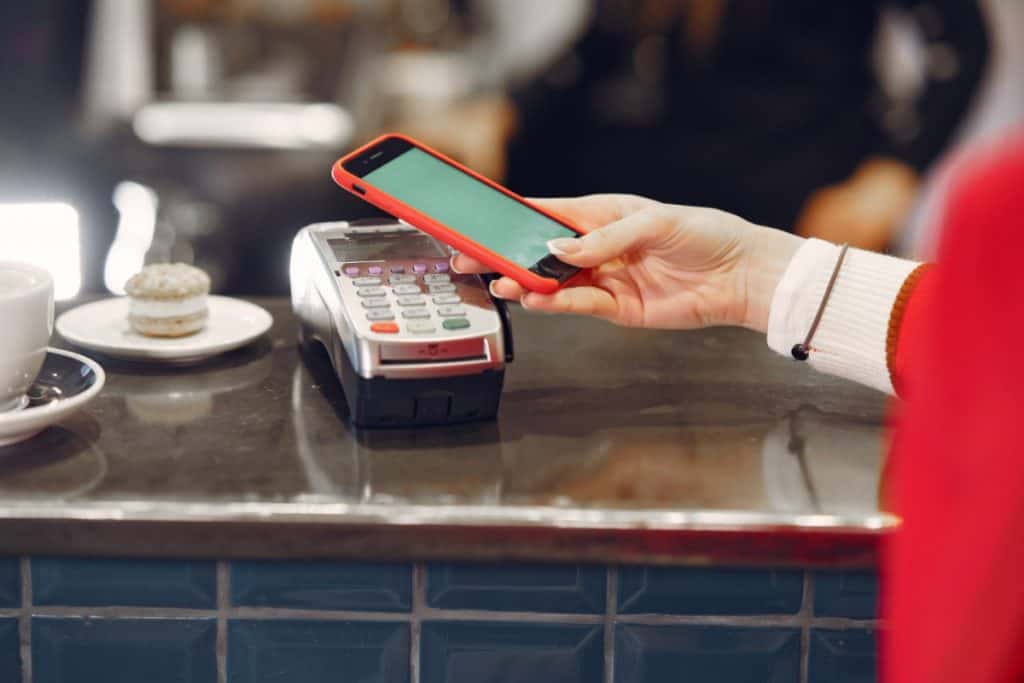
Shift Credit Card Processing Review

Shift Credit Card Processing Review

In the current business generation, choosing the appropriate payment processor can determine a company’s success or failure. Shift Credit Card Processing is among the numerous providers competing for a spot in the competitive payment processing sector. Providing a wide array of solutions designed to assist businesses in optimizing transactions, Shift has garnered interest for its creative take on merchant services. However, is it the correct decision for your business?, Lets read more about Shift Credit Card Processing Review.

A reliable payment processor ensures that customers can complete transactions quickly and securely, which is vital for maintaining customer trust and satisfaction. Furthermore, the costs associated with processing payments directly affect a business’s bottom line, making it essential to choose a provider that balances service quality with affordability. This review takes a detailed look at Shift Credit Card Processing, covering everything from the company’s background to its pricing, customer support, and overall reputation. By the end of this review, you will have a clear understanding of whether Shift is the right fit for your business needs.

Company Background | Shift Credit Card Processing Review

Shift Credit Card Processing was established with a mission to simplify and enhance payment processing for businesses of all sizes. Since its inception, the company has aimed to differentiate itself through innovative solutions and a commitment to customer-centric service. Headquartered in a major business hub, Shift has expanded its operations across multiple regions, serving a diverse clientele ranging from small businesses to larger enterprises.

The core principles of the company focus on transparency, adaptability, and technological progress. Shift aims to empower merchants by providing clear pricing models, easy-to-use solutions, and committed customer support. Its operational scope goes beyond local markets, serving businesses in diverse sectors such as retail, hospitality, healthcare, and e-commerce. The capacity to assist high-risk merchants distinguishes Shift from numerous competitors, positioning it as a favorable choice for businesses that frequently encounter challenges in obtaining payment processing services. 

With a growing presence in the payment industry, Shift continues to evolve its service offerings to meet the changing needs of merchants. Its focus on innovation and customer satisfaction positions the company as a promising contender in the payment processing landscape.

Shift Credit Card Processing Review

Services Offered

Shift Credit Card Processing offers a comprehensive range of services designed to cater to the diverse needs of modern businesses. These services include traditional payment processing, specialized solutions for high-risk merchants, and advanced POS systems.

Payment Processing Solutions: Shift supports credit and debit card transactions, enabling businesses to accept payments from all major card networks, including Visa, Mastercard, American Express, and Discover. In addition, merchants can process ACH payments, which provide a cost-effective alternative for handling larger transactions. Mobile wallet payments, such as Apple Pay, Samsung Pay, and Google Wallet, are also supported, allowing businesses to cater to the growing number of customers who prefer contactless payment methods.

Zero Fee Processing: A notable feature of Shift is its Zero Fee Processing program. This model enables merchants to transfer the processing fees to customers via a cash discount or surcharge, thereby removing transaction fees for the business. Although this can greatly enhance profit margins, companies should thoughtfully assess the possible effects on customer satisfaction before implementing this model. 

High-Risk Merchant Accounts: Shift specializes in serving high-risk industries, such as adult entertainment, CBD, travel, and online gaming. The company offers a streamlined approval process, aiming for a high success rate in onboarding high-risk merchants. This capability makes Shift an appealing option for businesses that may otherwise struggle to find reliable payment processing solutions.

Point of Sale Systems: Shift offers merchants complimentary POS equipment, which can deliver substantial cost-saving advantages. These systems include capabilities like inventory management, sales monitoring, and customer relationship management tools. Shift’s POS systems are created to effortlessly connect with other business applications, improving overall operational efficiency. 

E-commerce Solutions: For online businesses, Shift offers secure payment gateways that support a wide range of transactions. Additional features include online invoicing and recurring billing options, which are particularly beneficial for subscription-based businesses. The emphasis on security ensures that both merchants and customers are protected from potential fraud.

Pricing and Fees

Shift Credit Card Processing offers various pricing models, catering to businesses with different transaction volumes and needs. The most notable pricing model is the Zero Fee Processing program, which eliminates processing costs for merchants by passing them on to customers. While this approach can be advantageous for businesses with tight margins, it may deter some customers who prefer to avoid additional charges.

Regarding standard pricing, Shift’s rates are on par with industry norms. The firm provides interchange-plus pricing, often considered the most clear-cut model. Merchants incur a set markup in addition to the interchange rate, guaranteeing they know precisely how much they are paying for each transaction. Such a degree of transparency is essential for companies aiming to reduce their processing expenses. 

Shift’s fee structure includes standard charges such as monthly account fees and PCI compliance fees. However, the company distinguishes itself by not charging setup fees or monthly minimums, which can be a significant advantage for smaller businesses. When compared to industry peers, Shift’s pricing is well-positioned, offering a balance between cost and value.

Contract Terms

Shift Credit Card Processing offers flexible contract options to accommodate businesses of all sizes. Unlike some providers that lock merchants into long-term agreements, Shift provides month-to-month contracts, giving businesses the freedom to switch providers without incurring hefty penalties.

For merchants that choose extended contracts, Shift provides benefits like complimentary POS equipment and reduced rates. Nonetheless, it’s crucial for companies to carefully examine the terms prior to signing, since early termination fees could be applicable in some situations. Shift’s early termination policy is quite clear-cut, with charges determined by the remaining duration of the contract instead of a fixed fee. 

Overall, Shift’s contract terms are designed to be merchant-friendly, with an emphasis on flexibility and transparency. The availability of month-to-month agreements is particularly appealing for businesses that prefer not to commit to long-term contracts.

Customer Support and Service

Shift Credit Card Processing places a strong emphasis on customer support, offering multiple channels for assistance, including phone, email, and live chat. The company provides dedicated account representatives for its clients, ensuring that merchants receive personalized support tailored to their specific needs.

Availability is a key factor in evaluating customer support, and Shift scores well in this area. Support is available 24/7, which is critical for businesses that operate outside of standard business hours. Whether it’s a technical issue or a billing question, merchants can expect prompt and knowledgeable assistance.

Shift’s support team is recognized for its quick responses and eagerness to go above and beyond to address problems. This quality of service fosters trust and loyalty with clients, differentiating Shift from rivals that might provide less extensive assistance. Furthermore, the company offers an internet knowledge repository filled with articles and FAQs, allowing merchants to swiftly locate solutions to frequently asked questions. 

Customer Reviews and Reputation

Online reviews of Shift Credit Card Processing are generally positive, with many merchants praising the company’s transparent pricing and responsive customer support. Common praises include the ease of setup, the flexibility of contract terms, and the effectiveness of the Zero Fee Processing program.

However, no provider is without its criticisms, and Shift is no exception. Some merchants have expressed dissatisfaction with the surcharges applied to customers under the Zero Fee Processing model, citing potential customer resistance. Others have noted occasional delays in support response times during peak hours.

Despite these criticisms, Shift’s overall reputation remains strong. The company’s proactive approach to addressing negative feedback demonstrates a commitment to continuous improvement. Merchants considering Shift can take comfort in the fact that the company actively seeks to resolve issues and enhance its services.

Pros and Cons

Advantages

No processing fees for merchants: The Zero Fee Processing program can significantly reduce costs for businesses.

Free equipment: Shift offers free POS systems, which can save merchants hundreds of dollars in upfront costs.

High approval rates for high-risk merchants: Shift’s willingness to work with high-risk industries makes it a valuable option for businesses that struggle to find processing solutions.

Disadvantages

Potential customer resistance to surcharges: While Zero Fee Processing can benefit merchants, it may deter price-sensitive customers.

Limited public information on certain fees: Some merchants have noted a lack of clarity regarding ancillary fees, such as chargeback fees and PCI compliance costs.

Comparison with Competitors

Shift Credit Card Processing stands out in numerous key areas when evaluated against its competitors. The Zero Fee Processing initiative is a unique aspect that not all providers have, giving Shift a competitive edge. Additionally, its high approval rates for high-risk merchants make it a preferred choice for businesses in industries that typically face challenges with payment processing. 

In terms of pricing transparency, Shift’s interchange-plus model is on par with industry leaders. While some competitors offer lower rates, Shift’s emphasis on service quality and flexibility often justifies the slightly higher costs. The availability of free equipment and month-to-month contracts further enhances Shift’s value proposition.

Security and Compliance

In the payment processing industry, security is paramount, and Shift Credit Card Processing prioritizes this aspect by adhering to industry-standard security protocols. The company ensures PCI-DSS compliance, which is mandatory for any business handling credit card information. By maintaining this compliance, Shift helps its clients avoid potential fines and security breaches.

Shift utilizes end-to-end encryption and tokenization methods to safeguard sensitive payment information during transactions. These actions not only protect customer data but also reduce the chances of data breaches, which could significantly damage a company’s reputation. 

Additionally, Shift provides merchants with regular security updates and compliance support, ensuring that businesses stay up-to-date with the latest industry regulations. This proactive approach to security makes Shift a reliable partner for merchants concerned about data protection.

Shift Credit Card Processing Review

Scalability and Customization

Shift Credit Card Processing caters to businesses of all sizes, from small startups to large enterprises. The company’s solutions are designed to scale with a business’s growth, making it a long-term partner for merchants.

For small businesses, Shift provides easy-to-use solutions that need little setup and technical knowledge. These options are perfect for vendors looking to start quickly. Conversely, larger companies can take advantage of Shift’s customizable features, which offer personalized pricing structures, sophisticated POS integrations, and specialized account management. 

The ability to customize services based on individual business needs ensures that Shift remains relevant to a wide range of clients. Whether a business requires basic payment processing or advanced features like inventory management and customer analytics, Shift can provide a solution that fits.

Innovation and Future Outlook

Shift Credit Card Processing has shown a commitment to innovation, regularly introducing new features and services to meet evolving market demands. The company’s investment in technology, such as its support for mobile wallets and online payment gateways, positions it well for the future of commerce.

In the future, Shift aims to broaden its scope and improve its services by integrating new technologies such as AI and machine learning. These technologies can enhance fraud detection, optimize operations, and provide useful insights into customer behavior. 

By staying ahead of industry trends and continuously improving its services, Shift aims to maintain its competitive edge and attract more merchants in the coming years.

Shift Credit Card Processing Review

Conclusion

Shift Credit Card Processing provides an attractive range of services for companies looking for dependable, affordable payment options. Through its groundbreaking Zero Fee Processing initiative, elevated approval rates for high-risk businesses, and dedication to customer service, Shift has established itself as a formidable player in the payment processing industry. 

However, businesses should carefully consider the potential downsides, such as customer resistance to surcharges and limited information on certain fees. By weighing the pros and cons, merchants can make an informed decision about whether Shift is the right fit for their needs.

Frequently Asked Questions

What is Zero Fee Processing, and how does it benefit my business? 

Zero Fee Processing is a model where the processing fees are passed on to the customer, allowing merchants to save on transaction costs. This can significantly improve profit margins, especially for businesses with thin margins.

Is Shift Processing suitable for high-risk industries? 

Yes, Shift Processing specializes in providing payment processing services to high-risk industries, offering tailored solutions to meet their unique needs.

What types of payment methods can I accept with Shift Processing? 

With Shift Processing, you can accept various payment methods, including all major credit and debit cards, ACH payments, and mobile wallet payments like Apple Pay, Samsung Pay, and Google Wallet.

Square Terminal Review

Square Terminal Review

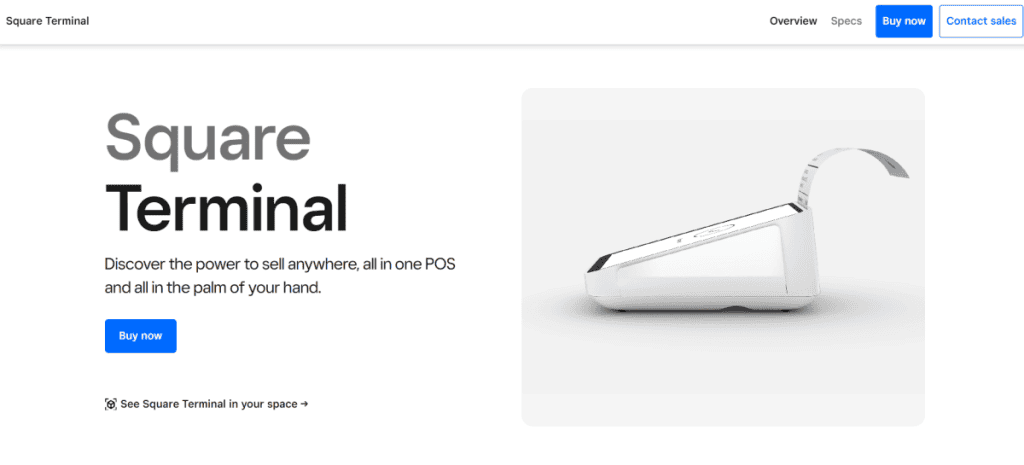
In this present generation, effective and dependable payment processing is essential for achievement. The Square Terminal is a comprehensive payment solution created to fulfill the requirements of contemporary businesses by simplifying transactions and improving customer interactions. Lets read more about Square Terminal Review.

Developed by Square, a leader in financial services and mobile payment solutions, the Square Terminal combines multiple features into a compact, effective device. It allows businesses to handle various payment methods, such as magnetic-stripe cards, EMV chip cards, and contactless solutions like Apple Pay and Google Pay. This flexibility ensures that businesses can satisfy a wide range of customer preferences. 

The device features a 5.5-inch touchscreen display that is both intuitive and user-friendly, facilitating smooth navigation through transactions. Its compact dimensions—approximately 5.6 inches in length, 3.4 inches in width, and 2.5 inches in height—and lightweight design, weighing around 417 grams, make it highly portable and suitable for various business settings, from retail stores to restaurants.

A distinctive feature of the Square Terminal is its built-in thermal printer, enabling businesses to print receipts on the spot, enhancing the efficiency of customer service. The device operates on a rechargeable battery designed to last all day, enabling payment processing either at the checkout or while on the go. Connectivity options include Wi-Fi and Ethernet (with an optional Hub), ensuring reliable access to payment processing services. 

Security is a top priority with the Square Terminal. It employs end-to-end encryption and adheres to industry standards to protect sensitive payment information, giving both businesses and customers peace of mind during transactions.

Design and Build Quality | Square Terminal Review

The Square Terminal is a compact and lightweight device designed to facilitate seamless payment processing across various business environments.

Physical Dimensions and Weight

Measuring approximately 5.6 inches in length, 3.4 inches in width, and 2.5 inches in height, and weighing around 417 grams, the Square Terminal is both portable and convenient. Its sleek design allows businesses to easily carry it around the store or use it at a fixed location, catering to diverse operational needs.

Display and Interface

Featuring a 5.5-inch touchscreen, the Square Terminal provides a user-friendly and reactive interface. The high-resolution display guarantees clear visibility, and the touch features enable effortless navigation through menus and transaction procedures. This intuitive interface reduces the learning curve for novice users and improves the overall effectiveness of payment processing. 

Durability and Aesthetics

Made with premium materials, the Square Terminal is designed to endure the challenges of everyday business activities. Its durable construction guarantees durability, and the sleek, professional look suits various business environments. The device features sleek lines and a minimalist design that not only boost its visual attractiveness but also showcase the inventive spirit of Square’s product range. 

Square Terminal Review

Payment Processing Capabilities

The Square Terminal is a versatile payment processing device designed to accommodate a wide array of payment methods, ensuring businesses can meet diverse customer preferences.

Accepted Payment Methods

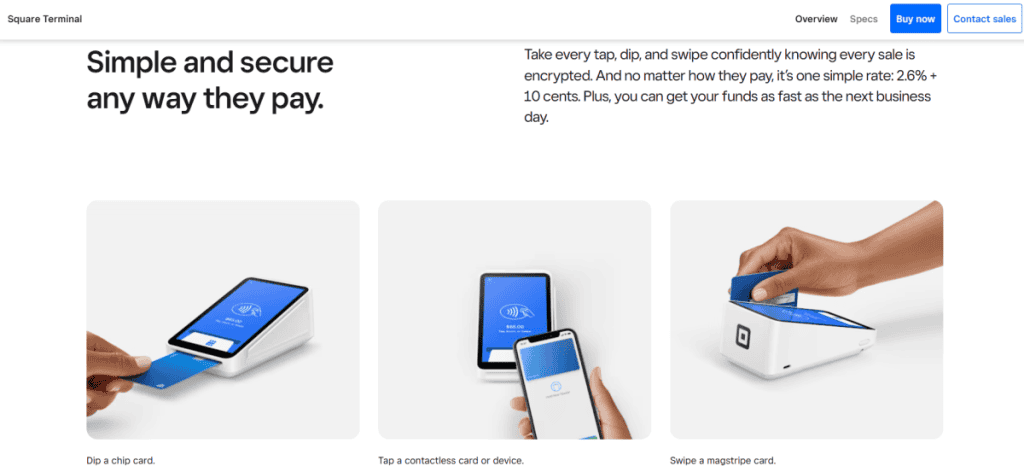
Square Terminal supports multiple payment options, including:

Chip Cards: Accepts EMV chip-enabled credit and debit cards, providing enhanced security during transactions.

Magnetic Stripe Cards: Processes traditional swipe cards through the magstripe reader located on the device.

Contactless Payments: Facilitates tap-and-go transactions via NFC technology, supporting mobile wallets like Apple Pay and Google Pay, as well as contactless-enabled cards.

This comprehensive acceptance range ensures that businesses can cater to various customer payment preferences seamlessly.

Transaction Speed and Reliability

Square Terminal is built for quick and dependable transaction processing. The efficient combination of its hardware and software minimizes wait times, enhancing customer satisfaction. The device connects to the internet via Wi-Fi or Ethernet (with a possible Hub), ensuring dependable performance. Additionally, it offers offline capabilities, allowing businesses to handle payments during short internet outages; these transactions are automatically finalized once the connection is restored. 

Security Features

Security is paramount in payment processing, and Square Terminal incorporates robust measures to protect sensitive information:

End-to-End Encryption: Encrypts card data from the moment of capture, ensuring information remains secure throughout the transaction process.

PCI Compliance: Adheres to Payment Card Industry Data Security Standards, maintaining a secure environment for handling cardholder data.

Fraud Prevention Tools: Includes features designed to detect and prevent fraudulent activities, safeguarding both the business and its customers.

These security protocols provide peace of mind, ensuring that transactions are conducted safely and in compliance with industry standards.

Software and Integration

The Square Terminal is a versatile device that seamlessly integrates with Square’s ecosystem, enhancing business operations through efficient software and integration capabilities.

Square POS Integration

Square Terminal comes preloaded with Square’s free POS software, providing businesses with a comprehensive suite of tools to manage sales, track customer interactions, and process payments. This integration ensures that all transactions are synchronized in real-time, allowing for accurate sales reporting and inventory management. The intuitive interface simplifies the checkout process, enabling staff to handle transactions swiftly and effectively.

Inventory and Sales Management

Square Terminal, equipped with integrated inventory management capabilities, enables businesses to track stock levels straight from the device. Users can input or modify items, establish categories, and monitor inventory levels in real-time. This feature helps avoid stock shortages and excess inventory, ensuring that ideal inventory levels are preserved. Moreover, the device delivers comprehensive sales reports, presenting information on sales trends, best-selling products, and overall business effectiveness. 

Third-Party App Compatibility

Square Terminal allows integration with multiple third-party applications, enhancing its features to address particular business requirements. Via Square’s App Marketplace, companies can link to accounting software including Xero, e-commerce services like WooCommerce, and promotional tools such as Mailchimp. These integrations enable efficient operations by automating the data exchange between systems, lowering manual input, and decreasing mistakes. For example, aligning sales information with accounting applications guarantees precise financial documentation, while connecting with e-commerce sites allows coherent inventory control between online and brick-and-mortar shops. 

Pricing and Fees

The Square Terminal is a comprehensive payment processing device designed for businesses seeking an all-in-one solution. Understanding its pricing structure and associated fees is essential for evaluating its suitability for your business operations.

Hardware Cost

Starting in January 2025, the price of the Square Terminal is set at $299, not including taxes and fees. For companies looking to distribute the cost, Square provides financing alternatives, enabling monthly payments of $27 for a year. Moreover, to improve connectivity and the integration of accessories, an optional Hub can be purchased for $39, enabling Ethernet links and the connection of peripherals such as cash drawers and barcode scanners. 

Transaction Fees

Square employs a transparent fee structure for processing payments:

In-Person Transactions: For payments processed through the Square Terminal, a fee of 2.6% plus $0.10 per transaction applies.

Manually Entered Transactions: When card details are entered manually, the fee is 3.5% plus $0.15 per transaction.

Afterpay Transactions: For businesses offering Afterpay as a payment option, a fee of 6% plus $0.30 per transaction is charged.

These rates are straightforward, with no hidden charges, enabling businesses to predict costs accurately.

Additional Costs

While the Square Terminal includes essential features without monthly fees, certain accessories and advanced functionalities may incur extra expenses:

Accessories: Beyond the optional Hub ($39), businesses might consider additional peripherals such as countertop mounts or belt clips to enhance the device’s utility. Prices for these accessories vary based on the specific requirements.

Advanced POS Features: Square offers its standard POS software at no cost; nonetheless, customized POS systems designed for retail, dining, or appointment-driven businesses could incur subscription charges. For example, Square for Retail and Square for Restaurants provide enhanced features across various pricing levels, which need to be examined to find the ideal match for your business requirements. 

To sum up, the Square Terminal offers an affordable option with transparent pricing and charges. The upfront hardware investment, together with consistent transaction fees and optional upgrades or software enhancements, enables companies to tailor the system to their operational needs and financial limitations.

Square Terminal Review

User Experience

The Square Terminal is designed to offer businesses a seamless and efficient user experience, from initial setup to daily operations, complemented by robust customer support.

Setup and Installation

Setting up the Square Terminal is straightforward, requiring minimal technical expertise. Upon unboxing, users can power on the device by holding the power button for three seconds. The device typically comes pre-charged, allowing for immediate setup. Users are guided through connecting to a Wi-Fi network or, with the optional Hub, an Ethernet connection. The intuitive on-screen prompts facilitate account sign-in or creation, enabling businesses to commence transactions promptly.

Daily Operation

In everyday use, the Square Terminal’s intuitive interface improves operational efficiency. The interactive touchscreen and user-friendly navigation simplify the checkout process, decreasing transaction durations and enhancing customer satisfaction. The device’s mobility enables staff to process payments anywhere on the business premises, enhancing operational flexibility. Moreover, the integrated receipt printer and the ability to process multiple payment options, such as contactless payments, enhance a smooth customer experience. 

Customer Support

Square offers extensive customer support for Terminal users, featuring round-the-clock help available through phone, email, and chat. This 24/7 support guarantees that any operational problems can be resolved quickly, reducing possible disruptions. Moreover, Square provides a comprehensive online Support Center that includes articles, tutorials, and FAQs to help users troubleshoot and enhance their experience with the Terminal. 

Pros and Cons

The Square Terminal is a versatile payment processing device that offers a range of benefits and some considerations for businesses.

Advantages

Portability: Weighing approximately 417 grams and featuring a compact design, the Square Terminal is easily portable, allowing businesses to accept payments anywhere within their premises or on the go.

Ease of Use: The device boasts an intuitive touchscreen interface, making it user-friendly for both staff and customers. Its straightforward setup process enables businesses to start accepting payments quickly.

Comprehensive Payment Acceptance: Square Terminal supports various payment methods, including EMV chip cards, magnetic stripe cards, and contactless payments like Apple Pay and Google Pay, meeting diverse customer preferences.  

All-in-One Functionality: Equipped with a built-in receipt printer and preloaded with Square’s POS software, the Terminal consolidates multiple functions into a single device, reducing the need for additional hardware.

Transparent Pricing: Square offers clear and predictable transaction fees, with no hidden costs or long-term contracts, allowing businesses to manage expenses effectively.

Disadvantages

Connectivity Dependence: While the Terminal operates over Wi-Fi and offers an offline mode, consistent internet connectivity is essential for real-time transaction processing and accessing certain features. Businesses in areas with unreliable internet may experience challenges.

Transaction Fees for High-Volume Sales: Although Square’s transaction fees are straightforward, businesses with high sales volumes may find that these costs accumulate considerably over time, potentially impacting their profit margins.  

Limited Customization: The device is designed to work seamlessly within Square’s ecosystem, which may limit integration with certain third-party applications or existing systems that some businesses use.

Hardware Investment: The initial cost of the device, priced at $299, may be a consideration for small businesses or startups with limited budgets, despite available financing options.

Comparison with Competitors

The Square Terminal is a versatile payment processing device that stands out in the market. To understand its position, it’s helpful to compare it with similar products like the Square Reader and the Clover Flex.

Square Terminal vs. Square Reader

Features: The Square Terminal is an all-in-one device with a built-in receipt printer and touchscreen interface, capable of processing payments independently. In contrast, the Square Reader is a compact card reader that connects to a smartphone or tablet to process payments, lacking its own display or printer.

Use Cases: The Terminal is ideal for businesses requiring an independent solution that relies on no additional hardware, suitable for both countertop and mobile uses. The Reader is more appropriate for mobile businesses or those that already possess devices to link it to, offering enhanced mobility at a lower cost. 

Pricing: The Square Terminal is priced at $299, reflecting its comprehensive features. The Square Reader is more budget-friendly, with prices starting at $49, making it accessible for small businesses or those just starting out.

Square Terminal vs. Clover Flex

Features: Both devices are portable and support various payment methods, including chip, swipe, and contactless payments. The Square Terminal includes a built-in receipt printer and operates with Square’s POS software. The Clover Flex also offers a receipt printer and runs on Clover’s POS system, which provides access to a wide range of apps for additional functionalities.

Pricing: The Square Terminal is available for $299, while the Clover Flex usually has a higher price, generally about $499 or more, depending on the provider and any additional features or services included. 

Usability: Both devices are designed for ease of use with intuitive touchscreens. The Square Terminal’s integration with Square’s ecosystem offers seamless access to various business tools. The Clover Flex provides flexibility through its app market, allowing businesses to customize the device with features tailored to their specific needs.

Ideal Business Types

The Square Terminal is a versatile payment processing device that caters to various business types, offering tailored features to enhance operational efficiency and customer service.

Small to Medium-Sized Retailers

For small to medium-sized retail businesses, the Square Terminal provides a compact and user-friendly solution for managing sales transactions. Its all-in-one design integrates payment processing and receipt printing, streamlining the checkout process and reducing the need for multiple devices. The device’s portability allows retailers to assist customers anywhere in the store, enhancing the shopping experience. Additionally, the integrated POS software offers inventory management and sales tracking features, enabling retailers to monitor stock levels and analyze sales data effectively.

Restaurants and Cafes

In the food service sector, the Square Terminal provides considerable benefits by enabling ordering and payment transactions at the table. Employees can take orders straight at the table, minimizing mistakes and enhancing service efficiency. The device’s capacity to accommodate different payment methods, such as contactless options, meets a variety of customer preferences. Its portability guarantees that payments are handled quickly at the customer’s site, improving convenience and satisfaction. Additionally, the Terminal’s connection with Square for Restaurants offers tailored functionalities like menu handling and table arrangement, enhancing restaurant efficiency. 

Service-Based Businesses

Service-oriented companies, including salons, repair shops, or consulting agencies, can take advantage of the Square Terminal’s effective payment processing features. The device enables professionals to process payments on-site, whether at a client’s location or in their own facilities. Its polished and professional appearance boosts the business’s reputation, while its user-friendly nature facilitates swift transaction handling, enabling service providers to concentrate on providing top-notch services. Moreover, the Terminal’s combination with scheduling appointments and invoicing functionalities simplifies administrative work, enhancing overall business effectiveness. 

Conclusion

The Square Terminal provides a mobile, easy-to-use, and all-inclusive payment solution perfect for different types of businesses. Boasting seamless POS integration, strong security features, and compatibility with various payment options, it is a notable asset. In general, it’s a valuable investment for companies looking for effective, contemporary payment processing solutions.

Square Terminal Review

Frequently Asked Questions 

Can Square Terminal operate without an internet connection?

Yes, Square Terminal can process offline transactions, which are queued and processed once the device reconnects to the internet. However, it’s important to note that offline payments are not immediately authorized, and there is a risk they may fail if the payment method is declined when the device goes back online.

Is the Square Terminal compatible with other POS systems?

Square Terminal is primarily designed to work seamlessly with Square’s ecosystem. While it may not directly integrate with other POS systems, it offers robust features that can serve as a standalone solution for many businesses.

What accessories are available for Square Terminal?

Accessories include the Square Terminal Hub for connecting additional hardware like cash drawers or barcode scanners, receipt paper rolls, and countertop mounts to enhance functionality and convenience.

Payments by Wave Review

Payments by Wave Review

Payments by Wave is an essential feature of Wave, a financial software platform aimed at supporting small businesses, freelancers, and entrepreneurs. Introduced to streamline payment handling, it provides a cohesive solution for overseeing invoices and collecting payments. The service is especially attractive to small businesses because of its user-friendly interface and affordable pricing. Lets read more about Payments by Wave Review.

At its core, Payments by Wave enables users to accept credit card payments, ACH transfers, and digital wallet transactions. With a built-in invoicing system, businesses can generate professional invoices and track payments seamlessly. Wave’s focus on small businesses means it caters to those with limited budgets who require reliable and efficient payment solutions.

The platform’s cost-effectiveness and user-friendliness have contributed to its popularity among business owners. Nonetheless, its straightforwardness might not be ideal for every business, particularly for those with intricate payment processing requirements. This review seeks to deliver an impartial evaluation of Payments by Wave, examining its characteristics, advantages, and possible disadvantages. Whether you’re a freelancer or a small business owner, knowing how this platform operates can assist you in determining if it suits your requirements. 

Ease of Use and Interface | Payments by Wave Review

One of the standout features of Payments by Wave is its user-friendly interface. Designed with simplicity in mind, it ensures even non-technical users can navigate the platform with ease. Setting up payments involves a straightforward process: users link their bank accounts or payment methods, configure their invoicing preferences, and start accepting payments almost immediately.

The dashboard is user-friendly, showing all essential information at a quick glance. Users can access pending invoices, track payments, and oversee their cash flow without having to toggle between various tools. The platform’s simple design and straightforward guidance make it a great option for small business owners who might not have technical skills. 

Both desktop and mobile versions of the software are optimized for smooth performance. This flexibility allows business owners to manage their accounts on the go, ensuring they never miss an important transaction. However, while the interface excels in simplicity, it may lack advanced customization options sought by larger enterprises.

In addition, Payments by Wave’s onboarding process is straightforward. New users are guided through each step, from linking bank accounts to customizing invoices. Tutorials and tooltips are available to help users make the most of the platform. Despite these strengths, users with specific workflow requirements might find the lack of advanced features limiting.

Payments by Wave Review

Payment Features and Functionality

Payments by Wave offers robust functionality tailored to the needs of small businesses. Users can accept a variety of payment methods, including credit cards and bank transfers. The platform supports Visa, Mastercard, American Express, and ACH payments, ensuring versatility for diverse customer preferences.

A highly appealing aspect is its smooth integration with Wave’s invoicing features. Users can generate professional invoices right on the platform, dispatch them to clients, and collect payments all in one location. Automated reminders for payments and real-time tracking of payments make the process even easier. 

The invoicing system also supports partial payments and tips, adding flexibility for businesses in the service industry. For instance, a restaurant using Payments by Wave can accept gratuities directly through the platform, streamlining operations.

Mobile compatibility ensures that users can send invoices and accept payments on the go. This is particularly useful for freelancers and entrepreneurs who operate outside traditional office settings. However, while Payments by Wave covers most basic payment needs, it may not support international transactions or multi-currency options, which could limit its appeal for global businesses.

Transaction Fees and Pricing

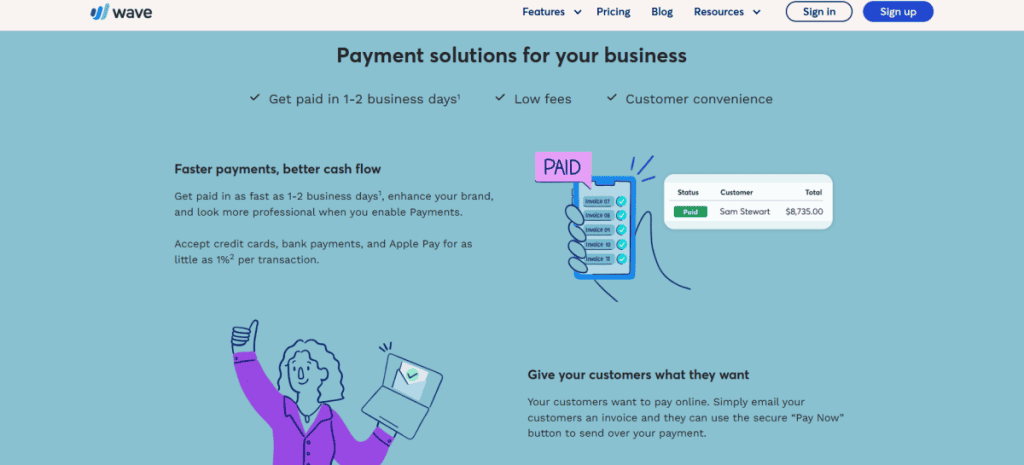
Transaction fees are a crucial consideration when choosing a payment processor. Payments by Wave follows a transparent pricing model: 2.9% + $0.30 per transaction for credit cards and 1% for ACH bank transfers. While these rates are competitive compared to some industry standards, they may not be the lowest available.

Unlike many competitors, Wave does not charge setup fees, monthly fees, or hidden costs. This makes it a viable option for small businesses with tight budgets. However, larger businesses processing high volumes might find the per-transaction fees add up over time, making it less cost-effective.

When compared to platforms like PayPal or Stripe, Wave’s pricing structure holds its own. The lack of monthly fees is a significant advantage, though businesses with specific needs (such as recurring billing or advanced analytics) might find Wave less comprehensive than alternatives.

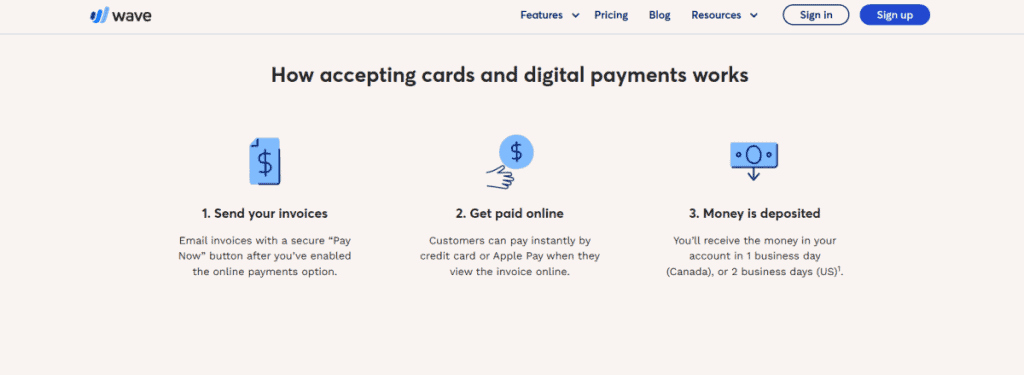
It’s important to mention that payment processing can take between 2 to 7 business days, depending on the method used. For companies requiring quick payouts, this schedule could be a disadvantage. Moreover, Wave’s restricted support for international transactions indicates that companies with worldwide customers might face extra expenses when utilizing third-party payment processors. 

Security and Compliance

Security is a top priority for any payment processor, and Payments by Wave does not disappoint. The platform employs advanced encryption technologies to protect sensitive data, ensuring transactions are secure and customer information remains private.

Wave complies with PCI DSS requirements, a critical factor in safeguarding payment data. This compliance assures users that their transactions are processed following industry best practices.

Moreover, Wave’s strong fraud detection systems assist in recognizing and reducing possible risks. Although the platform’s security features are dependable, companies dealing with high-value transactions or working in high-risk sectors might require extra security measures alongside Wave. 

Wave also provides transparency around its security policies, offering detailed documentation for users concerned about data protection. This commitment to transparency fosters trust among its users, particularly small business owners who may be wary of digital payment platforms.

Customer Support and Service

Customer support is an area where Payments by Wave receives mixed reviews. The platform offers several support channels, including email support, a comprehensive help center, and community forums. However, live chat and phone support are not readily available, which could be a drawback for users requiring immediate assistance.

Response times for email queries are typically quick, but complicated matters might require more time to address. The help center is neatly arranged, offering comprehensive guides and frequently asked questions to tackle common inquiries. For numerous users, these tools are adequate to maneuver through the platform efficiently. 

While the customer support experience is adequate for basic troubleshooting, businesses that prioritize real-time support might find Wave’s offerings limited compared to competitors with 24/7 live support options. Users with unique needs or those encountering rare technical issues may feel underserved.

Integration with Accounting Tools

One of Wave’s biggest strengths is its seamless integration with its accounting tools. Payments by Wave synchronizes automatically with Wave’s accounting software, allowing users to manage payments, invoices, and bookkeeping in one place. This integration reduces the need for manual data entry, saving time and minimizing errors.

For small enterprises with restricted resources, this feature is essential. The automatic sorting of transactions simplifies financial reporting and tax filing. Nonetheless, although the integration with Wave’s ecosystem is outstanding, the platform’s compatibility with external tools is constrained. Individuals depending on third-party accounting applications may encounter difficulties. 

Customization and Scalability

Customization options in Payments by Wave are relatively basic, reflecting its focus on simplicity. Users can personalize invoice templates, add logos, and configure payment reminders, but deeper customization features—such as custom workflows—are absent.

Scalability represents yet another limitation. Although the platform works effectively for small businesses, it might find it challenging to cater to the demands of expanding companies. Bigger companies with intricate payment needs or elevated transaction levels may notice the platform’s restrictions more clearly. Competitors providing scalable solutions could be more suitable for these users. 

Pros and Cons of Payments by Wave

Pros:

User-friendly interface and straightforward setup

Competitive transaction fees with no monthly costs

Seamless integration with Wave’s accounting and invoicing tools

Mobile-friendly for on-the-go payment management

Robust security measures and PCI DSS compliance

Cons:

Limited international payment options

No live chat or phone support

May lack advanced features needed by larger businesses

Per-transaction fees can add up for high-volume users

Relatively basic analytics and reporting tools

Payments by Wave Review

Ideal Use Cases and Target Users

Payments by Wave is best suited for small businesses, freelancers, and entrepreneurs who need a simple, low-cost payment processing solution. It’s particularly advantageous for those already using Wave’s accounting and invoicing tools, as the integration creates a seamless financial management experience.

Nonetheless, companies needing sophisticated functionalities such as multi-currency capabilities, recurring billing, or comprehensive analytics may consider Wave’s services insufficient. Likewise, businesses with a worldwide clientele might require a system that facilitates global transactions and currencies. 

To maximize its potential, users should leverage Wave’s invoicing features and maintain a clear understanding of its fee structure. Regularly monitoring transaction volumes can also help determine if Wave remains a cost-effective solution as the business grows.

Competitor Comparison

Wave competes with platforms like PayPal, Stripe, and Square, each offering unique strengths. PayPal is known for its global reach, supporting international transactions, while Stripe excels in developer-friendly APIs for custom integrations. Square stands out for its hardware solutions and in-person payment capabilities.

Wave’s advantage lies in its free accounting tools and competitive pricing. However, it lacks some of the advanced features its competitors provide, making it less suitable for larger businesses. When choosing between these platforms, consider your specific needs, such as support for global transactions or in-person payments.

Future Updates and Development

Wave regularly updates its platform based on user feedback. Recent enhancements include improved mobile functionality and streamlined invoicing features. Users have expressed interest in additional capabilities, such as recurring billing and multi-currency support, which may be included in future updates.

Keeping updated on these changes allows users to maximize their experience on the platform. Wave’s dedication to enhancing its services demonstrates its focus on addressing the requirements of small businesses. 

Payment Speed and Processing Times

The speed at which payments are processed can significantly impact cash flow for small businesses. Payments by Wave generally takes 2-7 business days to process transactions, depending on the payment method used. Credit card payments tend to be faster, typically clearing within two business days, whereas ACH bank transfers can take up to seven business days.

This processing time is comparable to other small business payment processors but may be slower than some of the larger platforms, such as Square or Stripe, which offer expedited payouts for an additional fee. Wave does not currently offer instant payment options, which might be a limitation for businesses requiring immediate access to funds.

The platform compensates for this delay through its clear reporting system, which updates users on the payment status. Alerts and information guarantee that companies are aware of incoming funds, reducing ambiguity. Nonetheless, the lag in payment receipt may create difficulties for companies functioning with limited cash flow. 

To mitigate this, businesses can plan their invoicing and payment schedules around Wave’s processing times. Encouraging customers to pay invoices promptly and utilizing the platform’s automated reminders can help reduce delays. While the processing speed may not be ideal for all users, it aligns with industry standards for low-cost payment processors.

Mobile App Features

Payments by Wave offers a mobile app that complements its desktop platform, providing on-the-go access to key features. Available for both iOS and Android, the app enables users to manage invoices, track payments, and access reports from their mobile devices.

The mobile app is particularly beneficial for freelancers and small business owners who work remotely or need to handle transactions during client meetings. It allows users to send invoices directly from their smartphones, ensuring that billing is never delayed. Additionally, the app’s payment tracking feature provides real-time updates on the status of transactions, which is invaluable for maintaining cash flow visibility.

Although it offers convenience, the app has certain drawbacks. For instance, specific features present in the desktop version, like detailed reporting and sophisticated customization options, might not be entirely accessible on mobile. This might be a disadvantage for users who depend significantly on the app for complete financial management. 

Overall, the mobile app enhances the usability of Payments by Wave, making it a versatile tool for business owners who need flexibility. Regular updates and user feedback have improved the app over time, though further enhancements could make it even more robust.

User Reviews and Community Feedback

User reviews provide valuable insights into the practical strengths and weaknesses of Payments by Wave. Many small business owners praise the platform for its simplicity and integration with Wave’s accounting tools. The lack of monthly fees and hidden costs is frequently highlighted as a major advantage, particularly for startups and solo entrepreneurs.

However, some users have expressed concerns about the platform’s limited customer support options and occasional delays in payment processing. The absence of phone support or live chat can be frustrating for users who encounter time-sensitive issues. Additionally, businesses with international clients often note the lack of multi-currency support as a significant limitation.

Community forums and online reviews likewise indicate areas for enhancement, including the addition of more advanced reporting features and broadening integration options. Wave has shown it is responsiveness to user feedback, implementing multiple updates to tackle frequent issues. This dedication to enhancement builds trust and loyalty within its user community, even with the platform’s constraints. 

By considering user reviews and feedback, potential users can gain a balanced understanding of what to expect from Payments by Wave. While it excels in affordability and ease of use, businesses with specialized needs should evaluate whether its features align with their requirements.

Impact on Business Operations

Integrating Payments by Wave into daily operations can streamline workflows and improve financial management. The platform’s automated invoicing and payment tracking reduce the need for manual follow-ups, allowing business owners to focus on core activities. By synchronizing with Wave’s accounting tools, it minimizes errors and ensures accurate record-keeping.

For businesses that provide services, the option to receive partial payments or gratuities offers added flexibility. Retail companies, on the other hand, may view the absence of point-of-sale features as restrictive, particularly if they need hardware solutions for face-to-face transactions. Wave’s emphasis on digital payments makes it perfect for online or remote enterprises, yet less appropriate for physical storefronts. 

Ultimately, Payments by Wave can significantly enhance efficiency for small businesses, provided it aligns with their operational needs. Regularly reviewing its impact on workflow can help businesses adapt and maximize its benefits.

Payments by Wave Review

FAQs About Payments by Wave

Q1: Are there any hidden fees with Payments by Wave?

A1: No, Wave’s pricing model is transparent, with no hidden fees. Users only pay transaction fees for credit card and ACH payments.

Q2: Does Payments by Wave support international payments?

A2: Payments by Wave primarily supports transactions in the United States and Canada. International payments are not widely supported, which may limit its use for global businesses.

Q3: Can Payments by Wave handle recurring billing?

A3: Currently, Payments by Wave does not offer recurring billing features. Users may need to explore third-party integrations for this functionality.

Q4: How long does it take to receive payments?

A4: Payments typically take 2-7 business days to process, depending on the payment method. Credit card payments are faster than ACH transfers.

Q5: Is Payments by Wave compatible with mobile devices?

A5: Yes, Wave offers mobile-friendly tools, allowing users to manage payments and invoices on the go.

Merrick Bank Merchant Services Review

Merrick Bank Merchant Services Review

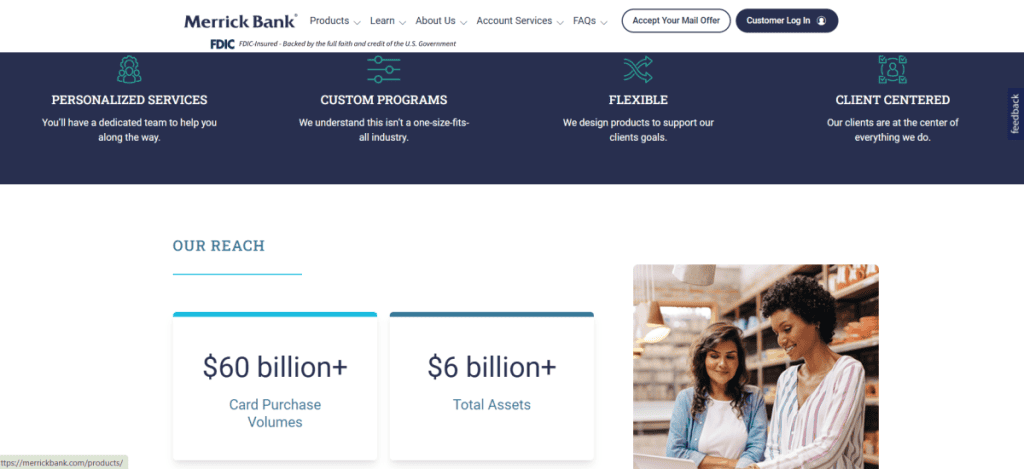
Founded in 1997, Merrick Bank is a notable financial entity that focuses on credit programs designed to help people build or restore their credit. Ranking among the top 20 credit card issuers in the U.S., the bank caters to nearly 3 million cardholders and has provided more than $6 billion in credit. Lets read more about Merrick Bank Merchant Services Review.

Besides its credit products, Merrick Bank offers merchant acquiring services designed for a variety of businesses. These services aim to assist different merchant types, including unconventional businesses, by providing solutions like international and dynamic currency services, next-day funding, and daily account reconciliation. 

The bank aims to positively impact the lives of its customers, employees, and community by adhering to principles of integrity, reliability, and creativity. This dedication has bolstered its prominent standing in the financial sector. 

Overall, Merrick Bank’s focus on providing accessible credit solutions and comprehensive merchant services has established it as a reliable partner for individuals and businesses seeking financial growth and stability.

Merchant Services Overview | Merrick Bank Merchant Services Review

Merrick Bank offers a comprehensive suite of merchant acquiring services designed to facilitate seamless payment processing for businesses. These services encompass credit and debit card processing, support for mobile payment options, and advanced point-of-sale solutions. By providing next-day funding and daily reconciliation, Merrick Bank ensures that businesses maintain optimal cash flow and accurate financial records.

The bank’s merchant services are designed to meet the needs of a varied clientele, encompassing conventional retailers, online platforms, and unconventional businesses. This adaptability enables Merrick Bank to assist numerous industries, guaranteeing that every business obtains solutions tailored to its unique operational requirements. 

Merrick Bank’s commitment to personalized service is evident through its dedicated support teams, who assist clients in navigating the complexities of payment processing. By offering customizable programs and maintaining a client-centered approach, the bank strives to help businesses enhance their payment systems, improve customer satisfaction, and drive growth.

Merrick Bank Merchant Services Review

Payment Processing Solutions

Merrick Bank offers a comprehensive suite of payment processing solutions designed to meet the diverse needs of businesses. By enabling the acceptance of credit and debit cards, integrating mobile payment options, and supporting ACH and electronic transfers, the bank ensures that merchants can provide flexible and efficient payment methods to their customers.

Credit and Debit Card Acceptance

Merrick Bank enables the acceptance of major credit and debit cards like Visa, Mastercard, Discover, and American Express. This ability enables companies to serve a wide range of customers, boosting sales potential and customer contentment. The bank’s processing services are aimed to be dependable and safe, guaranteeing that transactions occur quickly and without problems. Merrick Bank supports businesses in sustaining a healthy cash flow by offering next-day funding, essential for their daily activities. 

Mobile Payments and Digital Wallet Integration

In reaction to the increasing trend of mobile payments, Merrick Bank endorses compatibility with digital wallets like Apple Pay, Google Pay, and Samsung Pay. This functionality allows users to perform contactless transactions with their smartphones or wearable gadgets, providing a convenient and sanitary option compared to conventional payment methods. By accepting mobile payments, companies can draw in tech-savvy customers and improve the overall experience for consumers. Moreover, the bank offers sophisticated point-of-sale systems that support mobile payment methods, guaranteeing smooth transactions on different platforms. 

Support for ACH and Electronic Transfers

Merrick Bank’s payment processing solutions include support for Automated Clearing House transactions and electronic funds transfers. ACH payments allow businesses to process bank-to-bank transfers, which are particularly useful for recurring billing, subscription services, or large transactions. These transfers are typically more cost-effective than credit card transactions, offering savings on processing fees. By providing support for ACH and electronic transfers, Merrick Bank enables businesses to offer diverse payment options, catering to customers who prefer direct bank payments over card-based transactions.

Equipment and Technology

Merrick Bank provides a comprehensive suite of equipment and technological solutions to support businesses in their payment processing needs. By offering advanced Point-of-Sale systems, mobile card readers, and seamless integration capabilities, the bank ensures that merchants can efficiently manage transactions and enhance customer experiences.

Point-of-Sale Systems Offered

Merrick Bank offers cutting-edge POS systems designed to streamline sales operations and improve transaction efficiency. These systems are equipped with features such as inventory management, sales tracking, and customer relationship management tools, enabling businesses to operate more effectively. The POS terminals support various payment methods, including EMV chip cards, magnetic stripe cards, and contactless payments, ensuring compatibility with the latest payment technologies. Additionally, the user-friendly interfaces of these systems facilitate quick staff training and reduce transaction times, contributing to enhanced customer satisfaction.

Mobile Card Readers and Terminals

Recognizing the necessity for mobility in the current business landscape, Merrick Bank offers mobile card readers and terminals that enable merchants to process payments on the go. These compact devices effortlessly link to smartphones or tablets, turning them into reliable mobile POS systems. The mobile card readers facilitate numerous payment methods, such as EMV, magnetic stripe, and NFC/contactless payments, catering to consumer preferences for digital wallets and contactless cards. This adaptability is especially advantageous for companies functioning in changing settings, like food trucks, pop-up stores, or service providers conducting on-site transactions. 

Integration with Existing Merchant Systems

Merrick Bank’s technology solutions are designed with compatibility in mind, allowing for seamless integration with existing merchant systems. Whether a business uses specific accounting software, inventory management tools, or e-commerce platforms, Merrick Bank’s equipment can be configured to work harmoniously within the established infrastructure. This interoperability minimizes disruptions during the adoption phase and reduces the need for extensive system overhauls. Furthermore, integrated systems enable real-time data synchronization, providing merchants with up-to-date insights into sales performance, inventory levels, and customer behaviors. Such integration enhances operational efficiency and supports informed decision-making.

Fees and Pricing

Merrick Bank’s merchant services offer a range of payment processing solutions, each with associated costs that businesses should consider. The fee structure typically includes monthly fees, transaction fees, and equipment-related expenses. Transaction fees often follow a tiered pricing model, with swiped transactions charged at approximately 2.5% plus $0.20 per transaction, and keyed-in transactions at around 3.5% plus $0.20 per transaction. Monthly fees can vary depending on the specific services and equipment utilized by the merchant.

Clarity in pricing is essential for companies to efficiently handle expenses. Though Merrick Bank offers comprehensive details on typical fees, some merchants have expressed worries about the transparency of specific charges. For example, early termination charges might be enforced if a merchant chooses to terminate the agreement prior to the established term, with certain contracts incorporating a liquidated damages fee equal to 1% of the business’s total processing volume for the rest of the contract period. 

Additionally, there may be fees related to PCI compliance, equipment leasing, and other ancillary services. It’s important for merchants to thoroughly review their contracts and seek clarification on any terms that are not immediately clear. This due diligence can help prevent unexpected expenses and ensure that the pricing structure aligns with the business’s financial planning. Engaging in open communication with Merrick Bank’s representatives can further enhance understanding and transparency, fostering a more predictable and manageable cost environment for merchants.

Customer Support and Service

Merrick Bank offers customer support primarily through phone and online channels. Merchants can reach out via telephone for direct assistance, and the bank’s website provides a customer support form for online inquiries. However, specific contact details for the Merchant Services division are not prominently listed, which may require merchants to navigate through general support channels to obtain assistance.

Users have given varied feedback regarding the quality of customer support. Several customers have conveyed their satisfaction with the service, highlighting that the representatives are friendly and supportive. On the other hand, reports indicate problems in communication, such as struggles in contacting the right department and slow resolution of issues. For example, several users have mentioned extended wait periods while trying to resolve issues concerning their accounts. 

Additionally, the reliance on Independent Sales Organizations (ISOs) for service delivery can sometimes lead to inconsistencies in customer experiences. This structure may result in varying levels of service quality, depending on the specific ISO handling the merchant’s account.

Key Features and Tools

Merrick Bank offers a range of features and tools designed to enhance the financial management experience for its customers. Among these, the GoScore credit monitoring feature, the GoMobile account management app, and comprehensive analytics and reporting tools stand out.

GoScore Credit Monitoring Feature

GoScore is a complimentary service provided by Merrick Bank that offers customers monthly access to their FICO® Score. By logging into the Cardholder Center, users can view their updated credit score, which is the same score Merrick Bank uses to manage their account. This feature empowers customers to monitor their credit health, understand the factors influencing their scores, and make informed financial decisions. Regular access to one’s FICO® Score can aid in identifying areas for improvement and tracking progress over time.

GoMobile Account Management App

The GoMobile app is Merrick Bank’s mobile banking application, designed to provide customers with convenient access to their accounts anytime, anywhere. Through the app, users can check account balances, make payments, view transaction history, and set up account alerts. The app also integrates the GoScore feature, allowing users to monitor their FICO® Score directly from their mobile devices. Additional functionalities include QuickView for instant account information without full login, Quick-Freeze to temporarily disable a misplaced card, and customizable notifications to stay informed about account activity. The GoMobile app enhances account management efficiency and provides tools to help customers stay on top of their financial health.

Analytics and Reporting Tools for Merchants

Merrick Bank provides analytics and reporting tools for merchant services clients that aim to deliver insights into transaction trends, sales performance, and customer behaviors. These tools allow merchants to create comprehensive reports, monitor key performance metrics, and make data-informed choices to enhance their business processes. Through the analysis of transaction data, merchants can recognize trends, handle inventory more efficiently, and customize marketing strategies to better satisfy customer demands. The presence of strong analytics and reporting capabilities aids merchants in improving operational efficiency and fostering business growth. 

Security and Compliance

Merrick Bank prioritizes the security of its merchant services by implementing robust measures to protect sensitive data and ensure compliance with industry standards.

Data Encryption and Fraud Prevention Measures

To safeguard cardholder information, Merrick Bank employs advanced data encryption techniques during the transmission and storage of payment data. This ensures that sensitive information remains confidential and protected from unauthorized access. Additionally, the bank utilizes fraud prevention tools, including real-time transaction monitoring and anomaly detection systems, to identify and prevent fraudulent activities. By continuously updating these security protocols, Merrick Bank helps merchants mitigate risks associated with payment processing.

Merrick Bank Merchant Services Review

PCI Compliance and Security Certifications

Merrick Bank complies with the Payment Card Industry Data Security Standard (PCI DSS), which is a framework of security measures designed to safeguard cardholder information. Adhering to PCI DSS requires consistent security evaluations, management of vulnerabilities, and upkeep of secure network systems. By adhering to these rigorous standards, Merrick Bank shows its dedication to ensuring a safe environment for payment transactions. Businesses collaborating with PCI-compliant service providers such as Merrick Bank can feel more assured about the safety of their transactions. 

Steps to Ensure Secure Transactions

Merrick Bank implements several measures to ensure the security of transactions processed through its services:

Secure Network Infrastructure: The bank maintains a robust and secure network to protect against data breaches and unauthorized access.

Regular Security Audits: Frequent assessments and security testing are conducted to identify and address potential vulnerabilities.

Employee Training: Staff members receive ongoing training to stay informed about the latest security protocols and threat mitigation strategies.

Compliance Monitoring: Merrick Bank continuously monitors compliance with industry standards to ensure all security measures are up to date.

By implementing these comprehensive security measures, Merrick Bank strives to provide a safe and reliable payment processing environment for its merchants, thereby fostering trust and confidence among their customers.

Pros and Cons

Merrick Bank Merchant Services offers a range of payment processing solutions tailored to various business needs. Understanding the advantages and potential drawbacks of their services is essential for businesses considering partnering with them.

Merrick Bank Merchant Services Review

Advantages of Using Merrick Bank Merchant Services

Comprehensive Payment Solutions: Merrick Bank provides a variety of payment processing options, including credit and debit card acceptance, mobile payments, and support for ACH and electronic transfers. This versatility enables businesses to cater to diverse customer preferences.

Advanced Equipment and Technology: The bank provides advanced Point-of-Sale systems and mobile card readers, enabling smooth transactions whether in-store or while on the move. These tools are crafted to seamlessly blend with current merchant systems, improving operational effectiveness. 

Security and Compliance: Merrick Bank adheres to industry-standard security protocols, including PCI compliance, and employs robust data encryption and fraud prevention measures. This commitment helps ensure secure transactions and protects sensitive customer information.

Value-Added Features: Services like the GoScore credit monitoring feature and the GoMobile account management app provide merchants with additional tools to manage their financial health and account activities effectively.

Common Complaints or Drawbacks Reported by Users

Fee Transparency: Some merchants have expressed concerns regarding the clarity of Merrick Bank’s fee structure. Reports indicate that certain charges, such as early termination fees and PCI compliance costs, may not be clearly disclosed upfront, leading to unexpected expenses.

Customer Support Challenges: User feedback indicates inconsistencies in the quality of customer support. Challenges in accessing the right departments and delays in resolving issues have been observed, potentially affecting the overall user experience. 

Contractual Obligations: There are indications that some merchants have encountered challenges with contract terms, particularly concerning early termination fees and the length of agreements. It’s advisable for businesses to thoroughly review contract details before committing.

Conclusion

Merrick Bank Merchant Services provides comprehensive payment processing options, cutting-edge technology, and reliable security protocols. Nonetheless, worries regarding the clarity of fees and difficulties with customer support continue to exist. Companies must thoroughly examine agreements and specify expenses prior to making a commitment. For individuals in need of dependable services with additional useful features, Merrick Bank can be a solid choice. 

FAQs

What types of businesses are best suited for Merrick Bank Merchant Services?
Merrick Bank Merchant Services caters to a wide range of businesses, including retail, e-commerce, hospitality, and service industries. Its versatile solutions are ideal for both small businesses and larger enterprises requiring scalable payment processing options.

Are there any long-term contracts or cancellation fees?
Yes, Merrick Bank typically requires long-term contracts, which may include early termination fees. Businesses should carefully review contract terms to understand the potential costs associated with cancellation.

How does Merrick Bank ensure secure payment processing?
Merrick Bank employs advanced encryption, fraud prevention tools, and adheres to PCI compliance standards to ensure secure and reliable transactions.

SpotOn Review

SpotOn Review

SpotOn is a technology and payments company that provides a wide range of business management solutions for small and medium-sized businesses. Founded in 2017 and headquartered in San Francisco, California, SpotOn integrates payment processing with customer engagement tools, offering services such as marketing, website development, reservations, online ordering, appointments, eCommerce, digital loyalty, review management, and restaurant point-of-sale (POS) solutions. Lets read more about SpotOn Review.

SpotOn serves a diverse array of industries, including restaurants, hospitality, retail, automotive, professional services, health, beauty, and more. Their solutions are designed to help businesses boost revenue, streamline operations, and create exceptional customer experiences.

In the competitive market of POS and payment processing solutions, SpotOn has distinguished itself by offering comprehensive, cloud-based technology tailored to the specific needs of various industries. Their emphasis on combining payment processing with customer engagement tools provides businesses with richer data and tools that empower them to market more effectively to their customers.

SpotOn’s commitment to innovation and customer-centric solutions has positioned it as a significant player in the market, catering to the evolving needs of small and medium-sized businesses across multiple sectors.

Company Overview | SpotOn Review

SpotOn is a prominent technology and payment processing company that offers comprehensive business solutions tailored for small and medium-sized enterprises. Established in 2017 by co-founders Matthew Hyman, Zachary Hyman, and Doron Friedman, the company is headquartered in San Francisco, California. Since its inception, SpotOn has experienced significant growth, becoming a key player in the fintech industry.

The company’s mission is to empower merchants with cost-effective payment processing and customer engagement tools, complemented by concierge-style customer support. This mission underscores SpotOn’s commitment to providing businesses with the necessary tools to enhance their operations and foster meaningful connections with their customers.

While a formal vision statement is not explicitly documented, SpotOn’s operational ethos reflects a dedication to innovation, collaboration, and exceeding client expectations. The company’s core values include:

Exceed Expectations: Striving to deliver more than what is anticipated.

Be More: Encouraging continuous personal and professional growth.

Stay Simple & Straightforward: Maintaining clarity and simplicity in operations.

Remain Flexible: Adapting to the evolving needs of clients and the market.

Celebrate Innovation & Collaboration: Valuing creative solutions and teamwork.

Make a Difference: Committing to positive impacts within the community and industry.

Do Business the Right Way: Upholding integrity and ethical standards in all dealings.

These guiding principles are integral to SpotOn’s approach, influencing their product development, customer interactions, and overall business strategy. By adhering to these values, SpotOn aims to support businesses in achieving success through innovative technology solutions and exceptional service.

SpotOn Review

Product Offerings

SpotOn provides a comprehensive suite of products designed to streamline business operations and enhance customer engagement.

Point-of-Sale (POS) Systems

SpotOn’s POS systems are customizable and cater to various business types, including restaurants and retail establishments. The systems feature user-friendly interfaces, efficient order processing, and robust inventory management tools, facilitating seamless transactions and operational efficiency.

Payment Processing Solutions

SpotOn offers integrated payment processing solutions that support multiple payment methods, including credit/debit cards and mobile payments. With transparent pricing and secure transactions, businesses can manage payments effectively while minimizing processing costs.

Additional Tools and Features

Online Ordering and Delivery: SpotOn’s platform includes online ordering capabilities, enabling businesses to accept orders directly through their websites. This feature integrates with delivery services, allowing for efficient order management and fulfillment.

Marketing and Loyalty Programs: The system offers marketing tools that help businesses create targeted campaigns, manage customer reviews, and implement loyalty programs to encourage repeat patronage. These features assist in building strong customer relationships and driving sales growth.

Employee Management: SpotOn provides employee management functionalities, including scheduling, payroll processing, and performance tracking. These tools enable businesses to manage their workforce efficiently, ensuring optimal staffing and operational productivity.

By offering a diverse range of products and features, SpotOn equips businesses with the necessary tools to operate efficiently, engage customers effectively, and drive growth in a competitive market.

Features and Functionality

SpotOn’s platform is designed to enhance business operations through its intuitive user interface, seamless integration capabilities, and extensive customization options.

User Interface and User Experience

SpotOn’s user interface is crafted for simplicity and efficiency, enabling users to navigate the system with ease. The touch-screen technology facilitates quick selections and modifications, allowing staff to manage tasks such as order processing and payment transactions swiftly. This intuitive design minimizes errors and accelerates service, which is particularly beneficial in high-paced environments like restaurants and retail stores.

Integration with Third-Party Tools

Understanding the diverse needs of businesses, SpotOn offers seamless integration with a variety of third-party applications. This interoperability allows businesses to connect their POS system with existing tools for accounting, inventory management, online ordering, and more. Such integrations streamline workflows by consolidating various operational aspects into a unified system, enhancing overall efficiency.

Customization Options

SpotOn provides robust customization features, enabling businesses to tailor the system to their specific operational requirements. Users can customize menu layouts, table configurations, and employee access controls to align with their unique workflows. This flexibility ensures that the POS system adapts to the business, rather than forcing the business to conform to a rigid system structure.

By focusing on user-friendly design, integration capabilities, and customization, SpotOn delivers a versatile platform that supports businesses in optimizing their operations and enhancing customer experiences.

Pricing Structure

SpotOn offers a range of subscription plans designed to accommodate various business needs, particularly in the restaurant industry.

Subscription Plans and Associated Costs

Quick Start: Priced at $0 per month, this entry-level plan is ideal for businesses seeking essential POS functionalities without an upfront subscription fee.

Counter Service: At $99 per month, this plan caters to quick-service restaurants, providing features tailored to counter-service operations.

Full Service: For $135 per month, this comprehensive plan is designed for full-service restaurants, offering advanced features to manage complex dining environments.

Customize Your Own: SpotOn also provides custom pricing options for businesses with unique requirements, allowing for a tailored solution that aligns with specific operational needs.

Additional Fees for Advanced Features

While the subscription plans cover a broad spectrum of functionalities, certain advanced features may incur additional costs.

For instance, integrating online ordering capabilities or implementing a loyalty program might require supplementary fees.

These add-ons enable businesses to enhance their service offerings but should be factored into the overall budgeting process.

Contract Terms and Flexibility

SpotOn operates on a month-to-month contract basis, providing businesses with the flexibility to adjust or cancel services without long-term commitments.

This approach allows businesses to scale services up or down in response to changing operational demands.

However, it’s important to note that if a business terminates the contract within one year of installation, there may be obligations to cover the difference between the initial purchase amount and the full list price of any hardware purchased.

Additionally, should a business choose to continue using the SpotOn system but partner with a different payment processor, a conversion fee may apply, and software license costs could increase.

By offering transparent pricing structures, flexible contract terms, and a variety of plans, SpotOn enables businesses to select solutions that best fit their operational needs and financial considerations.

Hardware Options

SpotOn offers a variety of hardware solutions designed to meet the diverse needs of businesses, particularly in the restaurant and retail sectors.

Types of Hardware Available

Station POS Systems: These robust countertop terminals come with a 15-inch touchscreen display and an optional guest-facing display, facilitating efficient order processing and payment handling.

Counter POS Systems: Featuring a 10-inch touchscreen, these compact terminals are ideal for counter-service environments where space is limited.

Handheld Devices: SpotOn provides all-in-one handheld payment terminals equipped with a 5.7-inch touchscreen display, built-in receipt printers, and support for various payment methods, including tap, dip, and swipe. These devices enhance mobility and speed up the checkout process.

Kitchen Display Systems (KDS): Designed to streamline kitchen operations, the KDS includes touchscreen monitors that display orders in real-time, improving order accuracy and preparation efficiency.

Pricing and Financing Options

SpotOn’s hardware pricing is transparent, with options to suit different business models:

Station and KDS Hardware Bundle: Priced at $1,350, this bundle includes the necessary equipment for full-service restaurant operations. Financing options are available to spread the cost over time, reducing upfront expenses.

Counter Hardware Bundle: Available for counter-service establishments, this package includes essential hardware components, with financing plans to accommodate budget constraints.

SpotOn offers flexible financing solutions, allowing businesses to acquire the necessary hardware without significant upfront costs. Financing can be structured as a fixed monthly percentage of sales, aligning payments with business revenue and easing cash flow management.

By providing a range of hardware options and accommodating financing plans, SpotOn ensures that businesses can access the technology they need to operate efficiently and effectively, regardless of size or budget constraints.

SpotOn Review

Customer Support and Service

SpotOn is dedicated to providing comprehensive support and training resources to ensure businesses can effectively utilize their platform.

Support Channels

SpotOn offers multiple support channels to address client needs:

Phone Support: Clients can reach the support team 24/7 at (877) 814-4102 for immediate assistance.

Email Support: Inquiries can be directed to [email protected], with responses typically provided promptly.

Help Center: The online help center offers a comprehensive knowledge base with articles, guides, and FAQs, enabling users to find solutions independently.

These channels ensure that clients have access to timely and effective support, regardless of the issue or time of day.

Training and Onboarding Resources

SpotOn emphasizes thorough training and onboarding to facilitate a smooth transition to their platform:

SpotOn University: An online educational portal offering a range of courses and lessons tailored to different aspects of the SpotOn system. This resource allows users to learn at their own pace and revisit materials as needed.

One-on-One Training: Dedicated specialists provide personalized training sessions, often conducted via Zoom, to address specific business needs and ensure comprehensive understanding of the system’s functionalities.

Self-Guided Onboarding: Integrated within the application, this feature offers step-by-step guidance to help new users familiarize themselves with the platform’s features and capabilities.

By offering a variety of training and support resources, SpotOn ensures that businesses are well-equipped to maximize the benefits of their platform, leading to improved operational efficiency and customer engagement.

User Reviews and Feedback

SpotOn’s point-of-sale (POS) system has garnered a range of user feedback, highlighting both its strengths and areas for improvement.

Commonly Praised Aspects

Ease of Use: Many users commend SpotOn for its intuitive interface, which simplifies daily operations and reduces the learning curve for new employees. The system’s design facilitates quick navigation and efficient transaction processing, contributing to overall operational efficiency.

Customer Support: SpotOn’s customer service is frequently highlighted for its responsiveness and effectiveness. Users appreciate the 24/7 availability of support channels, including phone and email, which ensure timely assistance when issues arise.

Comprehensive Features: The platform’s extensive suite of tools, such as marketing integrations, loyalty programs, and detailed reporting capabilities, is valued by businesses seeking an all-in-one solution to manage various aspects of their operations.

Frequent Complaints or Drawbacks

Technical Issues: Some users report encountering software glitches and system errors that can disrupt daily operations. These technical challenges may require attention from support services, potentially affecting business continuity.

Integration Limitations: There are concerns regarding the system’s compatibility with certain third-party applications. Users have noted difficulties in achieving seamless integration with existing tools, which can hinder workflow efficiency.

Pricing Transparency: A number of users express dissatisfaction with the clarity of SpotOn’s pricing structure, particularly concerning additional fees for advanced features or services. This lack of transparency can lead to unexpected costs for businesses.

In summary, while SpotOn is lauded for its user-friendly interface, robust customer support, and comprehensive feature set, it faces criticism related to technical reliability, integration capabilities, and pricing clarity. Prospective users should weigh these factors in relation to their specific business needs when considering SpotOn as their POS solution.

Competitor Comparison

In the point-of-sale (POS) system market, SpotOn faces competition from several notable providers, including Square, Toast, and Lightspeed.

Pricing

SpotOn: Offers a range of subscription plans, with entry-level options starting at $0 per month, catering to various business needs.

Square: Provides a free POS system with no monthly fees; however, transaction fees apply, typically around 2.6% plus 10¢ per transaction.

Toast: Designed specifically for restaurants, Toast offers a free starter plan with pay-as-you-go hardware options, with transaction fees that may vary based on the plan selected.

Lightspeed: Pricing starts at $69 per month for restaurant plans, with additional costs for hardware and payment processing fees.

Features

SpotOn: Provides comprehensive tools, including customizable POS systems, integrated payment processing, online ordering, marketing and loyalty programs, and employee management features.

Square: Known for its user-friendly interface, Square offers features such as inventory management, digital receipts, and a free online store, making it suitable for small to medium-sized businesses.

Toast: Tailored for the restaurant industry, Toast includes features like table management, menu customization, online ordering, and delivery integration, supporting both quick-service and full-service dining establishments.

Lightspeed: Offers advanced inventory management, multi-location support, eCommerce integration, and detailed reporting, appealing to retail and hospitality businesses seeking robust operational tools.

Customer Satisfaction

SpotOn: Users appreciate its ease of use, responsive customer support, and comprehensive feature set, though some have noted occasional technical issues and integration limitations.

Square: Praised for its simplicity and affordability, Square receives positive feedback for its intuitive design; however, some users express concerns about limited customer support hours and occasional fund holds.

Toast: Highly regarded in the restaurant sector, Toast is commended for its industry-specific features and reliable hardware, with some users mentioning complexities in pricing and the necessity for add-on modules.

Lightspeed: Valued for its extensive features and customization options, Lightspeed garners positive reviews for its customer service, though some users report a learning curve and higher costs compared to other systems.

In summary, while SpotOn offers a versatile and feature-rich POS solution with competitive pricing, businesses should consider their specific operational needs, budget constraints, and desired features when selecting the most suitable POS system among these competitors.

SpotOn Review

Conclusion

SpotOn is a versatile POS solution offering user-friendly features, robust customer support, and tailored tools for various industries, particularly restaurants and retail. While praised for its comprehensive offerings, some users cite occasional technical issues and pricing transparency concerns. Its adaptability makes it suitable for small to medium-sized businesses seeking efficiency and growth.

FAQs

Can I use my existing hardware with SpotOn’s system?

SpotOn’s POS system is designed to operate on its proprietary hardware, ensuring optimal performance and seamless integration of features. While some existing hardware may be compatible, it’s advisable to consult with SpotOn’s support team to assess compatibility and determine if any additional configurations are necessary.

Is there a long-term contract required with SpotOn?

SpotOn offers services on a month-to-month basis, providing flexibility without the obligation of long-term contracts. This arrangement allows businesses to adjust or discontinue services as needed. However, if a business cancels within one year of installation, there may be financial obligations related to hardware costs.

Does SpotOn integrate with third-party applications?

Yes, SpotOn integrates with various third-party applications to enhance its functionality. These integrations include platforms for inventory management, accounting, online ordering, and more, enabling businesses to streamline operations by connecting existing tools with the SpotOn system.
American Express Merchant Services Review

American Express Merchant Services Review

American Express (AmEx) is a globally recognized financial services corporation known for its premium credit cards, exceptional customer service, and innovative financial solutions. With a legacy spanning over a century, American Express has built a reputation for reliability and exclusivity, appealing to both consumers and businesses alike. Their merchant services branch reflects this ethos, offering tailored payment solutions designed to meet the needs of businesses of all sizes. Lets read more about American Express Merchant Services Review.

American Express Merchant Services stands out for its seamless integration, enabling businesses to accept AmEx cards while accessing robust tools that streamline payment processing. Key highlights include advanced analytics, fraud prevention measures, and customer loyalty programs that allow merchants to engage and retain clients effectively. Additionally, American Express is renowned for its chargeback protection and dispute resolution services, providing peace of mind to business owners.

The target audience for American Express Merchant Services primarily includes small-to-medium-sized enterprises (SMEs), luxury retailers, and service-based industries such as hospitality and travel. These businesses benefit from the premium customer base that AmEx typically attracts, characterized by higher spending power and brand loyalty. By leveraging these merchant services, businesses can enhance their payment processing capabilities and deliver a superior customer experience, solidifying their market position.

Features and Benefits | American Express Merchant Services Review

American Express Merchant Services offers a comprehensive suite of features tailored to enhance payment processing and improve business efficiency. At its core, the service allows businesses to accept American Express cards with ease, giving them access to a customer base known for its high purchasing power and loyalty. The platform supports both in-store and online payment solutions, catering to a variety of business models.

One standout feature is the seamless integration with modern Point-of-Sale (POS) systems, ensuring that businesses can adopt the service without disrupting their existing infrastructure. This compatibility extends to major e-commerce platforms, making it a versatile choice for retailers and service providers alike. Additionally, AmEx provides advanced analytics and reporting tools that empower merchants to gain insights into sales trends, customer behavior, and transaction history. These tools enable data-driven decision-making, helping businesses optimize their operations and marketing strategies.

Another key benefit is the array of rewards and incentives offered to merchants. These include loyalty programs that encourage repeat transactions, as well as marketing support to help businesses reach AmEx cardholders. By combining cutting-edge technology, actionable insights, and tangible rewards, American Express Merchant Services stands out as a valuable partner for businesses looking to streamline payments and drive growth.

American Express Merchant Services Review

Ease of Application and Onboarding

American Express Merchant Services is designed with efficiency in mind, offering businesses a straightforward and streamlined application process. For new merchants, the journey begins with submitting an online application through the American Express website or an authorized partner. The process is intuitive, guiding applicants through each step to ensure all necessary details are captured.

Key documentation required includes basic business information, such as the legal name, tax identification number, and banking details for processing deposits. Merchants may also need to provide information about their transaction volumes, business type, and projected sales. For established businesses, providing historical sales data can expedite the approval process.

Once the application is submitted, American Express typically reviews it within a few business days. If additional documentation is needed, their support team communicates promptly to avoid unnecessary delays. Upon approval, merchants receive detailed onboarding instructions, including how to integrate the system with existing POS infrastructure or e-commerce platforms. Most businesses can complete the onboarding process in a week or less, depending on their technical setup.

Overall, the application and onboarding process is designed to minimize disruptions, allowing businesses to start accepting payments quickly while benefiting from dedicated support to ensure a smooth transition.

Transaction Fees and Pricing Structure

The transaction fees and pricing structure of American Express Merchant Services are often a focal point for businesses considering the platform. Unlike some competitors, American Express traditionally has higher transaction fees, typically ranging from 2.5% to 3.5% per transaction. These rates are influenced by the value American Express delivers through its affluent customer base, which tends to spend more per transaction. For businesses that cater to high-end clientele, this can translate into a higher return on investment despite the premium fees.

When compared to competitors like Visa and Mastercard, American Express’s fees are generally higher. However, the company justifies this through added value such as superior fraud protection, extensive customer rewards programs, and comprehensive analytics tools. For some merchants, this trade-off makes the cost worthwhile.

Transparency in pricing is another key feature of American Express Merchant Services. Merchants are provided with clear, upfront information about fees, avoiding hidden costs that could lead to unexpected expenses. While there may be additional charges for certain services, such as advanced analytics or loyalty program integration, these are communicated in advance and tailored to the business’s specific needs.

Customer Support and Reliability

American Express Merchant Services is widely regarded for its robust customer support and reliable service, providing merchants with the confidence to manage their payment processes seamlessly. The company offers multiple channels for customer service, including phone, email, and live chat support. These options ensure that businesses can quickly reach out for assistance, regardless of the nature or urgency of their issues.

The support team is trained to handle a variety of concerns, ranging from troubleshooting technical problems to clarifying fee structures and assisting with account management. For merchants encountering technical difficulties, such as issues with payment terminals or integration with e-commerce platforms, American Express provides detailed guidance and, if needed, escalates the matter to specialized technical teams. The availability of 24/7 support for certain services further enhances reliability, especially for businesses operating outside traditional business hours.

Feedback from merchants highlights the high quality of service provided by American Express. Many users commend the professionalism and responsiveness of the support staff, noting their ability to resolve issues promptly and effectively. While occasional delays have been reported, the overall reliability and support infrastructure of American Express Merchant Services remain a key strength, making it a dependable choice for businesses of all sizes.

American Express Merchant Services Review

Security and Fraud Prevention

Security is a cornerstone of American Express Merchant Services, reflecting the company’s commitment to protecting both merchants and customers. The platform employs advanced encryption technologies to ensure that sensitive payment data is transmitted securely, safeguarding transactions from unauthorized access. This robust approach to data security minimizes the risk of breaches, providing peace of mind for businesses handling large volumes of transactions.

One of the standout features of American Express is its sophisticated fraud detection tools. Using real-time monitoring and machine learning algorithms, the system identifies and flags suspicious activities, helping merchants mitigate potential losses. These tools are particularly valuable in industries prone to fraudulent transactions, allowing businesses to focus on growth while leaving fraud prevention to an automated and highly efficient system.
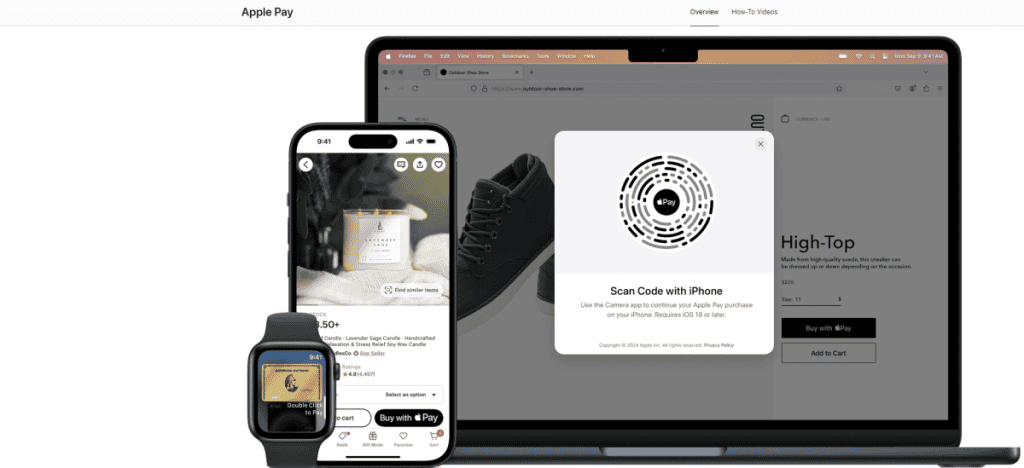
American Express Merchant Services is also fully compliant with PCI DSS (Payment Card Industry Data Security Standards), a set of stringent requirements designed to protect payment data. This compliance underscores their dedication to maintaining the highest levels of security in the payment processing industry.

For businesses, the combination of strong encryption, proactive fraud detection, and PCI DSS compliance makes American Express Merchant Services a reliable and secure choice. These measures not only protect financial data but also enhance customer trust, a critical factor in today’s digital economy.

Merchant Rewards and Loyalty Programs

American Express Merchant Services goes beyond payment processing by offering merchant rewards and loyalty programs that deliver added value to businesses. These programs are designed to strengthen the relationship between merchants and their customers while enhancing the overall business ecosystem.
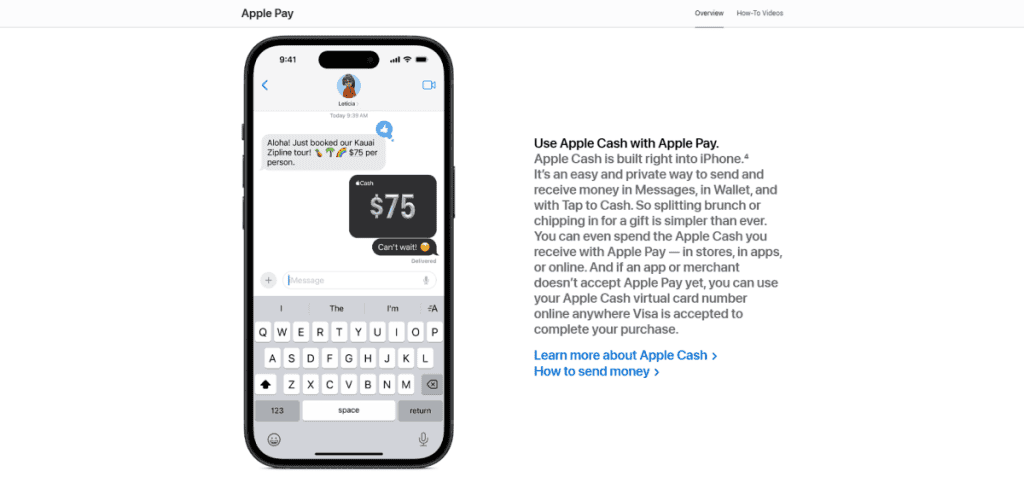
Merchants benefit from tailored rewards programs that encourage customer retention and repeat business. For example, American Express cardholders are incentivized to spend at participating merchants through exclusive offers, cashback deals, and membership points, driving increased foot traffic and sales. These programs are especially advantageous for small businesses seeking to establish a loyal customer base without investing heavily in independent loyalty systems.

American Express also supports merchants by integrating customer loyalty incentives directly into its platform. Businesses can align their offers with AmEx’s popular Membership Rewards program, providing cardholders with additional reasons to choose their services over competitors. This integration simplifies the process of engaging customers, offering a seamless experience that benefits both the business and its clientele.

For small businesses, these programs provide a dual advantage: they attract a high-spending customer base while reinforcing brand loyalty. The ability to tap into AmEx’s extensive rewards network makes its Merchant Services an appealing choice for businesses aiming to grow through enhanced customer engagement.

Limitations and Drawbacks

While American Express Merchant Services offers numerous benefits, there are notable limitations and drawbacks that businesses should consider:

High Transaction Fees: One of the most significant concerns for many merchants is the comparatively higher transaction fees associated with American Express. Typically ranging from 2.5% to 3.5%, these fees can be a burden for businesses operating on thin profit margins, particularly when compared to competitors like Visa or Mastercard, which often offer lower rates.

Limited Global Acceptance: Although American Express is well-recognized in the U.S. and several other markets, its acceptance is more limited in certain regions, particularly in Europe, Asia, and developing economies. This could be a disadvantage for businesses targeting an international customer base or operating in regions where AmEx penetration is low.

Challenges for Specific Merchant Types: Certain industries, such as smaller retail outlets or businesses catering to budget-conscious consumers, may find it challenging to justify the higher transaction costs. Additionally, some merchants report difficulties in integrating AmEx into legacy payment systems, which can pose a hurdle during onboarding.

Despite these limitations, American Express Merchant Services remains a strong choice for businesses that cater to premium clientele or prioritize robust customer loyalty programs. However, it is crucial for merchants to evaluate these potential drawbacks against their specific business needs.

Comparison with Other Payment Processors

When evaluating American Express Merchant Services alongside other payment processors such as Visa, Mastercard, and PayPal, several key distinctions and areas for improvement become evident:

Transaction Fees: American Express typically charges higher transaction fees (2.5%–3.5%) compared to Visa and Mastercard, which usually fall in the range of 1.5%–2.5%. PayPal’s fees are comparable to AmEx but include additional costs for cross-border transactions. While the fees may deter cost-sensitive businesses, AmEx justifies them by providing access to a premium, high-spending customer base.

Customer Base: American Express cardholders are often affluent and loyal, which is a significant advantage for businesses targeting high-value clientele. Visa and Mastercard, however, are widely accepted and cater to a broader demographic, making them more versatile for diverse business models.

Global Acceptance: Visa and Mastercard enjoy near-universal acceptance, making them ideal for international businesses. American Express lags in some global markets, limiting its appeal for merchants with an international customer base.

Value-Added Services: American Express excels in offering merchant rewards and advanced analytics tools, which provide actionable insights and marketing support. PayPal focuses on ease of online payments and seamless e-commerce integration, making it a top choice for digital-first businesses.

While American Express Merchant Services is ideal for businesses prioritizing premium customers and robust support, its higher costs and limited global reach remain areas where competitors have the edge.

American Express Merchant Services Review

Conclusion

American Express Merchant Services excels in catering to premium clientele, offering robust tools, rewards, and security. However, higher fees and limited global acceptance may deter cost-sensitive businesses. It’s ideal for luxury retailers, hospitality, and high-spending markets. For these niches, the value outweighs the costs, making it worth considering.

FAQs

What industries benefit most from American Express Merchant Services?

Industries such as luxury retail, hospitality, travel, and premium service providers benefit the most. These sectors cater to high-spending customers, aligning well with AmEx’s affluent cardholder base.

How does American Express compare to competitors in terms of fees?

American Express generally has higher transaction fees (2.5%–3.5%) compared to Visa and Mastercard. However, the premium customer base and added services like analytics and fraud prevention justify the cost for many businesses.

Are there hidden fees or long-term contracts?

American Express is transparent about its fees. While additional costs for specific services may apply, these are communicated upfront, avoiding hidden charges.

iPayment Review

iPayment Review

iPayment, founded in 1999, has been a significant player in the U.S. payment processing industry, specializing in services for small and medium-sized businesses. The company offers a range of solutions, including credit and debit card processing, enabling merchants to accept various payment forms such as checks, gift cards, and loyalty programs. Lets read more about iPayment Review.

In 2018, iPayment was acquired by Paysafe Group, a global payments provider. This strategic acquisition aimed to expand Paysafe’s presence in the U.S. SMB sector, positioning the combined entity among the top five non-bank payment processors in the country. At the time of the acquisition, iPayment served over 137,000 merchant customers and processed volumes exceeding $25 billion annually.

The integration of iPayment into Paysafe allowed for a broader suite of payment solutions, including point-of-sale systems, digital wallets, and online payment products, enhancing the value proposition for SMBs. This move also enabled cross-selling opportunities, providing merchants with access to a more comprehensive range of payment processing services.

iPayment’s focus on SMBs has been evident through its tailored payment processing solutions, designed to meet the unique needs of smaller merchants. By offering services that facilitate the acceptance of various payment methods, iPayment has played a crucial role in enabling SMBs to expand their payment capabilities and improve customer satisfaction.

Overall, iPayment’s history reflects a commitment to supporting the growth and success of small and medium-sized businesses in the U.S. Its acquisition by Paysafe has further strengthened this mission, providing SMBs with enhanced payment processing solutions and a more extensive support network.

Company Overview | iPayment Review

Founded in 1999, iPayment is a U.S. company that focuses on providing payment processing solutions designed for small and medium-sized enterprises. Throughout the years, it has established a reputation for delivering extensive services that allow merchants to accept diverse payment forms, such as credit and debit cards, checks, and gift cards. 

In April 2018, Paysafe Group, a global payments provider, announced its agreement to acquire iPayment, aiming to strengthen its presence in the U.S. SMB market. The acquisition was completed in June 2018, positioning Paysafe among the top five non-bank payment processors in the United States. At the time of the acquisition, iPayment served over 137,000 merchant customers and processed more than $25 billion in annual transaction volume.

Throughout its history, iPayment has achieved several key milestones:

Expansion of Services: The company broadened its service offerings to include point-of-sale solutions, mobile payment options, and online payment gateways, catering to the evolving needs of SMBs.

Strategic Partnerships: iPayment established partnerships with various agents, sub-ISOs, and software developers, enhancing its distribution channels and market reach.

Acquisitions: Prior to its own acquisition, iPayment expanded its portfolio by acquiring companies such as Leaders Merchant Services and Flagship Merchant Services, strengthening its market position and service capabilities.

These milestones demonstrate iPayment’s dedication to innovation and expansion in the payment processing sector. Its incorporation into Paysafe has boosted its capability to provide a complete range of payment solutions to a larger clientele, reinforcing its significance and competitiveness in the marketplace.

iPayment Review

iPayment’s Service Offerings

iPayment offers a comprehensive suite of payment processing solutions designed to meet the diverse needs of small and medium-sized businesses (SMBs).

Credit and Debit Card Processing: iPayment enables merchants to accept all major credit and debit cards, providing secure and efficient transaction processing.

POS Solutions: iPayment provides POS systems that integrate hardware and software to manage sales, inventory, and customer data, streamlining in-store operations.

Mobile Payment Solutions: For businesses in transition, iPayment provides mobile payment solutions enabling merchants to receive payments through smartphones or tablets, guaranteeing convenience and flexibility. 

Online Payment Gateways: iPayment’s online payment gateways facilitate secure e-commerce transactions, enabling businesses to accept payments through their websites with ease.

Recurring Billing Solutions: iPayment’s recurring billing services automate the process of charging customers at regular intervals, ideal for subscription-based businesses.

Virtual Terminals: iPayment’s virtual terminals enable merchants to handle payments without requiring physical card readers, ideal for phone or mail transactions. 

These service offerings demonstrate iPayment’s commitment to providing versatile and reliable payment processing solutions for SMBs.

Pricing and Fees

iPayment offers various pricing structures and fees for its payment processing services.

Pricing Structure: Flat Rate vs. Interchange-Plus Pricing

iPayment mainly employs a tiered pricing structure, classifying transactions into various rate levels according to aspects such as card type and method of transaction. This method differs from the interchange-plus model, in which sellers pay the true interchange rate plus a set markup, providing enhanced clarity. Although iPayment’s tiered model makes billing easier, it could lead to increased expenses for some transactions in comparison to interchange-plus pricing. 

Standard Fees: Monthly Fees, Processing Rates, and Additional Charges

iPayment’s standard fees include:

Processing Rates: For in-person transactions, credit card rates start at 1.59% plus $0.10 per transaction, and debit card rates begin at 1.11% plus $0.10 per transaction. Online transactions are typically charged around 2% plus $0.29 per transaction.

Monthly Fees: A typical monthly minimum charge of $25 is standard, guaranteeing a fundamental fee no matter the processing volume. Moreover, a monthly fee of $9.95 for the payment gateway might be applicable for processing online transactions. 

Annual Fees: An annual PCI compliance fee of $100 is standard, covering the costs associated with maintaining payment security standards.

Hidden Fees: Setup, PCI Compliance, and Early Termination Fees

Merchants should be aware of potential hidden fees:

Setup Fees: iPayment generally does not charge setup fees, facilitating easier onboarding for new clients.

PCI Non-Compliance Fees: Failing to maintain PCI compliance can result in monthly penalties, typically around $30 per month.

Early Termination Fees (ETFs): Standard contracts often span three years, with early termination fees ranging from $200 to $350 if the contract is ended prematurely.

It is essential for companies to carefully evaluate the terms of contracts and fee arrangements to fully comprehend the expenses linked to iPayment’s services. Although the company offers various solutions for SMBs, understanding all possible fees can assist in making economical choices. 

Features and Benefits

iPayment offers a comprehensive suite of features and benefits tailored to meet the diverse needs of small and medium-sized businesses.

Customizable Payment Solutions: iPayment provides flexible payment processing options that can be tailored to fit various business models. Whether operating a retail store, e-commerce platform, or mobile service, merchants can customize solutions to accept payments seamlessly across multiple channels.

Seamless Integration with Third-Party Software: iPayment’s systems are designed to integrate smoothly with a wide range of third-party software, including popular e-commerce platforms and accounting tools. This compatibility ensures that businesses can maintain their existing workflows without disruption, enhancing operational efficiency.

Security Features: PCI Compliance, Encryption, and Fraud Prevention: iPayment places a high priority on security. The organization guarantees that every transaction adheres to Payment Card Industry Data Security Standards (PCI DSS), protecting confidential customer data. Sophisticated encryption techniques are utilized to secure data while it is being transmitted, and strong fraud detection systems are established to recognize and block unauthorized transactions, ensuring reassurance for both retailers and consumers. 

Multi-Channel Payments (In-Store, Online, Mobile): iPayment supports multi-channel payment processing, enabling businesses to accept payments in-store, online, and on mobile devices. This flexibility is essential for businesses looking to reach a broader audience and provide a seamless payment experience across all platforms.

Customer Support and Reliability: iPayment is known for its reliable customer support, offering assistance to merchants through phone and email channels. The company’s commitment to addressing customer concerns ensures minimal downtime and efficient issue resolution, contributing to a smoother payment processing experience.

These features position iPayment as a reliable and versatile solution for businesses seeking secure, customizable, and efficient payment processing.

Pros and Cons of iPayment

iPayment, a payment processing provider, offers a variety of services tailored to small and medium-sized businesses (SMBs).

Pros

Wide Range of Solutions for SMBs: iPayment provides diverse payment processing options, including credit and debit card processing, point-of-sale systems, mobile payments, and online payment gateways. This variety enables SMBs to select solutions that align with their specific operational needs.

Multi-Platform Support: The firm’s services are tailored to work smoothly across multiple platforms, enabling transactions in-store, online, and via mobile. This versatility enables companies to provide various payment choices for their clients, improving the complete customer experience. 

Established Brand with Paysafe Backing: Since its acquisition by Paysafe Group in 2018, iPayment has benefited from the stability and expanded resources of a global payments provider. This backing has strengthened its market position and service offerings.

Cons

Hidden Fees and Early Termination Fees: Some users have reported unexpected charges, such as setup fees, PCI compliance fees, and early termination fees ranging from $200 to $350. These additional costs can be burdensome for businesses, especially those with tight budgets.

Limited Transparency in Pricing: iPayment does not reveal its pricing model publicly, which complicates the ability of potential clients to evaluate the cost efficiency of its services without going through a sales process. This absence of clarity can cause confusion and make it difficult for businesses to make decisions. 

Customer Service Mixed Reviews: Feedback on iPayment’s customer support is varied. While some clients appreciate the assistance provided, others have reported difficulties in resolving issues promptly, indicating inconsistencies in service quality.

In conclusion, iPayment provides an extensive range of payment processing options ideal for SMBs, enhanced by multi-platform integration and the support of Paysafe Group. Nonetheless, prospective clients ought to recognize the possibility of concealed charges, unclear pricing structures, and varied customer service experiences when evaluating iPayment as their payment processing solution.

iPayment Review

User Experience

iPayment is a payment processing provider that offers a range of services tailored to small and medium-sized businesses (SMBs).

Ease of Setup and Onboarding: iPayment provides a straightforward setup process, allowing businesses to begin accepting payments promptly. The onboarding procedure is designed to be user-friendly, with clear instructions and support to assist merchants in configuring their accounts and integrating necessary hardware and software.

Dashboard and Reporting Tools: It offers a comprehensive analytics dashboard, enabling business owners to access critical data directly from their devices. This feature provides high-level snapshots and detailed reports on sales, product performance, labor, and more, facilitating informed decision-making and efficient business management.

POS System User Interface: The POS systems offered by iPayment focus on enhancing user experience. The interfaces are user-friendly, facilitating rapid transaction processing and requiring little training for employees. Elements like personalized menus and touch-screen functionalities improve user experience, aiding in more efficient everyday tasks. 

Overall Performance and Reliability: iPayment’s services are built to deliver consistent performance, ensuring that payment processing is reliable and efficient. The system’s stability minimizes downtime, which is crucial for maintaining business continuity and customer satisfaction.

In summary, iPayment’s user experience is characterized by an easy setup process, robust reporting tools, intuitive POS interfaces, and dependable performance, making it a suitable choice for SMBs seeking efficient payment processing solutions.

Security and Compliance

iPayment prioritizes the security of its payment processing services, implementing robust measures to protect sensitive cardholder data and ensure compliance with industry standards.

PCI-DSS Compliance: iPayment adheres to the PCI DSS, a set of security requirements established to safeguard cardholder information during processing, storage, and transmission. Compliance with PCI DSS involves maintaining a secure network, protecting cardholder data, managing vulnerabilities, implementing strong access control measures, regularly monitoring and testing networks, and maintaining an information security policy. By aligning with these standards, it helps merchants reduce the risk of data breaches and maintain the integrity of their payment systems.

Encryption Protocols: To safeguard sensitive information, It utilizes sophisticated encryption protocols that transform cardholder data into secure code while being transmitted. This procedure guarantees that information captured by unapproved individuals stays unreadable, reducing the chances of fraud and unauthorized entry. Incorporating robust encryption is essential for PCI DSS compliance, as it safeguards stored cardholder information and secures the transmission of such data over open, public networks. 

Fraud Detection and Prevention Tools: iPayment integrates sophisticated fraud detection and prevention tools into its payment processing services. These tools monitor transactions in real-time, identifying unusual patterns or behaviors that may indicate fraudulent activity. By analyzing factors such as transaction amounts, frequency, and geographic locations, the system can flag and prevent potentially fraudulent transactions before they are completed. This proactive approach helps protect merchants and their customers from financial loss and enhances the overall security of the payment process.

In conclusion, iPayment’s dedication to security and compliance is apparent through its following of PCI DSS standards, use of strong encryption methods, and application of sophisticated fraud detection and prevention technologies. These steps collaborate to create a safe payment processing setting for retailers and their clients. 

Alternatives to iPayment

When evaluating payment processing solutions, it’s essential to consider alternatives to iPayment that may better suit your business needs. Here’s a brief comparison of notable competitors:

Square

Square offers an all-in-one payment processing system ideal for small to medium-sized businesses. It provides free POS software, mobile card readers, and online payment solutions. Square’s transparent pricing includes a flat rate of 2.6% plus $0.10 per in-person transaction, with no monthly fees, making it accessible for businesses seeking straightforward pricing. Additionally, Square’s user-friendly interface and comprehensive features, such as inventory management and sales analytics, enhance its appeal.

Stripe

Stripe is famous for its strong API, enabling companies to build personalized payment solutions. It accommodates various payment methods and currencies, making it ideal for online enterprises with global reach. Stripe applies a fee of 2.9% plus $0.30 for each online transaction, and there are extra charges for international payments. Although it provides considerable customization, implementing Stripe might necessitate technical know-how, potentially posing a challenge for companies lacking internal development capabilities. 

Clover

Clover provides versatile POS systems with customizable hardware and software options. It caters to various business types, offering features like inventory management, employee tracking, and customer engagement tools. Clover’s pricing varies based on hardware choices and service plans, with transaction fees starting at 2.3% plus $0.10 per transaction. While Clover offers comprehensive solutions, the initial setup costs can be higher compared to other providers, which may impact budget-conscious businesses.

PayPal

PayPal is a widely known payment processor that facilitates both online and physical transactions. It provides functionalities such as invoicing, recurring payments, and a mobile POS solution via PayPal Here. PayPal charges 2.29% plus $0.09 for in-person transaction fees, whereas online transactions incur a fee of 2.99% plus $0.49. PayPal’s broad consumer confidence and simple integration position it as a formidable option, particularly for companies looking to tap into its vast user network.

iPayment Review

Conclusion

iPayment is a reliable payment processing option ideal for small to medium enterprises. It provides flexible payment choices, support for multiple platforms, and strong security. Although its extensive services are beneficial, companies should take into account hidden charges and varying customer service feedback prior to signing a contract. 

FAQs

What industries does iPayment serve best?

iPayment is best suited for small to medium-sized businesses across various industries, including retail, hospitality, e-commerce, and service-based businesses. Its customizable payment solutions cater to businesses with both in-person and online payment needs.

How secure are transactions processed through iPayment?

iPayment ensures transaction security by adhering to PCI-DSS compliance standards. It uses advanced encryption protocols and fraud detection tools to safeguard sensitive customer data during transmission and prevent unauthorized activities.

Does iPayment charge an early termination fee?

Yes, iPayment typically charges an early termination fee, which can range from $200 to $350, depending on the contract terms. Businesses should review agreements carefully.

GoPayment Review

GoPayment Review

Possessing an effective and dependable payment system is essential for achieving success. GoPayment, created by Intuit, is a mobile point-of-sale system aimed at streamlining payment processing for companies of any size. By smoothly integrating with QuickBooks, GoPayment aims to improve financial management and simplify operations. This review offers a detailed examination of GoPayment, including its features, pricing, usability, security, customer support, and alternatives, assisting you in deciding if it’s the suitable option for your business. Lets read more about GoPayment Review.

GoPayment’s primary focus is on delivering a user-friendly experience that aligns with the needs of modern businesses. It addresses common pain points such as manual data entry, delayed payment processing, and insufficient record-keeping by offering an integrated ecosystem for financial management. Businesses ranging from small retailers to service providers can leverage GoPayment’s tools to improve efficiency and customer satisfaction. Furthermore, its emphasis on portability makes it ideal for businesses on the move, such as food trucks, pop-up stores, and event-based vendors. With the growing need for cashless transactions, GoPayment empowers businesses to stay competitive in an increasingly digital economy.

Company Background | GoPayment Review

Intuit, the creator of GoPayment, is a well-known name in the financial software industry. Founded in 1983, the company has a robust portfolio that includes QuickBooks, TurboTax, and Mint. Intuit’s mission is to empower small businesses, freelancers, and individuals with tools that simplify financial management. GoPayment is an extension of this vision, designed to provide businesses with a portable and versatile payment solution that integrates seamlessly with other Intuit products.

Intuit is known for its long-standing reputation for innovation and solutions focused on customers. Throughout the years, the company has consistently adapted to the shifting needs of businesses, guaranteeing that its products stay pertinent in a dynamic marketplace. GoPayment demonstrates Intuit’s dedication to providing accessible, scalable, and efficient solutions designed for various industries. Its emphasis on preserving customer trust through strong support and adherence initiatives further reinforces its position as a dependable technology provider.

GoPayment Review

Features and Capabilities

Payment Processing

GoPayment supports a variety of payment methods, including:

Credit and Debit Cards: Both magnetic stripe and EMV chip cards are accepted. This ensures businesses can cater to customers using traditional card payment methods.

Contactless Payments: Customers have the option to pay with Apple Pay, Google Pay, and Samsung Pay, which greatly helps in minimizing transaction times and improving customer convenience. These techniques are gaining more popularity because of their rapidity and cleanliness advantages, especially in the aftermath of the pandemic. 

ACH Transfers: Bank-to-bank transfers are supported for high-value transactions, making it ideal for businesses dealing with large orders or repeat clients. ACH transfers offer cost-effective solutions for businesses compared to traditional credit card fees.

Invoicing: Users can send invoices directly from the app, enabling remote payment processing. This feature helps businesses maintain a steady cash flow and reduce payment delays, especially when dealing with clients who prefer invoiced transactions.

GoPayment’s payment processing features include support for recurring payments, making it a beneficial tool for subscription-based companies or those that provide installment options. The capability to handle recurring payments straight from the app minimizes administrative burden and guarantees prompt collection of payments. 

Integration with QuickBooks

One of GoPayment’s standout features is its seamless integration with QuickBooks. Payments processed through GoPayment are automatically recorded in QuickBooks, ensuring accurate financial records. This integration reduces manual data entry, minimizes errors, and simplifies tax preparation. Users benefit from having a unified platform for tracking income, expenses, and profitability.

The synchronization between GoPayment and QuickBooks provides real-time updates, essential for companies needing instant access to financial information. Moreover, this integration facilitates the creation of comprehensive financial reports, assisting in strategic decision-making. Business owners can seamlessly reconcile accounts, create profit and loss reports, and predict financial trends without toggling between various tools. This interrelation also aids companies in fulfilling compliance obligations by keeping records transparent and current. 

Mobile Application

The GoPayment app is compatible with both iOS and Android devices. Key functionalities include:

Sales Tracking: Monitor sales data in real time. This feature helps businesses identify trends and adjust strategies accordingly. For instance, retailers can use this data to identify best-selling products or peak sales hours.

Inventory Management: Monitor stock quantities and oversee inventory straight from the application. Companies can prevent stockouts or excess inventory by establishing alerts and tracking product performance. This feature is especially advantageous for companies with changing inventory requirements, like seasonal retailers or food service providers. 

Customer Management: Store customer information for personalized service. This includes creating customer profiles, tracking purchase histories, and offering tailored promotions. By leveraging customer data, businesses can implement loyalty programs and enhance customer retention.

The app’s user-friendly design guarantees a slight learning curve, allowing it to be accessible to individuals with different levels of technical skill. Its responsiveness and tidy design improve usability, ensuring that even employees unfamiliar with digital tools can use it easily. 

Hardware Options

GoPayment offers a range of hardware to meet different business needs:

QuickBooks Card Reader: A sleek, portable device that supports magnetic stripe, EMV chip, and contactless payments. The card reader is easy to set up and pairs seamlessly with the mobile app. Its compact design makes it convenient for businesses operating in tight spaces or on-the-go setups.

Peripherals: Compatibility with receipt printers, cash drawers, and barcode scanners for a complete POS setup. These peripherals enable businesses to create a professional and efficient checkout experience, similar to traditional retail environments.

The hardware is built to be sturdy and dependable, guaranteeing steady performance even in busy times. Companies may also choose to acquire extra hardware add-ons to improve the capabilities of their POS systems, including external battery packs to ensure continuous operation. 

Offline Mode

The offline mode ensures that businesses can continue accepting payments even without an internet connection. Transactions are securely stored and processed once connectivity is restored. This feature is particularly useful for businesses operating in areas with unreliable internet access or during outdoor events. Offline mode also provides an added layer of security by encrypting stored transaction data, ensuring it remains protected until it is transmitted.

Multi-User Access

GoPayment enables several users to use the app under a single account, making it ideal for companies with multiple employees managing payments. Business owners are able to assign roles and permissions, guaranteeing the protection of sensitive financial information. The multi-user capability allows for activity monitoring, helping business owners to oversee employee performance and avert unauthorized transactions.

GoPayment Review

Pricing Structure

Transaction Fees

GoPayment charges transaction fees based on the payment method:

Swiped/Dipped Transactions: 2.4% + $0.25 per transaction. These rates are competitive and align with industry standards.

Keyed-In Transactions: 3.4% + $0.25 per transaction. This slightly higher fee accounts for the increased risk of fraud associated with manually entered card details.

Invoice Payments: 2.9% + $0.25 per transaction. This option is ideal for businesses that primarily operate online or through remote invoicing.

The transparent pricing structure allows businesses to calculate costs easily and plan their budgets accordingly. Intuit’s lack of hidden fees ensures trust and reliability among users, making it easier to predict operational costs.

Monthly Fees

GoPayment does not require any compulsory monthly subscription fees. Nonetheless, companies utilizing advanced QuickBooks plans might face extra expenses. This adaptability makes GoPayment an appealing choice for startups or small businesses with constrained budgets. By removing subscription obstacles, Intuit enables businesses to increase usage in line with their growth, maintaining cost-effectiveness all along. 

Additional Charges

Other potential fees include:

Chargebacks: A fee for disputed transactions, which highlights the importance of maintaining accurate records and verifying customer details.

ACH Returns: Charges for failed ACH transfers, typically due to insufficient funds or incorrect account information.

Hardware Costs: The QuickBooks Card Reader is priced at $49, with optional accessories available for purchase. These one-time costs are reasonable and provide excellent value for the features offered.

Businesses can manage these additional costs effectively by leveraging the built-in tools within GoPayment to minimize errors and disputes.

Ease of Use

Setup Process

Getting started with GoPayment is straightforward:

1. Sign up for a GoPayment account.

2. Download the app on your mobile device.

3. Link your QuickBooks account for seamless integration.

4. Set up the QuickBooks Card Reader and other hardware.

Users indicate that the onboarding procedure is straightforward, featuring clear guidance and little technical knowledge needed. Intuit offers detailed guides and video tutorials to help newcomers. Moreover, customer support agents are ready to guide users through the installation process, guaranteeing a seamless transition. 

Daily Operations

The app’s user-friendly interface makes daily operations effortless. From processing payments to generating sales reports, GoPayment simplifies tasks for business owners and employees. Features like inventory tracking and customer management ensure that all essential operations can be handled within a single platform.

The app’s reliability and responsiveness also improve the user experience, guaranteeing seamless operations even at busy times. Users have lauded its capacity to manage significant transaction volumes seamlessly, rendering it ideal for busy retail settings. 

Security Measures

Compliance with PCI-DSS

GoPayment complies with the PCI-DSS, ensuring secure handling of payment data. This compliance demonstrates Intuit’s commitment to protecting customer information and reducing fraud risks.

Data Encryption

Every transaction is secured through sophisticated protocols, protecting confidential customer data from unauthorized access. This function offers reassurance to companies and their clients. Encryption technology also guarantees data integrity, stopping tampering or unauthorized changes. 

Fraud Prevention

GoPayment incorporates fraud prevention measures, including:

Address Verification Service: Verifies the billing address provided during transactions to ensure it matches the cardholder’s records.

Tokenization: Replaces sensitive card details with secure tokens, reducing the risk of data breaches.

These security features align with industry best practices, ensuring that businesses can maintain customer trust while mitigating risks associated with digital payments.

Customer Support

Availability and Channels

Intuit offers customer support through multiple channels:

Phone Support: Available during business hours, ensuring prompt assistance for urgent issues.

Email Support: For less urgent inquiries, with response times typically within 24 hours.

Live Chat: Provides instant assistance, making it a convenient option for troubleshooting.

Knowledge Base

The Intuit website hosts a comprehensive knowledge base with articles, tutorials, and FAQs to assist users with common issues. This self-service option is particularly useful for users who prefer to resolve issues independently.

User Feedback

Although numerous users commend the support team’s responsiveness, some mention varied service quality, especially during busy times. Intuit could resolve this by increasing its support staff and providing round-the-clock assistance. Furthermore, offering support in multiple languages could improve access for users who do not speak English. 

Pros and Cons

Advantages

Integration with QuickBooks: Streamlines financial management.

User-Friendly Interface: Intuitive design suitable for non-technical users.

Versatile Payment Options: Supports various payment methods.

Offline Mode: Ensures uninterrupted payment processing.

Disadvantages

QuickBooks Dependency: Full functionality requires a QuickBooks subscription.

Limited Advanced Features: Lacks some capabilities found in dedicated POS systems.

Customer Support Issues: Reports of inconsistent service quality.

GoPayment Review

Alternatives to GoPayment

Square

Square is a popular alternative offering robust POS features, including:

Free POS software.

Advanced inventory management.

Competitive transaction fees.

PayPal Here

PayPal Here is ideal for businesses already using PayPal:

Simple setup.

Integration with PayPal accounts.

Support for multiple currencies.

Stripe Terminal

Stripe Terminal caters to tech-savvy businesses:

Customizable POS solutions.

Transparent pricing.

Extensive developer tools.

Additional Features and Insights

Customization Options

GoPayment offers limited customization compared to competitors. While users can configure tax rates and discounts, the app lacks more advanced customization features such as branded receipts or tailored sales reports. However, these limitations are often outweighed by its ease of use and QuickBooks integration.

Scalability

GoPayment is ideal for small to medium enterprises. Bigger companies might view its features as limiting, especially regarding inventory control and reporting functions. For these businesses, incorporating GoPayment with external tools can offer extra features. 

Industry-Specific Use Cases

GoPayment’s versatility makes it ideal for various industries, including retail, food services, and professional services. However, businesses requiring extensive industry-specific features may need supplementary software or additional customization.

Conclusion

GoPayment is recognized as a dependable mobile POS option, especially for companies that are already using QuickBooks. Its smooth integration, intuitive interface, and attractive pricing position it as a formidable player in the mobile payment sector. Nonetheless, its dependence on QuickBooks and restricted advanced functionalities might not fit every business. In summary, GoPayment is a great option for small to medium enterprises looking for a simple and effective payment solution. 

Businesses should evaluate their specific needs, considering factors like transaction volume, required features, and existing software ecosystem, before committing to GoPayment. With its focus on simplicity and efficiency, GoPayment delivers significant value for its target audience.

Frequently Asked Questions

Is GoPayment compatible with devices outside the U.S.?

GoPayment is primarily designed for U.S.-based businesses. International compatibility may be limited, and users outside the U.S. should verify device and service availability in their region.

Can GoPayment process international currencies?

GoPayment supports transactions in U.S. dollars. Businesses requiring multi-currency support may need to explore alternatives like PayPal Here or Stripe.

What are the contract terms for GoPayment?

GoPayment does not require long-term contracts. Users can cancel the service at any time without penalties, providing flexibility for businesses.

Apple Pay Review

Apple Pay Review

Since its launch in 2014, Apple Pay has transformed the manner in which individuals perform transactions. Developed by Apple Inc., this mobile payment and digital wallet service offers a convenient, secure, and seamless way to make payments. In contrast to conventional payment methods, Apple Pay utilizes cutting-edge technologies to provide a contactless payment experience that meets contemporary needs for speed and safety. Through its ongoing development, Apple Pay has emerged as a fundamental element of digital payments, establishing standards for rivals such as Google Pay and Samsung Pay. Let’s delve deeper into the Apple Pay Review.

Apple Pay’s appeal lies in its ability to simplify the payment process while maintaining robust security features. It caters to both consumers and merchants, ensuring a frictionless transaction experience. 

Features of Apple Pay | Apple Pay Review

Apple Pay is a versatile platform that supports various transaction types, ensuring adaptability in different scenarios. Users can pay in-store, online, and even within mobile apps. One of the service’s most prominent features is its integration with the Apple Wallet, where users can store and manage their payment cards, boarding passes, and loyalty cards.

Apple Pay’s core features include:

Contactless Payments: Apple Pay uses NFC technology, allowing users to complete payments by just tapping their device on a compatible terminal. 

Cross-Device Compatibility: The service is compatible across the Apple ecosystem, including iPhones, iPads, Apple Watches, and Macs. This integration ensures a unified user experience.

App and Online Purchases: It supports payments within apps and websites using Safari. This feature eliminates the need to enter card details manually, enhancing speed and reducing errors.

Transit Support: In various global cities, it is compatible with public transport systems, enabling users to effortlessly cover transit costs. 

Integration with Loyalty Programs: It allows users to store and use loyalty and reward cards, making it a one-stop solution for payments and customer rewards.

Express Transit Mode: In areas where it’s supported, It offers a quicker, tap-and-go transit experience without the need for Face ID, Touch ID, or a passcode. 

The convenience offered by these features is one of the key reasons for Apple Pay’s widespread adoption, with over a billion Apple devices supporting the service globally.

Apple Pay Review

Setting Up Apple Pay

Setting up Apple Pay is straightforward, ensuring accessibility for all users. Here is a breakdown of the process:

Adding Cards: Users start by launching the Wallet app on their Apple device. They have the option to either scan their credit or debit card or input the information manually. The arrangement is user-friendly and crafted to reduce effort. 

Verification: After entering the card information, the issuing bank or card provider verifies the details. This step may involve receiving a verification code via SMS, email, or phone call. For certain banks, additional security questions may be required.

Customization: After the card is confirmed, users can designate a default card for transactions and modify settings specific to their region. They can additionally activate notifications for transaction alerts to monitor spending instantly. 

Adding Passes and Tickets: Beyond payment cards, users can also add event tickets, boarding passes, and other forms of digital passes to the Wallet app.

The setup process reflects Apple’s commitment to user-centric design. Once configured, Apple Pay is ready to be used across supported platforms and merchants, ensuring a smooth start for new users.

Security and Privacy Measures

Apple Pay has built its reputation on robust security measures, prioritizing user safety without compromising convenience. The service employs several advanced technologies to ensure secure transactions:

Tokenization: Instead of transmitting actual card details, Apple Pay uses a unique Device Account Number (DAN) for each card. This number is encrypted and securely stored on the device’s Secure Element chip, making it inaccessible to malware or unauthorized applications.

Biometric Authentication: Transactions are approved through Face ID, Touch ID, or a passcode. This removes the threat of unauthorized access even if the device is misplaced or taken. 

No Data Storage: It does not store transaction data on its servers or share card information with merchants. This approach ensures that users’ financial details remain private and inaccessible to third parties.

Dynamic Security Code: Each transaction generates a unique, dynamic security code. This ensures that even if intercepted, the data cannot be reused.

Lost or Stolen Devices: If a device is misplaced or taken, users can remotely turn off Apple Pay via the Find My feature, stopping any unauthorized use. They can also delete cards from their account immediately. 

Privacy by Design: Apple does not track or log user transactions, ensuring a high level of privacy.

These measures collectively make Apple Pay one of the most secure payment methods available, addressing concerns about fraud and data breaches.

User Experience

Apple Pay’s user experience is a testament to Apple’s design philosophy, focusing on simplicity, speed, and reliability. Users consistently praise the service for its ease of use in everyday scenarios:

Speed: Transactions with Apple Pay are almost instantaneous, making it ideal for busy environments like retail stores, public transport systems, and drive-thru restaurants.

Intuitive Interface: The Wallet app is neatly structured, enabling users to easily reach their cards, tickets, and passes. The interface is aesthetically pleasing and crafted for simple navigation. 

Reliability: It is known for its consistent performance, with minimal reports of technical glitches. It operates efficiently even during high-demand periods like holiday shopping seasons.

Accessibility: Attributes like VoiceOver compatibility guarantee that users with disabilities can access Apple Pay. 

Users also appreciate the convenience of not carrying physical wallets, as it consolidates payment methods and essential documents in a single app. This digital-first approach aligns with modern consumer habits and preferences.

Apple Pay Review

Compatibility and Integration

Apple Pay’s compatibility extends across a wide range of devices and financial institutions. This broad integration is one of the service’s strongest selling points:

Supported Devices: It works on iPhones (iPhone 6 and later), iPads, Apple Watches, and Macs. This ensures that users can access the service regardless of their preferred device.

Bank and Card Support: Nearly all significant banks and card issuers globally back Apple Pay, such as Visa, Mastercard, American Express, along with local banks. This guarantees broad availability for consumers. 

Merchant Acceptance: Many retail stores, restaurants, and e-commerce platforms accept Apple Pay, making it a versatile payment method. From small businesses to multinational chains, merchant acceptance has grown significantly since Apple Pay’s launch.

Loyalty and Transit Cards: It additionally accommodates the integration of loyalty cards and transit passes, improving its capabilities. For instance, users can directly include Starbucks or Dunkin’ rewards cards in the Wallet app for convenient access. 

Smartwatch Integration: The ability to pay with an Apple Watch adds convenience for users who may not have their phone readily available.

Cross-Border Usability: It facilitates global transactions, enabling users to pay in various currencies while on their travels. 

Despite some regional limitations, Apple Pay’s widespread compatibility ensures that users can rely on the service in various scenarios, both locally and internationally.

Advantages of Using Apple Pay

It offers numerous benefits, making it a preferred choice for many users:

Enhanced Security: Through tokenization, biometric verification, and changing security codes, Apple Pay greatly lowers the chance of fraud. 

Convenience: The ability to pay with a tap or click simplifies transactions, especially for frequent shoppers or travelers. Users no longer need to search for physical cards or cash.

Eco-Friendly: It promotes eco-friendly practices by minimizing the reliance on physical cards, cash, and receipts. Numerous retailers provide e-receipts that are linked to the Wallet app. 

Global Usability: Apple Pay’s international support makes it a reliable option for travelers, reducing the need for currency exchanges or additional cards.

Seamless Integration: Apple Pay’s ability to integrate with loyalty programs, transit systems, and app payments enhances its utility.

Contactless Advantage: As hygiene awareness has grown, Apple Pay’s contactless technology has become more essential in reducing physical contact points. 

These advantages highlight Apple Pay’s value proposition, appealing to a diverse audience from tech-savvy millennials to business professionals seeking convenience and security.

Challenges and Limitations

Despite its strengths, it has certain limitations that users should consider:

Regional Availability: Although it is broadly accepted, certain countries and areas face restricted support because of regulatory or technical obstacles. Local banking collaborations also affect accessibility. 

Device Dependency: Only Apple devices support the service, excluding users of other ecosystems. This creates a barrier for Android or non-Apple users.

Battery and Connectivity Issues: It necessitates a powered device and, in certain instances, an internet connection, which might not always be accessible. For example, individuals might encounter difficulties in emergencies or while traveling in isolated regions. 

Merchant Fees: Some merchants face transaction fees when accepting Apple Pay, which can deter adoption. Additionally, smaller businesses may lack the infrastructure to support NFC payments.

Limited Offline Functionality: While it can keep some data locally, some features might not work without an internet connection. 

Addressing these challenges could further enhance Apple Pay’s reach and usability, making it more inclusive and versatile for a global audience.

Impact on the Payment Industry

It has had a profound impact on the payment industry, driving the adoption of contactless payments and influencing consumer behavior:

Popularizing Contactless Payments: The introduction of Apple Pay motivated other tech firms to create analogous solutions, fostering a competitive environment. It also had a major influence on making contactless payments more common, particularly during the COVID-19 outbreak. 

Merchant Adaptation: Retailers have increasingly invested in NFC-compatible terminals to cater to Apple Pay users, accelerating the adoption of digital payment infrastructure worldwide.

Consumer Trust: Apple Pay’s robust security measures have set new standards, pushing competitors to enhance their offerings and adopt similar security protocols.

Shaping Cashless Economies: It has motivated governments and financial organizations to advocate for digital payment methods, aiding the expansion of cashless economies worldwide. 

By fostering innovation and competition, It has played a pivotal role in shaping the future of digital payments, encouraging a move toward cashless economies.

Apple Pay Review

Future of Apple Pay

As technology evolves, It is poised to introduce new features and expand its capabilities:

Cryptocurrency Integration: As digital currencies become increasingly popular, it might add support for cryptocurrency transactions, providing users with a wider range of payment choices. 

Enhanced AI and ML Features: Future updates may include predictive spending analytics and smarter payment suggestions, personalizing the user experience.

Expanded Regional Support: Apple Pay’s continued expansion into untapped markets will solidify its global presence and accessibility.

Deeper Ecosystem Integration: With the increasing interconnection of Apple devices and services, Apple Pay may take on a pivotal role within the company’s ecosystem, facilitating developments in augmented reality shopping and voice-activated payments. 

Advanced Loyalty Integrations: Future updates may focus on offering tailored promotions and incentives through integrated loyalty programs.

These developments underscore Apple Pay’s potential to remain a leader in the digital payment space, continuously evolving to meet consumer and merchant needs.

Frequently Asked Questions

How secure is Apple Pay compared to traditional credit/debit cards?

Apple Pay uses advanced security features like tokenization and biometric authentication, making it significantly more secure than traditional cards, which rely on static card details.

Can I use Apple Pay internationally? Are there any limitations?

Yes, Apple Pay can be used internationally wherever NFC-compatible terminals and supported banks are available. However, some countries may have limited merchant acceptance.

What should I do if my Apple device with Apple Pay is lost or stolen?

If your device is lost or stolen, you can use the Find My app to remotely disable Apple Pay. Additionally, your card information remains secure as it is not stored on the device or shared with merchants.